Title: Post Grid Gutenberg Blocks for News, Magazines, Blog Websites – PostX
Author: WPXPO
Published: 28 de Noviembre de 2019
Last modified: 11 de Junio de 2026
---
Buscar plugins
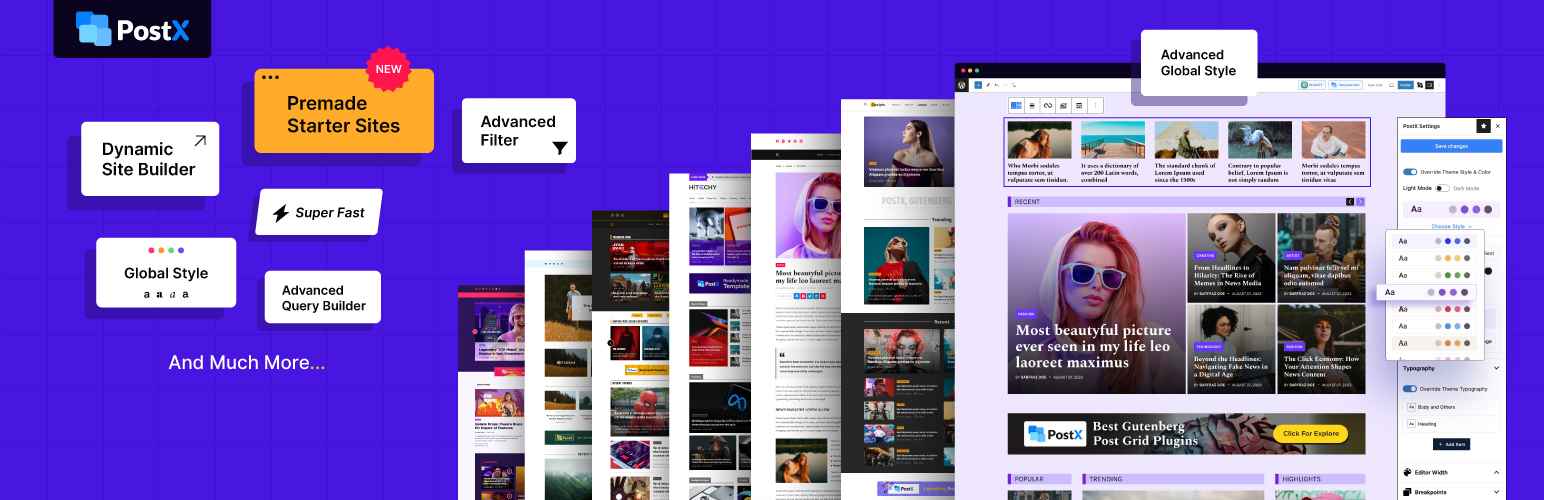

# Post Grid Gutenberg Blocks for News, Magazines, Blog Websites – PostX
Por [WPXPO](https://profiles.wordpress.org/wpxpo/)
[Descargar](https://downloads.wordpress.org/plugin/ultimate-post.5.0.26.zip)
* [Detalles](https://cl.wordpress.org/plugins/ultimate-post/#description)
* [Reseñas](https://cl.wordpress.org/plugins/ultimate-post/#reviews)
* [Instalación](https://cl.wordpress.org/plugins/ultimate-post/#installation)
* [Desarrollo](https://cl.wordpress.org/plugins/ultimate-post/#developers)
[Soporte](https://wordpress.org/support/plugin/ultimate-post/)
## Descripción
🥇 The #1 WordPress news, magazine, and blogging solution
📈 Highest post grid
layout variations with enhanced customization 💕 A plugin by **WPXPO**, that empowers**
65K+** businesses! 📞 Dedicated support team with **4.9/5** customer satisfaction
on [**Trustpilot**](https://uk.trustpilot.com/review/wpxpo.com)
😲 [**Free Demo**](https://trypostx.wpxpo.com/) | 🔥 [**PostX Pro**](https://www.wpxpo.com/product/postx/)
| 📃 [**Starter Templates**](https://www.wpxpo.com/product/postx/templates/) | 📦
[**All Blocks**](https://www.wpxpo.com/product/postx/features/blocks/)
### Ultimate Blog Website Builder for WordPress
Create modern news, magazine, and blog websites with advanced Gutenberg blocks,
ready-made site templates, dynamic grid layouts, and advanced post filtering – all
without coding.
### Key Features of PostX
* Ready-to-import starter sites to launch full blog websites in minutes.
* 45+ advanced Gutenberg blocks for creating dynamic, content-rich layouts.
* 250+ ready-made pattern designs to speed up page creation.
* Site builder to create custom templates for posts, categories, tags, authors,
etc.
* Query builder to display posts by category, tag, author, custom taxonomy, or
custom logic.
* Advanced post filtering, search, and pagination with Ajax for seamless browsing.
* Dynamic content support to pull data from custom fields, post meta, and custom
post types.
* Global style settings to control colors, typography, and more across the entire
site.
* Multi-column layouts and templates to create custom headers, footers, and mega
menus.
* Advanced blogging tools such as table of contents, frontend post submission,
and more.
* Built-in AI (ChatGPT) and SEO plugins integration for content creation
* Seamless integration with popular page builders such as Elementor, Divi, etc.
* Use custom fonts, dark mode, and more design options
* Mobile device responsive design & multi-language support
* Performance optimized codebase
### Starter Sites – Build Any Blog Website in 3 Steps!
Launch a fully designed blog website in minutes. With PostX starter sites, you can
select a premade site template, customize it to match your brand, and go live –
no need to spend hours manually creating every page!
**👉 Check out the [Starter Site Templates!](https://www.wpxpo.com/product/postx/templates/)**
With PostX, you can easily build:
✅ News Websites
✅ Magazine Websites ✅ Sports News Websites ✅ Tech News Websites
✅ Gaming News Websites ✅ Crypto News Websites ✅ Movie News Websites ✅ Travel
Blog Websites ✅ Personal Blog Websites ✅ Food Blog Websites ✅ And More!
👉 **Step-by-step guide on creating a news blog website in WordPress using PostX:**
### Gutenberg Blocks for Professional Blog Layouts
Get all the essential blocks to build a professional blog website. PostX blocks
help you organize and design blog pages that are unique and visually engaging.
✔ **Post Grid:** Showcase posts with 7+ cool grid layouts – [View Demo](https://www.wpxpo.com/product/postx/features/blocks/#demoid6829)
✔ **Post List:** Present content in structured list formats – [View Demo ](https://www.wpxpo.com/product/postx/features/blocks/#demoid6836)
✔ **Post Slider & Carousel:** Highlight featured posts with interactive sliders –
[View Demo](https://www.wpxpo.com/product/postx/features/blocks/#demoid7487) ✔ **
Post Module:** Display posts in structured, magazine-style layouts – [View Demo](https://www.wpxpo.com/product/postx/features/blocks/#demoid6825)
✔ **Mega Menu:** Create advanced navigation menus – [View Demo](https://www.wpxpo.com/product/postx/features/blocks/#demoid8819)
✔ **Row/Column Block:** Build structured layouts easily – [View Demo](https://www.wpxpo.com/product/postx/features/row-column-block/)
✔ **Image Block:** Style images with advanced controls – [View Demo](https://www.wpxpo.com/product/postx/features/blocks/#demoid6843)
✔ **News Ticker:** Display trending posts dynamically – [View Demo](https://www.wpxpo.com/product/postx/features/blocks/#demoid6845)
✔ **Search Block:** Ajax search for better navigation – [View Demo](https://www.wpxpo.com/product/postx/features/blocks/#demoid8233)
✔ **Star Rating:** Add rating systems to highlight content – [View Demo](https://www.wpxpo.com/product/postx/features/blocks/#demoid8858)
✔ **Accordion Block:** Display expandable content sections – [View Demo](https://www.wpxpo.com/product/postx/features/blocks/#demoid8851)
✔ **Button Group:** Stylish CTA buttons for more engagement – [View Demo](https://www.wpxpo.com/product/postx/features/blocks/#demoid7952)
✔ **Taxonomy Block:** Categories and tags in engaging designs – [View Demo](https://www.wpxpo.com/product/postx/features/blocks/#demoid6841)
✔ **Image Gallery Block:** Create visually rich image sections – [View Demo](https://www.wpxpo.com/product/postx/features/blocks/#demoid8951)
✔ **Tabs Block:** Organize blocks under tabs for improved visual – [View Demo](https://www.wpxpo.com/product/postx/features/blocks/#demoid9045)
✔ **YouTube Gallery Block:** Show video content in organized layouts – [View Demo](https://www.wpxpo.com/product/postx/features/blocks/#demoid9096)
✔ [**More 20+**](https://www.wpxpo.com/product/postx/features/blocks/#site-cat-builder)
Dynamic builder block
### Dynamic Gutenberg Site Builder
Design every part of your website exactly the way you want with PostX’s dynamic
site builder. Create unique templates for specific pages to make them stand out –
or maintain consistency with the same template.
✔ Diverse layouts for category and tag pages
✔ Cool designs for archive Pages ✔
Custom blog post templates ✔ Custom Search & date pages ✔ Custom 404 Not Found Pages
✔ Custom home page designs ✔ Custom author pages
[**👉 More about the**](https://www.wpxpo.com/product/postx/features/gutenberg-site-builder/)
Dynamic Site Builder
### Query Builder for Enhanced Content Display
Choose exactly what content to show inside a section. Using the Quick Query feature,
you can utilize advanced sorting options and customization options for maximum control
over content display.
Here is the list of essential post-displaying options:
✔ Display Posts Based on Category
✔ Display Posts Based on Tags ✔ Display Specific
Posts/Pages ✔ Display Posts from Specific Authors ✔ Display Custom Post Types ✔
Popular Posts ✔ Random Posts ✔ Oldest Posts ✔ Most Commented Posts ✔ Top Posts of
the Month ✔ All-time Favorites ✔ Alphabetical ASC ✔ Alphabetical DESC ✔ Reorder
Posts ✔ Exclude Posts
And a lot of other options! 👉 **Learn about [Query Builder](https://www.wpxpo.com/product/postx/features/advanced-query-builder/)**
### Advanced Post Filter
Let users easily filter and find the posts they are looking for – without reloading
the whole page. You have all essential post-filtering options, including:
✔ Filter By Ascending and Descending
✔ Filter By Custom Taxonomy ✔ Post Filter
By Category ✔ Post Filter By Author ✔ Advanced Sort Filter ✔ Post Filter Tags ✔
Order By Filter ✔ Search Filter
👉 **Details about [Advanced Post Filter](https://www.wpxpo.com/product/postx/features/wordpress-post-filter/)**
### Ajax Pagination
Keep users engaged with seamless Ajax-powered pagination that loads content instantly
without refreshing the page. PostX offers multiple pagination styles so you can
choose what fits your website.
✔ Load More pagination
✔ Numeric pagination ✔ Next/previous pagination
**👉 Check out details for [Ajax Pagination](https://www.wpxpo.com/product/postx/features/ajax-pagination/)**
### Enhanced Blogging Features
Take your blog to the next level with advanced features designed to improve engagement,
usability, and content management.
[**Front End Post Submission**](https://www.wpxpo.com/product/postx/features/front-end-post-submission/)
Allow writers to submit content directly from the front end without giving them
access to the WordPress dashboard. Perfect for managing guest and freelance writers.
**Dynamic Content**
Pull data dynamically from any post type and display information
such as post meta, custom fields, and more.
[**Table of Contents**](https://www.wpxpo.com/product/postx/features/table-of-content-wordpress/)
Add a structured table of contents to posts that improves readability and navigation–
which also helps in SEO.
[**Reading Progress Bar**](https://www.wpxpo.com/product/postx/features/reading-progress-bar/)
Show a visual progress bar on posts to highlight how much the visitor has read or
scrolled. You can also add the progress bar to any page of your WordPress site.
[**Taxonomy Image & Color**](https://www.wpxpo.com/product/postx/features/wordpress-taxonomy-image-and-color/)
Add featured images and desired colors to categories, tags, and custom post types–
making the taxonomies more visually appealing.
### Header, Footer & Mega Menu Builder
Improve your site’s navigation and direct visitors to highlighted sections of your
site using fully customizable headers, footers, and mega menus.
✔ A wide library of premade header and footer templates
✔ Option to create different
headers/footers for different pages ✔ Build advanced mega menus with rich layouts,
images, and content
**Learn about:** [PostX Mega menu](https://www.wpxpo.com/product/postx/features/mega-menu/)
**
Learn about:** [PostX Header & Footer](https://www.wpxpo.com/product/postx/features/header-footer-builder/)
### Premade Patterns
Speed up your blog creation with a library of ready-made designs.
Instead of building sections from scratch, choose from professionally designed layouts
and customize them to fit your brand.
**Check out the live demo of [Premade Patterns.](https://www.wpxpo.com/product/postx/features/patterns/)**
### Blog Design & Customization
Control the aesthetics of your entire blog effortlessly. Create a unique and consistent
brand identity with global settings while having block-level control over designs.
**Block-level Settings**
Fine-tune every part of your blog layout with powerful
styling controls built directly into each block. Easily switch between different
layout variations, customize individual elements like title, image, meta, taxonomy,
excerpt, and more.
**[Global Styles](https://www.wpxpo.com/product/postx/features/wordpress-global-styles/)**
Choose the colors and typography that you prefer and apply them globally across
your website for a consistent look and feel.
**[Custom Fonts](https://www.wpxpo.com/product/postx/features/custom-fonts-for-wordpress/)**
Upload and use custom fonts that align with your brand guidelines. Use them with
single or multiple variations – and use them inside PostX’s blocks with full typography
customization options.
**Dark Mode & RTL Support**
Give your readers a modern, eye-friendly experience
with a built-in Light/Dark mode toggle. Also, we provide RTL support, which ensures
a seamless reading experience for users who prefer right-to-left languages.
### Integrations & Compatibility
PostX works seamlessly with your favorite tools and enhances your blog management
workflow.
**AI Integration**
Integrate with your ChatGPT account to easily create and optimize
content directly inside WordPress.
**Gutenberg Blocks in Page Builders**
Love the comfort of your favorite page builders?
Easily use Gutenberg blocks and any PostX-created designs directly inside popular
page builders such as:
✔ Elementor
✔ Divi ✔ WPBakery ✔ Oxygen ✔ Bricks Builder ✔ Beaver
Design and reuse any set of designs with the help of the [Saved Template](https://www.wpxpo.com/product/postx/features/saved-template/)
feature of PostX.
### SEO Plugins Support
Fully compatible with major SEO plugins like Rank Math, Yoast, All-in-One SEO, Squirrly,
SEOPress and others to display custom meta descriptions easily inside content.
### PostX Recommended Themes
PostX should work properly with all popular WordPress themes. We have personally
tested with various themes. Here is a list of themes that are fully compatible with
PostX.
✔ Twenty Twenty-Five
✔ Astra ✔ Blocksy ✔ Kadence ✔ Generatepress ✔ Rishi Theme
✔ Neve ✔ Ocean WP ✔ Blossom Theme ✔ Block WP
### Upcoming Features
* Dynamic Image Generation
* Infinite Scroll
* Icon Block
* Instagram Blocks
* Countdown Timer Blocks
**Have a cool idea for a feature? Let us know: [Request a feature](https://www.wpxpo.com/product/postx/roadmap/)**
### Recommended by the WordPress Experts
Check out what Paul C (WPTuts) had to say about PostX.
Check out the video of Jack Cao and learn how to create a News Magazine Website
for free.
Check out how Alyssa creates a complete news website in minutes using PostX.
### Translations
PostX plugin is compatible with WPML Plugin and also it works perfectly with loco
translate plugin.
You can Translate PostX on [translate.wordpress.org](https://translate.wordpress.org/projects/wp-plugins/ultimate-post/).
### ¿Te gustó PostX?
* Únete a nuestro [grupo de Facebook](https://www.facebook.com/groups/gutenbergpostx).
* Aprende desde nuestros tutoriales en el[canal de YouTube](https://www.youtube.com/channel/UC9I7kzTtG31YlWdG3iL42Jg).
### Autor
Desarrollado por [WPXPO](https://www.wpxpo.com). [Contribuye a Gutenberg Post Blocks en Bitbucket](https://bitbucket.org/wpstabon/ultimate-post/src/master/)
y únete a la fiesta.
### Other Plugins by WPXPO
We are glad that you are considering PostX. We have more amazing plugins that you
can check out:
📄 [**WowInvoice 🔥:**](https://wordpress.org/plugins/wow-pdf-invoices-packing-slips/)
A comprehensive PDF invoices & packing slips plugin for WooCommerce that automates
documents like invoices, packing slips, and picklists.
🚚 [**WowShipping 🔥:**](https://wordpress.org/plugins/wow-table-rate-shipping/)
The complete table rate shipping plugin for WooCommerce, featuring 30+ flexible
conditions and integrations with popular carriers like UPS, USPS, DHL, Sendle, and
more.
➕ [**WowAddons 🔥 :**](https://wordpress.org/plugins/product-addons/) The ultimate
product addons plugin with 25+ extra product options, custom fields, allowing you
to sell customizable products and increase average order value.
🧲 [**WowOptin:**](https://wordpress.org/plugins/optin/) The next-gen optin and
popup builder plugin with Canva-like design flexibility and detailed audience targeting.
💝 [**WowStore:**](https://wordpress.org/plugins/product-blocks/) An all-in-one
WooCommerce solution to create professional and conversion-focused eCommerce stores.
💸 [**WowRevenue:**](https://wordpress.org/plugins/revenue/) Collections of various
WooCommerce discount campaigns to boost revenue by increasing the average order
value.
📦 [**WholesaleX:**](https://wordpress.org/plugins/wholesalex/) A complete WooCommerce
Wholesale solution with additional features like a bulk order form, dynamic pricing&
discount rules.
## Capturas de pantalla
[⌊Muestre las entradas y páginas deseadas en bloques específicos según categorías,
etiquetas, entradas populares, entradas relacionadas, entradas recientes, entradas
aleatorias, entradas más comentadas, etc.⌉⌊Muestre las entradas y páginas deseadas
en bloques específicos según categorías, etiquetas, entradas populares, entradas
relacionadas, entradas recientes, entradas aleatorias, entradas más comentadas,
etc.⌉[
Muestre las entradas y páginas deseadas en bloques específicos según categorías,
etiquetas, entradas populares, entradas relacionadas, entradas recientes, entradas
aleatorias, entradas más comentadas, etc.
[⌊Agrega y personaliza cualquiera de los tipos de paginación disponibles que incluyen
Ajax, cargar más paginación, paginación posterior, navegación y paginación numérica.⌉⌊
Agrega y personaliza cualquiera de los tipos de paginación disponibles que incluyen
Ajax, cargar más paginación, paginación posterior, navegación y paginación numérica
.⌉[
Agrega y personaliza cualquiera de los tipos de paginación disponibles que incluyen
Ajax, cargar más paginación, paginación posterior, navegación y paginación numérica.
[⌊El filtro Ajax también es conocido como filtro de categoría y el filtro de entradas,
ayuda a que los visitantes filtren las entradas por categorías y etiquetas.⌉⌊El
filtro Ajax también es conocido como filtro de categoría y el filtro de entradas,
ayuda a que los visitantes filtren las entradas por categorías y etiquetas.⌉[
El filtro Ajax también es conocido como filtro de categoría y el filtro de entradas,
ayuda a que los visitantes filtren las entradas por categorías y etiquetas.
[⌊Los bloques de carrusel muestran entradas del blog con imágenes adaptables que
puedes usar la página de inicio o en cualquier otra página que desees.⌉⌊Los bloques
de carrusel muestran entradas del blog con imágenes adaptables que puedes usar la
página de inicio o en cualquier otra página que desees.⌉[
Los bloques de carrusel muestran entradas del blog con imágenes adaptables que puedes
usar la página de inicio o en cualquier otra página que desees.
[⌊Hay múltiples paquetes de inicio para diferentes nichos que incluyen noticias,
revistas, blogs, viajes, salud, noticias deportivas, comida, noticias de juegos,
noticias criptográficas, belleza, etc.⌉⌊Hay múltiples paquetes de inicio para diferentes
nichos que incluyen noticias, revistas, blogs, viajes, salud, noticias deportivas,
comida, noticias de juegos, noticias criptográficas, belleza, etc.⌉[
Hay múltiples paquetes de inicio para diferentes nichos que incluyen noticias, revistas,
blogs, viajes, salud, noticias deportivas, comida, noticias de juegos, noticias
criptográficas, belleza, etc.
[⌊Todos los bloques de entradas tienen múltiples diseños prefabricados que estarán
disponibles para cambiar una vez que agregues un bloque a cualquier página.⌉⌊Todos
los bloques de entradas tienen múltiples diseños prefabricados que estarán disponibles
para cambiar una vez que agregues un bloque a cualquier página.⌉[
Todos los bloques de entradas tienen múltiples diseños prefabricados que estarán
disponibles para cambiar una vez que agregues un bloque a cualquier página.
[⌊Todos los bloques tienen múltiples variaciones de diseño que estarán disponibles
para cambiar una vez que agregues un bloque a cualquier página.⌉⌊Todos los bloques
tienen múltiples variaciones de diseño que estarán disponibles para cambiar una
vez que agregues un bloque a cualquier página.⌉[
Todos los bloques tienen múltiples variaciones de diseño que estarán disponibles
para cambiar una vez que agregues un bloque a cualquier página.
[⌊PostX ofrece múltiples extensiones para expandir sus funcionalidades que incluyen
categoría, maquetador, barra de progreso, Elementor, tabla de contenido, plantillas
guardadas, extensiones meta de SEO⌉⌊PostX ofrece múltiples extensiones para expandir
sus funcionalidades que incluyen categoría, maquetador, barra de progreso, Elementor,
tabla de contenido, plantillas guardadas, extensiones meta de SEO⌉[
PostX ofrece múltiples extensiones para expandir sus funcionalidades que incluyen
categoría, maquetador, barra de progreso, Elementor, tabla de contenido, plantillas
guardadas, extensiones meta de SEO
[⌊El bloque tabla de contenidos de Gutenberg es una solución completa con múltiples
opciones de diseño, características y personalización.⌉⌊El bloque tabla de contenidos
de Gutenberg es una solución completa con múltiples opciones de diseño, características
y personalización.⌉[
El bloque tabla de contenidos de Gutenberg es una solución completa con múltiples
opciones de diseño, características y personalización.
[⌊El teletipo de noticias está finamente diseñado para todo tipo de sitios de revista
de noticias con muchas variaciones y opciones de personalización.⌉⌊El teletipo de
noticias está finamente diseñado para todo tipo de sitios de revista de noticias
con muchas variaciones y opciones de personalización.⌉[
El teletipo de noticias está finamente diseñado para todo tipo de sitios de revista
de noticias con muchas variaciones y opciones de personalización.
[⌊Con la ayuda de los plugin Elementor y plantilla guardada, puedes usar cualquiera
de los bloques de entradas de PostX en cualquier página mientras editas con el maquetador
de Elementor.⌉⌊Con la ayuda de los plugin Elementor y plantilla guardada, puedes
usar cualquiera de los bloques de entradas de PostX en cualquier página mientras
editas con el maquetador de Elementor.⌉[
Con la ayuda de los plugin Elementor y plantilla guardada, puedes usar cualquiera
de los bloques de entradas de PostX en cualquier página mientras editas con el maquetador
de Elementor.
## Bloques
Este plugin proporciona 47 bloques.
* Heading
* Image
* News Ticker
* Post Grid #1
* Post Grid #2
* Post Grid #3
* Post Grid #4
* Post Grid #5
* Post Grid #6
* Post Grid #7
* Post List #1
* Post List #2
* Post List #3
* Post List #4
* Post Module #1
* Post Module #2
* Post Slider #1
* Table of Contents
* Taxonomy
* Wrapper
* Advanced Post Meta
* Archive Title
* Post Author Box
* Post Next Previous
* Post Author Meta
* Post Breadcrumb
* Post Category
* Post Comment Count
* Post Comments
* Post Content
* Post Date Meta
* Post Excerpt
* Post Featured Image/Video
* Post Reading Time
* Post Social Share
* Post Tag
* Post Title
* Post View Count
* Post Slider
* Advanced Search
* Youtube Gallery
* Button
* List
* Dark Light
* Filter Select
* Filter Search Adv
* Filter Clear
## Instalación
#### Requisitos mínimos
* WordPress 5.0.0 o superior
* PHP versión 7.3 o superior
* MySQL versión 5.6 o superior
#### Instalación automática
La instalación automática es la opción más fácil ya que WordPress maneja las transferencias
de archivos por sí mismo y ni siquiera necesitas salir de su navegador web.
1. Vete al menú de instalación de tu plugin de WordPress (Panel de control > Plugins
> Agregar nuevo)
2. En el campo de búsqueda, escribe PostX y presiona intro.
3. “Instalar ahora” y luego haz clic en “Activar”
#### Manual de instalación
Para la instalación manual, descarga nuestro producto del directorio de WordPress
y lo subes en tu servidor web a través de tu aplicación FTP o CPanel.
1. Descarga el plugin y descomprímelo
2. Usando un programa FTP o CPanel, carga la carpeta del plugin descomprimido en el
directorio wp-content/plugins/ de tu instalación de WordPress.
3. Activa el plugin desde el menú Plugins (Panel de control > Plugins > Plugins instalados)
dentro del administrador de WordPress.
#### Actualizando
La actualización automática funciona muy bien para este plugin. Si personaliza el
plugin, asegúrese de almacenar una copia de seguridad antes de la actualización.
A veces, debido al problema del enlace permanente durante la actualización del plugin,
simplemente vete a WordPress > Ajustes > Enlaces permanentes y presiona el botón“
Guardar”.
## FAQ
### ¿Es este un plugin de bloques de Gutenberg?
Sí, pero es un plugin de bloque de entradas de Gutenberg. Muestra la publicación
dinámica en tu página.
### ¿Dónde puedo solicitar nuevas características?
Estamos disponibles en el foro de soporte de WordPress.
### ¿Dónde puedo informar de fallos y contribuir al proyecto?
Los fallos se pueden informar en el foro de soporte de WordPress.
### ¿Funciona con una versión anterior de WordPress?
Es un plugin de Gutenberg que funciona muy bien con la versión 5.x.x de WordPress
o superior. Y la versión anterior de WordPress con el plugin Gutenberg.
## Reseñas

### [Powerful and Flexible Post Grid Plugin with Excellent Suppor](https://wordpress.org/support/topic/outstanding-plugin-for-creating-beautiful-post-grids/)
[Hussain Alhassan](https://profiles.wordpress.org/halhassan/) 15 de Junio de 2026
PostX has been a game-changer for building beautiful, modern blog and magazine layouts
using Gutenberg. The variety of prebuilt post grid and list layouts lets me create
engaging content pages quickly without any coding. The customization options are
flexible enough to match my site’s style perfectly. I especially appreciate the
responsive design and how well it works across devices. The support team is friendly
and responsive, helping me solve questions promptly. While some advanced features
require the Pro version, the free version offers plenty of value for most users.
Overall, PostX is an excellent choice for anyone looking to enhance their WordPress
blog or news website with stylish grid blocks.

### [List Post X Pro – excellent plugin and support](https://wordpress.org/support/topic/list-post-x-pro-excellent-plugin-and-support/)
[nerina2026](https://profiles.wordpress.org/nerina2026/) 10 de Junio de 2026 1
respuesta
Great team, support engineer Owadud helped me with a solution regarding the left
alignment of the list icons in a few hours. Now I can change the alignment as desired.
Friendly, professional and immediate response. I love the List Post X Pro plugin
with nice icons in the list. Nerina Darman from Slovenia, Europe

### [Postx Pro Support by Wpxpo](https://wordpress.org/support/topic/postx-pro-support-by-wpxpo/)
[rockoon888](https://profiles.wordpress.org/rockoon888/) 3 de Junio de 2026 1 respuesta
Razibul Hasan has been a great help to walk me through installing PostxPro. He was
patient and competent and very friendly. He as able fix my issue.

### [SUPER FAST & FRIENDLY SUPPORT](https://wordpress.org/support/topic/super-fast-friendly-support/)
[kreatywnymanager](https://profiles.wordpress.org/kreatywnymanager/) 2 de Junio
de 2026 1 respuesta
PostX is an amazing tool letting me design layouts to the pixel. What is the best–
they answer questions in seconds, not even in minutes. My life time license is one
of the best purchases ever.

### [Great and fast support](https://wordpress.org/support/topic/great-and-fast-support-115/)
[carlahei](https://profiles.wordpress.org/carlahei/) 30 de Mayo de 2026 1 respuesta
I had an issue with PostX on my website, and Shahriar helped me very quickly and
professionally. My compliments on the excellent support and on PostX itself, which
is a great plugin. Thank you for the outstanding service.

### [The Best Gutenberg Post Grid Plugin I’ve Used!](https://wordpress.org/support/topic/the-best-gutenberg-post-grid-plugin-ive-used/)
[digitalagencyone](https://profiles.wordpress.org/digitalagencyone/) 27 de Mayo
de 2026 1 respuesta
PostX has completely transformed the way I create and manage content on my WordPress
site. The plugin is powerful, intuitive, and packed with features that make building
professional-looking post grids, news layouts, and magazine-style pages incredibly
easy. The support team is also outstanding — always responsive, friendly, and genuinely
helpful. Highly recommended for anyone serious about content design and performance!
[ Leer los 256 comentarios ](https://wordpress.org/support/plugin/ultimate-post/reviews/)
## Colaboradores & Desarrolladores
“Post Grid Gutenberg Blocks for News, Magazines, Blog Websites – PostX” es software
de código abierto. Las siguientes personas han contribuido a este plugin.
Colaboradores
* [ WPXPO ](https://profiles.wordpress.org/wpxpo/)
* [ Anik Biswas ](https://profiles.wordpress.org/anik4e/)
* [ Jakir Hasan ](https://profiles.wordpress.org/jakirhasan/)
“Post Grid Gutenberg Blocks for News, Magazines, Blog Websites – PostX” ha sido
traducido en 5 idiomas. Gracias a [los traductores](https://translate.wordpress.org/projects/wp-plugins/ultimate-post/contributors)
por sus contribuciones.
[Traduce “Post Grid Gutenberg Blocks for News, Magazines, Blog Websites – PostX” a tu idioma.](https://translate.wordpress.org/projects/wp-plugins/ultimate-post)
### ¿Interesado en el desarrollo?
[Revisa el código](https://plugins.trac.wordpress.org/browser/ultimate-post/), echa
un vistazo al [repositorio SVN](https://plugins.svn.wordpress.org/ultimate-post/),
o suscríbete al [registro de desarrollo](https://plugins.trac.wordpress.org/log/ultimate-post/)
por [RSS](https://plugins.trac.wordpress.org/log/ultimate-post/?limit=100&mode=stop_on_copy&format=rss).
## Historial de cambios
#### 5.0.26 – 11 June 2026
* Fix: Dashboard Notice issue
#### 5.0.25 – 10 June 2026
* Fix: Setup wizard improved
* Fix: Advanced list padding issue
#### 5.0.24 – 04 June 2026
* Fix: WordPress 7.0 compatibility updated
#### 5.0.23 – 04 June 2026
* Fix: Tab block caret issue
* Fix: Row block sticky issue
* Fix: Post block title EM unit issue
* Fix: WordPress 7 compatibility issue
* Fix: Advanced Filter translation issue
* Fix: Button block layout 4 gradient issue
* Fix: Post Slider title link issue (Layouts 1 & 2)
* Fix: Taxonomy block layout 3 background color issue
#### 5.0.22 – 18 May 2026
* Fix: Advanced filter & Saved template compatibility issue
#### 5.0.21 – 12 May 2026
* New: Added tutorials section to the dashboard
* New: Added tutorials for block settings
#### 5.0.20 – 11 May 2026
* Fix: Undefined attribute issue in Advanced Filter block
#### 5.0.19 – 10 May 2026
* Fix: Tab Block pattern support issue
* Fix: Tab Block content mismatch issue
* Fix: Enhanced CSS compatibility for block themes
* Fix: Advanced Filter Search block icon issue
#### 5.0.18 – 06 May 2026
* Fix: List block spacing issue
* Fix: Dark light block logo color issue
* Fix: Query builder unwanted query removed
* Fix: Block Theme Editor width conflict issue
#### 5.0.17 – 26 April 2026
* Fix: Advanced filter dynamic label issue
* Fix: Advanced filter tag inline view issue
* Fix: Advanced filter reset button nameing issue
* Fix: Advanced filter postid removed from backend
#### 5.0.16 – 16 April 2026
* Fix: Starter pack Dark/Light mode css optimized
#### 5.0.15 – 15 April 2026
* Fix: Optimized ajax request handling using apiFetch
* Fix: Synchronized dark/light mode in the starter pack
#### 5.0.14 – 08 April 2026
* Fix: Advanced Filter issue
#### 5.0.13 – 07 April 2026
* Fix: Post Grid 2 Video popup issue
* Fix: Post Comment Block Vulnerability Patched
* Fix: Advanced Filter ASC/DESC translation issue
* Fix: Advanced Filter Custom taxonomy block issue
#### 5.0.12 – 01 April 2026
* Fix: Image Block Cover issue
* Fix: Starter pack typography issue
* Fix: Block theme css conflict issue
* Fix: Advanced Filter inline categories not visible
#### 5.0.11 – 12 March 2026
* Fix: Tab Block deprecated issue
#### 5.0.10 – 8 March 2026
* Fix: News ticker block query field issue
* Fix: Duplicate wp_head issue on Builder template
* Fix: Typography settings Font family searching issue
* Fix: Starter Pack preview mobile break point updated
* Fix: Advanced filter and Archive builder conflict issue
#### 5.0.9 – 25 February 2026
* New: Post Block inline video optimized
* Fix: SSRF vulnerability in Starter pack importer
* Fix: Pagination nonce conflict with cache plugins
* Fix: Advanced Filter orderby conflict with pagination
#### 5.0.8 – 23 February 2026
* Fix: Menu Item icon broken issue
* Fix: Compatibility issue with older PHP versions
#### 5.0.7 – 22 February 2026
* Fix: PostX button block attribute issue
#### 5.0.6 – 2 February 2026
* Fix: Post Grid 5 layout broken
* Fix: License page Upgrade to pro issue
* Fix: Advanced Filter block default order
* Fix: Post Share Count vulnerability patch
* Fix: Author filter block author value issue
* Fix: Gallery and Taxonomy block responsive issue
* Fix: Server requests secured against vulnerabilities
* Fix: Advanced Filter block inline settings enhancements
* Fix: Single select for Category, Tags, and Custom Taxonomy filter block
#### 5.0.5 – 22 December 2025
* Fix: Menu icon issue
#### 5.0.4 – 17 December 2025
* Fix: Svg icon color issue
* Fix: WordPress 6.9 compatibility
* Fix: Toolbar deprecation issue
* Fix: Starter site font family issue
* Fix: Dynamic Content patchstack issue
* Fix: Post grid block font size unit issue
* Fix: Scroll to top after click block Navigation
* Fix: Post Block pagination patchstack issue
#### 5.0.3 – 25 November 2025
* New: YouTube Gallery block
#### 5.0.1 – 05 November 2025
* Fix: Dashboard menu broken issue
* Fix: Image block caption setting issue
* Fix: Accordion block rendering issue on frontend
#### 5.0.0 – 04 November 2025
* New: Tab block
* New: Gallery Block
* New: Replace All Svg Icon with new Icon Pack
* New: Post List, Grid Block transferable option added
* New: Block Settings Panel with new updated Field
* Update: Dashboard UI and Setup wizard
* Fix: Deprecated warning issue
#### 4.1.40 – 29 October 2025
* Fix: WowOptin template compatibility improved with PostX Starter Pack
#### 4.1.37 – 6 August 2025
* Fix: Plugin installation access control issue
* Fix: Video autoplay issue in post blocks
#### 4.1.36 – 5 August 2025
* Fix: Post Comment Blocks Placeholder updated
* Fix: Preset accessibility issue
#### 4.1.35 – 22 July 2025
* Fix: Builder post comment block only manually approved comment showing issue
#### 4.1.34 – 21 July 2025
* Fix: Builder template import issue
* Fix: PostX Block video inline playing issue
#### 4.1.33 – 16 July 2025
* Fix: Archive builder specific condition removing issue
#### 4.1.32 – 15 July 2025
* Fix: License page user experience improved
#### 4.1.31 – 18 June 2025
* Fix: Notice updated
#### 4.1.30 – 28 May 2025
* New: Star Ratings block
#### 4.1.29 – 26 May 2025
* New: Accordion Block
* Fix: Php Namespace declaration issue
* Fix: Menu block active link issue
#### 4.1.28 – 20 May 2025
* Fix: Header block highlight color issue in frontend
* Fix: Header Footer Builder condition issue
* Fix: Post Slider 2 image attribute issue
* Fix: Post Grid 1 Separator gap and style issue
#### 4.1.27 – 8 April 2025
* Fix: Dynamic Content attribute issue
* Fix: Dynamic Content Toolbar dropdown icon broken issue
#### 4.1.26 – 25 March 2025
* Fix: Advanced Search Block Security issue
#### 4.1.25 – 9 March 2025
* Fix: php 7 compatibility issue
* Fix: WordPress Deprecated function removed
* Fix: All Pro block can be visible after expired licenses
* Fix: Frontend Post Submission Guest Post shortcode issue
* Fix: Most visible post query content updated
#### 4.1.24 – 17 February 2025
* Fix: Advanced Filter translation issue
* Fix: Advanced Filter issue with FSE Theme
* Fix: Author Filter valid author data issue
* Fix: PostX Block Toolbar layout popup issue
* Fix: Initial setup broken issue in Mozila Firefox
* Update: Improved arrow position settings for Post Slider 2
* Update: Table of Contents Block performance improvement
* Update: Added Web URL disable setting for Post Comment Block
* Update: Introduced active navigation style settings for Mega Menu Block
#### 4.1.23 – 21 January 2025
* Fix: Non-Ajax pagination issue
* Fix: Progress bar color value accuracy issue
* Fix: Heading block View More button URL issue
* Fix: Taxonomy block background hover color issue
* Fix: Advanced meta block category, tag content width overlay issue
#### 4.1.22 – 9 January 2025
* Fix: Dynamic Content setting issue
* Fix: YouTube Embed is not working inside Saved Template and Builder Pages
* Fix: Posts not found message added in advanced filter
* Fix: Blocks in search page excludes post types given in Search Block
#### 4.1.21 – 24 December 2024
* Fix: Mega Menu Block style issue
#### 4.1.20 – 3 December 2024
* Fix: Sticky Row settings improve usability
#### 4.1.19 – 3 December 2024
* New: Sticky Row
* Fix: Default value in Advance filter dropdown was not correctly set in some instances.
[See changelog for all versions](https://bitbucket.org/wpstabon/ultimate-post/raw/master/changelog.txt).
## Meta
* Versión **5.0.26**
* Última actualización **hace 6 días**
* Instalaciones activas **40,000+**
* Versión de WordPress ** 5.0 o superior **
* Probado hasta **7.0**
* Versión de PHP ** 5.6 o superior **
* Idiomas
* [Bengali (Bangladesh)](https://bn.wordpress.org/plugins/ultimate-post/), [English (US)](https://wordpress.org/plugins/ultimate-post/),
[Italian](https://it.wordpress.org/plugins/ultimate-post/), [Persian](https://fa.wordpress.org/plugins/ultimate-post/),
[Portuguese (Brazil)](https://br.wordpress.org/plugins/ultimate-post/), y [Spanish (Spain)](https://es.wordpress.org/plugins/ultimate-post/).
* [Traducir a tu idioma](https://translate.wordpress.org/projects/wp-plugins/ultimate-post)
* Etiquetas
* [ajax filter](https://cl.wordpress.org/plugins/tags/ajax-filter/)[post filter](https://cl.wordpress.org/plugins/tags/post-filter/)
[post grid](https://cl.wordpress.org/plugins/tags/post-grid/)[post list](https://cl.wordpress.org/plugins/tags/post-list/)
[post slider](https://cl.wordpress.org/plugins/tags/post-slider/)
* [Vista Avanzada](https://cl.wordpress.org/plugins/ultimate-post/advanced/)
## Calificaciones
4.8 de 5 estrellas.
* [ 234 valoraciones de 5 estrellas ](https://wordpress.org/support/plugin/ultimate-post/reviews/?filter=5)
* [ 8 valoraciones de 4 estrellas ](https://wordpress.org/support/plugin/ultimate-post/reviews/?filter=4)
* [ 2 valoraciones de 3 estrellas ](https://wordpress.org/support/plugin/ultimate-post/reviews/?filter=3)
* [ 4 valoraciones de 2 estrellas ](https://wordpress.org/support/plugin/ultimate-post/reviews/?filter=2)
* [ 8 valoraciones de 1 estrellas ](https://wordpress.org/support/plugin/ultimate-post/reviews/?filter=1)
[Your review](https://wordpress.org/support/plugin/ultimate-post/reviews/#new-post)
[Ver todas las reseñas](https://wordpress.org/support/plugin/ultimate-post/reviews/)
## Colaboradores
* [ WPXPO ](https://profiles.wordpress.org/wpxpo/)
* [ Anik Biswas ](https://profiles.wordpress.org/anik4e/)
* [ Jakir Hasan ](https://profiles.wordpress.org/jakirhasan/)
## Soporte
Problemas resueltos en los últimos dos meses:
2 de 2
[Ver el foro de soporte](https://wordpress.org/support/plugin/ultimate-post/)