Title: WP Code Pre
Author: zeshanb
Published: 19 de Septiembre de 2017
Last modified: 8 de Agosto de 2021
---
Buscar plugins
Este plugin **no ha sido probado con ninguna las 3 últimas versiones principales
de WordPress**. Puede que ya no se mantenga o no tenga soporte, y puede que tenga
problemas de compatibilidad cuando se utiliza con versiones más recientes de WordPress.
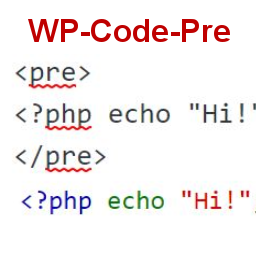
# WP Code Pre
Por [zeshanb](https://profiles.wordpress.org/zeshanb/)
[Descargar](https://downloads.wordpress.org/plugin/wp-code-pre.1.0.1.zip)
* [Detalles](https://cl.wordpress.org/plugins/wp-code-pre/#description)
* [Reseñas](https://cl.wordpress.org/plugins/wp-code-pre/#reviews)
* [Instalación](https://cl.wordpress.org/plugins/wp-code-pre/#installation)
* [Desarrollo](https://cl.wordpress.org/plugins/wp-code-pre/#developers)
[Soporte](https://wordpress.org/support/plugin/wp-code-pre/)
## Descripción
This simple plugin was created because of security concerns related to using PHP
preg_replace directly. With transition to PHP7, it’s advised to use preg_replace_callback
instead.
This plugin uses built-in supported feature of PHP-“highlight_string”. This plugin
filters post content inside custom html block for
and helps display html and other source code.
To display source code in your posts, surround source code with pre tags. Plugin
will filter for pre tags and add inline styles that may be modified using your wordpress
theme’s css stylesheet.
For WordPress versions 5.0 and above, HTML pre tags can be used within html block
or, classic block. Use the three dot menu to convert to html when there is a invalid
content error while post editing.
## Capturas de pantalla
* [[
* Code preview on blog post or page
* [[
* Typing code in text tab of WordPress Admin area when writing Post.
* [[
* Convert block to html while editing to make modifications to existing source
code display
## Instalación
1. Download the plugin
2. Upload the wp-code-pre.zip folder to your site’s wp-content/plugins directory
3. Activate the plugin in the WordPress Admin Panel
4. Surround source code with `
` tags, when writing in blog posts using
Gutenberg with classic block and “Edit as HTML” or, html block
## FAQ
Why there aren’t any options to modify in admin?
This plugin simply filters for
pre tags.
## Reseñas
No hay reseñas para este plugin.
## Colaboradores & Desarrolladores
“WP Code Pre” es software de código abierto. Las siguientes personas han contribuido
a este plugin.
Colaboradores
* [ zeshanb ](https://profiles.wordpress.org/zeshanb/)
[Traduce “WP Code Pre” a tu idioma.](https://translate.wordpress.org/projects/wp-plugins/wp-code-pre)
### ¿Interesado en el desarrollo?
[Revisa el código](https://plugins.trac.wordpress.org/browser/wp-code-pre/), echa
un vistazo al [repositorio SVN](https://plugins.svn.wordpress.org/wp-code-pre/),
o suscríbete al [registro de desarrollo](https://plugins.trac.wordpress.org/log/wp-code-pre/)
por [RSS](https://plugins.trac.wordpress.org/log/wp-code-pre/?limit=100&mode=stop_on_copy&format=rss).
## Historial de cambios
#### 1.0
* First version of the plugin.
#### 1.0.1
* Updated readme to reflect updates to version 5.0
## Meta
* Versión **1.0**
* Última actualización **hace 5 años**
* Instalaciones activas **10+**
* Versión de WordPress ** 4.0 o superior **
* Probado hasta **5.8.13**
* Versión de PHP ** 7.0 o superior **
* Idioma
* [English (US)](https://wordpress.org/plugins/wp-code-pre/)
* Etiquetas
* [Code Highlight](https://cl.wordpress.org/plugins/tags/code-highlight/)[filter content](https://cl.wordpress.org/plugins/tags/filter-content/)
* [Vista Avanzada](https://cl.wordpress.org/plugins/wp-code-pre/advanced/)
## Calificaciones
Aún no se han enviado valoraciones.
[Your review](https://wordpress.org/support/plugin/wp-code-pre/reviews/#new-post)
[Ver todas las reseñas](https://wordpress.org/support/plugin/wp-code-pre/reviews/)
## Colaboradores
* [ zeshanb ](https://profiles.wordpress.org/zeshanb/)
## Soporte
¿Tienes algo que decir? ¿Necesitas ayuda?
[Ver el foro de soporte](https://wordpress.org/support/plugin/wp-code-pre/)