

Descripción
MailerPress is a free email marketing and newsletter plugin for WordPress. Build professional email campaigns with a drag-and-drop editor, manage unlimited subscribers and lists, schedule newsletters, and send automated emails — all from your WordPress dashboard.
Whether you’re a blogger sending a weekly newsletter, an online store owner looking to customize WooCommerce emails (paid plan required), or a marketer running large-scale email campaigns, MailerPress gives you everything you need — with no subscriber limits and no sending restrictions.
Drag-and-Drop Email Editor
Create beautiful email newsletters without writing a single line of code. The MailerPress email editor is inspired by the WordPress Block Editor (Gutenberg), so it feels instantly familiar:
- Drag-and-drop blocks to build your email layout
- Pre-built email templates to get started in seconds
- Save and reuse your own custom layouts
- Full theme.json support for consistent branding with Full Site Editing
- Google Fonts integration with local hosting for fast loading
- MJML template import for advanced email designs
- Responsive emails that look great on every device
Subscriber Management & List Building
Grow your email list with powerful subscriber management tools, completely free:
- Unlimited subscribers, lists, and tags — no restrictions
- Customizable opt-in forms with shortcode — works with any page builder (Elementor, Bricks, Divi, and more)
- Gutenberg opt-in form block for the Block Editor
- Embeddable opt-in forms for external websites
- Double opt-in with customizable confirmation emails
- CSV import and export for easy subscriber migration
- Advanced subscriber segmentation
- GDPR-compliant subscription management with built-in unsubscribe
Email Campaigns & Newsletter Scheduling
Send newsletters and email campaigns on your schedule:
- Create and send email campaigns to your subscriber lists
- Schedule newsletters for future delivery
- Merge tags for personalized email content (subscriber name, custom fields, and more)
- Content retrieval from posts and pages
- Flexible click and open tracking (track, anonymize, or disable)
- Detailed campaign analytics and performance reports
Email Automation
Automate your email marketing to save time and boost engagement:
- Automated post notification emails when you publish new content
- Scheduled email campaigns with precise timing
- Automated double opt-in confirmation follow-ups (paid plan required)
- Advanced automation workflows with triggers and conditions (paid plan required)
WooCommerce Email Marketing (paid plan required)
Turn your WooCommerce store into an email marketing machine:
- Design custom WooCommerce transactional emails with the drag-and-drop editor
- Override default WooCommerce order confirmation, shipping, and account emails
- Send promotional email campaigns to your customers
- Retrieve WooCommerce product content directly in your newsletters
- Segment subscribers based on purchase behavior
Incoming & Outgoing Webhooks
Connect MailerPress to any external system:
- Incoming webhooks to add subscribers from external platforms
- Outgoing webhooks to send real-time events to third-party services
- Build custom integrations with your existing tools
Email Sending Options
Send emails using your preferred method:
- PHP Mail (default — works out of the box)
- Custom SMTP configuration
- SendGrid integration (paid plan required)
- Brevo / Sendinblue integration (paid plan required)
- Mailjet integration (paid plan required)
- Amazon SES integration (paid plan required)
- Mailgun integration (paid plan required)
- Postmark integration (paid plan required)
- Bounce management via email provider APIs (paid plan required)
All Free Features
- Drag-and-drop email editor inspired by WordPress Block Editor
- Unlimited subscribers, lists, tags, and campaigns
- Email newsletter creation and scheduling
- Customizable opt-in forms (shortcode + Gutenberg block)
- Double opt-in with confirmation emails
- CSV import/export for subscriber migration
- Subscriber segmentation
- Email campaign analytics
- Post and page content retrieval for newsletters
- Incoming and outgoing webhooks
- Click and open tracking (with anonymous option)
- Merge tags for email personalization
- MJML template import
- Google Fonts with local hosting
- GDPR-compliant with built-in unsubscribe
- Self-hosted — your data stays on your server
- Full theme.json and FSE support
- Hundreds of developer hooks and filters
- REST API for custom integrations
Paid Plan Features
Upgrade to MailerPress for advanced email marketing capabilities:
- WooCommerce email customization — design and override transactional emails (order confirmation, shipping, account emails) with the drag-and-drop editor
- Professional email delivery — SendGrid, Brevo, Mailjet, Amazon SES, Mailgun, Postmark
- AI-powered email content — OpenAI, DeepSeek, Mistral, Google Gemini integration for content optimization and image generation
- Advanced form integrations — Contact Form 7, Gravity Forms, Fluent Forms
- Page builder integrations — Elementor, Bricks
- Advanced automation workflows — triggers, conditions, and behavioral targeting
- Custom fields and advanced segments — target subscribers based on behavior and data
- Premium email templates — professional designs ready to use
- Embed opt-in forms on external websites — grow your list beyond WordPress
- Bounce management — automatic handling via email provider APIs
- Automated double opt-in follow-ups — re-engage pending subscribers
- White-label options — customize MailerPress branding
- Priority support — dedicated customer assistance
Developer-Friendly
MailerPress is built for developers who need full control:
- Hundreds of hooks and filters — customize every aspect of the plugin
- REST API — build custom integrations and applications
- MJML support — use MJML templates for advanced email design workflows
- React-based architecture — modern, extensible, and performant
Privacy & GDPR
MailerPress is fully GDPR-compliant and privacy-first. No data is collected by us — everything stays on your server. Built-in unsubscribe links, double opt-in, and data export tools help you stay compliant. When using third-party email providers, please review their respective privacy policies.
Translations
MailerPress is available in English, French, Spanish, Dutch, and Arabic. Help translate MailerPress into your language.
Capturas de pantalla
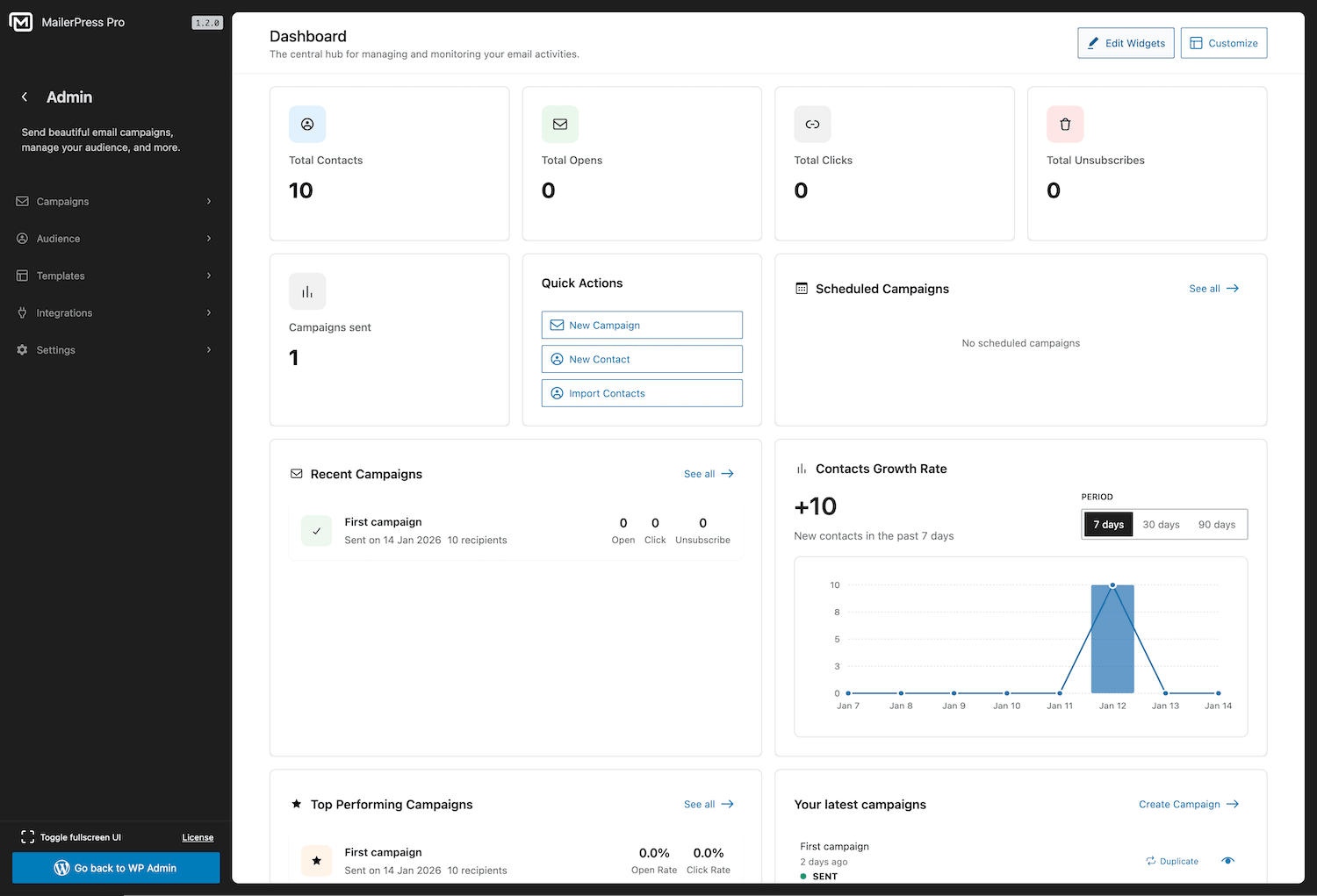
MailerPress dashboard — overview of your email marketing performance 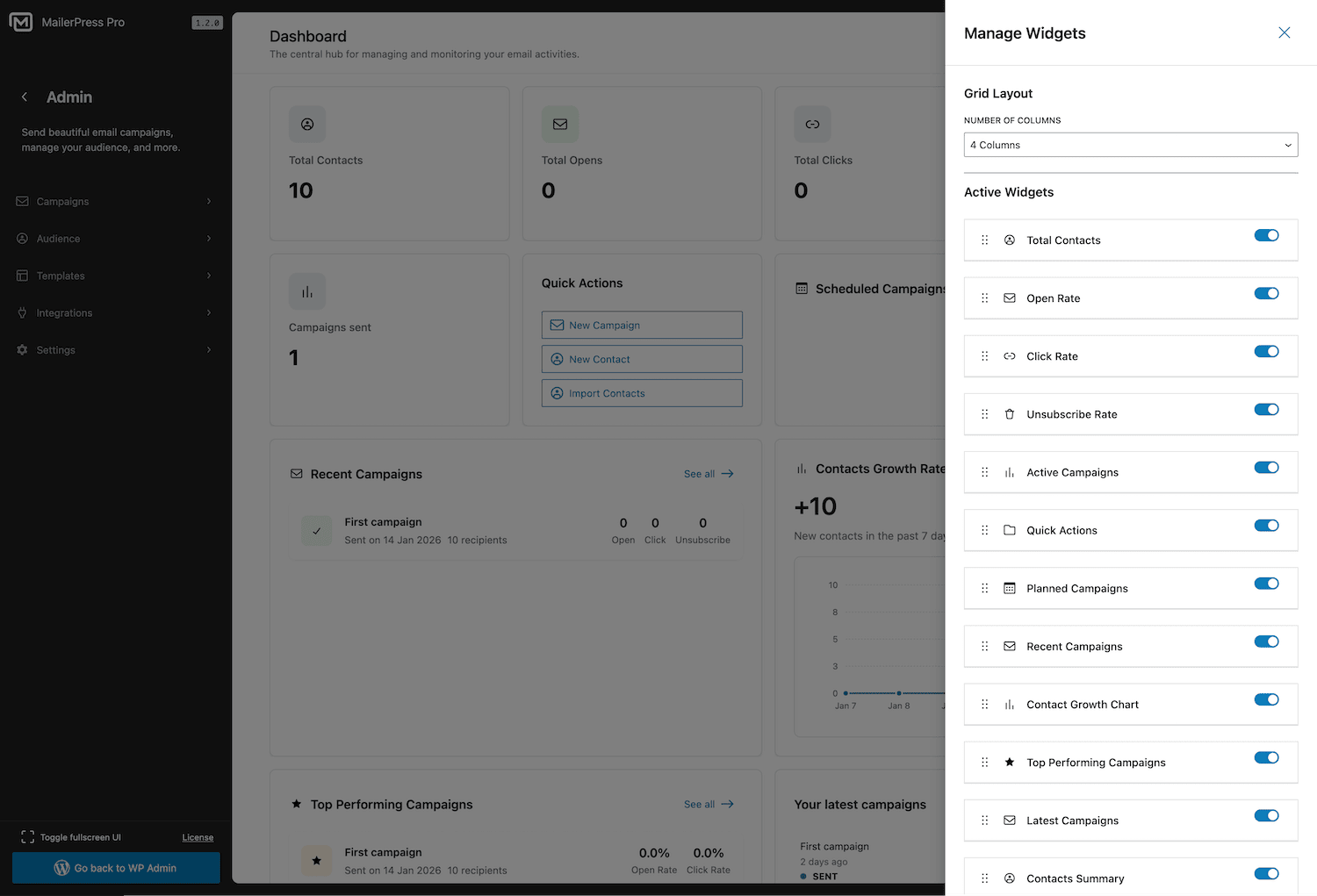
Customizable dashboard with drag-and-drop widgets 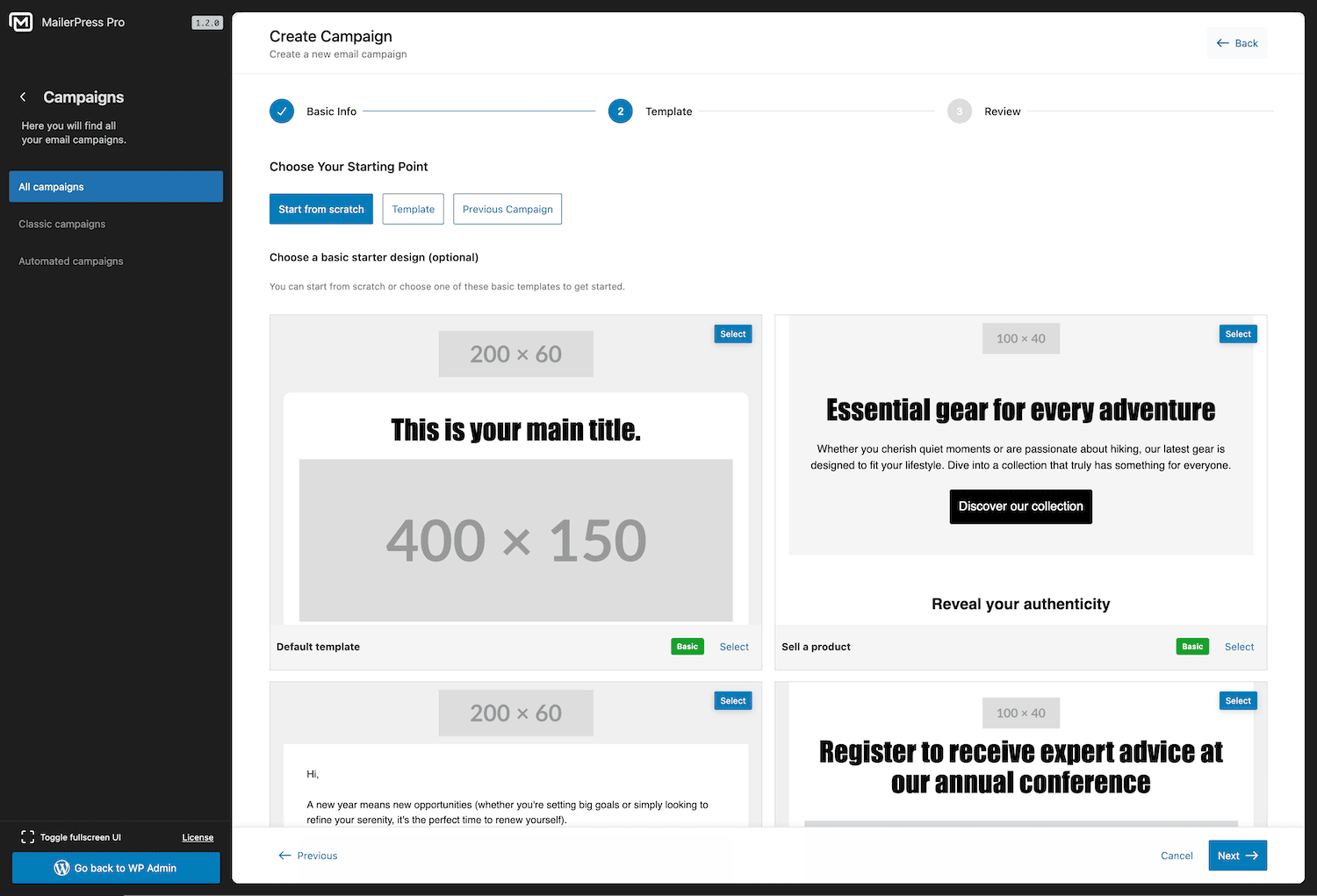
Campaign creation wizard — set up a new email campaign in seconds 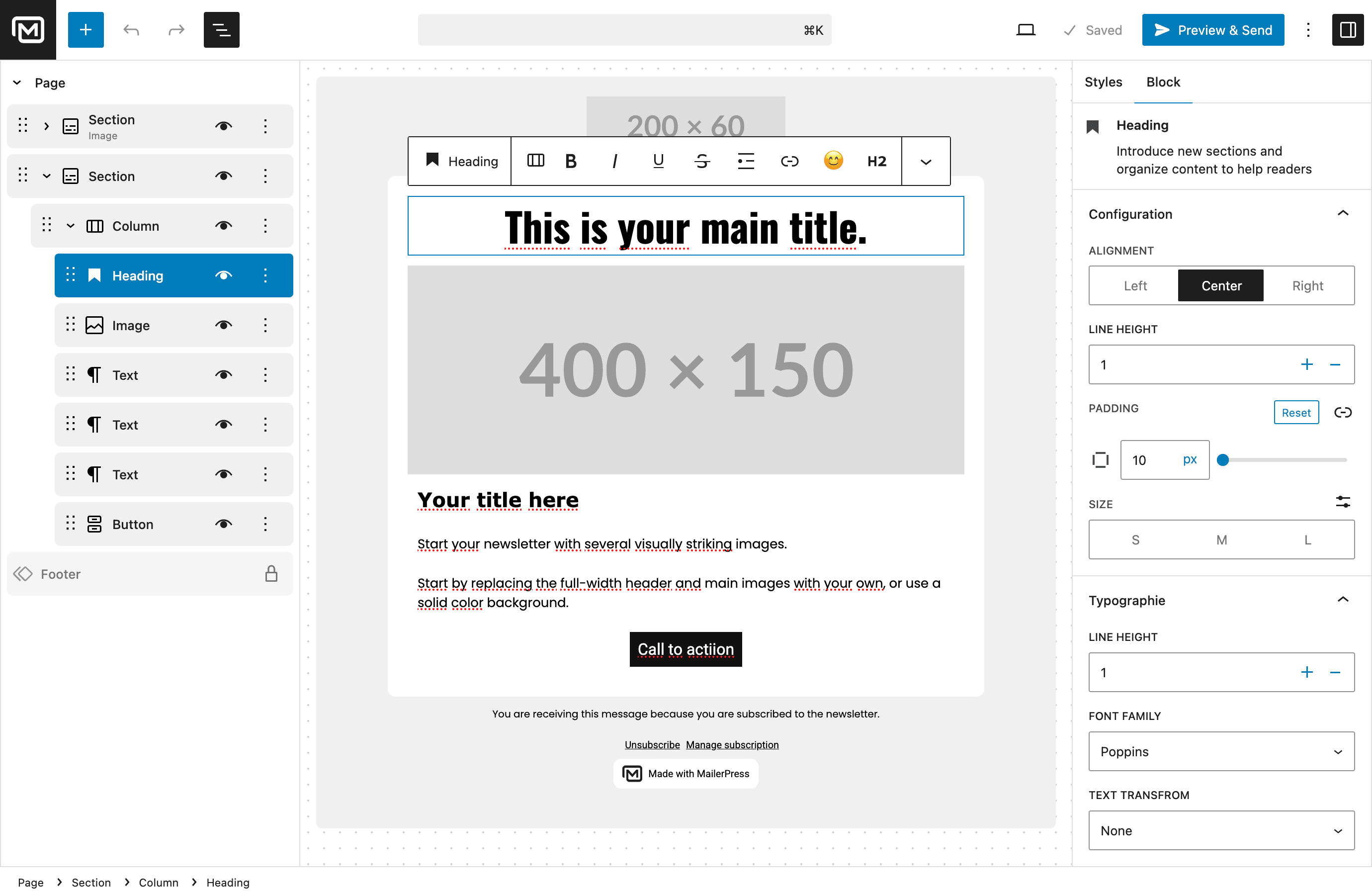
Drag-and-drop email editor inspired by the WordPress Block Editor 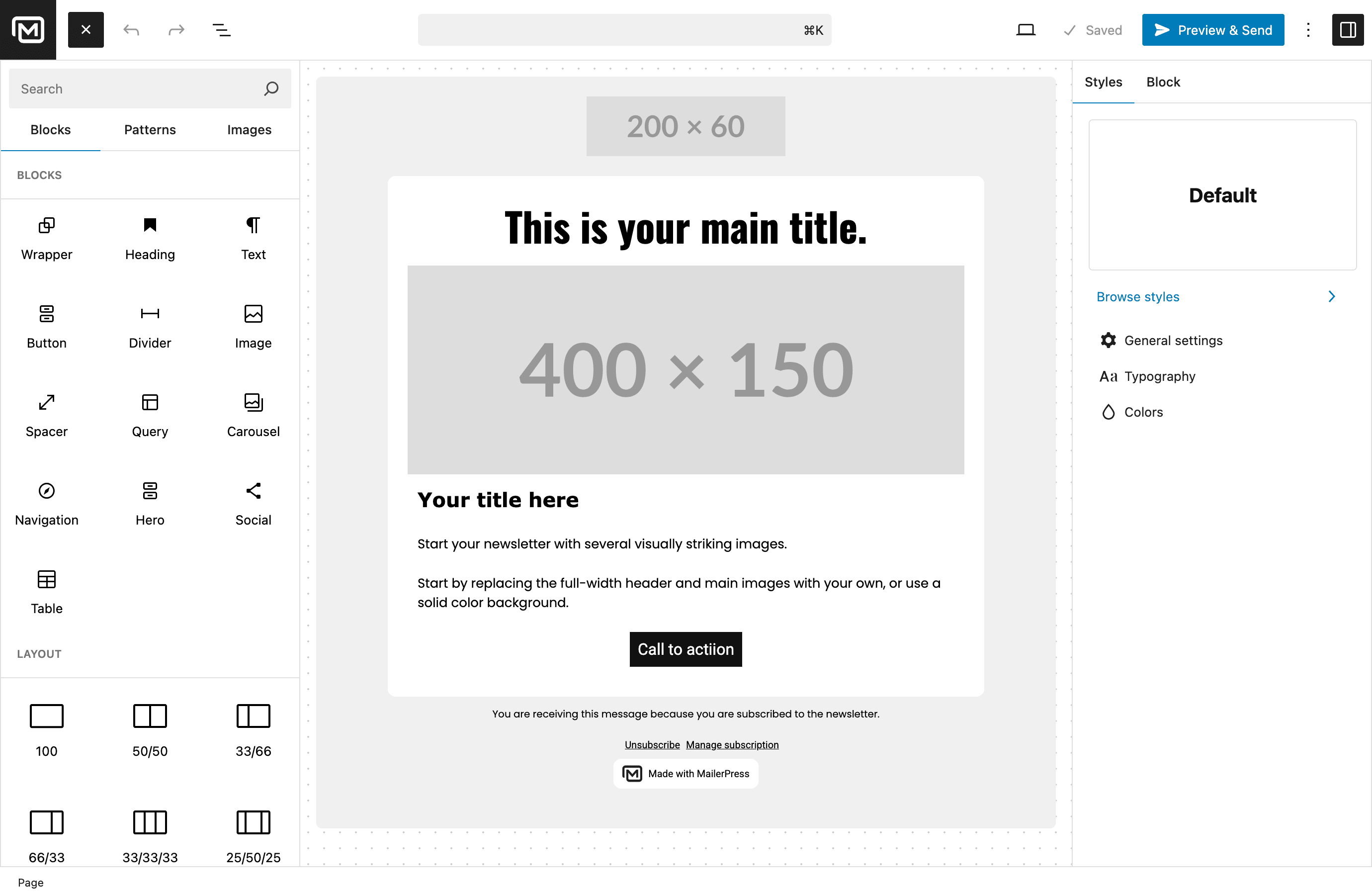
Content blocks library — build emails with pre-built components 
Setup wizard — get started with MailerPress quickly 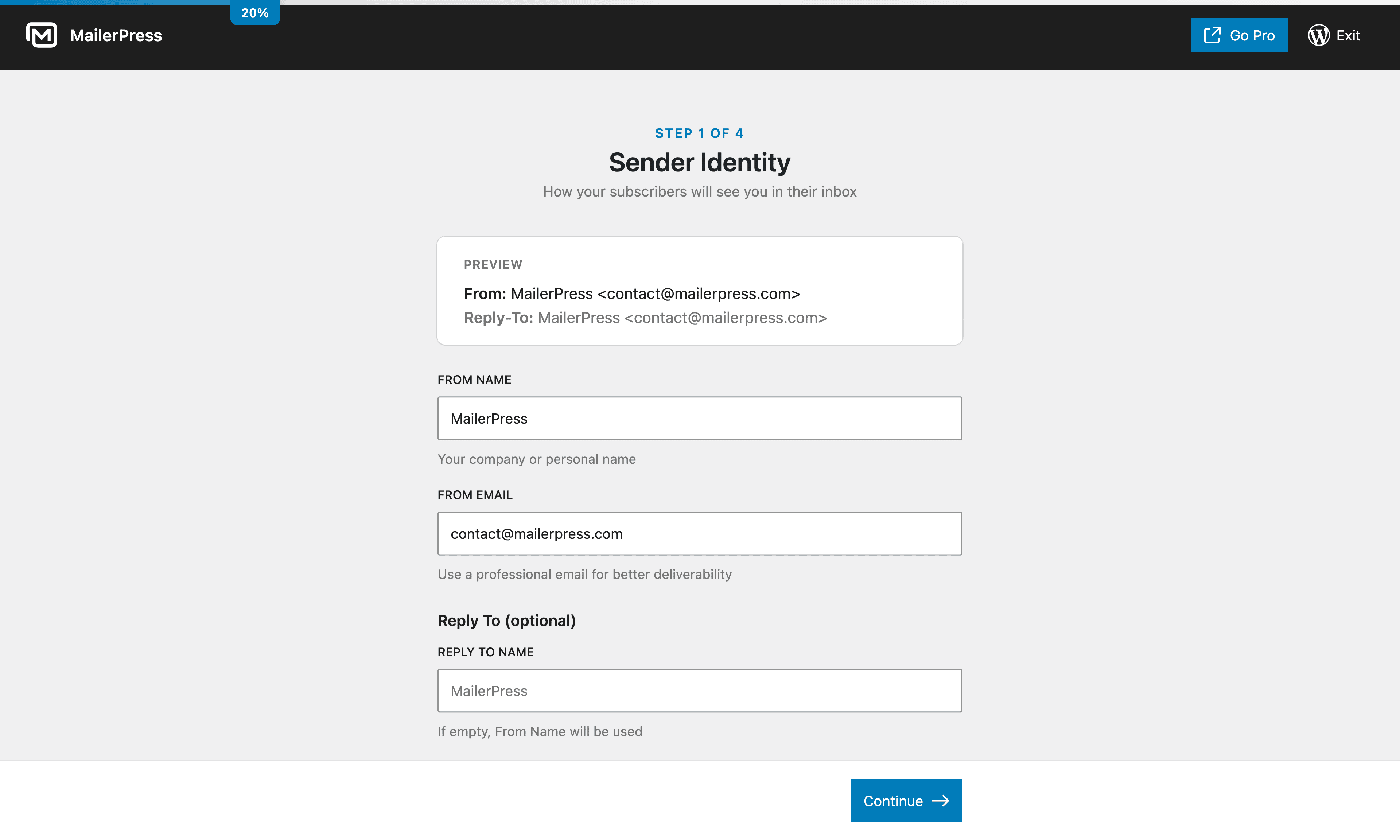
Setup wizard — configure your email settings 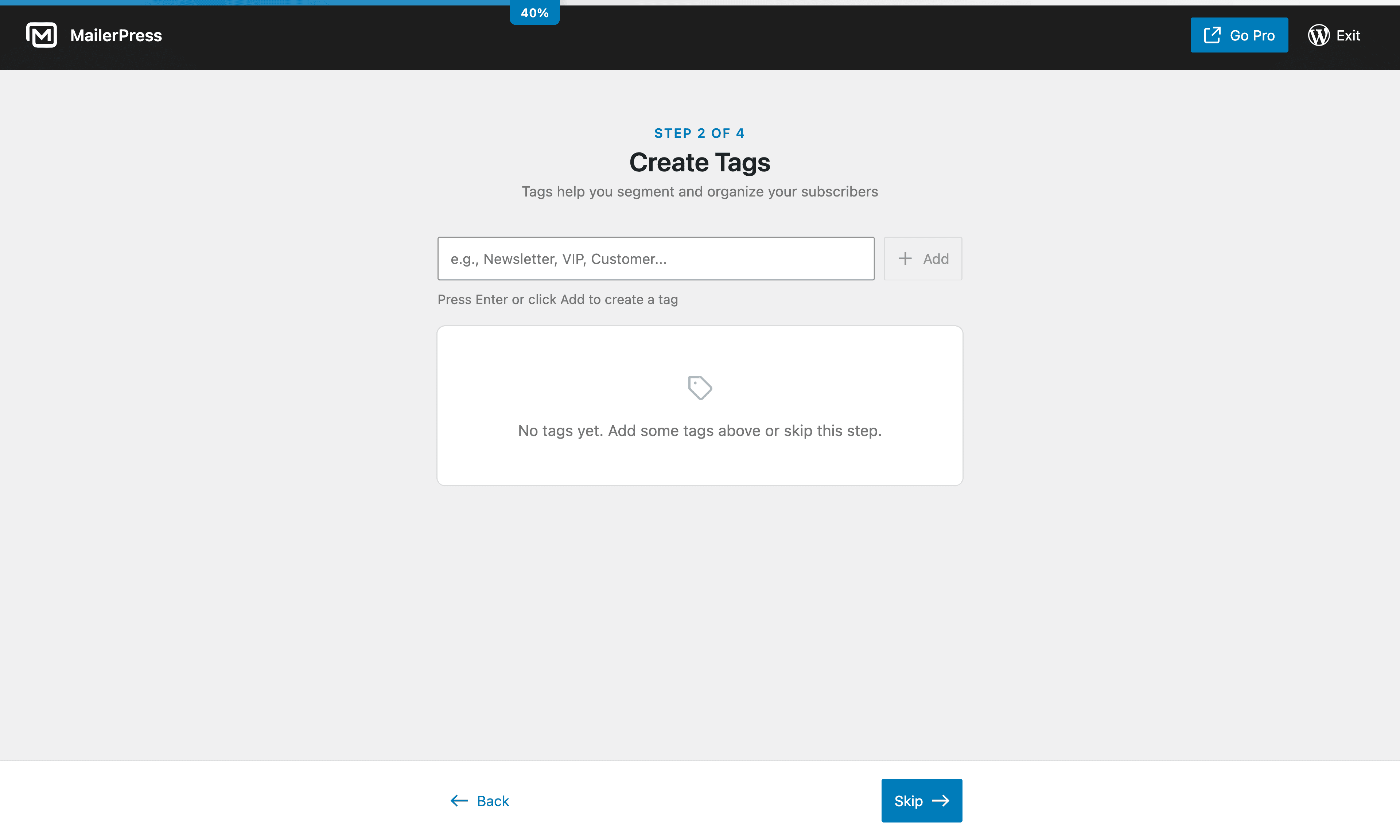
Setup wizard — import your subscribers 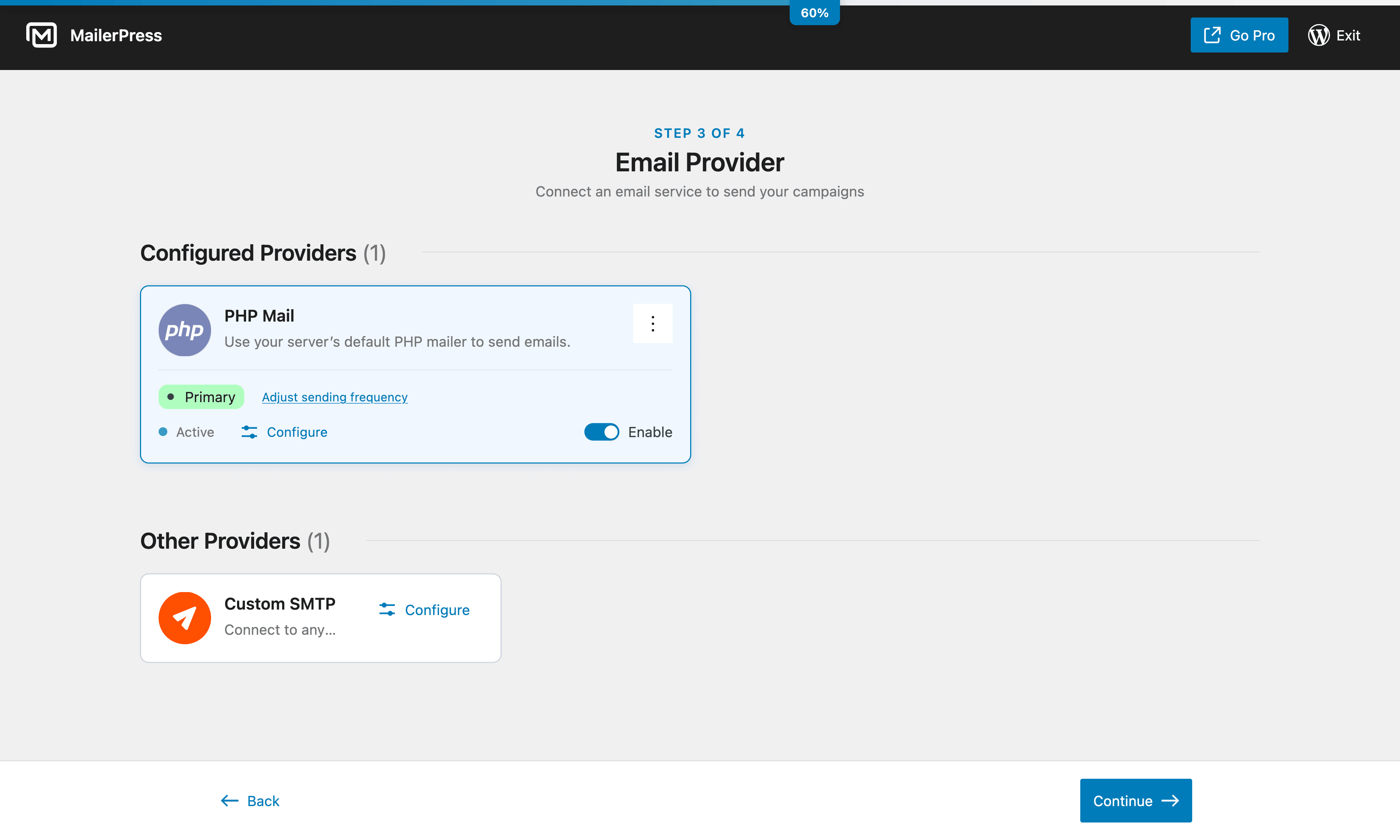
Setup wizard — choose your sending method 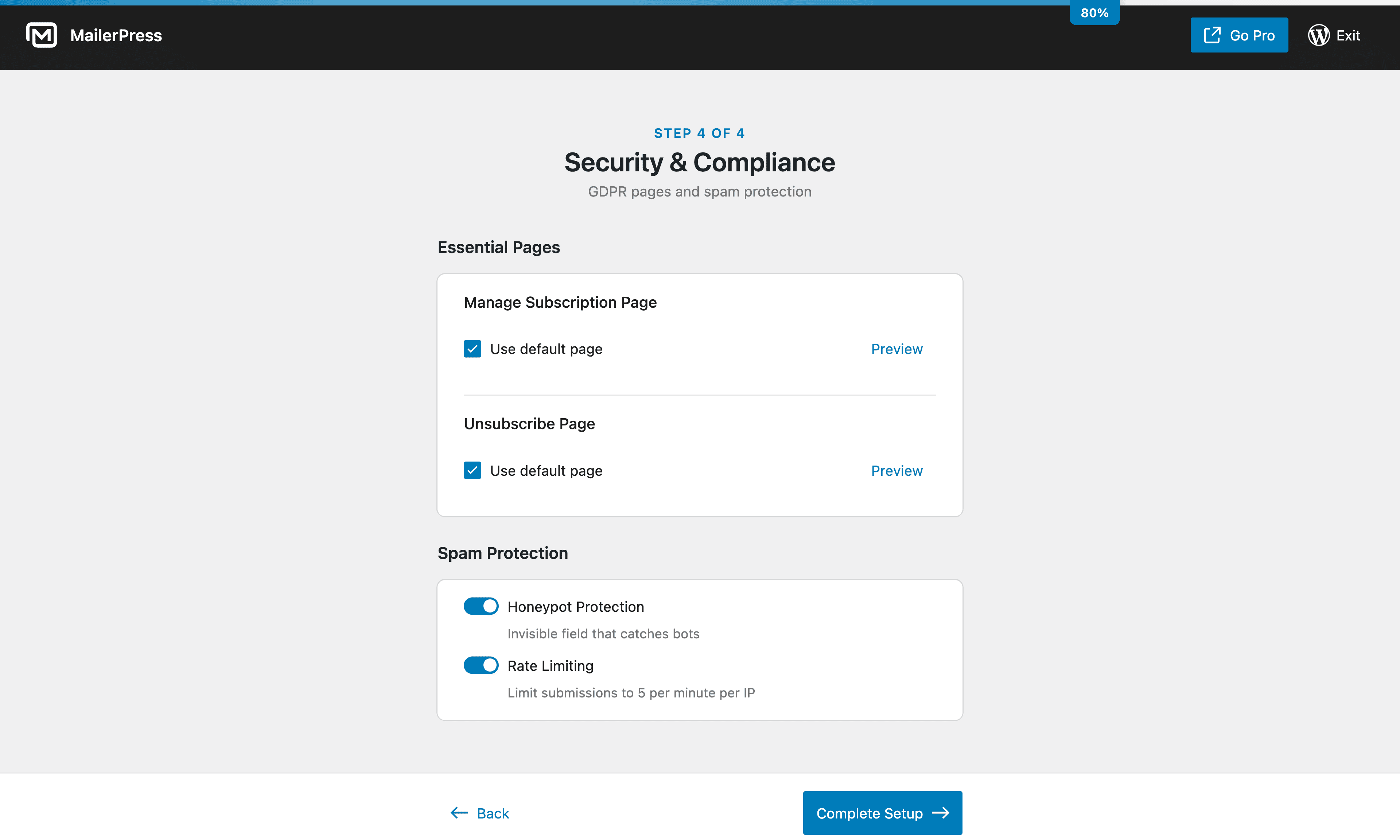
Setup wizard — customize your opt-in forms 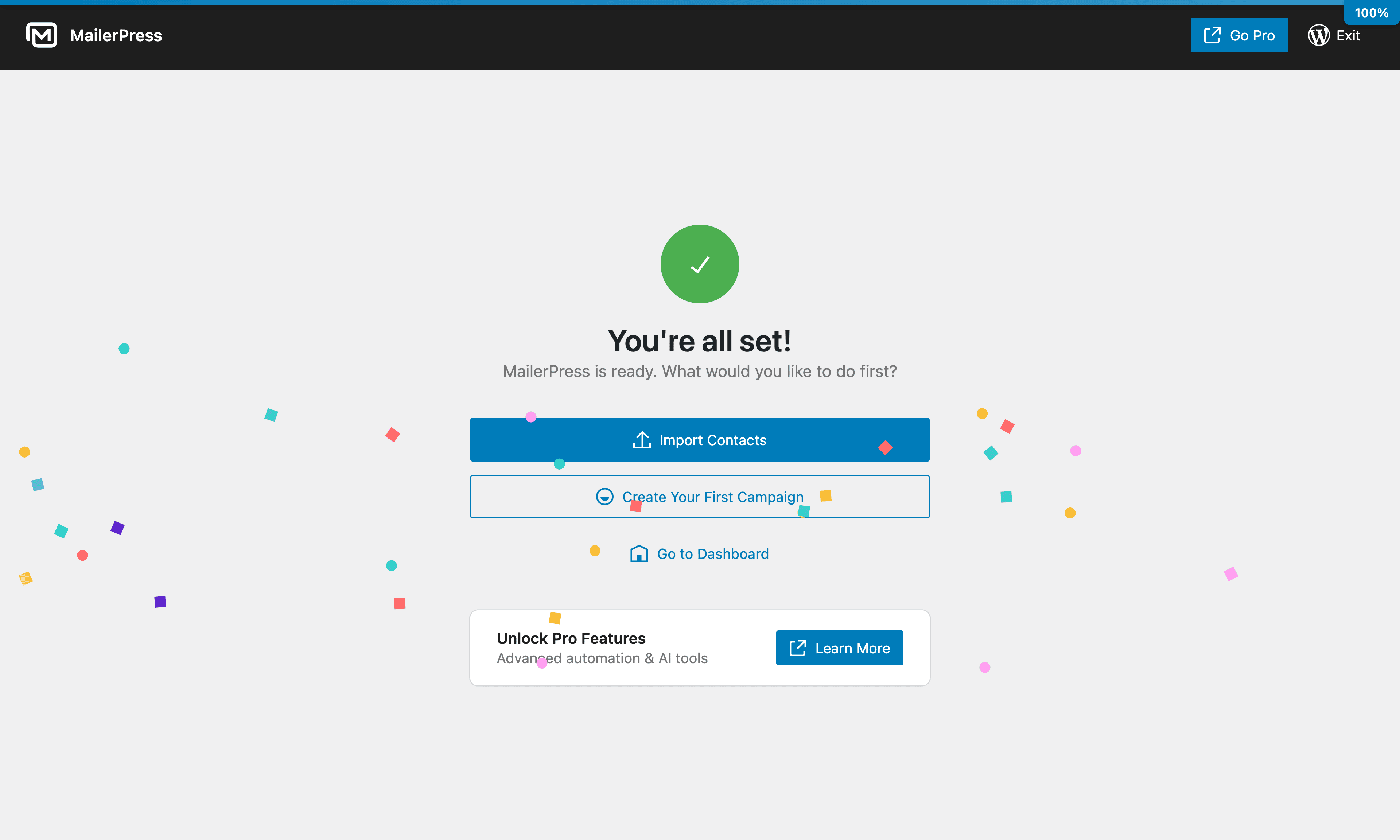
Setup wizard — launch your first campaign 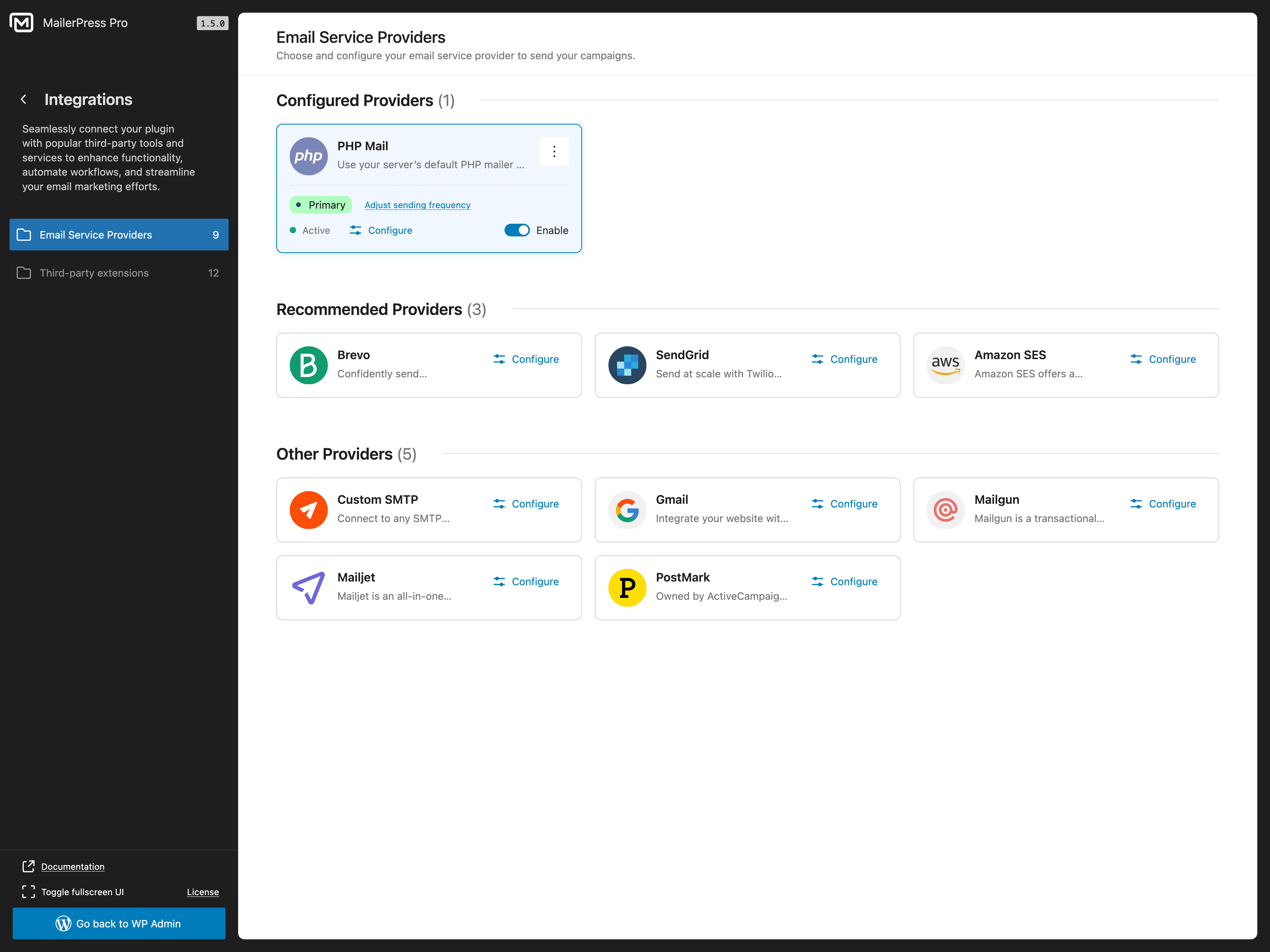
Email Service Provider integrations 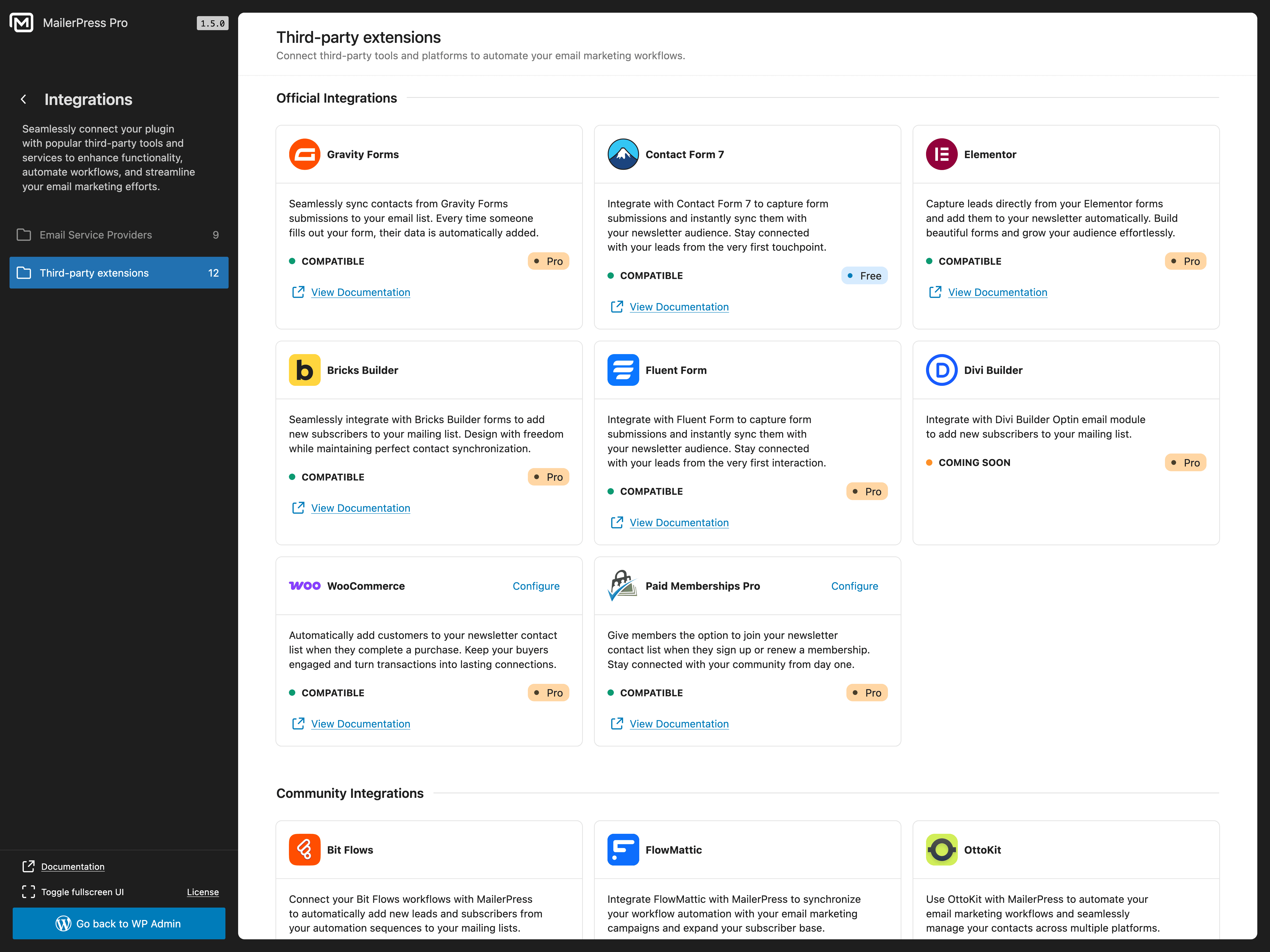
Third-party plugin integrations 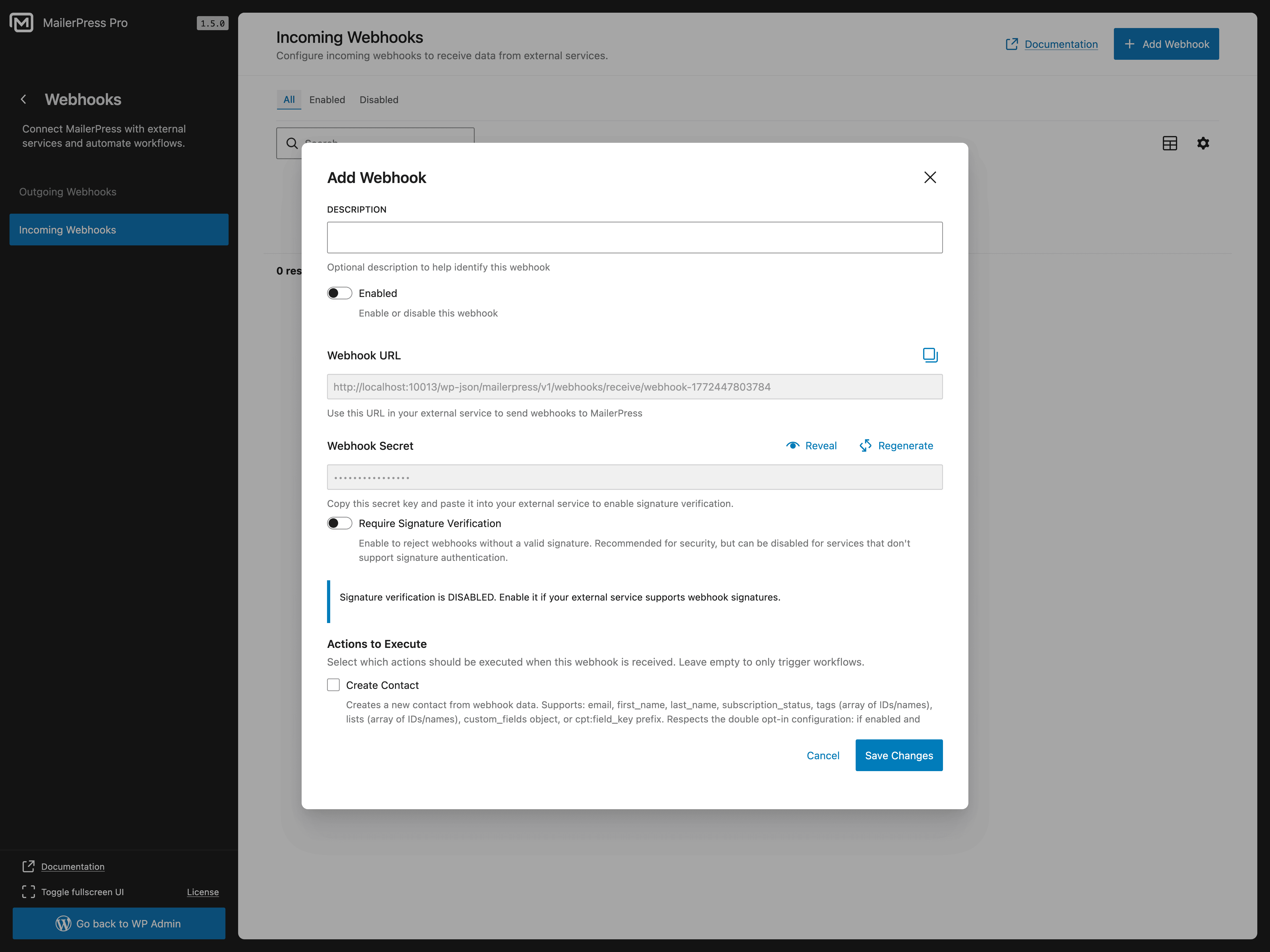
Incoming webhooks configuration 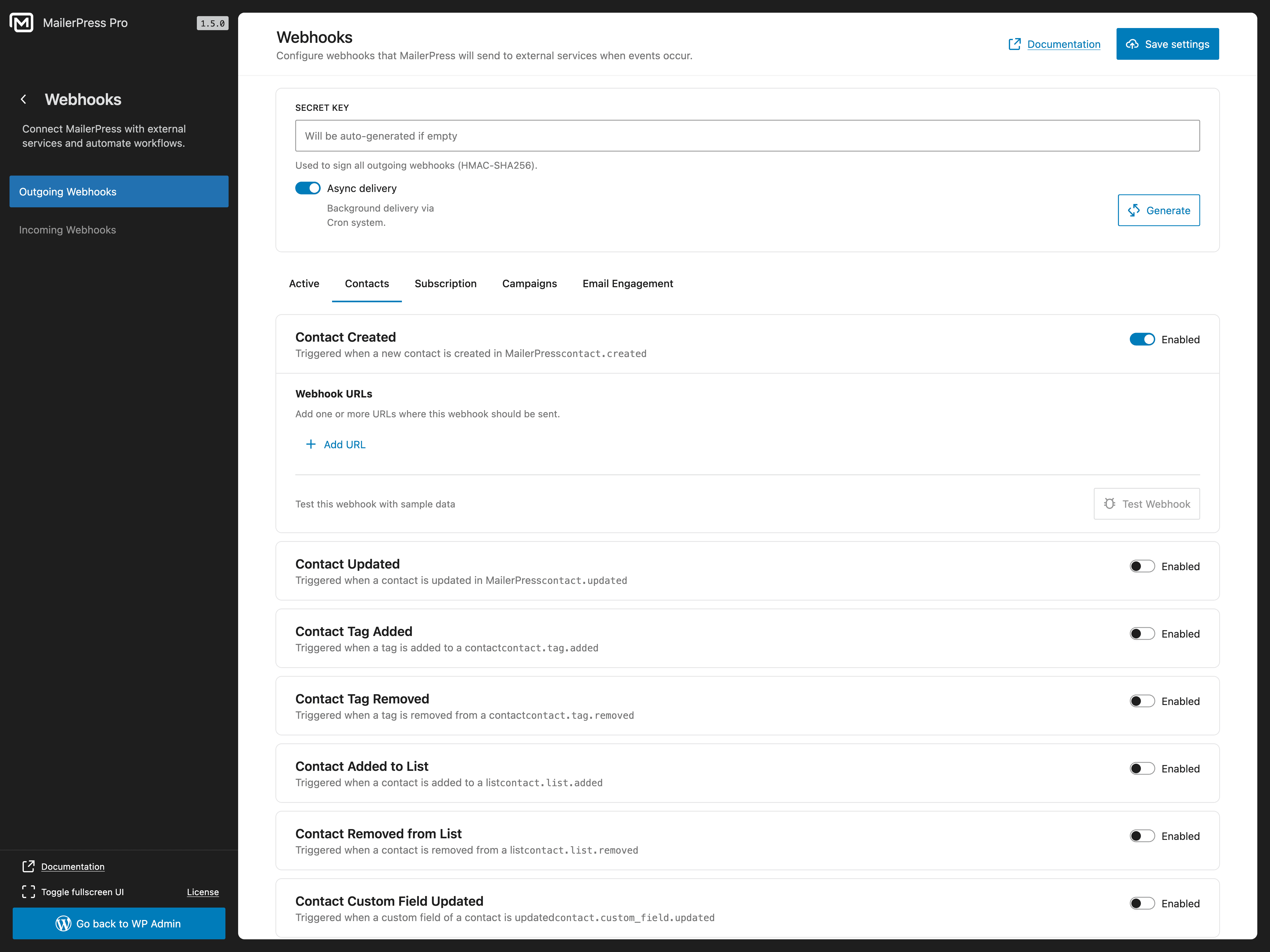
Outgoing webhooks configuration
Bloques
Este plugin proporciona 4 bloques.
- Form Input
- Form submit
- Subscription Form
- Campaign Archive Display a list of sent email campaigns
Instalación
- Upload the plugin files to the
/wp-content/plugins/mailerpressdirectory, or install the plugin through the WordPress plugins screen directly. - Activate the plugin through the ‘Plugins’ screen in WordPress.
- Navigate to the MailerPress screen in your WordPress admin to get started.
FAQ
-
Is MailerPress really free?
-
Yes! MailerPress is completely free with unlimited subscribers, lists, tags, and email campaigns. There are no hidden limits. A paid plan is available for premium integrations, AI features, and advanced automation.
-
Go to MailerPress in your WordPress admin, click “Create Campaign”, choose a template or start from scratch, and use the drag-and-drop editor to build your newsletter. Add your subscriber list, and send or schedule it.
-
Can I import my subscribers from another email marketing plugin?
-
Yes. MailerPress supports CSV import, so you can export subscribers from any email marketing tool (Mailchimp, MailPoet, Brevo, ConvertKit, ActiveCampaign, etc.) and import them into MailerPress in seconds.
-
Does MailerPress work with WooCommerce?
-
Yes. With a paid plan, you can customize WooCommerce transactional emails (order confirmation, shipping notification, etc.) using the drag-and-drop editor, send promotional campaigns to customers, and include product content in your newsletters.
-
How do I add a subscriber opt-in form to my website?
-
MailerPress provides a shortcode and a Gutenberg block for opt-in forms. The shortcode works with any theme and page builder (Elementor, Bricks, Divi, etc.). You can also embed opt-in forms on external websites (paid plan required).
-
What email sending services does MailerPress support?
-
The free version supports PHP Mail and custom SMTP. A paid plan adds integrations with SendGrid, Brevo (Sendinblue), Mailjet, Amazon SES, Mailgun, and Postmark for professional email delivery.
-
Can I automate emails with MailerPress?
-
Yes. You can schedule email campaigns for future delivery and set up automated post notification emails. Advanced automation workflows with triggers and conditions are available with a paid plan.
-
Is MailerPress GDPR compliant?
-
Yes. MailerPress is self-hosted, collects no external data, and includes built-in unsubscribe links, double opt-in, and subscriber data management tools for full GDPR compliance.
-
Can I send automated post notification emails?
-
Yes. MailerPress can automatically send email notifications to your subscribers when you publish new blog posts or pages.
-
Does MailerPress support email tracking?
-
Yes. MailerPress includes click and open tracking for your email campaigns. You can choose to track normally, track anonymously, or disable tracking entirely.
-
How do I get support?
-
Free users: WordPress.org support forum.
Paid plan users: Priority support via the MailerPress customer portal.
Reseñas


Colaboradores & Desarrolladores
“MailerPress – Email Marketing, Newsletter, Email Automation & WooCommerce Emails” es software de código abierto. Las siguientes personas han contribuido a este plugin.
Colaboradores


“MailerPress – Email Marketing, Newsletter, Email Automation & WooCommerce Emails” ha sido traducido en 7 idiomas. Gracias a los traductores por sus contribuciones.
¿Interesado en el desarrollo?
Revisa el código, echa un vistazo al repositorio SVN, o suscríbete al registro de desarrollo por RSS .
Historial de cambios
1.5.4
- IMPROVEMENT: Overall performance improvements across the plugin, including faster loading of certain data.
- FIX: Resolved an issue where scheduled campaigns were sometimes sent immediately instead of at the planned time.
- FIX: Fixed encoding issues with apostrophes in email subjects and campaign names.
- FIX: Resolved conflicts with certain server-side caching mechanisms.
1.5.3
- FIX: Resolved an issue where campaigns could fail and be marked as error when sending to segmented contacts.
- FIX: Bug in the pagination of the modal used to display contacts belonging to a created segment, where some contacts were not shown correctly.
1.5.2
- IMPROVEMENT: Reduced unnecessary database queries on page load.
- FIX: Segment search returning no results in the Review & Send modal.
- FIX: Resolved a fatal error that could occur when rendering opt-in forms in certain environments after the 1.5.1 update.
1.5.1
- FIX: Campaign scheduled date now uses WordPress locale formatting (correct date order and translation of “at”).
- FIX: Preserved spacing before punctuation (e.g. ” !”) in email button text.
- FIX: Bulk actions on contacts now correctly apply to all filtered records instead of only the current page.
- FIX: Default contact list can no longer trigger the edit action; a notice now explains that the default list is protected.
- FIX: Double opt-in confirmation was not triggered for subscriptions created via shortcode forms.
- FIX: Honeypot anti-spam check not working properly with Contact Form 7 integration.
- SECURITY: Hardened various plugin endpoints and improved overall input validation and sanitization.
1.5.0 Read the blog post update
- NEW: Webhooks: Support for both incoming and outgoing webhooks to integrate external systems and receive real-time events.
- NEW: Flexible click and open tracking: Choose between Yes, No, or Anonymously in the Review & Send modal.
- IMPROVEMENT: DataView Added support for ordering by columns.
- IMPROVEMENT: Embed form, you can now customize all texts that were previously rendered in English only.
- FIX: DataView fixed an issue where column display settings were not saved when navigating away.
- FIX: Editor issues where unsaved changes were not correctly detected in some cases.
- FIX: MailerPress option form (Gutenberg block): Fixed border radius settings so they now apply correctly to both the submit button and form fields.
- SECURITY: Strengthened security around internal network requests.