

Descripción
We all have posts in the archive that deserve to turn evergreen. A series of guides from 2018 can still be the finest thing on your site, but only a handful of readers will ever scroll back far enough to find it all.
eBook Crafter gathers those posts, pages and custom post types into a PDF eBook without leaving WordPress. You pick the content, arrange and edit it in the block editor and build a PDF that reads perfectly on a screen and prints beautifully on paper.
Every finished PDF is saved to your Media Library. From there, you can sell it with WooCommerce, Easy Digital Downloads or FluentCart, offer it as a lead magnet in exchange for an email address or place it behind a membership plugin.
“I’ve used eBook Crafter on my site, and was surprised at the quality of it. It worked very well with no bugs at all. It worked natively in the block editor too no problems!”
If you would rather watch than read, here is the full walkthrough.
How it works
Three steps take you from scattered posts to a finished book.
- Gather. Search your posts, pages and custom post types from the sidebar and add them to your book as chapters. Lessons, recipes and products all count, as long as they are published in a post type.
- Craft. Arrange your cover, chapters and back cover. A table of contents builds itself from your chapters, and you can fine-tune the content on every page in the block editor. eBook Crafter Pro adds ready-made book templates and your choice of fonts at this step.
- Publish. Build the PDF and it is saved to your Media Library. With eBook Crafter Pro, the table of contents comes with accurate page numbers and the book is rendered ready for print.
What will you make?
- Travel bloggers. A city guide built from the posts you wrote during your voyages.
- Food bloggers. Your readers’ favorite recipes, collected into a cookbook.
- Marketers. A lead magnet that trades what you know for an email address.
- Educators. Course packs and question banks from lessons in LearnDash, LifterLMS or TutorLMS.
- Photographers. A print-ready portfolio that clients can buy.
- Schools. A yearbook that holds a whole year in pictures and words.
- Company teams. A quarterly report compiled from the updates and case studies published on your site.
- Anyone. A book of memories you can hold in your hands and share with family and friends.
What you get for free
- An eBook post type of its own, kept apart from your posts and hidden from visitors.
- Page, Chapter and Table of Contents blocks for the block editor.
- A table of contents generated from your chapters, without page numbers.
- PDFs built on your own server, with no account or API key to set up.
- As many books as you like, of any length, with no watermark.
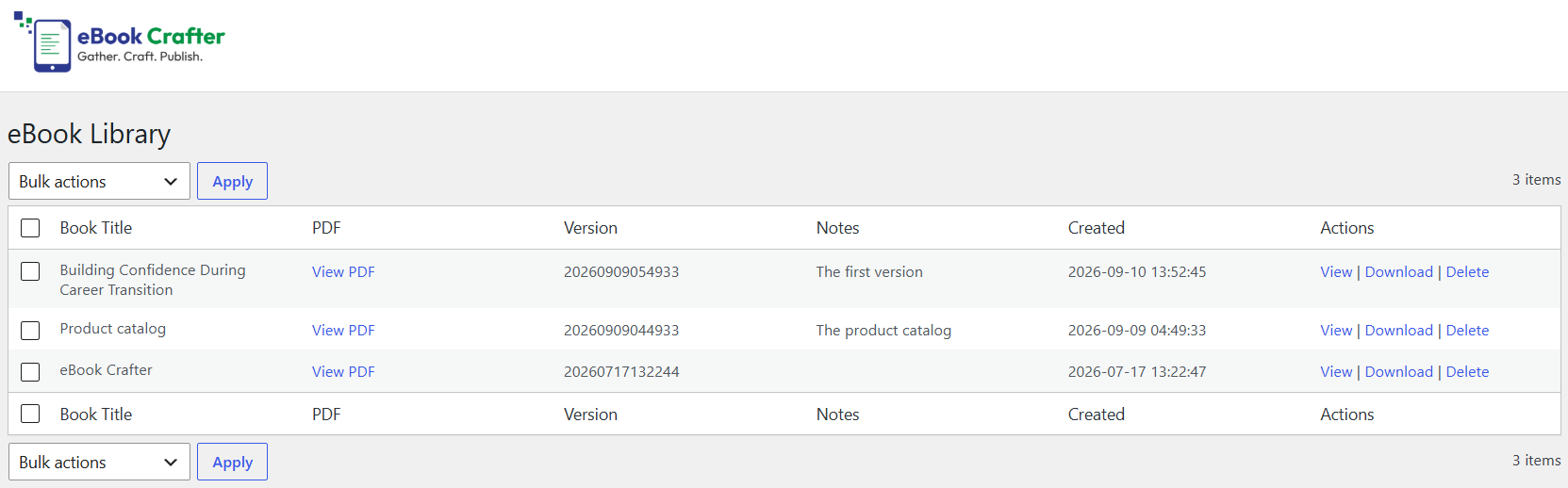
- An eBook Library where Editors and Administrators can find every build.
- Every PDF saved to the Media Library, where it stays even if you remove the plugin.
When you will want Pro
The books you create will some day outgrow the default engine, and you will recognize the moment. It might be a printed copy that needs a proper contents page, a lead magnet that should be set in your brand’s language and fonts, a course pack that has to work with a screen reader or a chapter heading stranded at the bottom of a page.
eBook Crafter Pro is a separate plugin that renders your book with the Prince engine and adds the following benefits. The free plugin has no locked features.
- Page numbers in the table of contents, so a reader holding a printed copy can find chapter four.
- Cleaner page breaks and sharper typography, with support for modern CSS layouts.
- Ready-made book templates, plus your own templates if you have a design in mind.
- Your choice of fonts. Literata, Source Sans 3 and Playfair Display come bundled, and 1,900+ Google Fonts are a search away.
- Tagged PDFs that screen readers can navigate.
- Unlimited watermarked previews, so you see exactly what Prince will produce before you commit, and 20 final exports a month per site, resetting on the 1st.
- Priority support and a direct say in what gets built next.
Pro costs $39 a year for one site or $99 a year for five. Every plan starts with a 14-day free trial, a card is needed to begin and a 30-day money-back guarantee runs from the date of purchase. The Prince engine renders your book through DocRaptor in the US, and the FAQ below explains further.
Learn more about our Pro plans
External services
This plugin connects to the jsDelivr CDN to fetch Twemoji emoji images while a PDF is being built.
- What it does. The built-in PDF engine cannot draw the emoji installed on your server, so any emoji in your book content is replaced with the open-source Twemoji PNG image, fetched from jsDelivr (
cdn.jsdelivr.net) and embedded in the PDF. - What is sent, and when. A request goes out only when you build a PDF and only if the book contains emoji. It carries the Unicode codepoints of the emoji (as part of the image filename) and standard HTTP request metadata such as your server’s IP address. No personal data, book content or account information is sent, and nothing is requested while you browse or edit.
- Who provides it. jsDelivr. Read its Terms of Service and Privacy Policy. The Twemoji artwork is licensed under CC-BY 4.0.
Source code
The JavaScript is built with @wordpress/scripts. The full source of every compiled file in build/ sits in the plugin’s src/ directory alongside the build configuration (package.json, webpack.config.js, postcss.config.js). Run npm install and then npm run build to rebuild. PHP dependencies in vendor/ are managed with Composer (composer.json), and each bundled library, including Dompdf, carries its own license and repository details in its headers.
Capturas de pantalla



Bloques
Este plugin proporciona 3 bloques.
- Book Section
- eBook Chapter
- Table of Contents
Instalación
- Install eBook Crafter from the Plugins screen in WordPress, or upload the plugin folder to
/wp-content/plugins/ebookcrafter. - Activate it from the Plugins screen.
- Open eBook Crafter in the admin menu, start a new eBook and add your first chapters.
FAQ
-
What does eBook Crafter need to run?
-
WordPress 6.3 or higher, PHP 8.1 or higher and the block editor.
-
Does it work with page builders or the Classic Editor?
-
Not yet. eBook Crafter is built on the block editor, so page builders and the Classic Editor are not supported.
-
Which content can go into a book?
-
Posts, pages and any custom post type. If your lessons, recipes or portfolio items live in one, you can pull them in as chapters.
-
Can I sell or gate the PDFs I create?
-
Yes. Each PDF is an ordinary file in your Media Library, so you can sell it with WooCommerce, Easy Digital Downloads or FluentCart, attach it to an opt-in form or place it behind a membership plugin.
-
What happens to my PDFs if I uninstall the plugin?
-
They stay in your Media Library.
-
Does the free plugin send anything off my server?
-
PDFs are built on your own server and no account or API key is needed. The one outside request fetches Twemoji images from jsDelivr, only while building and only if your book contains emoji. The External services section has the details. Pro is bought on ebookcrafter.com through an ordinary link, and no license SDK is bundled in this plugin.
-
Does Pro send my content anywhere?
-
Yes. When you export with Prince, your book is rendered by DocRaptor in the US through our rendering service. Book content is never logged, the finished PDF is deleted from our servers within 24 hours and the only permanent copy is the one in your Media Library.
-
Is eBook Crafter GDPR friendly?
-
The free plugin keeps book content and personal data on your own server. Pro sends book content to DocRaptor only for as long as it takes to build the PDF, as described above.
-
Can I try Pro before paying?
-
Yes. Every Pro plan begins with a 14-day free trial, and a 30-day money-back guarantee follows your purchase. Plans start at $39 a year.
-
What happens if I stop paying for Pro?
-
Every PDF you built stays in your Media Library. New builds go back to the free plugin’s default engine, with the free feature set described above.
Reseñas


Colaboradores & Desarrolladores
“eBook Crafter – Convert Posts to PDF eBooks, Ready to Print” es software de código abierto. Las siguientes personas han contribuido a este plugin.
Colaboradores


Traduce “eBook Crafter – Convert Posts to PDF eBooks, Ready to Print” a tu idioma.
¿Interesado en el desarrollo?
Revisa el código, echa un vistazo al repositorio SVN, o suscríbete al registro de desarrollo por RSS .
Historial de cambios
1.0.5
- Fix: a new eBook’s cover subtitle was a third-level heading directly under the title, so screen readers reported a missing level. It is now second-level and looks the same.
- Change: an “Upgrade to Pro” button at the end of the eBook Crafter menu opens the pricing page in a new tab. It is hidden once Pro is active.
1.0.4
- Change: each Table of Contents entry now has a faint gray line beneath it in the editor.
- Change: a Chapter page now shows a short note on adding chapters from your posts using the sidebar.
- Change: the Table of Contents page is now locked. Its blocks cannot be added, moved or removed, the heading can still be renamed, and a note explains that the list is generated from your Chapter blocks.
- Change: the Page block’s “Page Type” field is now a plain label instead of a dropdown. A page’s role is decided by its position in the book and the Table of Contents toggle.
- Change: the Build tab now asks you to save before building, because the PDF is made from the saved eBook and unsaved edits were left out of the file.
- Fix: a Table of Contents entry could lead to the wrong chapter. Entries now come from one place, so each goes where it says.
- Fix: an eBook saved with an older version could lose its Table of Contents settings when reopened.
- Fix: content after a collapsible section or a set of columns lost its Table of Contents links and its pictures were left unoptimized. Only content above the first such block was being prepared for the PDF.
- Fix: building could fail on hosting without PHP’s file-type detection. The picture’s file extension is used instead.
1.0.3
- Fix: building no longer freezes when the book uses a picture that is missing from the server. The build leaves it out and the text closes up around it.
- Change: pictures loaded from another website get five seconds to answer, so a slow or unreachable site cannot hold up your PDF.
- Fix: opening a book no longer freezes the editor. The list of posts, post types and categories now loads the first time you open the “Add Chapter from Post Types” panel.
- Fix: adding many chapters at once no longer locks up the editor. Book styling is applied in a single pass, and a spinner with a live count shows progress.
- Change: the Post Type list for adding chapters hides types that never hold book content, such as WordPress internals, templates and WooCommerce order plumbing. Products remain. Developers can adjust the list with the ebookcrafter.chapterPostTypes filter.
- Change: the eBook Library is open to Editors as well as Administrators and lists every build. Deleting a PDF requires permission to edit its book, and a PDF whose book was deleted can be cleared by any Editor or Administrator. Developers can change access with the ebookcrafter/library_capability filter.
- Fix: after a bulk delete in the eBook Library, a notice says how many PDFs were deleted and how many were skipped for lack of permission.
1.0.2
- Compatibility: tested with WordPress 7.1
1.0.1
- Security: local image URLs are mapped to files on disk more strictly during PDF generation, so book content can no longer reference a file outside the plugin, uploads or wp-content directories.
- Fix: images with a cache-busting query string (for example ?ver=123) now embed correctly.
- Fix: images with percent-encoded characters in the filename, such as spaces, now embed correctly.
- Fix: images referenced over http:// on an https:// site are recognized as local and read from disk rather than fetched over the network.
1.0.0
- First free release on WordPress.org, with PDFs built by Dompdf.