

Descripción
Requires a Business Watchdog account. The plugin connects your store to the Business Watchdog service and does nothing on its own. Create a free account (14 days free, no card) — or simply click Connect to Business Watchdog after activating the plugin: you sign in or create the account, confirm the store and come back to WordPress connected. See Installation.
Does any of this sound familiar?
- A customer paid, but the order is still “pending payment” in WooCommerce — and nobody ships it.
- Stripe or PayPal received the money, but there is no matching order in your store.
- WooCommerce says one amount, Stripe or PayPal captured another.
- A refund was made in PayPal, but WooCommerce still shows the order as fully paid — or the other way round.
- Card payments started failing an hour ago, and you find out from an angry customer the next day.
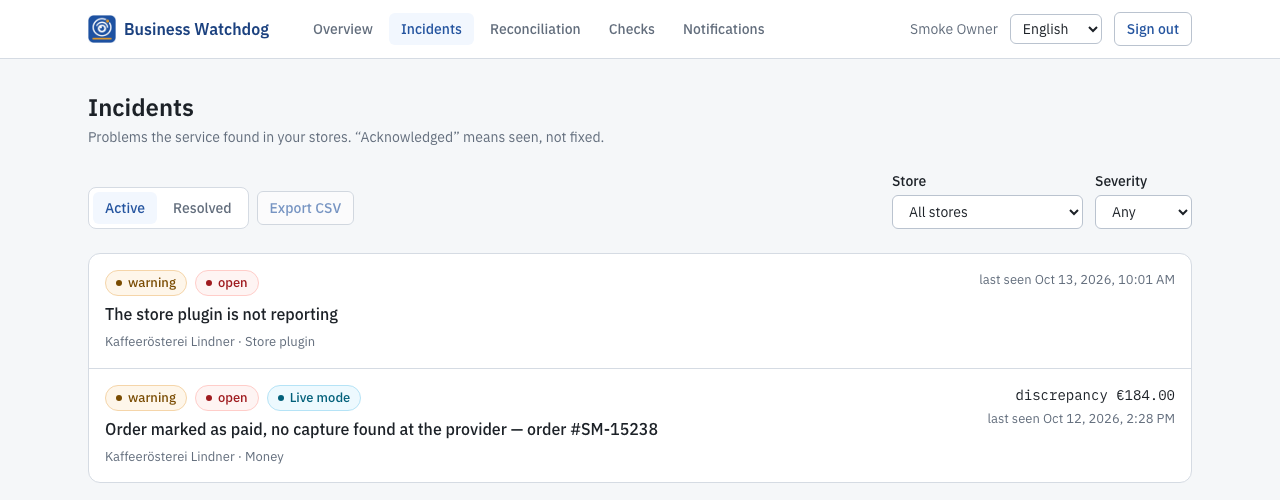
These problems are silent. WooCommerce does not warn you, and the payment provider’s dashboard does not know what your store expects. Business Watchdog watches both sides and tells you when they disagree — by e-mail or Telegram, with the order, the amounts and what to check.
▶ See it work: three one-minute videos recorded on a test shop — the checkout check, a payment provider failure and an order marked as paid without money: business-watchdog.com/en/videos
What Business Watchdog finds
- Paid, but the order stayed unpaid — the provider captured the money, the store never marked the order as paid.
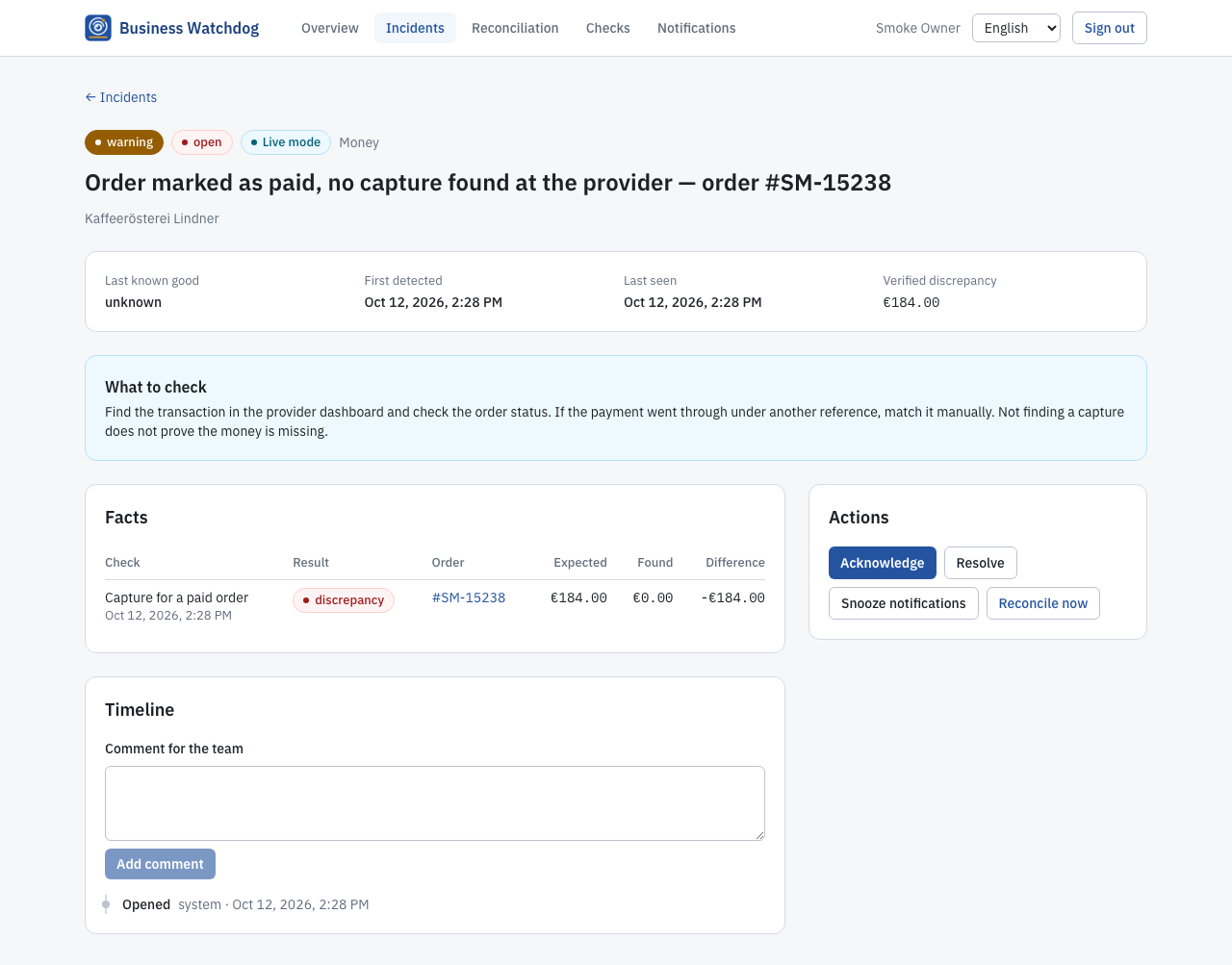
- Marked as paid, but no money — the order is marked paid in the store, but the provider has no capture for it.
- Payments without an order — money arrived at Stripe or PayPal that belongs to no order of your store.
- Wrong amounts — partial or double captures, overpayments, orders changed after payment.
- Refund problems — a refund recorded on one side only, or a cancelled order that was paid and never refunded.
- Failing payments — one payment method suddenly fails again and again at checkout.
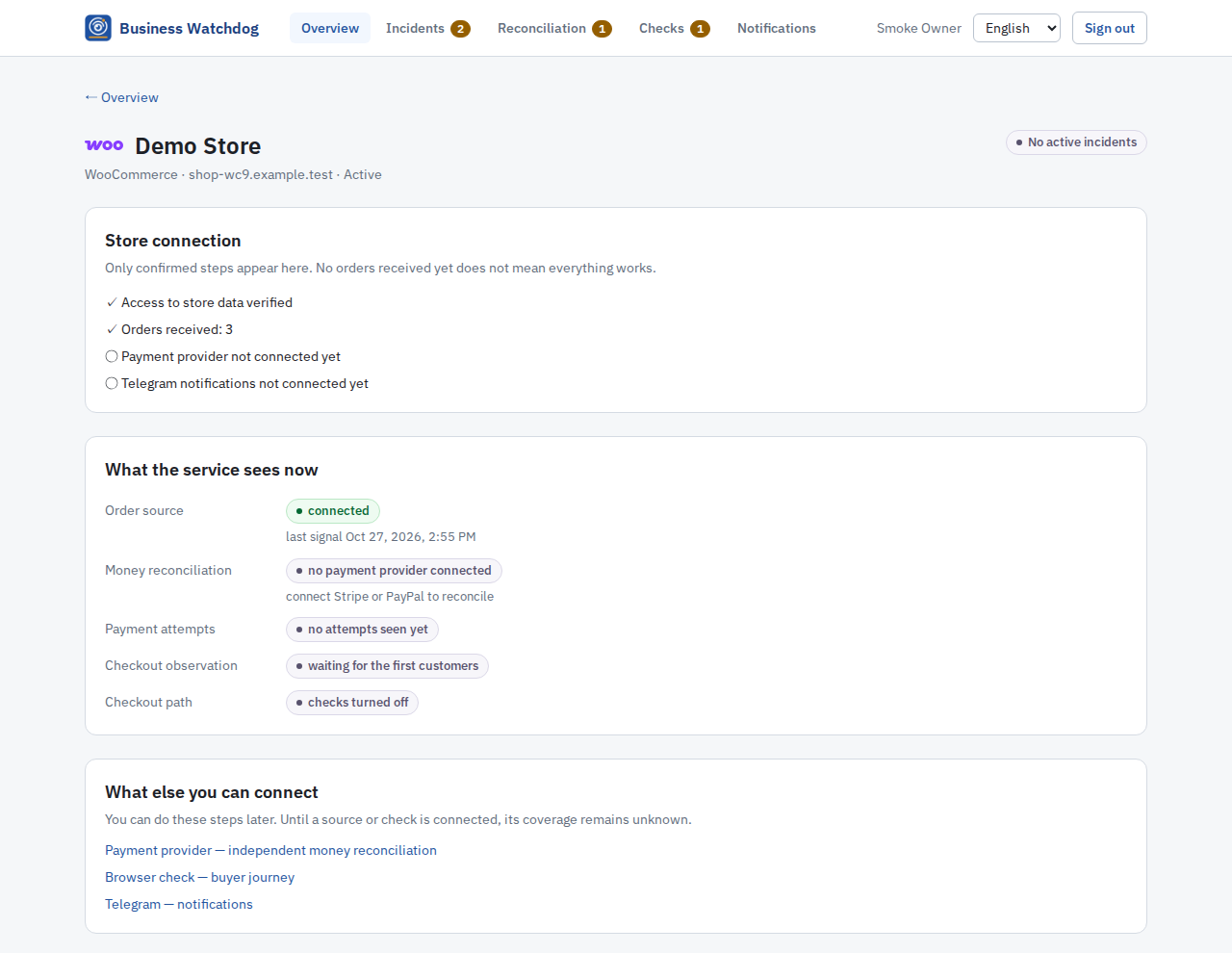
An “all fine” is shown only when the data really says so: if a provider is not connected or data is outdated, Business Watchdog says “unknown” instead of hiding the gap.
Try it without risk
- Free storefront check, no sign-up: enter your store address at business-watchdog.com/en/check-store and see whether your public checkout path works.
- 14 days free, no card: create an account, connect your store and Stripe or PayPal, and see the results on your real orders.
- It only reads: the plugin never changes orders. Stripe is connected with a read-only key; for PayPal, which cannot issue read-only access, Business Watchdog calls only reading methods from a fixed list and blocks every other request.
- Nothing changes for your customers: the plugin never takes part in payment or order creation, and your store keeps working if the service is unreachable.
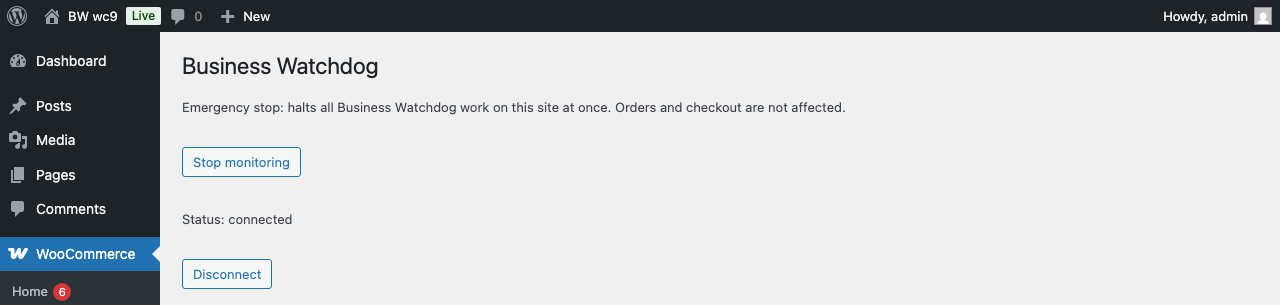
- Easy to stop: one click on “Stop monitoring” or deactivate the plugin.
How it works
This plugin is the connector for the Business Watchdog service. You need a Business Watchdog account at business-watchdog.com — the trial is free. The plugin does nothing until you connect it to your account with a one-time code. Stripe and PayPal are connected in your Business Watchdog account, not in WordPress.
Prefer not to install a plugin? You can also connect a store without installing anything: Business Watchdog reads orders through the WooCommerce REST API with a read-only key, and WooCommerce’s own webhooks make it instant. The plugin adds what a key cannot:
- Order and refund changes are sent the moment they happen, also on WooCommerce versions where the REST API notices refunds late.
- Payment attempts at checkout are counted per payment method, so repeated failures of one method are noticed early.
- Optional checkout observation: on the checkout and order-received pages a small script counts whether the payment form was shown and whether placing the order worked. It reports only to your own site; your customers’ browsers never contact Business Watchdog.
- The service’s own browser checks of your checkout are recognised and never counted as customers.
The plugin never takes part in payment, order creation, stock or store e-mails, and nothing calls Business Watchdog while a customer is on your site. If the service is unreachable, your store keeps working; changes wait in a local queue.
Emergency stop
- WooCommerce Business Watchdog Stop monitoring, or deactivate the plugin.
- WP-CLI:
wp business-watchdog stop. define( 'BUSINESS_WATCHDOG_DISABLED', true );inwp-config.phpstops the plugin before any of its code runs.
External services
This plugin connects your store to the Business Watchdog service operated at https://business-watchdog.com. Nothing is sent before you connect the plugin with a pairing code from your Business Watchdog account; disconnecting or deactivating the plugin stops all sending.
What is sent, when connected:
- When you connect: the one-time pairing code, your site address, a random installation ID and the plugin version. With Connect to Business Watchdog your browser first opens business-watchdog.com with your site address, the address of this plugin’s return page in your admin, your WordPress language and two one-time random values; you then sign in there and come back. The secret part of the check stays in your WordPress database until the final exchange.
- Links to business-watchdog.com in the plugin: when you click one, the service counts the click with the place of the link and your WordPress language for its connection statistics. Nothing about your store, orders or visitors; the plugin itself sends nothing in the background before it is connected.
- Order and refund changes, as they happen and in a daily check: order ID and number, status, currency, total, payment method ID and display name, the payment provider’s transaction reference, the date the order was marked paid; for refunds the amount, the provider’s refund reference and the order they belong to. No customer names, addresses, e-mail addresses, phone numbers or order items are sent.
- Every 5 minutes (heartbeat): plugin version and the state of the local queue.
- When versions change: the versions of WordPress, WooCommerce, the active theme and active plugins, and whether HPOS and the block checkout are used — to tell you when an update coincides with a problem.
- Every few minutes: counts of payment attempts per payment method and outcome, and — only if checkout observation is enabled for your store — counts of checkout stages per 5-minute window. No IP addresses, browser details or visitor identifiers.
The service processes this data on your behalf as a processor under a data processing agreement (Art. 28 GDPR) on servers in Germany.
- Terms of Service: https://business-watchdog.com/en/terms
- Privacy Policy: https://business-watchdog.com/en/privacy
Capturas de pantalla
Instalación
- Install and activate the plugin (WooCommerce 6.0 or newer must be active).
- On the Plugins screen or under WooCommerce Business Watchdog click Connect to Business Watchdog (or Create a free account if you have none yet — 14 days free, no card). Without an account the plugin cannot do anything.
- Sign in or create the account on business-watchdog.com, choose your store or create it with your site address, and click Connect.
- You come back to WordPress and the plugin is connected — no code to copy.
Another way, for example from another browser: in your Business Watchdog account open the store, choose «WooCommerce plugin», create a connection code, paste it under WooCommerce Business Watchdog Connect with a code and click Connect.
FAQ
-
What does it cost?
-
You can try Business Watchdog for 14 days free, no card needed; a paid plan starts only when you buy it. Prices are on business-watchdog.com/en/pricing.
-
Does it work without Stripe or PayPal?
-
Yes. Without a payment provider Business Watchdog watches your orders, payment attempts and checkout. The comparison with the money stays “unknown” until you connect Stripe or PayPal.
-
Isn’t this what Stripe and PayPal e-mails already tell me?
-
Stripe and PayPal only know their side. They cannot tell you that an order in your store is still unpaid although they captured the money, or that an order marked as paid has no capture. Business Watchdog compares both sides.
-
Do I need the plugin?
-
No. You can connect with a read-only WooCommerce REST API key instead and add WooCommerce webhooks for instant updates. The plugin adds immediate refund changes on older WooCommerce versions, payment attempts per payment method and the checkout observation.
-
Does the plugin slow down checkout?
-
No request to Business Watchdog is made while a customer is on your site. Changes are collected at the end of the request and sent in the background.
-
Do my customers need to consent to the checkout observation?
-
The observation script stores nothing on the device, sets no cookies or identifiers, reads no form fields and reports only to your own site. Business Watchdog provides a sample paragraph for your privacy policy in your account. This is not legal advice.
-
What happens to my data when I uninstall?
-
Uninstalling removes the plugin’s options, schedules and connection. Its own tables are removed only if you choose so on the settings page.
Reseñas
No hay reseñas para este plugin.
Colaboradores & Desarrolladores
“Business Watchdog for WooCommerce” es software de código abierto. Las siguientes personas han contribuido a este plugin.
Colaboradores
Traduce “Business Watchdog for WooCommerce” a tu idioma.
¿Interesado en el desarrollo?
Revisa el código, echa un vistazo al repositorio SVN, o suscríbete al registro de desarrollo por RSS .
Historial de cambios
0.4.2
- Connect in one click: Connect to Business Watchdog opens business-watchdog.com, where you sign in or create a free account and confirm the store; you come back to WordPress connected, without copying a code. Connecting with a code still works.
- A card on the Plugins screen with the buttons «Connect to Business Watchdog», «Create a free account» and «I have a connection code» until the plugin is connected. It can be hidden per user; the plugin page always shows how to connect.
- Readable messages on the plugin page after connecting, disconnecting and failed attempts.
0.4.1
- Shows right after activation that a Business Watchdog account is needed: a link to create one on the Plugins screen, in the plugin description and on the plugin page, and the steps to connect.
- The service URL on the plugin page is filled in.
0.4.0
- All tables, options, scheduled actions, order meta and constants of the plugin use the
business_watchdog_prefix. Existing data is moved after the update by the next admin page, scheduled task or WP-CLI command. Going back to a version before 0.4.0 afterwards needs a new pairing. - Admin notices of the plugin appear only on the Plugins screen and on its own settings page.
0.3.4
- Sends the store’s payment method name with order changes so custom methods have a readable label in Business Watchdog.
0.3.3
- Prepared for the WordPress.org plugin directory: readme with the external service description, database queries name the plugin’s tables directly, request input is unslashed and sanitized, translator comments.
0.3.2
- Isolates errors of the plugin’s own hooks, does not update its database schema during customer requests and does not write the observation counter while the checkout renders.
0.3.1
- Handles a store paused by its plan and catches up on order changes after the pause.
0.3.0
- Optional checkout observation.