

Descripción
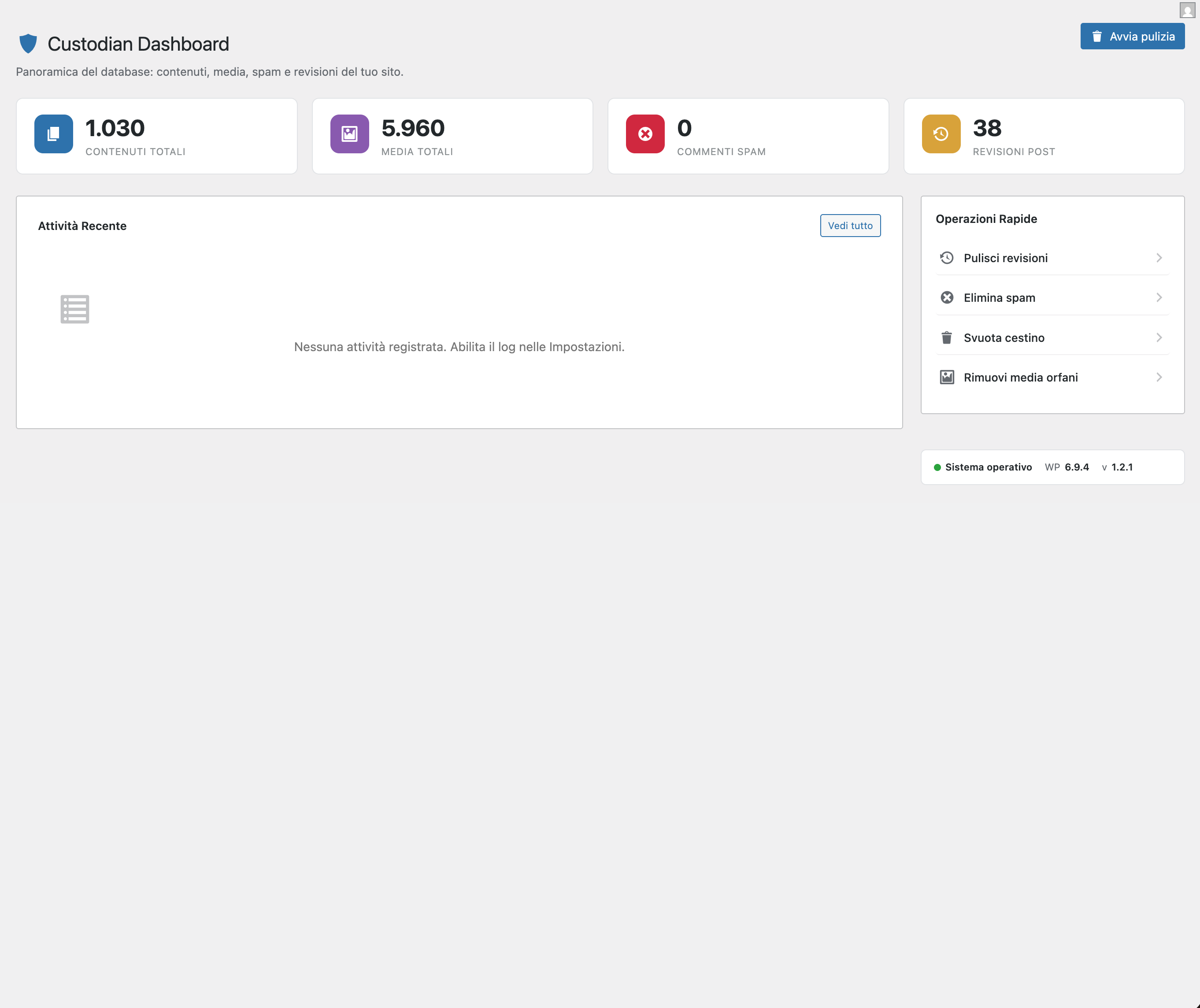
DataPrune is a bulk-deletion and database-cleanup plugin for WordPress.
It lets you remove any type of content — posts, pages, media, comments, users, taxonomy terms, and metadata — with precise filters and conditions, without ever risking a 503 timeout thanks to its AJAX batch processing engine.
Whether you manage an automated content site (e.g. WP Automatic / ValvePress), a high-traffic blog, or a large e-commerce store, DataPrune gives you full control over what stays and what goes.
✨ Key Features
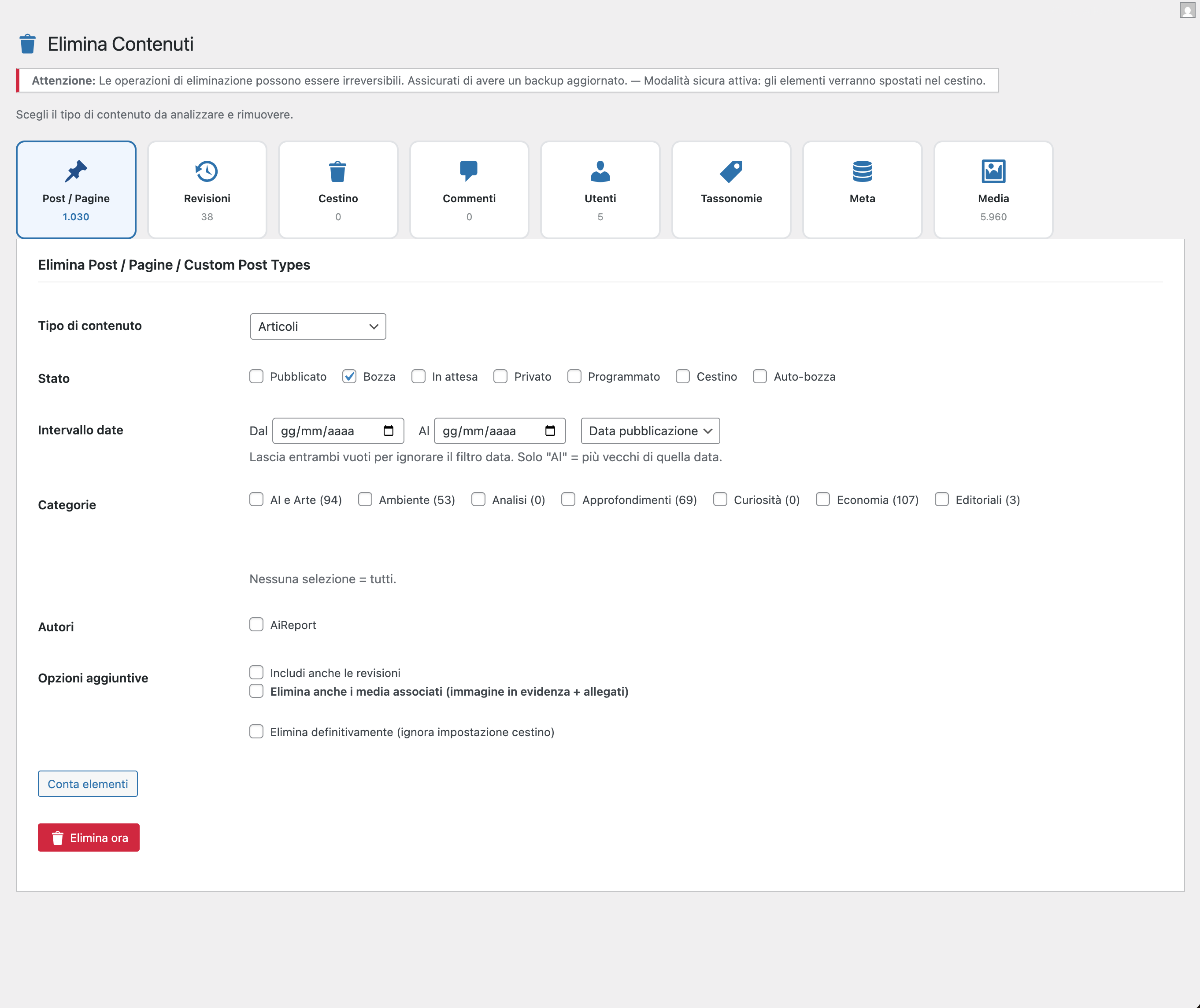
8 deletion modules, each with dedicated filters:
- 📄 Posts / Pages / CPT — filter by status (published, draft, private, pending, scheduled…), date range, categories, tags, authors, post type. Option to also delete associated media in one click.
- 🖼️ Media & Attachments — delete orphaned media (not linked to any post and not used as featured image), filter by MIME type, minimum file size, and upload date range. Protected media (site logo, favicon, header/background image) are never deleted.
- 🔁 Revisions — delete all post revisions or only those older than a specific date range.
- 🗑️ Trash — permanently empty the WordPress trash, by content type.
- 💬 Comments — delete spam, pending, approved or trashed comments with date filter.
- 👤 Users — delete users by role, registration date, and activity (users with no published posts). Administrators and the currently logged-in user are always protected.
- 🏷️ Taxonomy Terms — delete empty terms (no associated posts) for any taxonomy.
- 🔑 Post Meta & User Meta — delete metadata records by key and optional value.
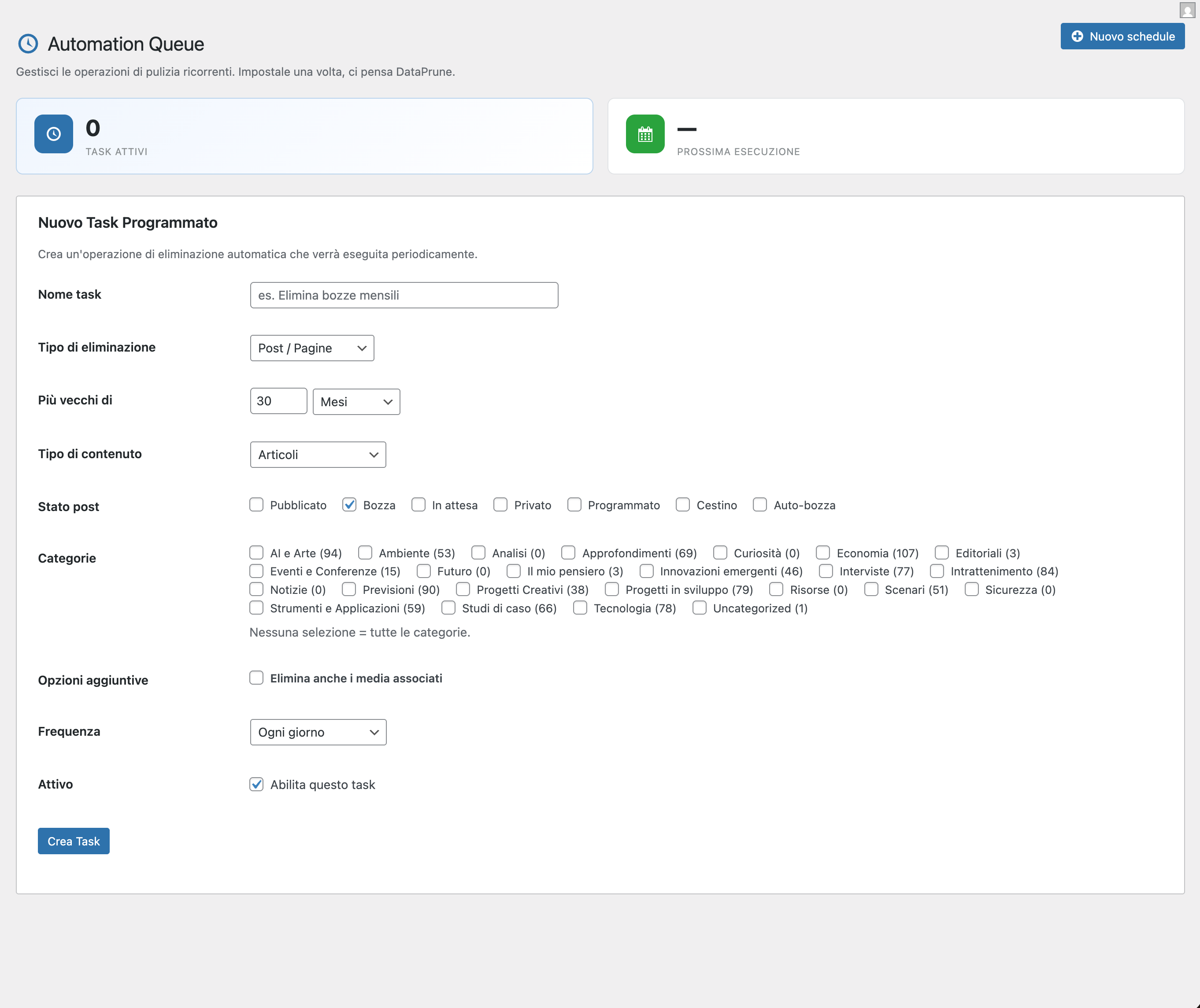
⏱️ Scheduled Auto-Deletion
Create automatic deletion tasks that run on a recurring schedule (hourly, twice daily, daily, weekly, monthly):
- Choose deletion type, filters, and frequency
- Enable/disable each task independently
- Run any task manually on demand
- Option to also delete associated media when auto-deleting posts
- Ideal for sites that auto-publish content (WP Automatic, RSS importers, etc.)
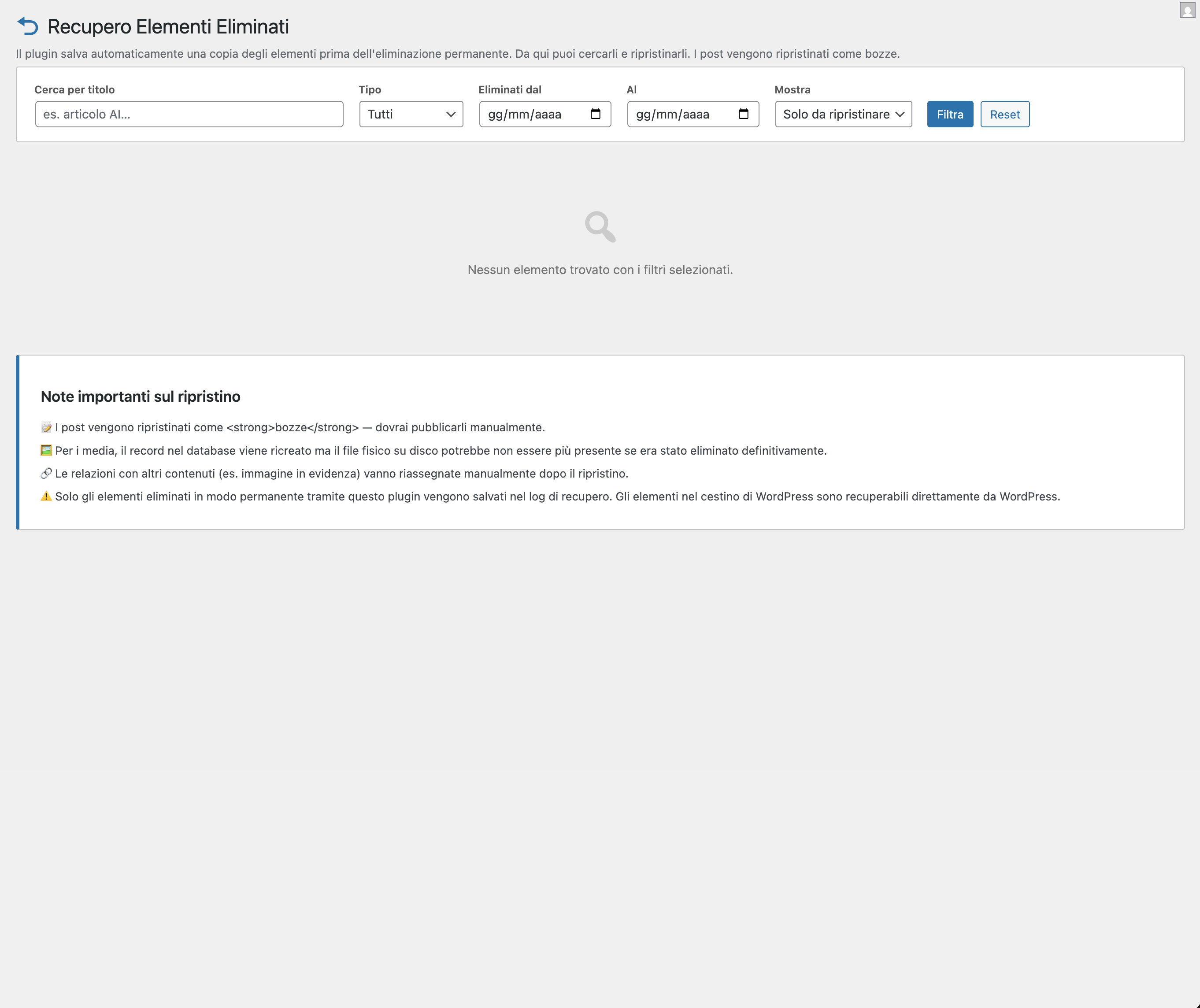
♻️ Recovery System
Every permanent deletion is saved in a dedicated database table before being executed:
- Visual grid with thumbnail previews for media and posts
- Text search by title
- Filters by type (post/media), deletion date range, restoration status
- One-click restore — posts are restored as drafts with all meta and taxonomy terms
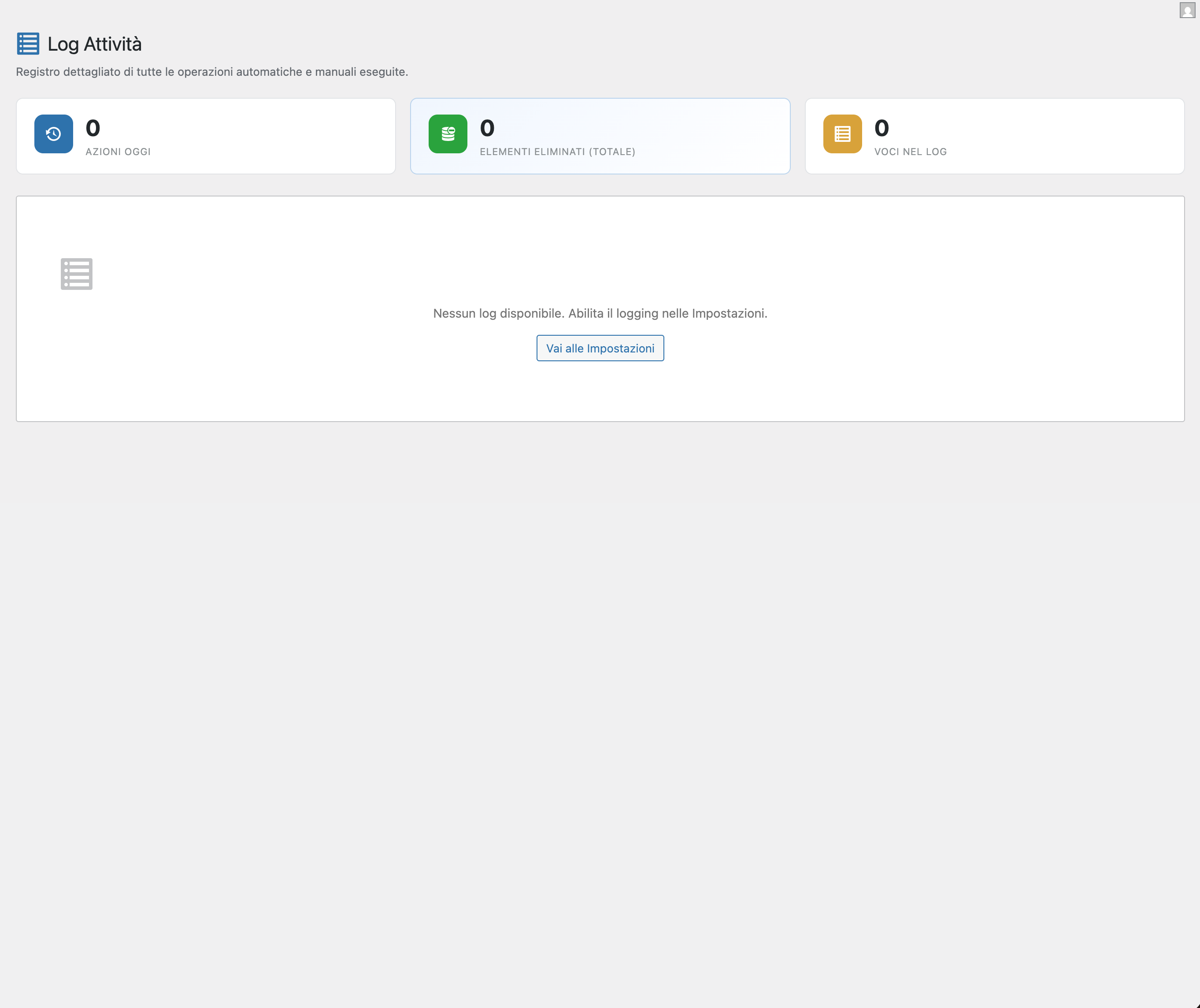
- Activity log with user, timestamp and item count for every operation
🔒 Security Features
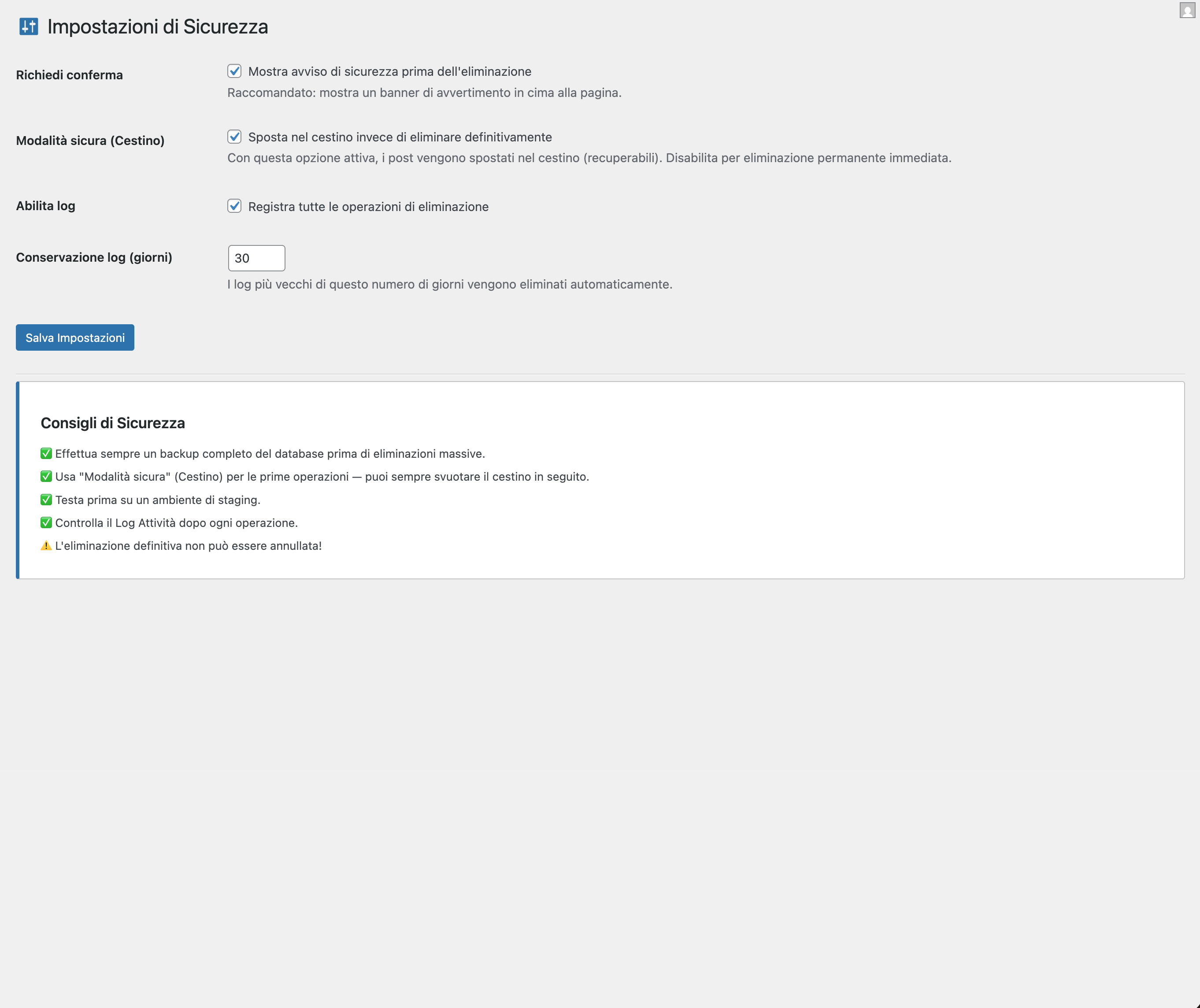
- Safe mode (Trash) — move items to trash instead of permanent deletion (recoverable)
- Confirmation dialog — JavaScript confirmation before every bulk operation
- Protected media detection — automatically excludes site logo, favicon, header image, background image, WooCommerce placeholder, and any media protected via the
wbdp_protected_media_idsfilter - Admin protection — administrators and the current user can never be deleted
- Nonce verification on every request
manage_optionscapability check on every action- Activity log with configurable retention period
⚡ No More 503 Timeout
All deletion operations use AJAX batch processing: the browser sends small batches of 50–100 items at a time, showing a real-time progress bar. No single request ever exceeds the server timeout, even with tens of thousands of items.
🌐 Multilingual
- Default language: Italian
- Full English (en_US) translation included
- Ready for any language via standard
.po/.mofiles
🤝 WP Automatic / ValvePress Integration
DataPrune is specifically optimized for sites using WP Automatic by ValvePress:
* Auto-generated images are stored as WordPress attachments linked to posts
* The “Delete associated media” option removes both the article and its generated image in a single operation
* Orphaned images left by previously deleted articles are detected and cleaned up automatically
* Scheduled tasks can be configured to delete posts + media on a recurring basis
❤️ Support the Project
DataPrune is free and open-source software, released under the GPL v2 license.
If it saves you time and keeps your database healthy, please consider making a small donation to support its continued development and maintenance.
Capturas de pantalla
Instalación
- Upload the
dataprunefolder to/wp-content/plugins/ - Activate the plugin through the Plugins menu in WordPress
- Navigate to DataPrune in the admin sidebar
- Configure Security Settings before running your first deletion
Important: After activation, go to Settings and verify: – ✅ Safe mode (Trash) is enabled for your first operations – ✅ Logging is enabled – ✅ Confirmation dialog is enabled
FAQ
-
Will this plugin delete my site logo or favicon?
-
No. DataPrune automatically detects and protects the site logo (
custom_logo), favicon (site_icon), header image, background image, and WooCommerce placeholder image. These are never treated as orphans. -
Can I recover deleted items?
-
Yes, if the item was permanently deleted through this plugin. Before every permanent deletion, a snapshot of the item (all data, meta, and taxonomy terms) is saved to a dedicated recovery table. You can restore it from DataPrune Recovery as a draft.
Note: if Safe mode (Trash) is active, items go to the WordPress trash and can be recovered from there directly.
-
Why use AJAX batch processing?
-
With thousands of items to delete, a single PHP request would exceed the server’s
max_execution_time(usually 30–60 seconds) and return a 503 error. Batch processing splits the work into small chunks of 50–100 items, each processed in a separate request, with a live progress bar. -
Can I automatically delete old auto-generated posts?
-
Yes. Go to DataPrune Scheduled and create a new task:
– Type: Posts / Pages
– Status: Published (or any)
– Older than: 30 days (or your preferred period)
– ✅ Delete associated media
– Frequency: DailyThis will automatically delete posts and their images every day.
-
Is it compatible with WooCommerce?
-
Yes. You can delete products (custom post type
product), WooCommerce-specific meta, and product terms. The WooCommerce placeholder image is always protected. -
What WordPress version is required?
-
WordPress 5.8 or higher. PHP 7.4 or higher.
-
Is the plugin free?
-
Yes, completely free and open-source (GPL v2). If you find it useful, a small donation helps cover development and maintenance costs.
Reseñas
No hay reseñas para este plugin.
Colaboradores & Desarrolladores
“DataPrune” es software de código abierto. Las siguientes personas han contribuido a este plugin.
Colaboradores
Traduce “DataPrune” a tu idioma.
¿Interesado en el desarrollo?
Revisa el código, echa un vistazo al repositorio SVN, o suscríbete al registro de desarrollo por RSS .
Historial de cambios
1.2.5
- Fix critico: il salvataggio forzato dello snapshot di recupero nei task schedulati con modalità cestino attiva caricava in memoria tutti i meta di ogni post del batch, causando un PHP Fatal (esaurimento memoria) che interrompeva il processo prima che il log venisse scritto — da qui l’errore nel modal e il log sempre vuoto. Lo snapshot viene ora salvato solo in caso di eliminazione permanente (modalità cestino disattivata), che è l’unico caso in cui è davvero necessario
- Fix: un errore nel salvataggio dello snapshot di un singolo post non blocca più l’intero batch di cancellazione
- New: il modal “Esegui ora” mostra il nome del task nell’intestazione
- New: il contatore degli elementi eliminati parte da 0 all’apertura del modal e si aggiorna dopo ogni batch
- New: nella pagina “Elimina Contenuti” la barra di avanzamento ora si anima durante l’elaborazione di ogni batch, rendendo visibile che il sistema sta lavorando anche quando tutti gli elementi rientrano in un unico batch
1.2.4
- Fix: la risposta AJAX ora usa output buffering per eliminare eventuali notice/warning PHP che corrompevano la risposta JSON e causavano il messaggio di errore nel modal
- Fix: la costante WBDP_VERSION non veniva aggiornata ad ogni release, causando il caricamento di script e stili obsoleti dalla cache del browser o dei plugin di caching anche dopo l’aggiornamento manuale via FTP
1.2.3
- Fix: ordine del changelog corretto; linguaggio semplificato
1.2.2
- Fix: i task programmati con “Mai eseguito” non partivano automaticamente alla prima esecuzione schedulata
- Fix: in caso di errore durante l’esecuzione di un task, il modal ora mostra il messaggio preciso invece del generico “Controlla il log”
- New: la barra di avanzamento si anima durante l’elaborazione e mostra in tempo reale quanti elementi sono stati eliminati
- New: se si verifica un errore, la barra diventa rossa per segnalarlo visivamente
1.2.1
- Plugin rinominato in DataPrune
- Compatibilità con i requisiti di pubblicazione su WordPress.org
1.2.0
- Fix critico: il filtro “Più vecchi di” nei task programmati veniva ignorato — tutti i contenuti del tipo/stato selezionato venivano eliminati indipendentemente dalla data. Ora il filtro funziona correttamente
- Fix: un task programmato poteva essere eseguito due volte in contemporanea in alcuni scenari di carico
- Fix: gli snapshot di recupero vengono ora salvati correttamente anche per i task programmati, permettendo il ripristino in caso di errore
1.1.9
- New: il pulsante “Esegui ora” nei task programmati utilizza ora la stessa elaborazione a batch della pagina principale — nessun rischio di errore 503, anche con migliaia di elementi
- New: i task automatici elaborano un blocco alla volta e si auto-schedulano fino al completamento, senza sovraccaricare il server
- New: i post eliminati da un task programmato vengono salvati nel log di recupero prima della cancellazione
1.1.8
- New: filtro per categorie disponibile anche nella creazione dei task programmati
- Fix: errore 503 durante l’esecuzione manuale dei task programmati su siti con molti contenuti
1.1.7
- New: interfaccia amministrativa completamente ridisegnata — Dashboard con statistiche, pagina Elimina Contenuti con selezione per tipo, Log attività con riepilogo
- Fix: vari miglioramenti di compatibilità con gli standard WordPress.org
1.1.5
- Fix: miglioramenti alla compatibilità con gli standard di qualità WordPress.org
- Fix: le date rispettano ora il fuso orario impostato nel sito
- Fix: migliorata la gestione dei dati inviati dai form
1.1.4
- New: pagina Donazione nella barra laterale del plugin
- New: rimozione completa dei dati del plugin alla disinstallazione (tabelle, opzioni, cron)
- Fix: le date rispettano ora le impostazioni del fuso orario di WordPress
- Fix: varie correzioni all’interfaccia della pagina Recupero
1.1.3
- Fix: errore fatale all’attivazione del plugin su alcuni server
- Fix: i task di tipo “Revisioni” e “Svuota Cestino” non venivano eseguiti correttamente
1.1.1
- New: opzione “Elimina anche i media associati” nei task programmati
- New: i task programmati usano l’elaborazione a batch per evitare timeout
1.1.0
- New: sistema di Recupero — salva uno snapshot degli elementi prima della cancellazione e permette il ripristino come bozze
- New: griglia visuale con anteprime nella pagina Recupero
- New: ricerca e filtri nella pagina Recupero
- New: traduzione inglese (en_US) inclusa
1.0.3
- Fix: Protected media detection — site logo, favicon, header/background images are now excluded from orphan queries
- New:
wbdp_protected_media_idsfilter for third-party extensions
1.0.2
- Fix: AJAX nonce field name mismatch causing
-1response on media deletion
1.0.1
- New: Media tab with orphan detection, MIME type, size, and date range filters
- New: AJAX batch processing with progress modal (solves 503 timeout on large datasets)
- New: Date range filter (from/to) replacing the simple “older than” field
- Updated: Tab slug for media changed to
media-files
1.0.0
- Initial release
- Bulk delete: posts, pages, CPT, revisions, trash, comments, users, taxonomy terms, post meta, user meta
- Scheduled deletion with WP-Cron
- Activity log
- Security settings (trash mode, confirmation, log retention)
- English translation