
Descripción
GTM Kit agrega el contenedor de Google Tag Manager en tu sitio web para que no tengas que tocar ningún código. También envía datos de WooCommerce, Easy Digital Downloads (EDD) y Contact Form 7 a la capa de datos para su uso con Google Analytics 4, Facebook y otras etiquetas de GTM.
El objetivo de GTM Kit es proporcionar una herramienta flexible para generar la capa de datos para Google Tag Manager. Es fácil de usar y no requiere codificación, pero permite a los desarrolladores personalizar el plugin según sea necesario.
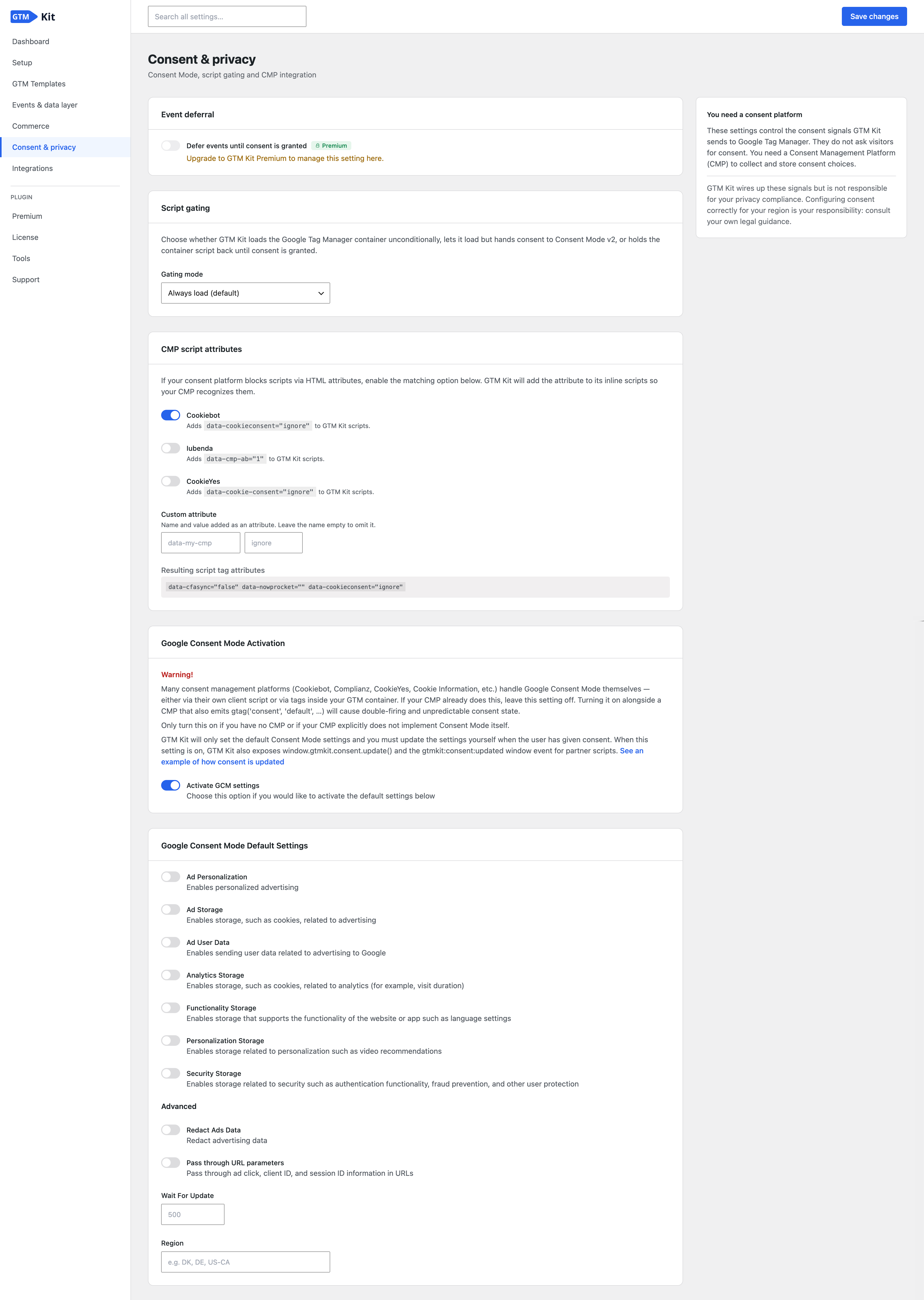
The settings are organised around what you are trying to do (Setup, Events & data layer, Commerce, Consent & privacy, and Tools), so related options live together and the setting you need is quick to find.
Know when your tracking breaks
Tracking fails quietly. A caching plugin strips the container out of the page, a second plugin loads it a second time, a staging copy reports into your live property, and nothing on the settings screen says so.
GTM Kit checks one of your own pages once a day, the way a visitor receives it, and tells you when nothing on your site is loading your container, or when your pages load tracking twice. Where it recognises the plugin or tool adding the second copy, it names it.
WordPress’s own Site Health screen reports on GTM Kit directly: whether your container is set up and reaching your pages, whether consent is configured, whether GTM Kit’s settings can be saved at all, and, if you serve the Google tag from your own domain, whether that is still working. A GTM Kit section on the Info tab lists your whole configuration on one screen and copies it into a support request with one click.
On sites WordPress reports as staging, development or local, GTM Kit leaves the container out, so test traffic never reaches your live analytics. The data layer is still built there, and a setting loads the container anyway when you are measuring a test site on purpose.
Eventos de ecommerce rastreados con Google Analytics 4
Los siguientes eventos GA4 se incluyen automáticamente en dataLayer:
WooCommerce
- view_item_list
- select_item
- view_item
- add_to_wishlist [Premium]
- add_to_cart
- view_cart
- remove_from_cart
- begin_checkout
- add_shipping_info
- add_payment_info
- purchase
- refund [Premium]
- order_paid [Premium]
- order_processing [Premium]
- order_completed [Premium]
- order_refunded [Premium]
- subscription_started [Premium]
Unlock all features with GTM Kit Premium.
Easy Digital Downloads
- view_item
- add_to_cart
- begin_checkout
- purchase
Serve the Google tag from your own domain
Ad blockers and browser tracking restrictions treat a script loaded from Google differently from one loaded by your own site. GTM Kit can serve the Google tag from your own domain instead, so the tag loads where a request to Google’s domain would have been blocked. The measurement the tag sends still goes to Google; moving that to your domain as well needs Google’s tag gateway through a CDN or host that supports it.
Before you can switch it on, GTM Kit checks that your server can reach Google and that the address it would serve the tag from is actually reachable, and it repeats both checks once a day afterwards. If either stops working, GTM Kit goes back to loading the container the standard way and tells you, so your tracking never stops without warning.
It is off by default, and it is an alternative to pointing GTM Kit at your own server-side container domain rather than something you run alongside one.
Implementación flexible del contenedor
Según cómo utilices Google Tag Manager, puedes retrasar la carga del script del contenedor hasta que el navegador esté inactivo. Esto puede ser importante si te centras en la velocidad de la página.
Puedes introducir un nombre de dominio personalizado si estás utilizando un contenedor GTM Server-side (sGTM) personalizado para el seguimiento. También es posible especificar un cargador personalizado. GTM Kit tiene soporte completo para el alojamiento GTM Server-side de Stape.
You can also exclude specific pages from GTM entirely. Add URL patterns on the Container settings page and GTM Kit holds back the container, the noscript fallback, and its data layer scripts on matching pages. Useful for third-party checkout iframes, partner-hosted subpages, and in-app webview routes that run their own tracking. Glob patterns are supported by default, with optional regex for advanced matching.
Moving from another Google Tag Manager plugin
GTM Kit imports settings from Google Tag Manager for WordPress, Google Tag Manager for WooCommerce, Metronet Tag Manager and other GTM plugins, at any time, from the Tools page. Your container ID, data layer variables, Consent Mode defaults, excluded user roles and container environment come across in one step.
Before anything is written you see exactly which of your settings will be replaced, and only settings the other plugin actually configured are touched.
Datos de las entradas
Puedes especificar qué elementos de datos de entradas deseas incluir en el dataLayer para usar en Google Tag Manager.
– Post type: incluye el tipo de publicación actual o página de archivo.
– Page type: incluye un tipo de página definido, es decir, entrada, página, producto, categoría, carrito, pago, etc.
– Categories: incluye las categorías de la publicación actual o página de archivo.
– Tags: incluye las etiquetas de la publicación actual o página de archivo.
– Post title: incluye el título de la entrada actual.
– Post ID: incluye el ID de la publicación actual.
– Post date: incluye la fecha de la publicación.
– Post author name: incluye el nombre del autor de la publicación.
– Post author ID: incluye el ID del autor de la publicación.
External services
Stape
If your server-side Google Tag Manager container is hosted on Stape, GTM Kit can use the loader Stape issues for it. This is off by default. When you switch on “Get the loader from Stape” under Server-side Tagging, GTM Kit asks Stape’s API (api.app.stape.io, or api.app.eu.stape.io for containers in Stape’s EU region) for the loader.
The request is sent only when you save a change to the settings the loader depends on, or press “Refresh loader”. It is never sent on a schedule or when a visitor views a page. It contains your sGTM container identifier, your GTM container ID, your sGTM container domain, your data layer name and, when Cookie Keeper is on, the name of the Cookie Keeper cookie. No visitor data is sent.
Stape terms of service: https://stape.io/terms-conditions
Stape privacy policy: https://stape.io/privacy-notice
Capturas de pantalla


Instalación
- Instala GTM Kit a través del repositorio de plugins de WordPress.org o subiendo los archivos a tu servidor.
- Activa el plugin a través del menú “Plugins” en WordPress
- Introduce tu ID de contenedor de GTM y haz clic en “Guardar cambios”.
FAQ
-
¿Donde puedo conseguir el ID del contenedor de GTM?
-
Crea una cuenta y un contenedor en Google Tag Manager.
-
¿Es compatible con Google Analytics 4?
-
¡Sí! Nos esforzamos por ofrecer compatibilidad con todas las funciones de Google Analytics 4 e implementaremos todas sus funciones futuras.
-
¿Es compatible con plugins de caché?
-
¡Sí! PageSpeed es uno de nuestros principales puntos de atención y nos esforzamos por hacer que el plugin sea compatible con el almacenamiento en caché de páginas completas.
-
How can I report security bugs?
-
You can report security bugs through the Patchstack Vulnerability Disclosure Program. The Patchstack team help validate, triage and handle any security vulnerabilities. Report a security vulnerability.
Reseñas


Colaboradores & Desarrolladores
“GTM Kit – Google Tag Manager & GA4 integration” es software de código abierto. Las siguientes personas han contribuido a este plugin.
Colaboradores


“GTM Kit – Google Tag Manager & GA4 integration” ha sido traducido en 4 idiomas. Gracias a los traductores por sus contribuciones.
Traduce “GTM Kit – Google Tag Manager & GA4 integration” a tu idioma.
¿Interesado en el desarrollo?
Revisa el código, echa un vistazo al repositorio SVN, o suscríbete al registro de desarrollo por RSS .
Historial de cambios
2.21.0
Release date: 2026-10-06
Find out about what’s new in our our release post.
New:
- AI assistants connected to your site through the WordPress Abilities API can now read how GTM Kit is set up, which consent defaults apply, and whether tracking is healthy. Only administrators can use them, nothing can be changed through them, and they send nothing off your site.
- If you use the loader Stape issues but GTM Kit has none stored for your site, the GTM Kit dashboard now tells you that your pages use the standard loader and how to get Stape’s loader back with Refresh.
Bugfixes:
- If the Google tag gateway is switched on while a custom server-side tagging domain is set, the GTM Kit dashboard now says the two cannot be used together and how to choose between them, instead of reporting that the gateway is not working. The settings screen explains why one of the two is unavailable only while it is.
- Site Health no longer reports that consent is configured when the Consent Mode defaults deny analytics and no consent platform was found to grant it, a setup where every visitor is measured without cookies. It now recommends adding a consent platform or changing the defaults, and the Consent settings page shows the same warning.
- Site Health no longer says consent is not configured when the Consent Mode defaults are off because a consent integration, such as one using the WP Consent API, sets and updates the visitor’s consent.
- Importing settings from GTM4WP no longer sets a server-side tagging domain when GTM4WP loads the container from a custom path, which produced a loader address that did not serve your container. The import now says the domain was skipped.
Other:
- On stores with a classic theme, shop, product and category pages without WooCommerce blocks no longer load GTM Kit’s block tracking script, so those pages load less JavaScript. Pages that show a WooCommerce block anywhere, including a Mini Cart in a widget area, still load it, and block themes are unchanged.
- If you send customer details with the purchase event and use Consent Mode, GTM Kit now adds the email, phone, name and address, hashed or not, only once the visitor has granted both advertising storage and advertising user data consent. If consent is denied, or a denying default has not been lifted within three seconds, the purchase is still sent, without those details. GTM Kit reads consent from its own data layer, from
dataLayerif that is a different one, and from the consent state Google Tag Manager holds, so consent a consent platform sets through its Google Tag Manager template counts too. A denial in any of them withholds the details. If GTM Kit finds no consent state at all within three seconds, it sends the details, as it did before, and a developer can make GTM Kit withhold them in that case with a filter.
2.20.2
Release date: 2026-09-24
Find out about what’s new in our our release post.
Bugfixes:
- If you use the loader Stape issues, GTM Kit no longer uses a loader stored by an earlier version, because it cannot tell whether that loader was checked against your data layer name. Your pages use the standard loader until you click Refresh under Server-side Tagging, which gets a checked loader from Stape.
2.20.1
Release date: 2026-09-22
Find out about what’s new in our our release post.
Bugfixes:
- If refreshing or pasting your Stape loader fails, the settings screen now names the loader your pages keep using, instead of claiming they fell back to the standard loader. A request that fails before reaching Stape, for example because your login has expired, now says so instead of reporting that Stape could not be reached.
- If saving your settings fails because the connection to your site dropped, the settings screen now says there is a network problem instead of reporting a server error.
- If activating your licence fails because the request itself failed, for example because the connection dropped, the licence screen now says so instead of telling you to check your licence key. If deactivating fails, the button no longer keeps spinning: the screen shows what went wrong and lets you try again.
- If a Stape loader is made for a different data layer name than GTM Kit uses, whether you paste it or GTM Kit gets it from Stape, the settings screen now refuses it and says why, instead of using a loader that listens to the wrong data layer.
2.20.0
Release date: 2026-09-22
Find out about what’s new in our our release post.
New:
- If your server-side container is hosted on Stape, GTM Kit can now use the loader Stape issues for it, which ad blockers find harder to recognise. Switch it on under Server-side Tagging. GTM Kit asks Stape for the loader only when you save or refresh it, and you can paste the code from Stape instead.
Bugfixes:
- With Cookie Keeper enabled, Safari visitors now load your Stape custom loader when its identifier is longer than eight characters, as every identifier Stape issues today is. Safari previously asked Stape for a loader address it rejects, so those visitors were not tracked.
- On sites with a persistent object cache such as Redis, GTM Kit no longer re-runs its update routine on every admin page load when the cache still holds the previous version number. The update routine also no longer logs a notice from Action Scheduler on its first run.
Other:
- The description of serving the Google tag from your own domain now says what the setting does and does not do: it changes where the tag loads from, while the measurement it sends still goes to Google unless Google’s tag gateway is provided by your CDN or host.
2.19.0
Release date: 2026-09-14
Find out about what’s new in our our release post.
New:
- When Google for WooCommerce adds a Google tag beside your container, GTM Kit now names it as the source instead of saying it could not tell.
- Site Health now checks that GTM Kit’s settings can be saved, and shows the error it got back when they cannot.
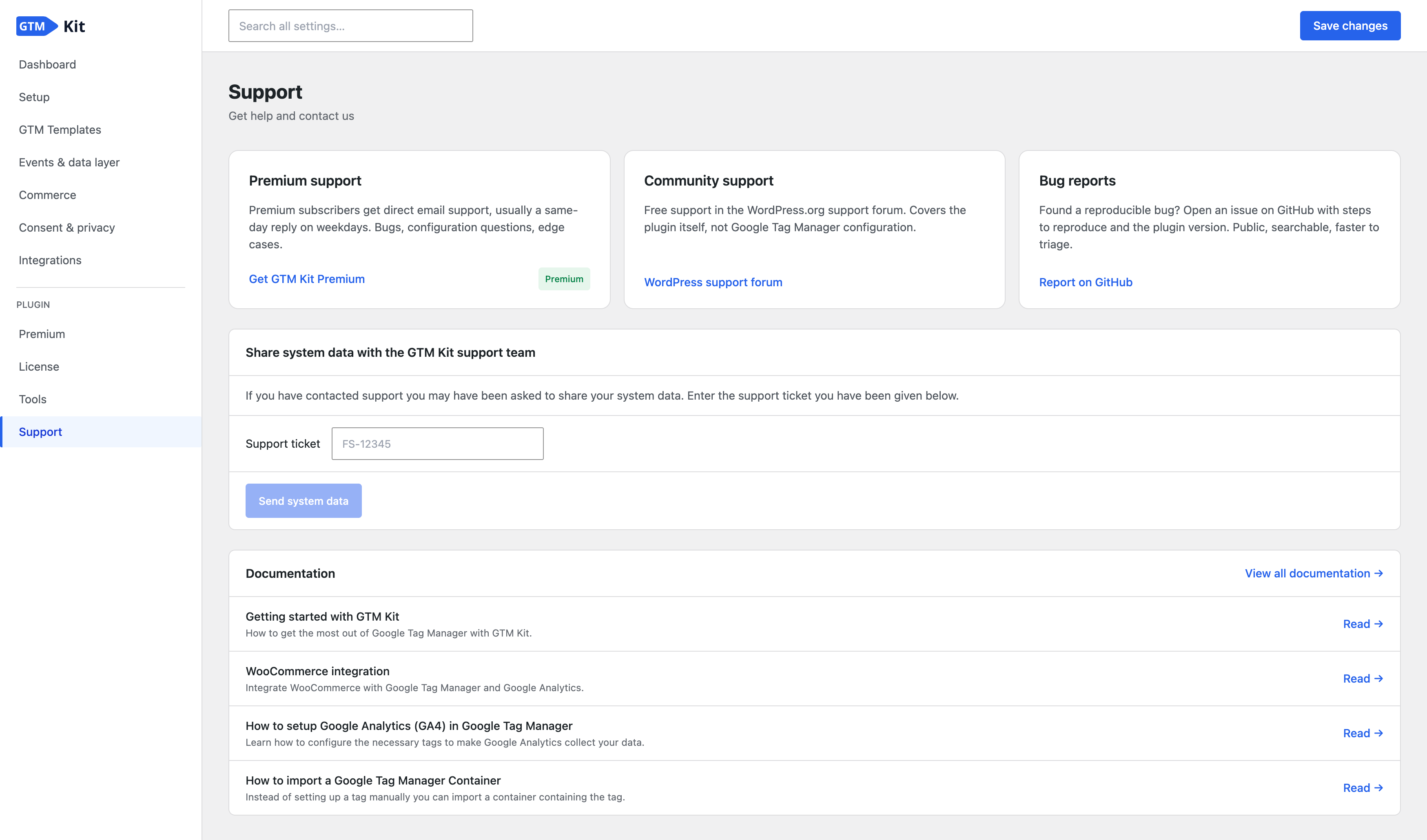
- When sending your system data from the Support screen cannot get through, the screen now says so instead of claiming your ticket was not found. With GTM Kit Premium you can then copy the data or download it to email instead.
- You can now serve the Google tag from your own domain, so ad blockers and browser tracking restrictions interfere less with loading it. If it stops working, GTM Kit falls back to the standard loader and tells you. It is off by default, and an alternative to your own sGTM container domain. (Corrected after publication: this entry originally said restrictions would interfere less with your measurement. The setting changes where the tag loads from. The measurement the tag sends still goes to Google unless your CDN or host provides Google’s tag gateway, which this setting cannot switch on.)
- GTM Kit now points out setups that leave data unmeasured, such as a WooCommerce store with its ecommerce events switched off. At most one such notice appears at a time, and dismissing it keeps it away for 90 days.
Bugfixes:
- A Google tag loading beside your container is no longer reported as duplicate tracking in the dashboard. It is now a notice, since the tag is only counted twice when it also fires inside your container. Two containers, or the same container loaded twice, are still reported as problems.
- When settings will not save, the settings screen now tells you why instead of quietly showing your old values again. It names any rejected setting, and on a site with a persistent object cache it names the cache as the likely cause.
- Password managers no longer fill in GTM Kit’s settings fields. A filled-in value could previously be saved without you typing it, and came back after you removed it.
- Event names such as purchase and add_to_cart can no longer be renamed by translations in the settings screens, where they disagreed with the events GTM Kit actually sends.
- The order confirmation page now sends purchase data only to visitors WooCommerce or Easy Digital Downloads would show the order to. Anyone opening a shared or guessed link previously received the order contents, its value and the shopper’s details. The buyer’s own visit still reports the purchase.
Other:
- New
gtmkit_active_cmpandgtmkit_cmp_display_namefilters let a site declare a consent platform GTM Kit cannot detect, such as one loaded by the theme or a code snippet, so Site Health stops reporting consent as unconfigured. - The customer details sent with a purchase now come from the order itself, so they describe the buyer rather than whoever opened the confirmation page.
WooCommerce::include_customer_data()now takes the order as its second argument, before the order value, and reads every customer field from it. Code that calls this method directly must pass the order.
Earlier versions
Para consultar el registro de cambios de versiones anteriores, consulta el registro de cambios en gtmkit.com.