
Descripción
Google Analytics is complicated!
Independent Analytics gives you simple, common-sense stats you can use to grow your website.
Este es un plugin gratuito y no requiere que crees una cuenta en otro sitio. Todas las funciones que se describen a continuación están incluidas en el plugin gratuito.
Every Tool You Need to Analyze & Grow Your Website
- Panel de control analítico dentro de tu administrador de WP
- Popular posts and pages
- Top traffic sources
- Country & city data with interactive world map
- Device report with device types, browsers, and OS
- Save custom reports
- Export to CSV & PDF
Fully Private for You and Your Visitors
When it comes to privacy, just say, “No!”
- No communication with external servers
- Sin cookies:
- No personal data
As a Google Analytics alternative, Independent Analytics runs entirely on your site so all of your data is created and stored on your server. No personal data is saved and no cookies are used to track visitors, making it easy to comply with regional privacy laws like the GDPR and CCPA.
Loved by the WP Community ❤️
Independent Analytics has received renown from WP Tuts, Web Squadron, WP Weekly, WP Builds, and many more publications.
Independent Analytics Pro
Get more valuable insights with the Independent Analytics Pro plugin, which includes UTM campaign tracking, real-time analytics, click tracking, eCommerce sales tracking (WooCommerce, FluentCart, EDD, SureCart), user journeys, form submission tracking, HTML email reports, and a customizable Overview report.
Click here to get Independent Analytics Pro →
¿Para quién es?
Independent Analytics is easy enough for a total beginner to use while offering plenty of depth for more advanced users to dig into their data.
- Blogueros: utiliza Independent Analytics como un sencillo plugin de estadísticas de blog. Averigua cuántas visitas reciben tus entradas y cuánto tráfico obtienes de los motores de búsqueda y las redes sociales.
- eCommerce stores: track views and visitors for your products and find out what your visitors are searching for.
- Sitios de noticias: obtén estadísticas el mismo día de todas tus publicaciones y filtra por autor para encontrar a tus escritores de más éxito.
- StartUps: empieza a hacer un seguimiento de tus visitas de inmediato y averigua qué tácticas de marketing iniciales están dando resultados.
- Non-profits: track which campaigns get the most views and find out where your donors are coming from.
How to Get Started
- Visit your Plugins > Add New menu
- Search for “Independent Analytics”
- Install and enjoy 🙂
Independent Analytics starts tracking visitors immediately without configuration. You don’t have to mess with any JavaScript or code snippets.
Explore the Simple, Yet Powerful Features
Nuestro plugin de estadísticas para WordPress es más robusto que un simple contador de visitas e incluye todas las funciones siguientes:
- Pages report – discover your most visited pages.
- Referrers report – find the sites sending you traffic.
- Geographic report – see which countries and cities your visitors are from.
- Devices report – get a breakdown of traffic by device type, browser, and OS.
- CSV exporting – export any report to CSV for additional analysis.
- PDF exporting – export any report as a beautiful PDF to share with colleagues.
- Saved reports – create and save your own custom reports to the sidebar.
- Share access with authors – share access with any user role in a few clicks and optionally limit the stats to only content published by the author.
- White-label the dashboard – white-label the analytics for non-admins to remove any branding and external links.
- View counts in the Posts menu – check how many views your recent posts have while browsing the Posts menu
- Dashboard widget – get a quick look at your stats when you login.
- Admin toolbar stats – see how many views each page has while viewing or editing it.
- Public view counter – show off how many views each post on your site has gotten.
- Ignore user roles – easily ignore activity from admins while recording traffic from Subscribers and Customers
- Ignore IP addresses – add any IP address to your ignore list in just two clicks.
- Automatically delete old data – delete data older than X days/years to limit the total data storage.
- Filtering system – segment your data with the powerful filters.
- Essential metrics – find your views, visitors, sessions, bounce rate, session duration, and views per session metrics in the Quick Stats, chart, and data table.
- Visitors Growth – find your fastest-growing pages and referrers.
- Author stats – sort and filter your pages by author.
- Post type stats – segment by post type to view stats for your posts, search results, custom post types, and more.
- Landing page stats – Use the Entrances metric to find your top landing pages.
- Developer API – the rudimentary developer API lets you get stats from any page on your site.
- RTL support – Independent Analytics works just as well for right-to-left languages.
- Mobile-friendly – the Analytics dashboard is fully compatible with mobile devices.
- Campaigns report (Pro) – create and track UTM campaign links.
- Real-time analytics (Pro) – see how many visitors are currently on your site.
- Click tracking (Pro) – track clicks on any link without touching code.
- eCommerce analytics (Pro) – integration with WooCommerce, FluentCart, EDD, and SureCart lets you find your most profitable campaigns, landing pages, and referrers.
- User journeys (Pro) – explore every recorded session including a timeline for each one, so you can understand exactly how visitors use your website.
- Form tracking (Pro) – integration with 20+ top form plugins, like WPForms and Contact Form 7, lets you automatically track form submissions and discover where your leads are coming from.
- Overview report (Pro) – find all your data in one place with the customizable Overview report.
- Solo reports (Pro) – view dedicated reports for individual pages and referrers.
- HTML email reports (Pro) – schedule a beautiful daily, weekly, or monthly email report for yourself and your clients.
Explore every feature with screenshots here →
Independent Analytics Pro
Get more valuable insights with the Independent Analytics Pro plugin, which includes UTM campaign tracking, real-time analytics, click tracking, eCommerce sales tracking (WooCommerce, FluentCart, EDD, SureCart),user journeys, form submission tracking, HTML email reports, and a customizable Overview report.
Click here to get Independent Analytics Pro →
Who Made This?
Independent Analytics is designed and developed by Ben Sibley and Andrew Mead in the beautiful city of Philadelphia. Check out our interview on the WP Builds podcast if you’d like to hear our story.
Capturas de pantalla
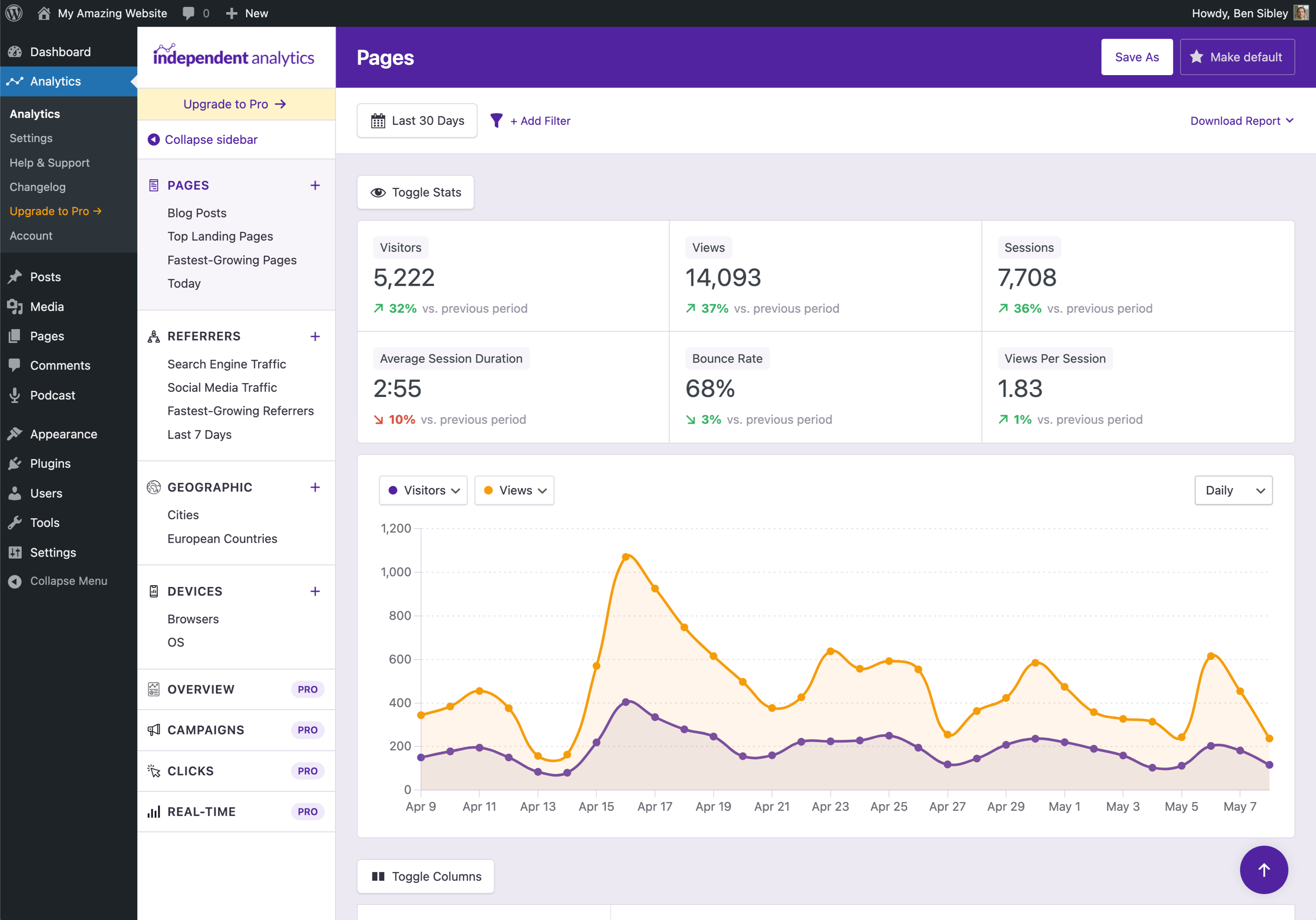
Beautiful analytics dashboard inside your WP admin 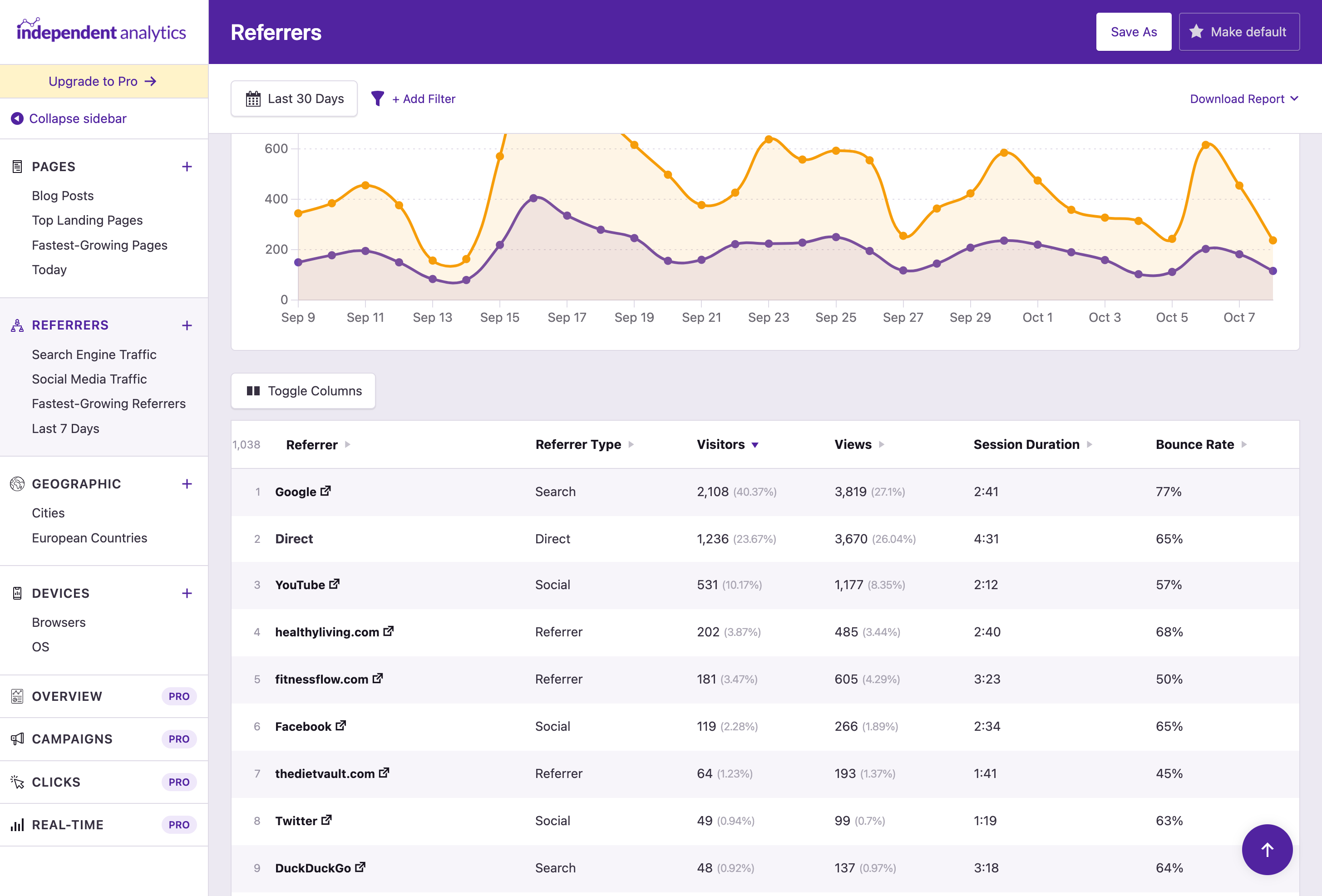
Analyze your traffic sources with the Referrers report 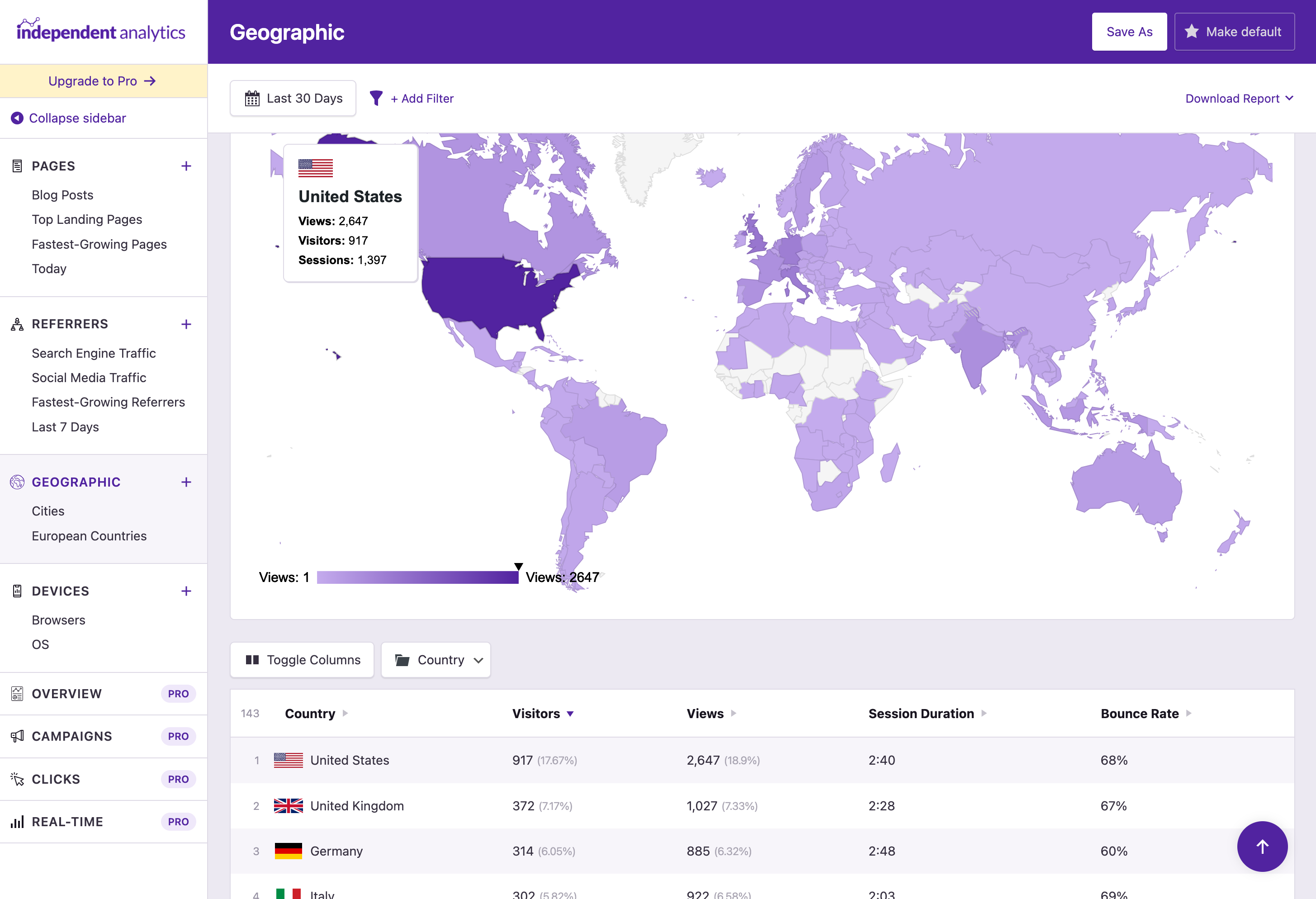
The Geographic report shows traffic from each country and city 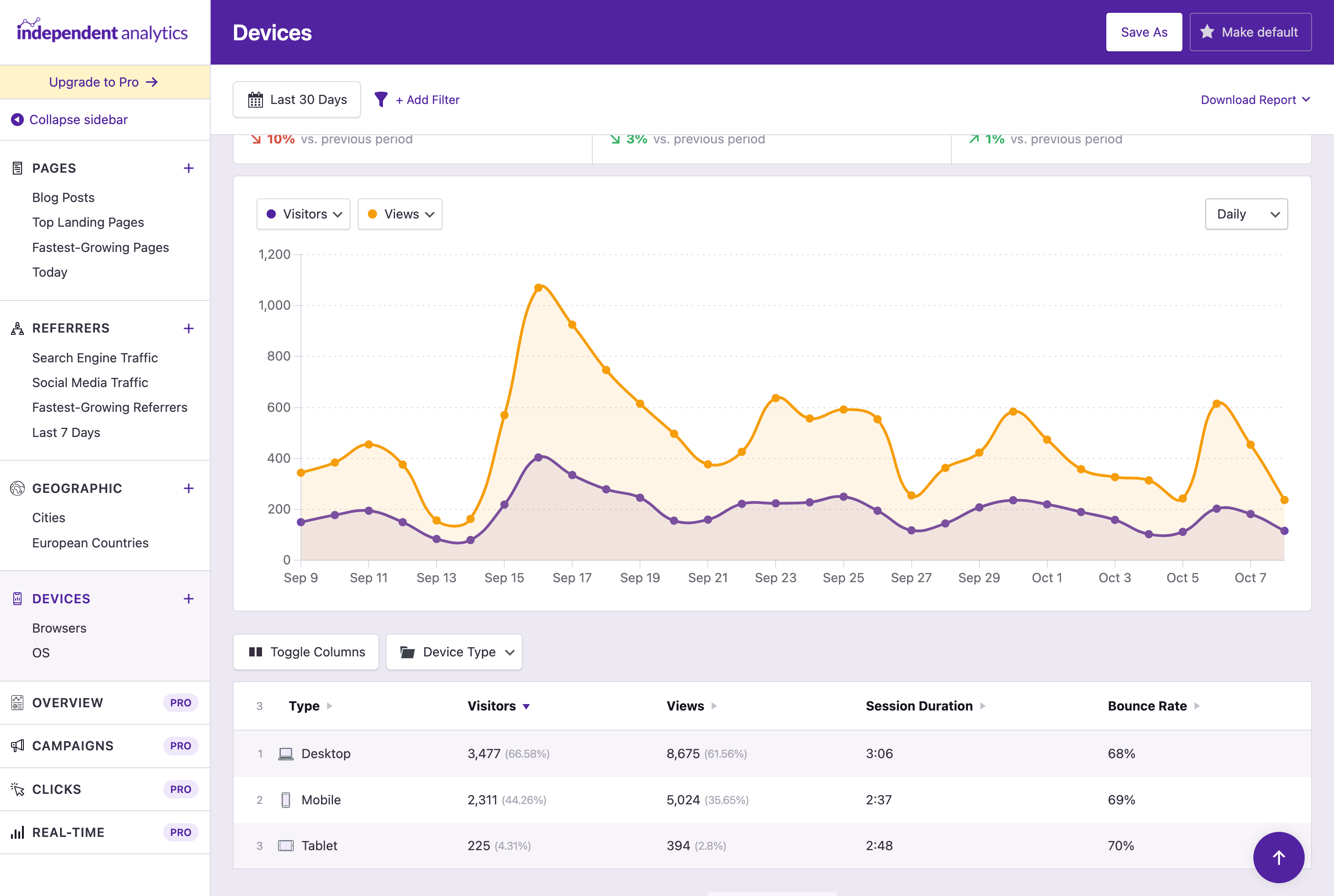
Find which devices and browsers your visitors use the most 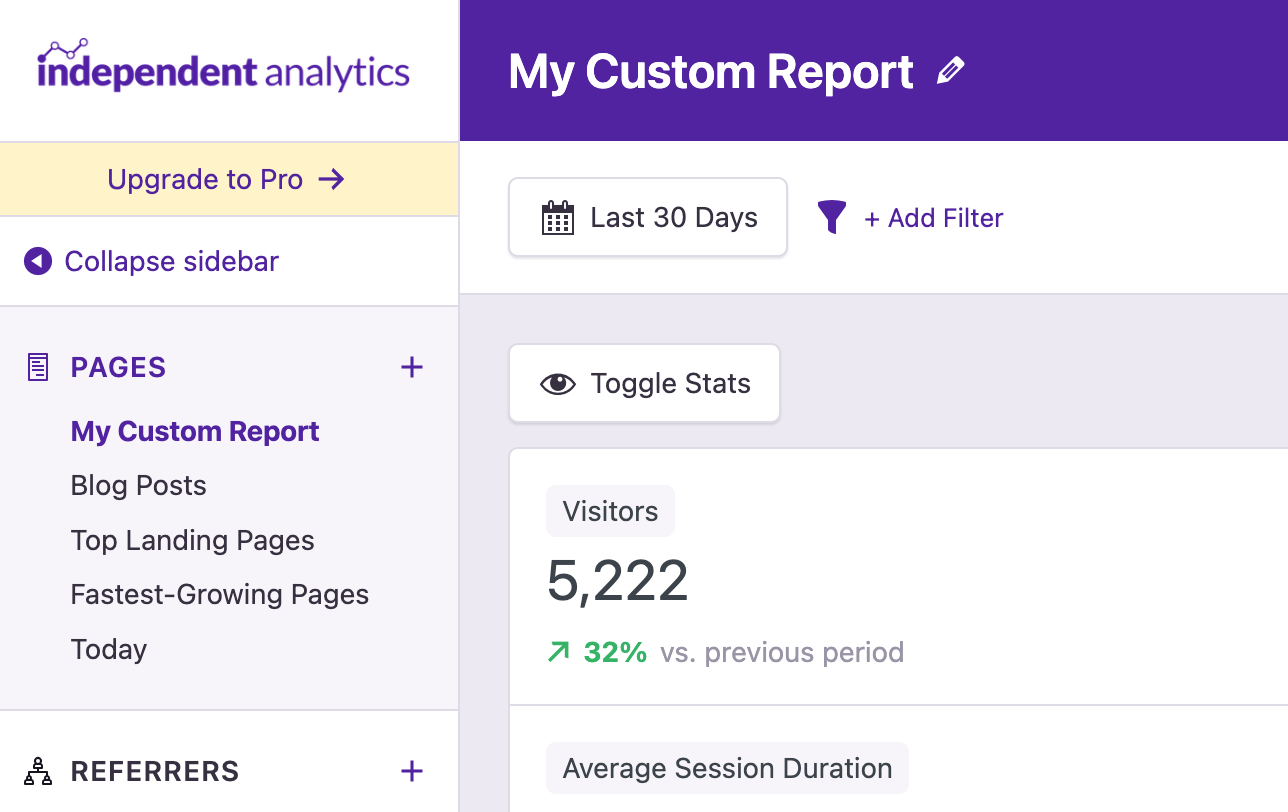
Customize your reports, then save them in the sidebar 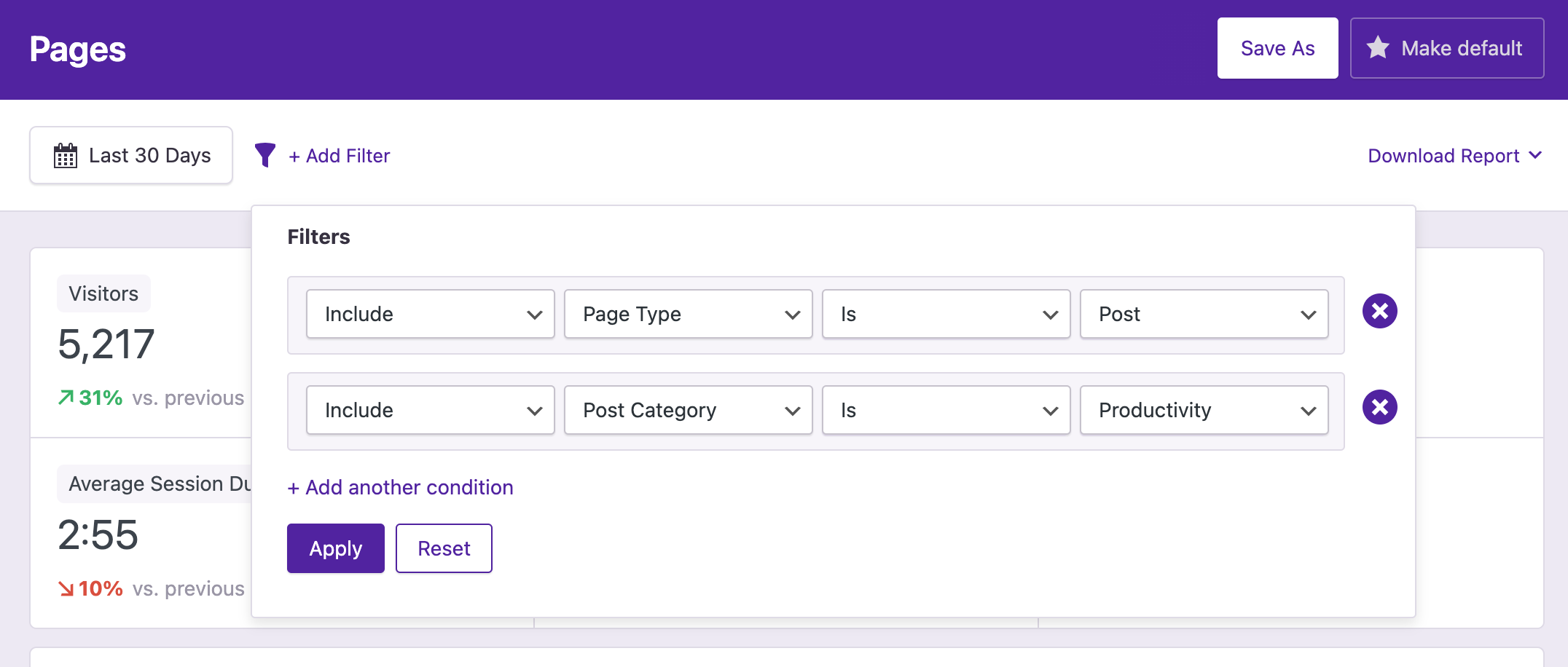
Filter your reports to analyze specific groups of pages 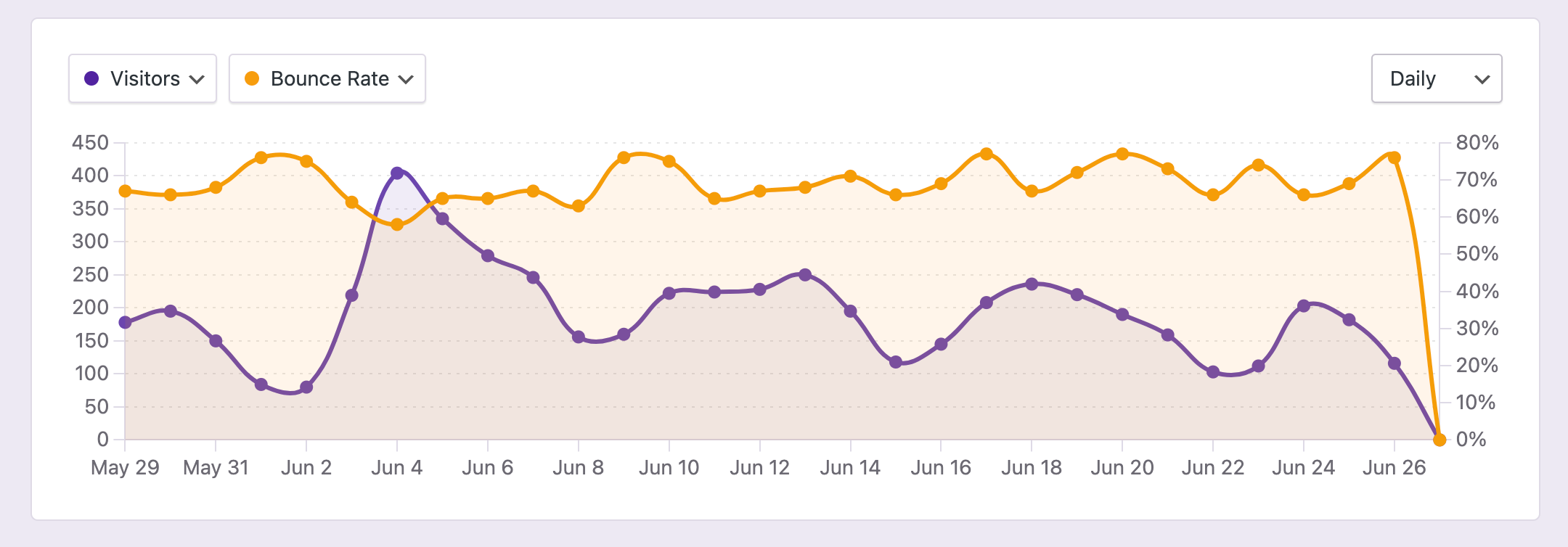
View any metrics you want in the chart 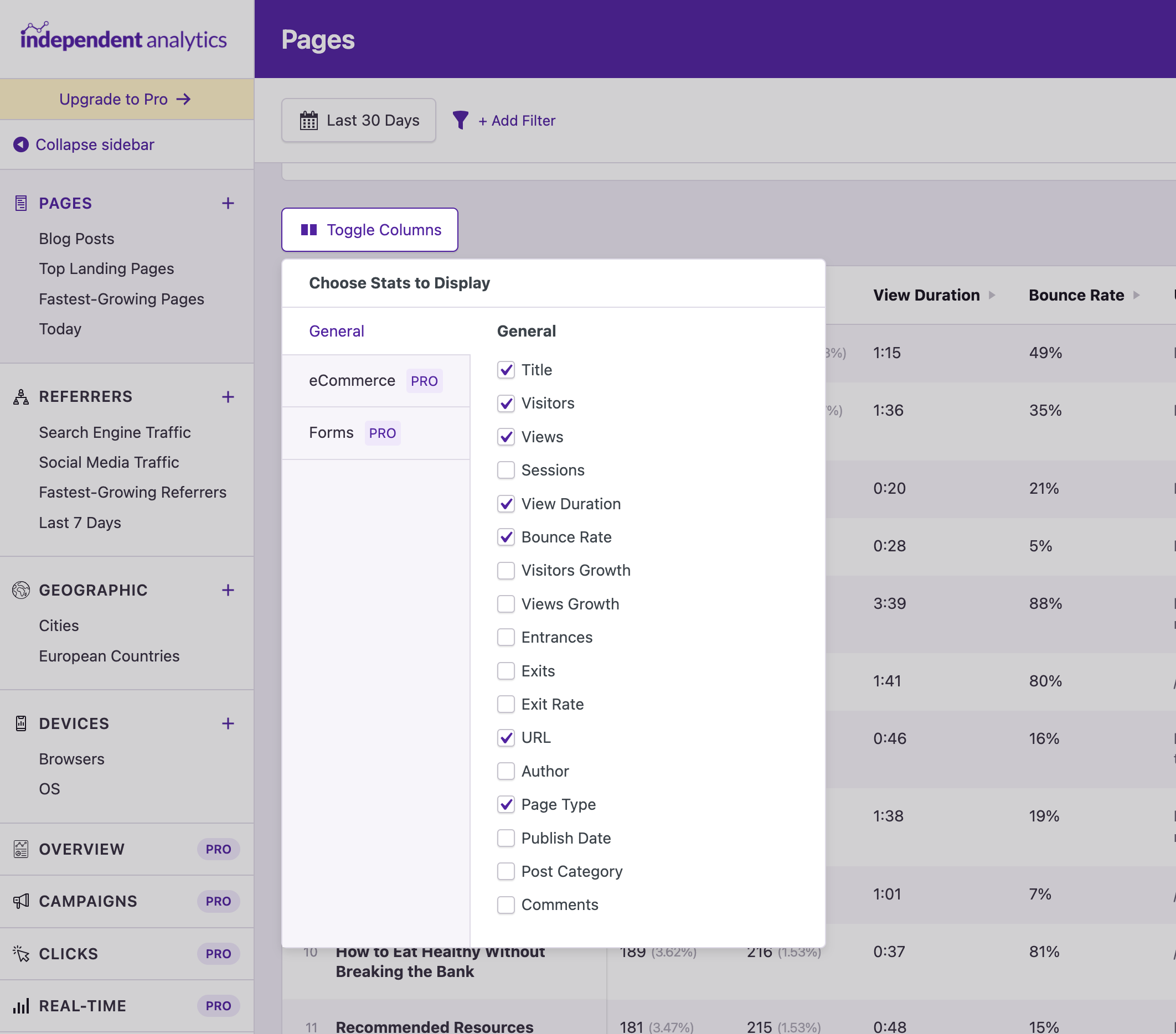
Customize the columns in the data table 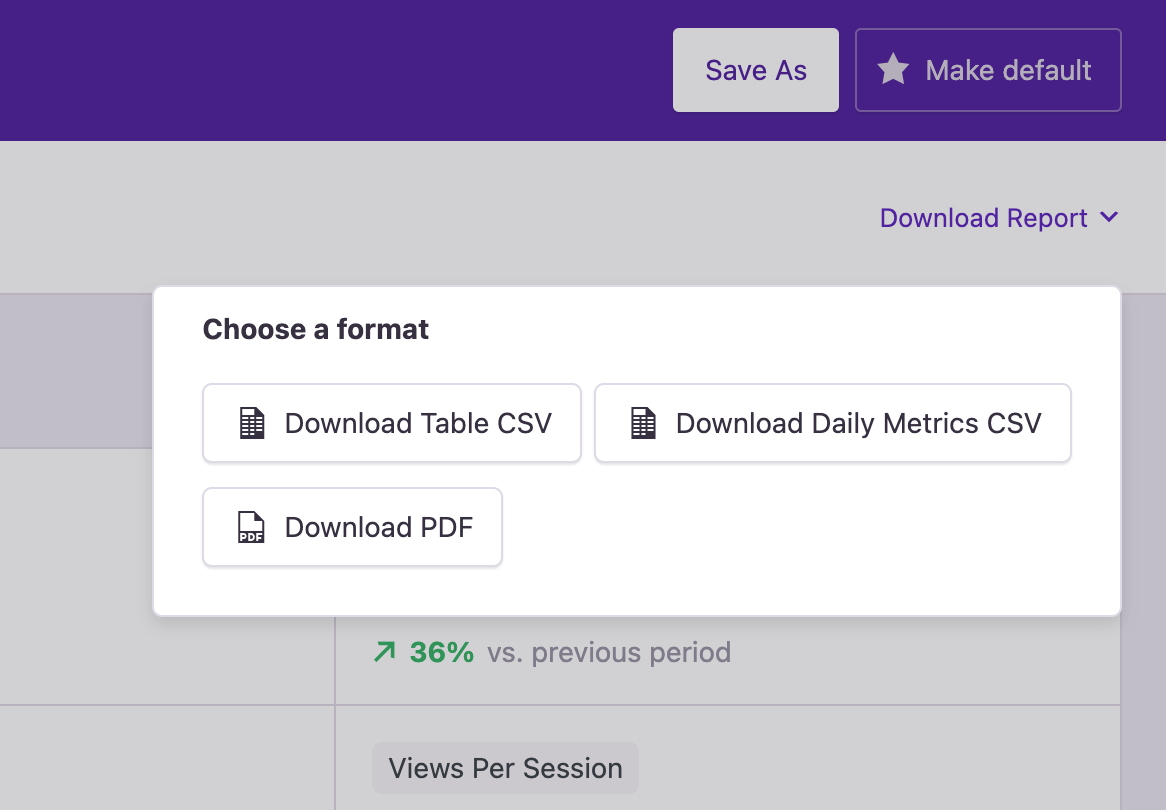
Export any report to PDF or CSV in one click 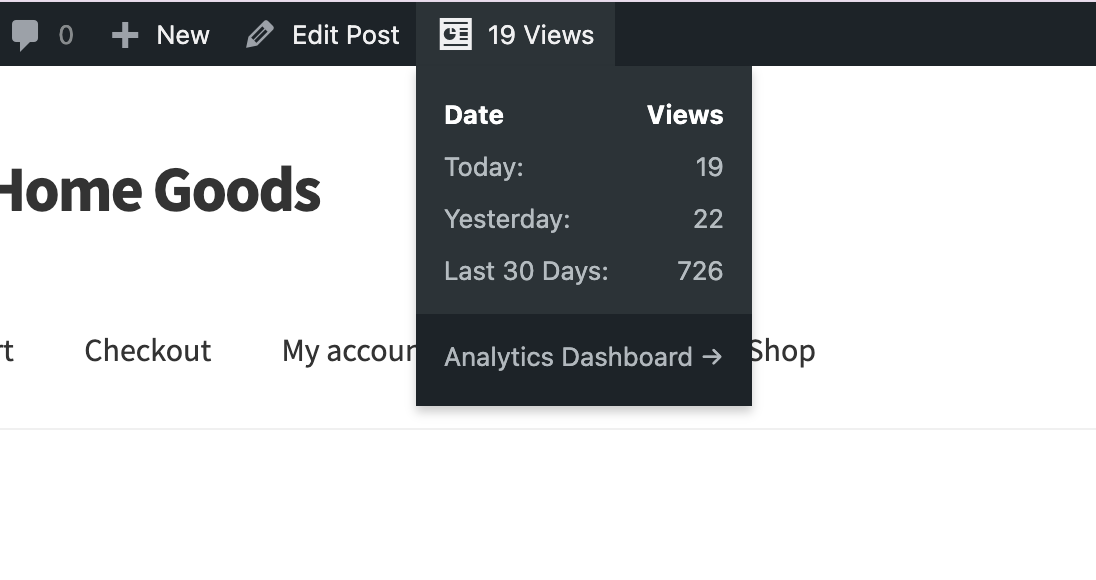
Find stats in the admin toolbar when viewing a page 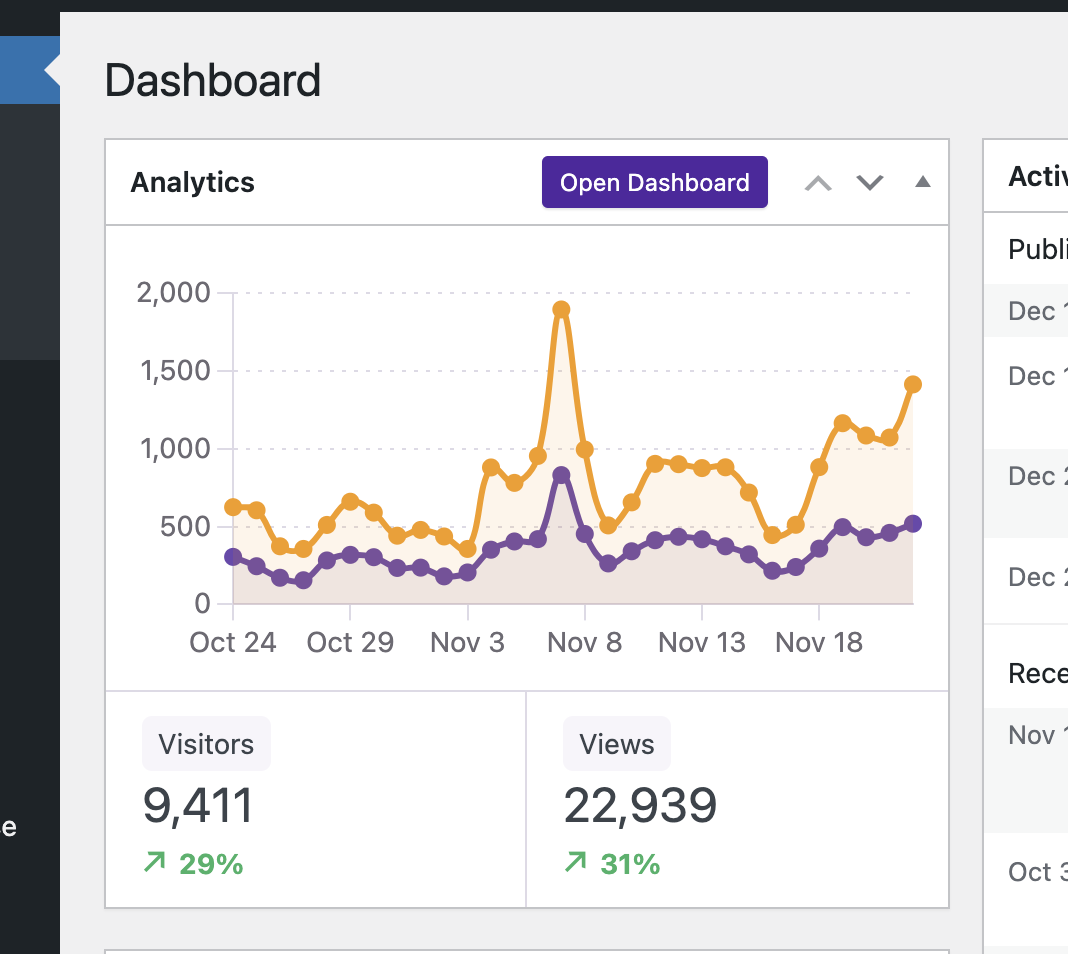
Check your stats at a glance with the dashboard widget 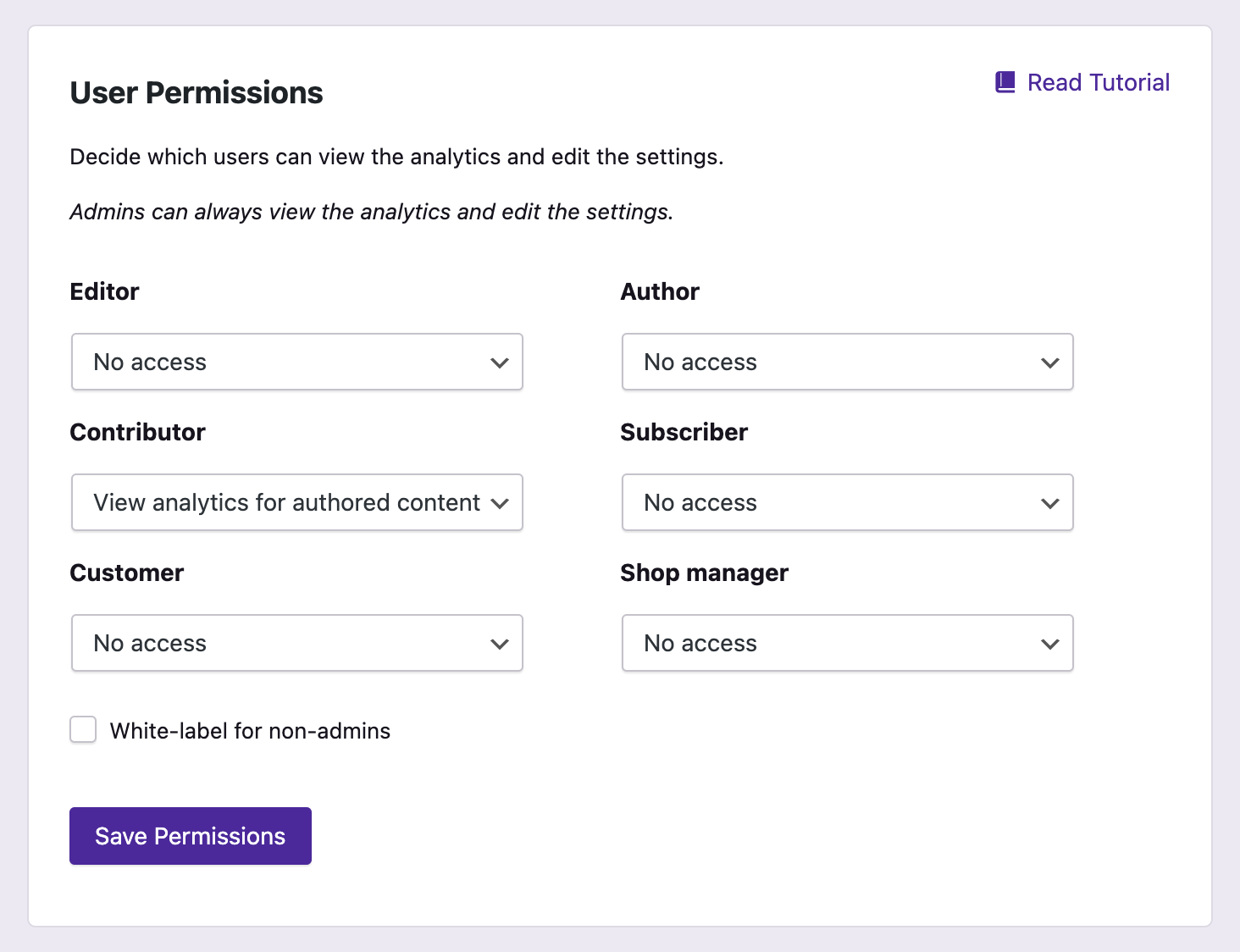
Share access with other users and limit the stats to their own posts only 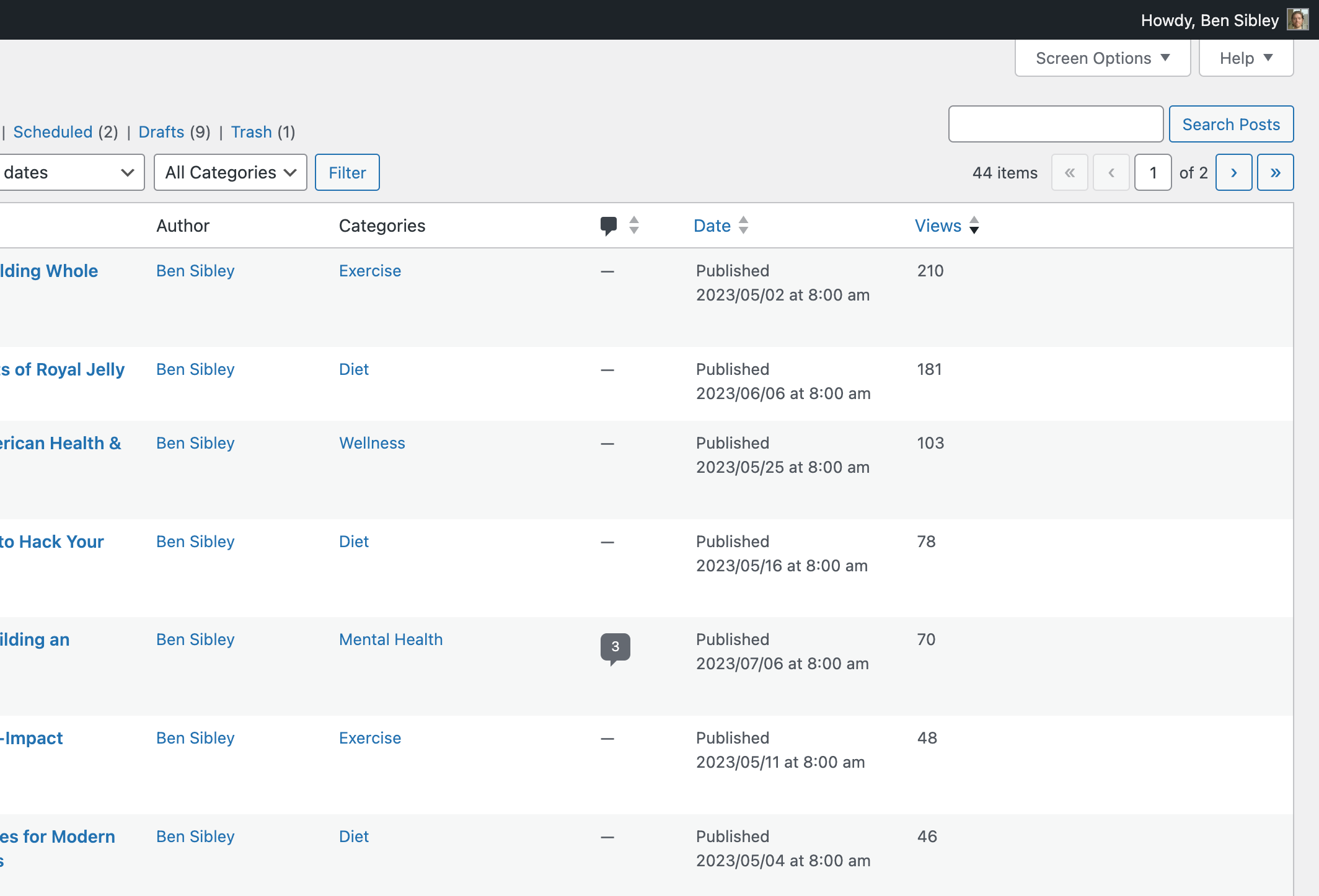
Check your post view counts in the Posts menu
Instalación
La forma más fácil de instalar Independent Analytics es visitando tu menú Plugins > Agregar nuevo. Busca “Independent Analytics” e instala el primer resultado que veas allí.
Para instalar con el archivo zip descargado de esta página:
- Accede a tu panel de WordPress
- Visita el menú Plugins > Agregar nuevo
- Haz clic en el botón Subir plugin de la parte superior
- En el formulario de carga que aparece, haz clic en el botón Elegir archivo y selecciona el archivo independent-analytics. zip que descargaste aquí
- Pulsa el botón Instalar ahora
- Cuando se recargue la página, haz clic en el enlace azul Activar
FAQ
-
How do I install it?
-
No, Independent Analytics es una alternativa a Google Analytics.
-
¿Puedo utilizar Independent Analytics y Google Analytics al mismo tiempo?
-
Sí, puedes ejecutar ambos simultáneamente sin problemas ni errores.
-
Can I import data from Google Analytics or Jetpack Stats?
-
No, it is not possible to import stats from other analytics tools at this time.
-
¿El plugin ralentizará mi sitio?
-
No, the tracking script makes a deferred request to your site’s REST API to record the visit. This has no impact on the loading experience, and does not impact your Core Web Vitals, allowing you to achieve a perfect 100/100 Page Speed Insights score.
-
¿Comenzar el seguimiento inmediatamente?
-
Sí, en cuanto instales Independent Analytics empezará a registrar las visitas. Si no ves ninguna vista inmediatamente, borra la caché de tu sitio y luego visita tu sitio en una pestaña privada del navegador para registrar la primera vista.
-
No, Independent Analytics no utiliza cookies.
-
How much space does it take in my database?
-
Independent Analytics will store roughly 200-300MB per million sessions. We find this amount of data to be reasonable for the vast majority of websites. There is also an option to automatically delete old data, so you can store only the last 1-5 years of analytics.
-
¿Se cuentan las visitas de bots?
-
Independent Analytics ignores all self-identifying bots, such as search engine crawlers and uptime checkers. If you are getting visits from malicious bots that disguise themselves as human visitors, we recommend using Cloudflare or the Shield Security plugin to block these bots from accessing your website.
-
¿Hay algún código de seguimiento?
-
Sí, pero no tienes que agregarlo tú mismo. Se incluye en todas las páginas de tu sitio automáticamente una vez que se activa Independent Analytics.
-
Does it work with multisite installs?
-
Yes, Independent Analytics works well with multisite installs. Each sub-site will get its own Analytics menu with its own stats.
-
¿Qué métricas tiene su seguimiento?
-
The primary metrics it tracks are views, visitors, sessions, session duration, bounce rate, and average session duration.
-
¿Funciona si utilizo Matomo?
-
Sí, Independent Analytics funcionará sin problemas y no creará ningún error aunque ya estés utilizando Matomo o cualquier otro plugin de analítica.
Reseñas


Colaboradores & Desarrolladores
“Independent Analytics – Google Analytics Alternative for WordPress” es software de código abierto. Las siguientes personas han contribuido a este plugin.
Colaboradores

“Independent Analytics – Google Analytics Alternative for WordPress” ha sido traducido en 16 idiomas. Gracias a los traductores por sus contribuciones.
Traduce “Independent Analytics – Google Analytics Alternative for WordPress” a tu idioma.
¿Interesado en el desarrollo?
Revisa el código, echa un vistazo al repositorio SVN, o suscríbete al registro de desarrollo por RSS .
Historial de cambios
2.14.7 – March 30th, 2026
- Feature: Added integration with the Complianz plugin
- Enhancement: Allow read-only users to set a default report
- Fix: Changing the grouping in the data table was resetting the columns
- Fix: Fixed chart display in Safari for RTL websites
- Fix: White-labeling wasn’t working for non-admins with manage_options permission
2.14.6 – March 16th, 2026
- Fix: Fixed an error when viewing analytics with the “View analytics for authored content” permission
2.14.5 – March 16th, 2026
- Fix: Stopped showing Getting Started popup for white-labeled users
- Fix: Fixed external referrer links in Referrers report
2.14.4 – February 17th, 2026
- Fix: Fixed errors triggering for non-admin analytics viewers
- Fix: Fixed errors for some Solo Reports
2.14.3 – February 16th, 2026
- Fix: Clicks report could fail if no click data was present
2.14.2 – February 16th, 2026
- Fix: The Overview report wouldn’t load in some server environments
- Fix: Prevent User Journeys reports from being selected in Overview modules
- Fix: Clicks were not getting tracked if the server used a timezone other than UTC+0
- Fix: Tracking clicks on form submission buttons could lead to form submission events getting overcounted
- Fix: Pausing email delivery could break the status message in the data deletion setting
- Fix: Favicons generation didn’t work for sites without the imagick PHP extension
- Fix: Fixed edge cases where Quick Stats might not show filtered values
2.14.1 – January 27th, 2026
- Fix: User Journey cron job would fail
- Fix: Visitors growth and views growth could be inaccurate in Solo Reports
- Fix: Loading Solo Reports was much slower on Firefox
- Fix: Favicons added to /wp-content/uploads/ weren’t getting removed via the option to delete all plugin data
2.14.0 – January 19th, 2026
- Feature: Added User Journeys to Independent Analytics Pro! View full timelines for each session, including clicks, form submissions, and eCommerce orders.
- Feature: Added form tracking for the following plugins: MailChimp for WordPress (MC4WP), Kadence Blocks forms, Newsletter, and Everest Forms.
- Enhancement: Added favicons to the Referrers report.
- Enhancement: Added options to refresh the salt token once per week or month.
- Enhancement: Updated the geolocation to IP address database.
- Enhancement: Updated the device detection library.
- Enhancement: Added compatibility notices for the Falcon and HTML Minify plugins
2.13.6 – December 17th, 2025
- Fix: Form submission analytics can be inaccurate when specific filters are applied
- Fix: Form submissions would not be tracked if the form had a title longer than 64 characters
2.13.5 – November 10th, 2025
- Fix: Divi form submissions could be recorded even if they failed
2.13.4 – November 4th, 2025
- Fix: Some cron jobs could go unscheduled
2.13.3 – November 3rd, 2025
- Feature: Added eCommerce integration with FluentCart
- Fix: Solo Reports for links could show data for a different link with the same Target
- Fix: Labels now showing correctly for Overview and Real-time reports with collapsed sidebar
2.13.2 – October 28th, 2025
- Fix: Migration bug fix for 2.13.0
2.13.1 – October 21st, 2025
- Fix: Migration bug fix for 2.13.0
2.13.0 – October 21st, 2025
- Feature: Added option to group referrers by Referrer Type. Easily compare your Search vs. Social vs. AI traffic.
- Feature: You can now filter by ANY or ALL of the selected filter conditions.
- Enhancement: Added new “AI” referrer type to categorize sites like ChatGPT.com.
- Enhancement: Switched to new geographic map created with the svgMap library.
- Enhancement: Post categories in the filters are now sorted based on the category hierarchy, making them much easier to browse.
- Enhancement: The iawp_top_posts() function now supports categories, so you can get your most popular posts from a particular category.
- Fix: Resolved PHP error that could occur due to the visitor ID returning a string instead of an integer.
- Fix: Only verify IP to geolocation database file once per day to reduce performance overhead.
2.12.2 – August 29th, 2025
- Fix: Improved compatability with MariaDB
2.12.1 – August 26th, 2025
- Fix: Improved compatability with MariaDB
- Fix: Forminator form submissions were not being tracked
2.12.0 – August 18th, 2025
- Feature: Added Solo Reports to Independent Analytics Pro! Click on any table row to view more data for that page/referrer/geolocation/device/campaign/link.
- Feature: Added new option to ignore your own visits using a cookie
- Enhancement: Tracking is compatible with the Maintenance plugin by WebFactory
- Enhancement: Added error notice if REST API is blocked with REST API Toolbox plugin
- Enhancement: Recognizing traffic from 429047995 as the Pinterest iOS app
- Enhancement: Recognizing 30+ subdomains for Pinterest
- Enhancement: Updated all translations
- Enhancement: Added filters to allow pages outside of the WP ID system to be tracked
- Fix: Resolved persistent bug causing fatal error in the Analytics menu for some hosts, namely webgo.de.
- Fix: Resolved PHP notice about use of preg_replace
- Fix: Resolved ctype_digit deprecation notice
2.11.10 – July 18th, 2025
- Fix: Fix issue switching between light and dark mode
- Fix: Reduce geo database verification from every 30 minutes to once a day
- Fix: Fix rare PDO deadlock issue
2.11.9 – June 25th, 2025
- Feature: Added support for analytics data programmatically added in MainWP Pro Report email body
- Fix: Minor UX improvements for the Integrations menu
- Fix: Fixed CSV text encodings to improve support for Excel
2.11.8 – June 19th, 2025
- Fix: Allow click tracking to avoid using the temporary directory
2.11.7 – June 18th, 2025
- Feature: Added an Integrations menu for third-party WordPress plugins
2.11.6 – June 10th, 2025
- Fix: Fixed a MySQL deadlock issue that could occur when bulk updating posts
- Fix: Click tracking rules are now cached to speed up page loads
- Fix: Backup solution for failing Overview data requests
2.11.5 – June 4th, 2025
- Feature: add support for analytics in MainWP Pro Reports
- Fix: prevent view counter from showing up in widgets
2.11.4 – May 21st, 2025
- Enhancement: improved recognition for Bluesky, Threads, and Mastodon visitors
- Fix: Ampersands (&) in the CSV reports now display correctly
- Fix: Resolved potential errors for non-admins viewing the analytics
- Fix: Warning for Admin Site Enhancements Pro now recognizes when iawp/search is whitelisted
2.11.3 – May 13th, 2025
- Fix: fixed fatal error with id link rules
2.11.2 – May 12th, 2025
- Feature: added a new API function called iawp_top_posts() for getting the most popular posts
- Enhancement: added recognition for X, Bluesky, Threads, and Mastodon as Social referrers
- Enhancement: traffic from Facebook Ads is now tracked separately from organic Facebook visitors
- Enhancement: light/dark mode can now be set to your system default
- Enhancement: added option to disable geotracking and exclude iawp-geo-db.mmdb from the site
- Fix: auto-retry mechanism used when mmdb file isn’t downloaded and extracted
- Fix: fixed style conflict with other plugins affecting spinner icons
- Fix: hid the scrollbar in the date picker
- Fix: fixed fatal error with missing WP Cerber options
- Fix: fixed incompatibility with SG Speed Optimizer plugin’s Javascript minification setting
2.11.1 – April 29th, 2025
- Feature: added option to only show view counter if page exceeds a required number of views
- Update: added back-end feature to automatically retry failed database migrations
- Fix: chart data wasn’t rendering for Azores timezone when DST was present in date range
- Fix: view counts for WooCommerce shop pages were not showing in the Admin toolbar
- Fix: authors and contributors can no longer see view counts for other user’s posts in the Posts menu
- Fix: option to delete all data was leaving tables behind
2.11.0 – April 21st, 2025
- Feature: added the new Overview report to Independent Analytics Pro!
- Update: browser and flag icons now visible in PDF downloads
- Update: increase minimum required PHP version from 7.33 to 7.4
- Fix: contact form link didn’t work on sites with a white-labeled license key
- Fix: admin bar stats not showing number of views correctly if 1,000 or higher
- Fix: charts were too small on mobile devices
- Fix: charts could disappear if a saved report had a filter removed
- Fix: Views column in Pages menu wasn’t showing stats for the WooCommerce shop page
2.10.4 – April 7th, 2025
- Fix: views column didn’t show views for blog home
- Fix: added dark mode support for quick stats
- Fix: CSV downloads weren’t displaying special characters properly
- Fix: fixed issue that could cause a critical error when tracking views for non-standard pages
2.10.3 – February 25th, 2025
- Fix: real-time report could show inconsistent data
- Fix: click tracking data file could exist without being writable
2.10.2 – February 12th, 2025
- Fix: improved RTL language support
- Fix: links in PDF exports were not clickable
- Fix: average session duration calculation could be skewed in certain conditions
- Fix: tables in real-time report would update without reorder
2.10.1 – January 31st, 2025
- Enhancement: added Swedish translation
- Fix: resolved PHP warning about text domain being loaded too early
2.10.0 – January 29th, 2025
- Feature: added eCommerce tracking for Easy Digital Downloads
- Feature: added eCommerce tracking for Paid Memberships Pro
- Feature: added option to group the Clicks table by Link Pattern
- Feature: added option to track all external clicks
- Feature: added option to download a CSV with daily metrics from any report
- Enhancement: form tracking integrations added for SureForms and Kali Forms
- Enhancement: top link patterns and top form submissions added to the email report
- Enhancement: added new Reply To address setting for the email report
- Enhancement: added option for customizable footer text in the email report
- Enhancement: flipped the Real-time chart to read in the opposite direction
- Enhancement: click tracking works for video and audio blocks too
- Enhancement: added SMS as a protocol for click tracking
- Enhancement: added button to quickly block your own IP address
- Enhancement: added a REST API notice when it’s blocked by ASE Pro
- Enhancement: removed the old CSV export option in the settings menu
- Fix: Quick Stats were showing unfiltered results before report filters applied
- Fix: Top 10 lists in the real-time report were sorted by visitors instead of views
- Fix: WP HTML Mail plugin was breaking email report layout
- Fix: filter condition buttons no longer removing hyphens in URLs
2.9.7 – January 9th, 2025
- Fix: tracking for some virtual pages could cause an error
- Fix: support for de_DE_Formal locale
2.9.6 – December 30th, 2024
- Fix: resolved incompatibility with Complianz
- Fix: resolved incompatibility with AnalyticsWP
- Fix: resolved incompatibility with GiveWP
- Fix: very long URLs could trigger a fatal error
- Fix: deleting old data didn’t include click data
- Fix: resolved scenario where clicks could go untracked
- Fix: eCommerce analytics correctly calculate orders with a negative total
2.9.5 – November 25th, 2024
- Update: added CIDR support for IP address blocking
- Fix: translation warning in WordPress 6.7
2.9.4 – November 12th, 2024
- Update: add epub support for click tracking
- Fix: invalid report columns could cause a PHP error
2.9.3 – November 7th, 2024
- Fix: updated click tracking to allow classes to be present on parent elements
- Fix: date picker now works for mobile devices
2.9.2 – November 5th, 2024
- Fix: move click tracking files into the plugin folder
2.9.1 – November 4th, 2024
- Fix: tracking script could trigger errors before database migration finished
2.9.0 – November 4th, 2024
- Feature: added click tracking to Independent Analytics Pro! You can now track clicks on any link on your website.
- Update: improved the accessibility of the date picker with better keyboard navigation and button labeling
- Update: added form tracking for Avada forms
- Update: you can now customize the email address the email report comes from
- Update: added a recommendation to watch the Getting Started tutorial for new users
- Update: added a recommendation to track logged-in visitors when using WooCommerce or SureCart
- Update: administrators are now ignored by default
- Update: updated the Analytics menu icon
- Update: now tracking link pages created by the ClickWhale plugin
- Update: added integration with WC Price Based on Country plugin to get correct currency for WooCommerce sales
- Fix: date picker months incorrect for users in the Rome timezone
- Fix: bug made it difficult to select only one day in the date picker
- Fix: mobile layout included extra horizontal space and scrolling
- Fix: cursor would glitch when hovering over a table sorting button
- Fix: chart was missing data if DST started in the visible range and using Cuban or Paraguay timezones
- Fix: links couldn’t be clicked in the PDF report
- Fix: error could be triggered if SureCart is installed and not yet connected to an account
- Fix: error notices were getting logged every time a 404 page was visited if SureCart was installed
- Fix: date of first recorded data wasn’t updating when old data is deleted via the automatic deletion feature
2.8.9 – October 29th, 2024
- Fix: Updated the “tested up to” value to 6.6.2
2.8.8 – October 1st, 2024
- Fix: eCommerce orders could be accounted for multiple times
2.8.7 – September 30th, 2024
- Fix: eCommerce orders could be accounted for multiple times
2.8.6 – September 12th, 2024
- Fix: Some data wasn’t visible for the America/Santiago timezone
2.8.5 – September 9th, 2024
- Fix: Editing a comment could trigger an error in the admin panel for some sites
2.8.4 – September 6th, 2024
- Fix: Some email reports were sending with missing analytics
2.8.3 – September 5th, 2024
- Fix: Fix deprecation warning on some PHP versions
2.8.2 – September 4th, 2024
- Fix: Timezones were not reflected in parts of the date picker
2.8.1 – September 4th, 2024
- Fix: Some WooCommerce currencies were formatted incorrectly
2.8.0 – September 4th, 2024
- Feature: SureCart tracking added to Independent Analytics Pro!
- Feature: you can now select which WooCommerce order statuses you want to be counted in the analytics
- Enhancement: added new date picker with additional features
- Enhancement: made dashboard widget taller so it’s easier to read
- Enhancement: the automatic data deletion now tells you how many sessions will be deleted before activated
- Enhancement: renamed the “Net Sales” metric for WooCommerce to “Total Sales” to better describe what’s tracked
- Enhancement: reduced plugin size by 2MB
- Enhancement: added link to new Getting Started video tutorial in the Help & Support menu
- Fix: table columns and filters can’t be applied until the report is fully loaded
- Fix: Real-time analytics display was broken for RTL websites
2.7.3 – August 1st, 2024
- Fix: super admins were still limited to only viewing authored content in some situations
2.7.2 – July 30th, 2024
- Fix: super admins were limited to only viewing authored content
2.7.1 – July 29th, 2024
- Fix: some MariaDB instances don’t support optimizer_switch customization
2.7.0 – July 25th, 2024
- Feature: added new option to delete data older than X days/years
- Feature: added new option to allow authors (non-admins) to see stats for only their own content
- Feature: added option to hide the view counter label
- Feature: added support for tracking custom forms via a new PHP hook
- Update: added form tracking integrations for the Bit Form, Forminator, and Hustle plugins
- Update: dark mode styles added for all modal windows and sub-menus
- Update: added Turkish & Vietnamese translations
- Update: updated copy to make it clear that IP addresses get ignored, not blocked
- Update: improved display of long column titles in the data table
- Update: improved display of numerous chart metrics like conversion rate and bounce rate
- Fix: filters were loading extremely slowly for some sites using MariaDB
- Fix: the chart was not saving “No comparison” if selected as the second metric
- Fix: the real-time analytics report was missing data in the widgets from sessions lasting longer than 5 minutes
- Fix: some English text was not marked for translation
- Fix: WooCommerce metrics in the chart always used the dollar sign instead of the store’s preferred currency
2.6.4 – July 17th, 2024
- Fix: WooCommerce statistics didn’t show for multisite installations
- Fix: WooCommerce order tracking could fail under some circumstances
2.6.3 – July 10th, 2024
- Fix: Email report heading wasn’t considering timezones
- Fix: Formidable Forms and MailOptin submissions going untracked
2.6.2 – July 2nd, 2024
- Fix: WooCommerce orders using the block checkout were not tracked
- Fix: Email report scheduling wasn’t considering timezones
2.6.1 – July 1st, 2024
- Fix: Integers were being parsed as strings for some PHP configurations
2.6.0 – June 27th, 2024
- Feature: All metrics can now be displayed in the chart!
- Feature: Added Bricks Builder integration for form tracking
- Feature: Added ARForms integration for form tracking
- Update: View counter can use all the ranges available in the date picker (including the shortcode)
- Update: Improvements to session tracking accuracy
- Update: Added support for WPML Multi-currency
- Update: Updated IP-to-geolocation library
- Fix: Added compatibility with MySQL over SSL
- Fix: Monthly email reports could get sent a day earlier or late
- Fix: Message about WP Hardening blocking the REST API was showing even when the REST API wasn’t blocked
- Fix: Some English text wasn’t getting translated
- Fix: Error with Shield Security REST API check
- Fix: Error with WP Cerber REST API check
- Fix: Remove warning about Perfmatters REST API check
- Fix: Prevent SQL error triggered when updating large menus
- Fix: Fixed style conflict with WP Analytify affecting the dashboard widget
- Fix: Removed the “Views” column added to the Elementor Templates menu
- Fix: Calendar display was broken for RTL websites
2.5.1 – May 23rd, 2024
- Fix: Timezone comparisons were causing warnings in the logs
2.5.0 – May 21st, 2024
- Feature: Form tracking added to Independent Analytics Pro!
- Feature: Quick Stats can now be toggled on/off and saved
- Feature: Added option to change the date range in the view counter shortcode
- Feature: Added the Views column to custom post type menus too
- Update: Recognizing more WC order statuses as complete, such as “shipped” and “delivered”
- Update: Integrated with SearchIQ plugin to recognize its search queries
- Update: Changelog menu now says “New” in its notification instead of using a number
- Update: Unminified copies of all JS files are included to comply with OSS guidelines
- Update: Updated Freemius SDK to version 2.7.2
- Fix: Resolved conflict with the WP Activity Log plugin
- Fix: UI fixes for filters and save button
- Fix: Sorting the Views column in the Posts menu wasn’t working
- Fix: Renamed some elements to prevent conflicts with plugins loading Bootstrap.css
- Fix: Wildcards are recognized when checking if the current IP is blocked
- Fix: Timezone issue with Beirut could cause data to go missing from the chart
- Fix: Prevent error upon installation for sites with long DB prefixes
2.4.3 – April 25th, 2024
- Fix: WooCommerce sales could be overcounted for pages in the Pages report
2.4.2 – April 17th, 2024
- Fix: Custom post type menu bug
- Fix: Device data cache bug
2.4.1 – April 15th, 2024
- Fix: Custom post type menu bug
- Fix: Migration bug fix for 2.4.0
2.4.0 – April 15th, 2024
- Feature: Added a Views column to the Posts menu
- Update: 45% faster load times for analytics reports
- Update: For multi-site installs, the iawp-geo-db.mmdb file is now added to the parent site’s uploads folder only
- Fix: WooCommerce sales were overcounted for pages in the Pages report
- Fix: Prevent potential 500 errors from traffic spikes and post updates
- Fix: UI bug with notice from CookieYes plugin
- Fix: Prevent UI bugs from plugins that load a Twitter Bootstrap stylesheet everywhere
- Fix: Reworked device type caching mechanism to avoid false positives from security scanners
- Fix: Removed symfony/console/ folder to prevent false positives from security scanners
2.3.2 – April 1st, 2024
- Fix: Fixed an issue with average session duration being over-inflated
- Fix: Fixed max_connection error
2.3.1 – March 28th, 2024
- Fix: Fixed a conflict with the Age Gate plugin
2.3.0 – March 26th, 2024
- Feature: Created new Help & Support menu
- Feature: Created new Updates menu
- Feature: Added 6 more pre-defined date buttons: Last 60 Days, Last 90 Days, Last 3 Months, Last 6 Months, Last 12 Months, and All Time
- Feature: The Admin Bar stats now include “All Time” views
- Feature: Added four more custom color options to the email report
- Feature: Added option to make view counter private (logged-in visitors only)
- Feature: The view counter can now get stats for today, the last 30 days, this month, last month, or all time
- Feature: Added option to manually adjust the view counter count for individual pages
- Update: Removed every non-report page from the analytics sidebar
- Update: The /temp/ directory can now be defined using the IAWP_TEMP_DIR constant
- Update: Added an error message if missing database privileges are found
- Update: Added automatic tracking for PDF pages made with TNC FlipBook
- Update: Updated the IP address to geolocation MMDB file for more accurate location reporting
- Update: Added conflict detection when the REST API is blocked by Admin & Site Enhancements
- Update: Added icons for more browsers
- Fix: Fixed a fatal error with the Age Gate plugin
- Fix: Fixed a 500 server error that could occur when updating a taxonomy
- Fix: Increased timeout to prevent errors during data migrations and allow for more time for the analytics to load
- Fix: Filtering by category wasn’t working for posts in multiple categories
- Fix: Fixed stylesheet conflict with WP Media Files Name Rename plugin
- Fix: POT file wasn’t getting regenerated with each update
- Fix: Fixed IP blocking for IPv6 addresses and added wilcard support
- Fix: Updated BladeOne library to resolve conflict with WP Ultimo
- Fix: Preventing a fatal error when the database tables are deleted manually
- Fix: View counter stats fixed when shown for each posts in an archive page
2.2.1 – February 13th, 2024
- Fix: bug fix for 2.2.0
2.2.0 – February 7th, 2024
- Feature: Added PDF download button to toolbar
- Feature: Added WooCommerce sales columns to Pages report
- Update: UI layout style improvements
- Update: Added links to Settings and Campaign Builder in the menu sidebar
- Update: The WooCommerce Checkout Success page now shows up separately from the Checkout page
- Update: Added conflict detection for WP Hide plugin
- Fix: Added styling for RTL languages
- Fix: Fixed notice about undefined variable in WC order pages
2.1.6 – January 29th 2024
- Fix: bug fix for 2.1.0
2.1.5 – January 24th 2024
- Fix: bug fix for 2.1.0
2.1.4 – January 23rd, 2024
- Fix: migration bug fix for 2.1.0
2.1.3 – January 18th, 2024
- Fix: migration bug fix for 2.1.0
2.1.2 – January 18th, 2024
- Fix: migration bug fix for 2.1.0
2.1.1 – January 18th, 2024
- Fix: migration bug fix for 2.1.0
Changelog truncated here due to 50,000 character limit.