

Descripción
Developed with ❤️ in Iran. 🇮🇷
JAY Login & Register is not just a login plugin; it is a complete authentication, access control, and user management ecosystem for WordPress.
While it creates a seamless Mobile OTP (One-Time Password) login and registration flow compatible with Digits, its true power lies in its Advanced Content Restriction and Granular Role Management capabilities.
🛡️ NEW: Advanced Role & Capability Management
Take granular control over user permissions without extra plugins:
* Visual Role Manager: Easily create, edit, and delete custom user roles with a clean, tabbed interface.
* Granular Capability Assignment: Assign specific WordPress capabilities (Posts, Pages, Media, Comments, Categories, Tags, and 3rd-party plugin caps) to any role.
* User-Specific Overrides: Grant or revoke specific capabilities for individual users directly from their profile page, independent of their assigned role.
🌟 NEW: Advanced User Panel & Profile Builder
Transform user profiles with a powerful, drag-and-drop form builder:
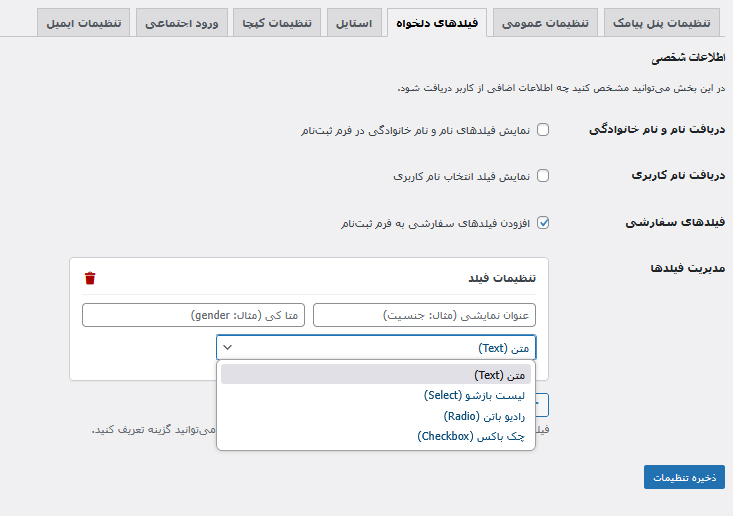
* Unlimited Custom Fields: Text, Select, Radio, Checkbox, and Jalali Date Picker.
* Smart Conditional Logic: Show/hide fields dynamically based on User Meta (Server-side) or other field values (Client-side) with complex AND/OR rules.
* Native Media Integration: Direct avatar uploads to the WordPress Media Library.
* Bulletproof Security: All conditional logic is strictly re-validated on the server to prevent tampering.
🚀 NEW: Native Gravity Forms OTP Add-on
Verify phone numbers directly inside any Gravity Form before submission:
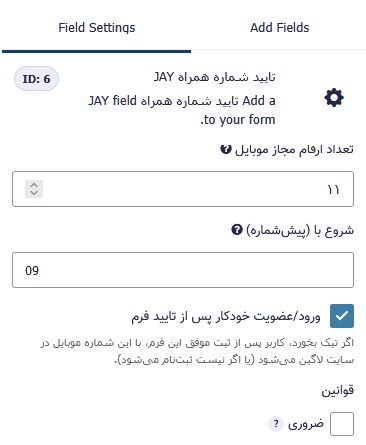
* Seamless Integration: Dedicated “JAY Mobile Verification” field in the GF editor.
* AJAX Validation & Auto-Login: Verify OTPs without page reloads and optionally log in/register users instantly.
* Built-in Anti-Fraud: Fully protected by JAY’s global IP/Phone Lockout system to prevent SMS bombing.
Key Features
Core Login & Registration
* Smart Detection: Automatically routes new numbers to registration and existing numbers to login.
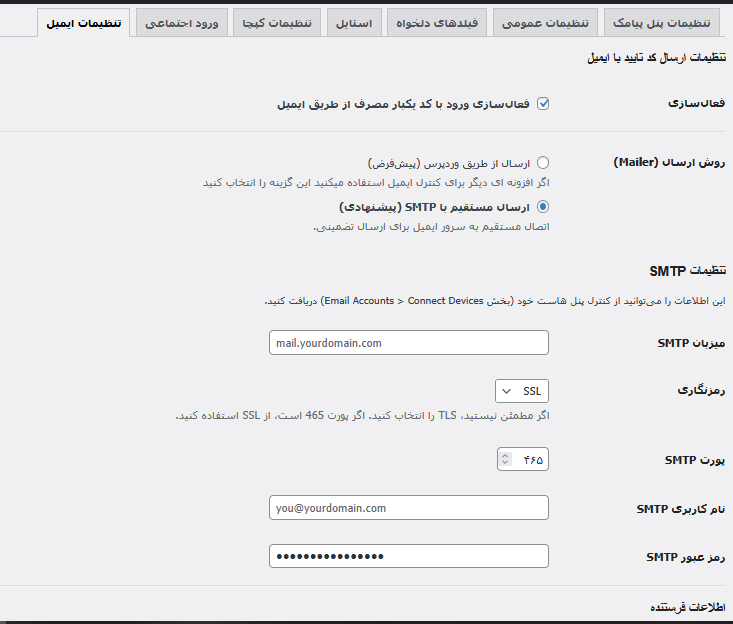
* Multi-Method Login: Users can log in seamlessly using Mobile Number, Email, or Username.
* Digits Compatibility: Seamlessly recognizes and logs in users previously registered with the Digits plugin.
* Optional Identity Verification: Built-in duplicate prevention for National ID or Passport numbers.
Powerful Content & Access Control
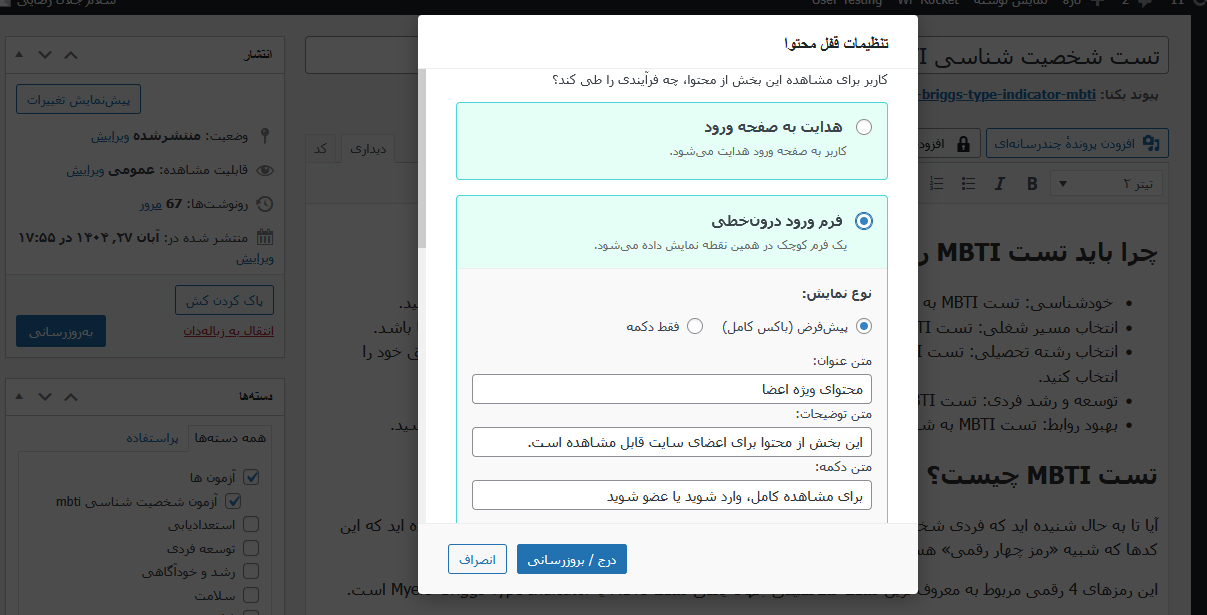
* Inline & Redirect Locking: Use the [jay_content_lock] shortcode or Gutenberg Block to restrict content. Choose between a blurred preview with redirect, or an inline AJAX form that unlocks content instantly.
* Post/Page Meta Box: Restrict entire posts or pages based on login status, specific user roles, or custom user meta keys.
Advanced Security & Anti-Fraud
* Multiple CAPTCHA Options: Disabled, Simple Math, Invisible Honeypot (with time-trap), or Google reCAPTCHA v3.
* Brute-Force Protection: Configurable lockouts based on max failed attempts, duration, and blocking method (Phone, IP, or both).
* Hide wp-login.php: Secure your site by completely hiding the default WordPress login page.
Seamless User Experience (UX)
* Smart Redirects: Automatically returns users to the page they were trying to access after login.
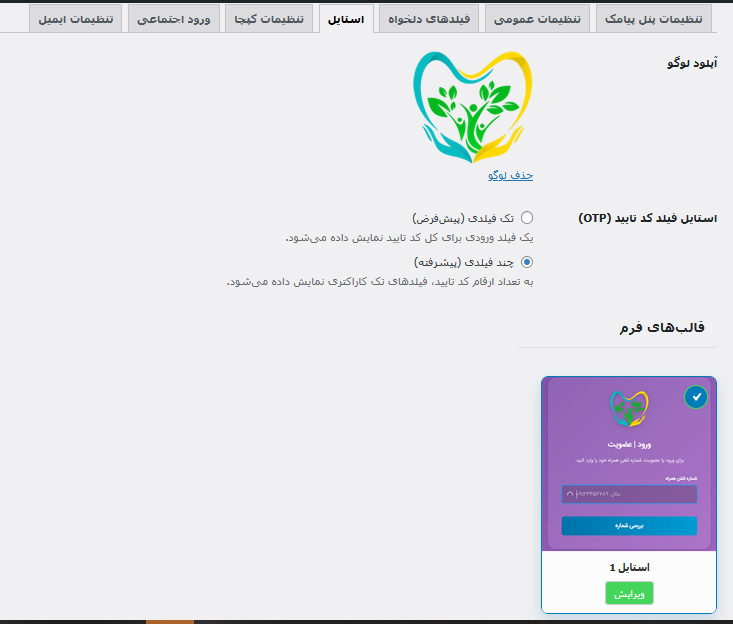
* Modern Customizable Forms: Beautifully designed forms with optional logo upload and custom color styling.
* Custom Logout URL: Create a user-friendly logout link (e.g., yoursite.com/logout).
Powerful Admin Management
* Admin Area Access Control: Restrict access to the WordPress dashboard (/wp-admin) based on specific user roles.
* User Switching: Easily switch to any user’s account to view the site from their perspective.
* Customizable User Columns: Adds sortable “Mobile Number” and “Jalali Registration Date” columns, and allows creating custom columns based on any user meta key.
External Services
This plugin connects to third-party services to provide its full range of features. These are optional and only active when configured by the site administrator.
- SMS Gateways (iPPanel, FarazSMS, Kavenegar, SMS.ir, MeliPayamak, RayganSMS): Sends the user’s mobile number to deliver SMS OTP codes. Privacy Policies
- Bale Messenger (Safir OTP): Sends the user’s mobile number to deliver app-based OTP codes as a cost-effective SMS alternative. Bale Developer Docs
- Google (reCAPTCHA v3 & OAuth): Processes IP and device data for bot protection and secure one-click authentication. Google Privacy Policy
- Eitaa (WebApp API): Secure data exchange with Eitaa servers for Mini App authentication. Eitaa Developer Docs
Capturas de pantalla


Bloques
Este plugin proporciona 1 bloque.
- قفل محتوا (Jay)
Instalación
- Upload the
jay-login-registerfolder to the/wp-content/plugins/directory. - Activate the plugin through the ‘Plugins’ menu in WordPress.
- Navigate to ‘JAY Relog’ settings in your dashboard and configure your preferred SMS gateway, API keys, and login methods.
- Place the
[jay_login_register_form]shortcode on your desired login/registration page. - Place the
[jay_login_register_user_panel]shortcode on your desired user profile page. - Use the “JAY Relog Access Control” meta box on any post or page to restrict content.
- (Optional) Enable the Gravity Forms Add-on in the plugin settings to add OTP fields to your forms.
FAQ
-
Which SMS gateways are supported?
-
The plugin natively supports iPPanel (and compatible providers like FarazSMS, ModirPayamak, Taban SMS), Kavenegar, SMS.ir, MeliPayamak, and RayganSMS.
-
Can I change the OTP code length and validity?
-
Yes, you can customize the OTP length (4 to 8 digits) and the validity period (in minutes) directly from the plugin’s general settings.
-
How does the Invisible Honeypot CAPTCHA work?
-
It creates an invisible field that only bots can see. Additionally, it measures the time it takes to fill out the form. If a bot fills it too fast or fills the hidden field, the submission is silently blocked without interrupting real users.
-
How do I set up Google Login?
-
- Go to the Google Cloud Console Credentials page.
- Create an “OAuth client ID” with the Application type set to Web application.
- Add your website’s redirect URI (e.g.,
https://yourwebsite.com/?jay-google-auth=1) to the “Authorized redirect URIs” field. - Copy the generated Client ID and Client Secret and paste them into the “Social Login” tab in the plugin settings.
Reseñas


Colaboradores & Desarrolladores
“JAY Login & Register” es software de código abierto. Las siguientes personas han contribuido a este plugin.
Colaboradores
Traduce “JAY Login & Register” a tu idioma.
¿Interesado en el desarrollo?
Revisa el código, echa un vistazo al repositorio SVN, o suscríbete al registro de desarrollo por RSS .
Historial de cambios
2.6.09
- New Feature: Advanced Visual Role & Capability Manager. Create custom roles and assign granular WordPress/3rd-party capabilities via a clean, tabbed interface.
- New Feature: User-Specific Capability Overrides. Grant or revoke specific permissions for individual users directly from their profile page.
- Improvement: Enhanced capability categorization (Posts, Pages, Media, Comments, Categories, Tags, and Plugins) for better admin UX.
- Fix: Resolved WordPress Plugin Checker warnings regarding Nonce Verification, Direct Database Queries, and Input Sanitization.
- Fix: Updated readme.txt to meet WordPress.org repository standards (Stable tag, Tested up to, and tag limits).
2.6.05
- New Feature: Added official Gravity Forms Add-on. Easily add mobile OTP verification to any Gravity Form.
- Feature: Built-in Auto-login & Auto-register option for users verifying their number via Gravity Forms.
- Security: Integrated Gravity Forms verification with the global IP/Phone Lockout and Brute-Force protection system.
- Improvement: Introduced an elegant and isolated UI for the Add-ons manager inside the WordPress dashboard.
- Improvement: Replaced external icons with high-performance inline SVG vectors.
2.6.04
- SECURITY: Fixed authenticated privilege escalation vulnerability (CVE-2025-15100). Implemented three-layer meta key validation (Blacklist + Whitelist protection) and wildcard protection for all
wp_*keys. - Compatibility: Tested up to WordPress 6.9.
- Developers: Added filters
jay_login_register_allowed_profile_fieldsandjay_login_register_disallowed_meta_keys.
2.6.01
- Performance: Introduced a smart on-the-fly HTML Minifier engine to strip whitespace from shortcodes and AJAX responses.
- Security & Standards: Extensive codebase refactoring to strictly follow WordPress.org Coding Standards (sanitization, unslashing, and escaping).
- Improvement: Optimized database queries in the User Permission module.
2.5.0
- New Feature: Advanced User Panel Form Builder with Drag & Drop interface.
- New Feature: Conditional Logic for User Panel fields (Show/Hide based on Meta Keys or other field values).
- New Feature: Native Avatar Upload integrated with WordPress Media Library.
- SECURITY FIX: Critical authentication bypass vulnerability fixed in the User Switching module (CVE-2025-14440).
2.4.01
- New Feature: Added a Global Custom Fields Builder for the registration form.
- New Feature: Added optional Username field with live AJAX validation.
- Improvement: Enhanced the main login form to accept Mobile, Email, or Username intelligently.
2.3.01
- New Feature: Introduced a new Gutenberg Container Block for easier content locking.
- Improvement: Enhanced Classic Editor button with Smart Detection for editing existing shortcodes.
2.2.01
- New Feature: Added options to collect First Name and Last Name during registration.
- Fix: Resolved the issue where the “Content Lock” button was missing in the Gutenberg block editor.
2.1.16
- New Feature: Added support for Bale’s Safir OTP service.
- Fix: Correctly handled the JSON response from the MeliPayamak API.
2.1.13
- New Feature: Added one-click login/registration with Google (Gmail) accounts.
2.1.0
- Initial release.
توسعه دهنده
جلال رضایی چاهوکی