

Descripción
Smooth Scrolling adds Lenis-powered momentum scrolling to your Elementor site: the page glides to a stop instead of snapping, in-page anchor links animate to their target, and GSAP’s ScrollTrigger stays in sync automatically when it’s on the page.
It works the moment you activate it — there’s nothing to switch on. Tune the duration and easing to taste, and the rest of the site keeps working as before — Elementor Sticky, dynamic content, everything.
Scrolling is powered by Lenis (MIT) by darkroom.engineering, compiled into the plugin’s own bundle.
What it does
- Momentum scrolling. The page scrolls through Lenis instead of the browser’s native scroll, with a duration and easing curve set from Site Settings.
- Anchor links. Clicking a same-page
#anchorlink (or a bare#) scrolls smoothly to the target, using a slightly snappier easing than the main scroll. - GSAP ScrollTrigger sync. If GSAP and ScrollTrigger are already on the page, the engine detects them, drives its render loop off GSAP’s ticker instead of a separate animation-frame loop, and keeps ScrollTrigger’s cached scroll position current on every frame.
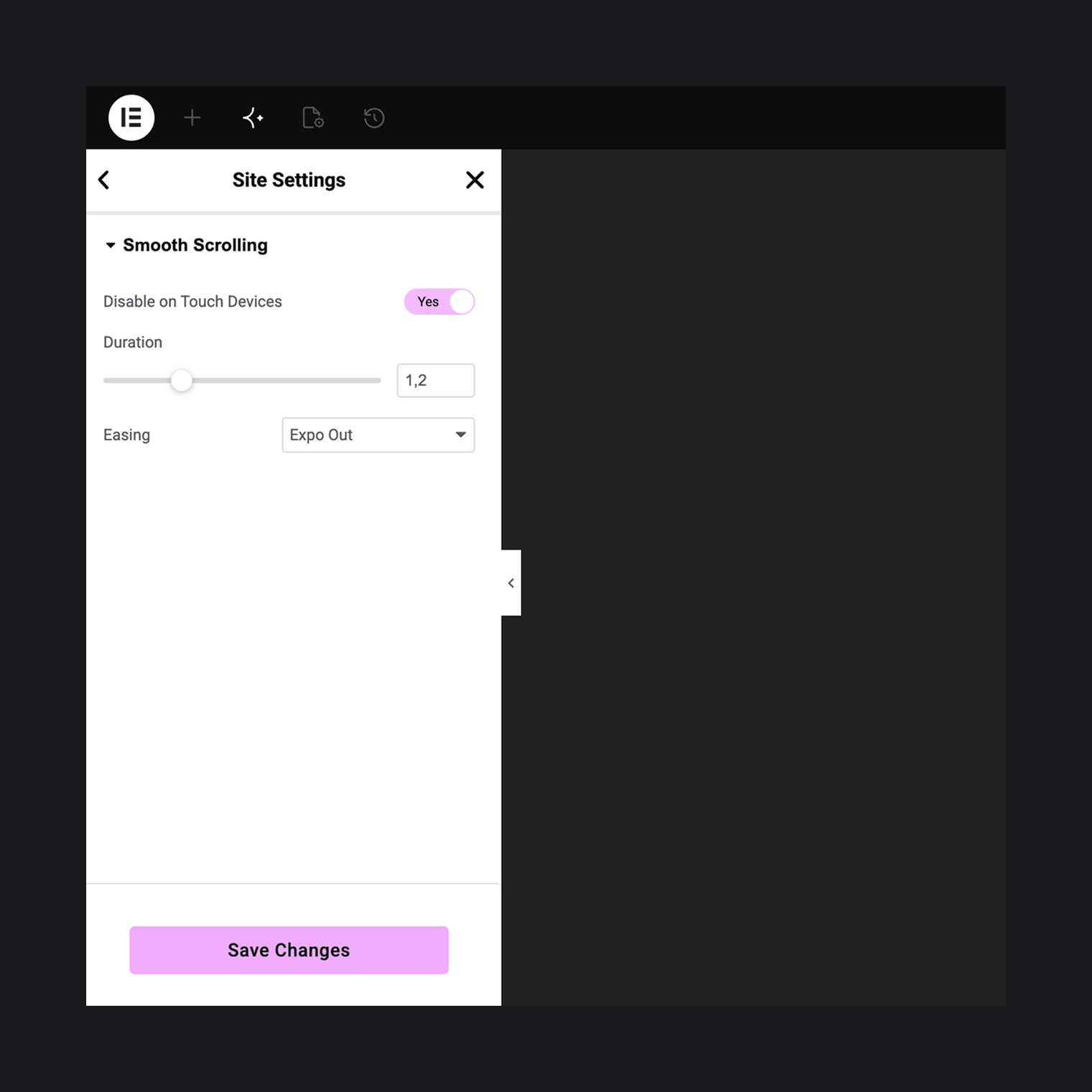
- Disable on touch devices. On by default: phones and tablets never download the engine, since there’s no pointer-driven scrolling to smooth there.
Configuration
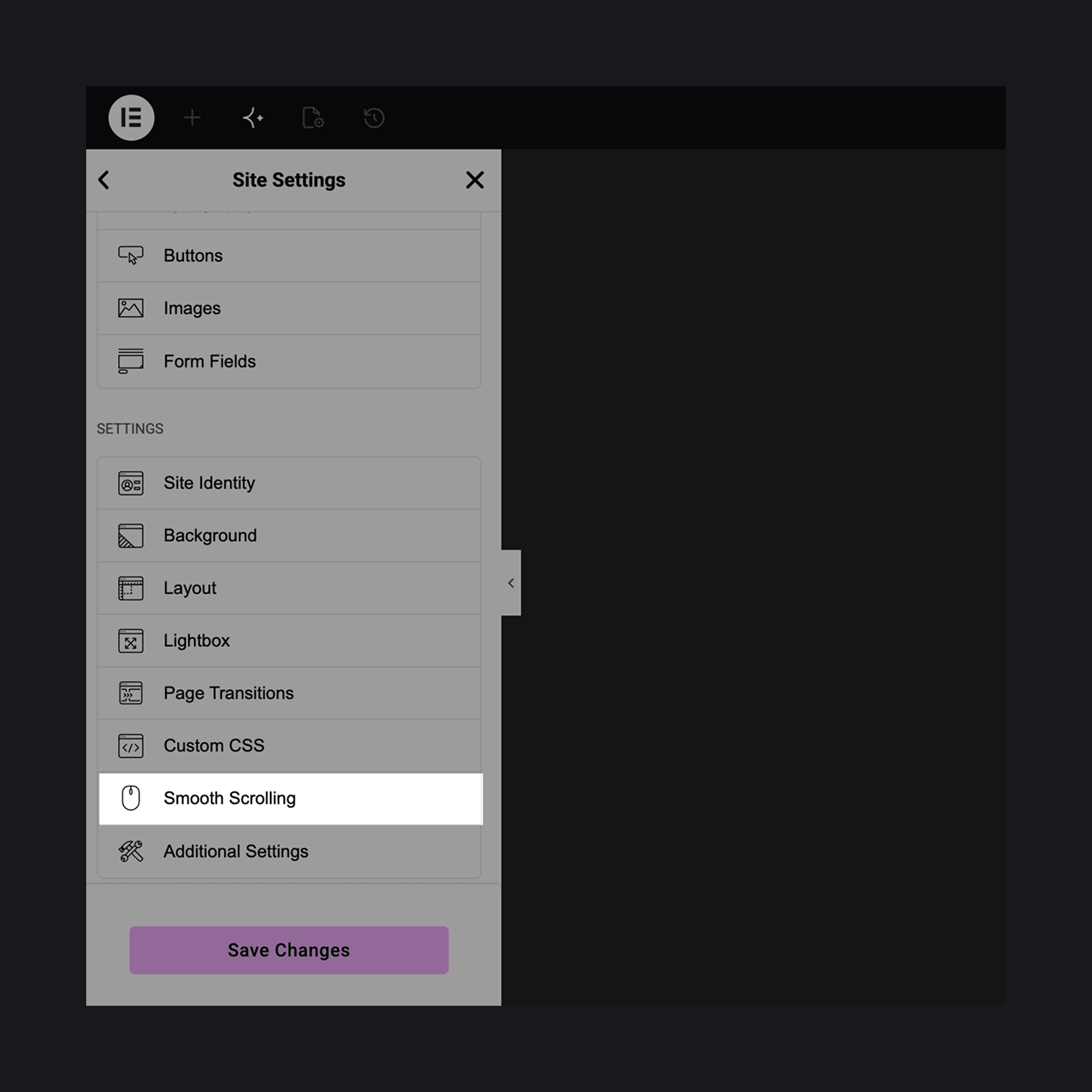
Everything lives in one tab: Elementor Site Settings Smooth Scrolling. Duration, easing (Expo Out or Linear), and the disable-on-touch switch. Changes apply live in the editor preview.
Footprint
A small inline loader sets the page’s scroll state synchronously and fetches the engine bundle itself — nothing is enqueued. On a device where Disable on Touch Devices applies, that fetch never happens.
Capturas de pantalla
Instalación
- Install and activate Elementor (the free version is fine).
- Install and activate Arts Smooth Scrolling for Elementor.
- Browse your site. Smooth scrolling is already running. To tune duration and easing, open Elementor’s Site Settings and find the Smooth Scrolling tab.
FAQ
-
How do I access the Lenis instance from JavaScript?
-
window.artsSmoothScrolling.ready is a promise that resolves once the engine has started.
window.artsSmoothScrolling.lenisis a getter for the live Lenis instance, null while the engine isn’t running. -
Does it work with GSAP and ScrollTrigger?
-
Yes, automatically. If
window.gsapis present, the engine drives Lenis off GSAP’s ticker (added with priority, so it runs ahead of GSAP’s own tweens) instead of its own animation-frame loop, and callsgsap.ticker.lagSmoothing(0)once — the standard recipe for pairing GSAP with a smooth-scroll library. That call changes a global GSAP setting and is not reverted if smooth scrolling is later disabled. -
What happens when I click a link like /#pricing on a page that isn’t the homepage?
-
It navigates to the homepage and then scrolls to the
pricinganchor there — the same thing that link does in any browser without this plugin. There’s no trailing-slash normalization in the same-page check, so a link is only treated as pointing at the current page when its URL matches exactly. -
Does it affect Elementor’s Sticky elements?
-
Elementor’s Sticky effect has its own “Anchor Offset” (
sticky_anchor_link_offset) setting for compensating anchor-link scroll targets under a sticky header. That offset isn’t applied while smooth scrolling is active, since anchor scrolling then goes through Lenis rather than Elementor’s native scroll handling. -
Does it load anything on touch devices?
-
Not when Disable on Touch Devices is on, which is the default. The inline loader checks a media query before ever requesting the engine bundle, so phones and tablets download nothing.
-
How do I turn it off?
-
Deactivate the plugin, or for conditional control use the
arts_smooth_scrolling/enabledPHP filter. -
Does it work with AJAX page-transition plugins (Barba.js-based themes, etc.)?
-
Not certified yet with 1.0.0. The engine is designed to persist across such transitions rather than re-initialize on every page swap, but this hasn’t been tested against specific transitions plugins. If you run into issues, please report them.
Reseñas
No hay reseñas para este plugin.
Colaboradores & Desarrolladores
“Arts Smooth Scrolling for Elementor” es software de código abierto. Las siguientes personas han contribuido a este plugin.
Colaboradores
Traduce “Arts Smooth Scrolling for Elementor” a tu idioma.
¿Interesado en el desarrollo?
Revisa el código, echa un vistazo al repositorio SVN, o suscríbete al registro de desarrollo por RSS .
Historial de cambios
1.0.1
- improved: confirmed compatibility with WordPress 7.1.
1.0.0
Initial release.