
Descripción
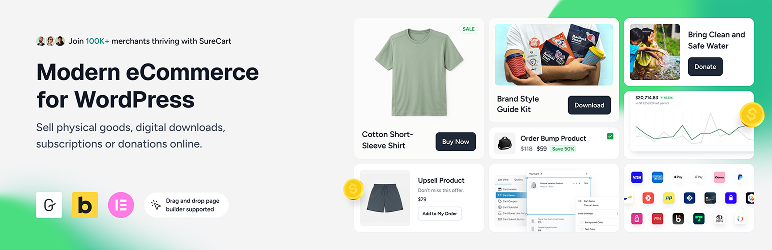
Sell anything on WordPress: digital downloads, subscriptions, physical products, services, and donations.
SureCart turns WordPress into a fast online store. Add products, a shopping cart, and a conversion-optimized checkout in minutes, then accept one-time and recurring payments with Stripe, PayPal, Mollie, Razorpay, or Paystack.
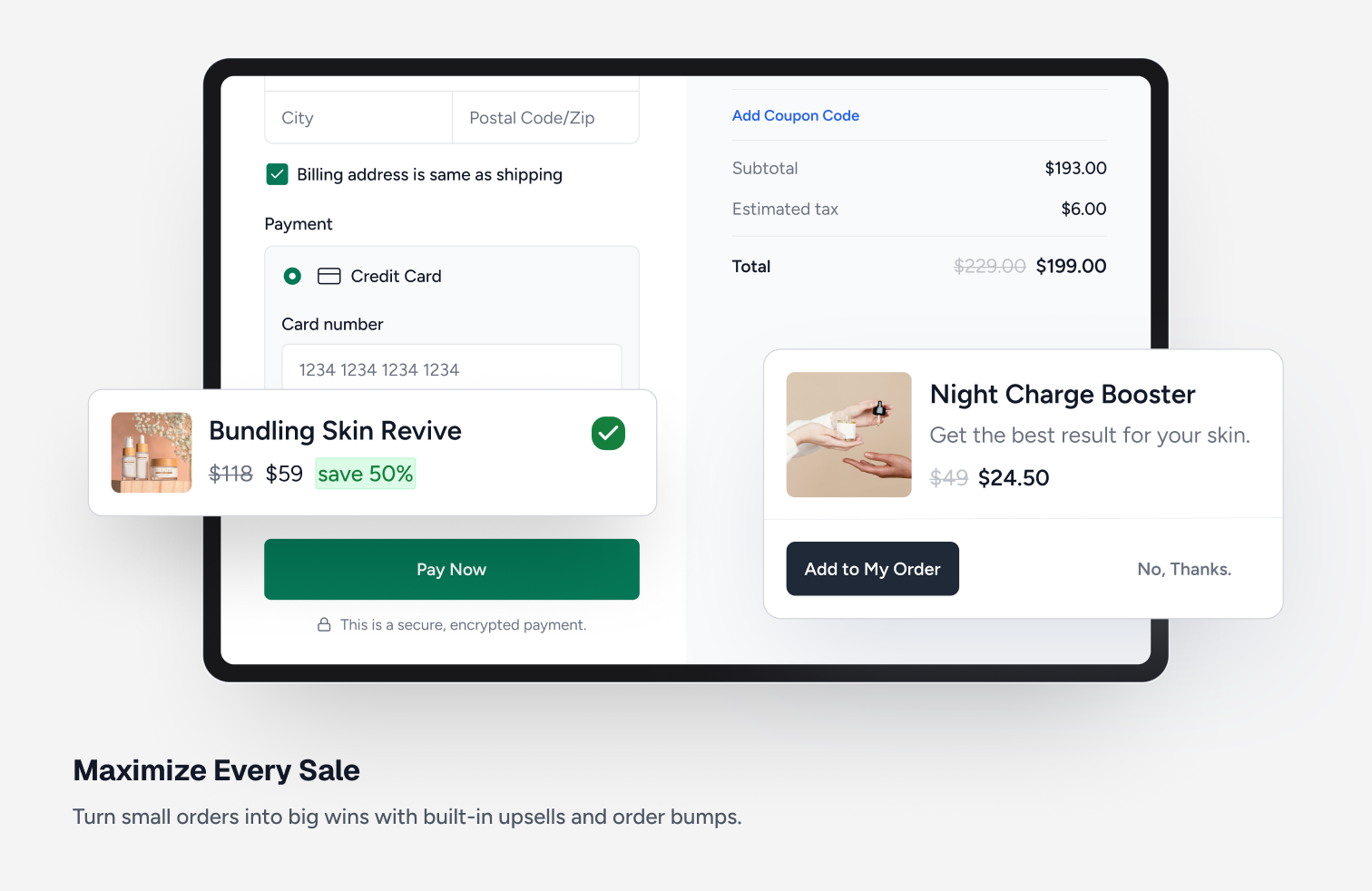
Everything is built in: subscriptions with free trials and payment plans, order bumps and upsells, abandoned cart recovery, coupons, an affiliate program, software licensing, taxes, and a customer dashboard.
Looking for a lightweight WooCommerce alternative? SureCart runs payments, subscriptions, and checkout on its own cloud platform, so your site stays fast and your database stays small.
What’s New | Blog | Docs | Video Tutorials | Get Help | Community
Start With a Completely Free Store
With SureCart’s free plan, you can create a store with full core functionalities: unlimited products, flexible checkout customization, subscription support, and powerful built-in features, without needing a stack of add-ons.
Scale when you’re ready. No forced upgrades. No unnecessary bloat.
What Makes SureCart Different?
Most WordPress ecommerce solutions run entirely inside your website. As stores grow, this can introduce performance issues, database bloat, plugin conflicts, and caching complications.
SureCart consists of two parts: the plugin and the platform. The plugin connects your WordPress site to the SureCart platform, a cloud-based ecommerce engine that handles payments, subscriptions, taxes, and checkout processing at scale, so heavy operations never run on your server.
Because of this architecture, you get:
- A lighter WordPress footprint
- Reduced database bloat
- Fewer plugin conflicts
- Compatibility with caching systems
- Built-in security, backups, and infrastructure handling
The result is a smoother ecommerce experience with less technical overhead and fewer moving parts to manage.
Who Is SureCart For?
Each year we send all of our users a survey, so here are the 2025-26 results of who is using SureCart.
- Subscription-Based Businesses: SureCart is ideal for coaches, course creators, membership sites, and SaaS companies that rely on recurring revenue and need powerful subscription management with built-in retention tools.
- Service-Based Businesses: Perfect for web agencies, legal firms, and local businesses that charge through subscriptions, installment plans, or one-time setup fees with flexible billing built right into the checkout.
- Digital Product Creators & Developers: Built for selling ebooks, printables, creative assets, and digital downloads and increasingly trusted by WordPress software developers who leverage SureCart’s built-in licensing system.
- Physical Product Stores: Great for merchants who want a simple way to launch an online store, manage orders and fulfillment, and increase average order value with built-in cart abandonment recovery, order bumps, and post-purchase upsells.
- Agencies & Freelancers: Instead of turning down eCommerce projects due to complexity, agencies are confidently taking on more online store clients. SureCart makes setup and ongoing management simple and their clients love the experience.
- Nonprofits & Fundraisers: Ideal for charities and causes that need flexible donation forms while also having the ability to sell merchandise, event tickets, or other products, all from one streamlined checkout experience.
Traditional Storefront
Wanting to add a traditional online store to your websites?
This is where you have a shop page to showcase all of your products, product pages, cart, then checkout?
SureCart has all the features for selling products this way on your website. These include product variations, product collection, coupons, inventory tracking, shipping calculations, product fulfillment, product returns, and customer area.
Product Pricing Options (Now with Dynamic Pricing)
SureCart gives you flexible, conversion-focused pricing control without duplicating products or creating complex checkout flows.
Instead of being limited to one price per product, you can attach multiple pricing options to a single product and let customers choose what works best for them.
You can offer:
- One-time payments
- Subscription payments (daily, weekly, monthly, yearly, etc.)
- Installment plans
- Free trials
- Paid trials
- Setup fees
- Setup discounts
- “Name your own price”
Dynamic Pricing (New)
SureCart also includes built-in Dynamic Pricing, allowing prices to automatically adjust at checkout based on real conditions.
You can:
- Apply discounts when cart subtotal exceeds a threshold
- Add conditional fees based on user role or customer type
- Offer bulk/quantity discounts
- Reward logged-in customers with special pricing
- Run BOGO-style offers without duplicating products
Pricing updates instantly at checkout exactly where buying decisions happen.
This makes it easier to increase average order value (AOV), reward loyal customers, and run smarter promotions without adding extra plugins.
Advanced Subscription Management & Retention for WordPress
Selling a plan is the easy part. Managing renewals, reducing churn, and maximizing lifetime value is where recurring-revenue businesses actually grow.
SureCart goes beyond basic recurring payments by giving you built-in tools to actively manage and retain subscribers and not just collect payments.
Flexible Subscription Setup
With SureCart, you can:
- Create flexible billing intervals (daily, weekly, monthly, yearly, or custom)
- Offer free trials and paid trials
- Add setup fees or setup discounts
- Create installment plans
- Apply Dynamic Pricing rules to recurring products
- Offer multiple pricing options on a single product
Reduce Churn From Failed Payments
One of the biggest causes of churn is failed payments. SureCart includes built-in dunning management that:
- Automatically retries failed payments
- Sends advanced pre-payment reminders
- Notifies customers about payment issues
- Helps recover revenue that would otherwise be lost
This helps keep subscribers active without requiring third-party add-ons.
Reduce Voluntary Cancellations
The second major source of churn is subscribers choosing to cancel. SureCart’s Subscription Saver feature helps reduce cancellations and gives you insights into why customers leave.
You can:
- Offer upgrade or downgrade paths with automatic proration
- Pause a subscription for a set period instead of cancelling it
- Reactivate cancelled subscriptions
- Let customers change payment methods
- Allow changes to billing dates
- Provide self-service management via customer dashboards
Instead of forcing cancellations, you give customers flexible options that keep revenue flowing.
Built-In Management Without Extra Extensions
Many WordPress setups require multiple add-ons to manage recurring billing. SureCart includes billing logic, retention tools, and email notifications natively.
Because SureCart is cloud-based and API-driven, recurring billing is handled reliably without adding heavy processing load to your WordPress site.
This gives you greater control over subscriber experience, retention, and recurring revenue, all from a single platform.
The Best WooCommerce Alternative
SureCart is the WooCommerce alternative WordPress users have been asking for!
We highly respect WooCommerce and how it has paved the way for adding an online store to WordPress. But it’s not ideal for everyone.
It would cost you $2,849 per year, per store, in WooCommerce add-ons to get the same features SureCart offers out of the box! And your store would be more prone to plugin conflicts, security vulnerabilities, constant updates required for each plugin, and a potentially slower website.
(These are reasons told to us by SureCart merchants that switched from WooCommerce)
There are cases where using WooCommerce may be the only choice for your store due to their deep ecosystem of paid add-ons and payment gateways if you have very specific requirements.
Where SureCart’s approach is different. Everything is built in, no add-on required. Everything is made easier, your site will run faster, we are there to support you, you are never alone.
SureCart Features
These are just some of the key features SureCart users love.
-
Multiple Payment Processors, Express Checkout Apple Pay & Google Pay:
Easily connect to Stripe, PayPal, Mollie, Razorpay, and Paystack with support for 135+ currencies, 45+ countries, and dozens of payment methods including cards, wallets, bank debits, and more. You can use multiple processors on a single checkout form. Also, you can optionally accept Apple Pay or Google Pay express checkout options. -
Powerful Payment Options:
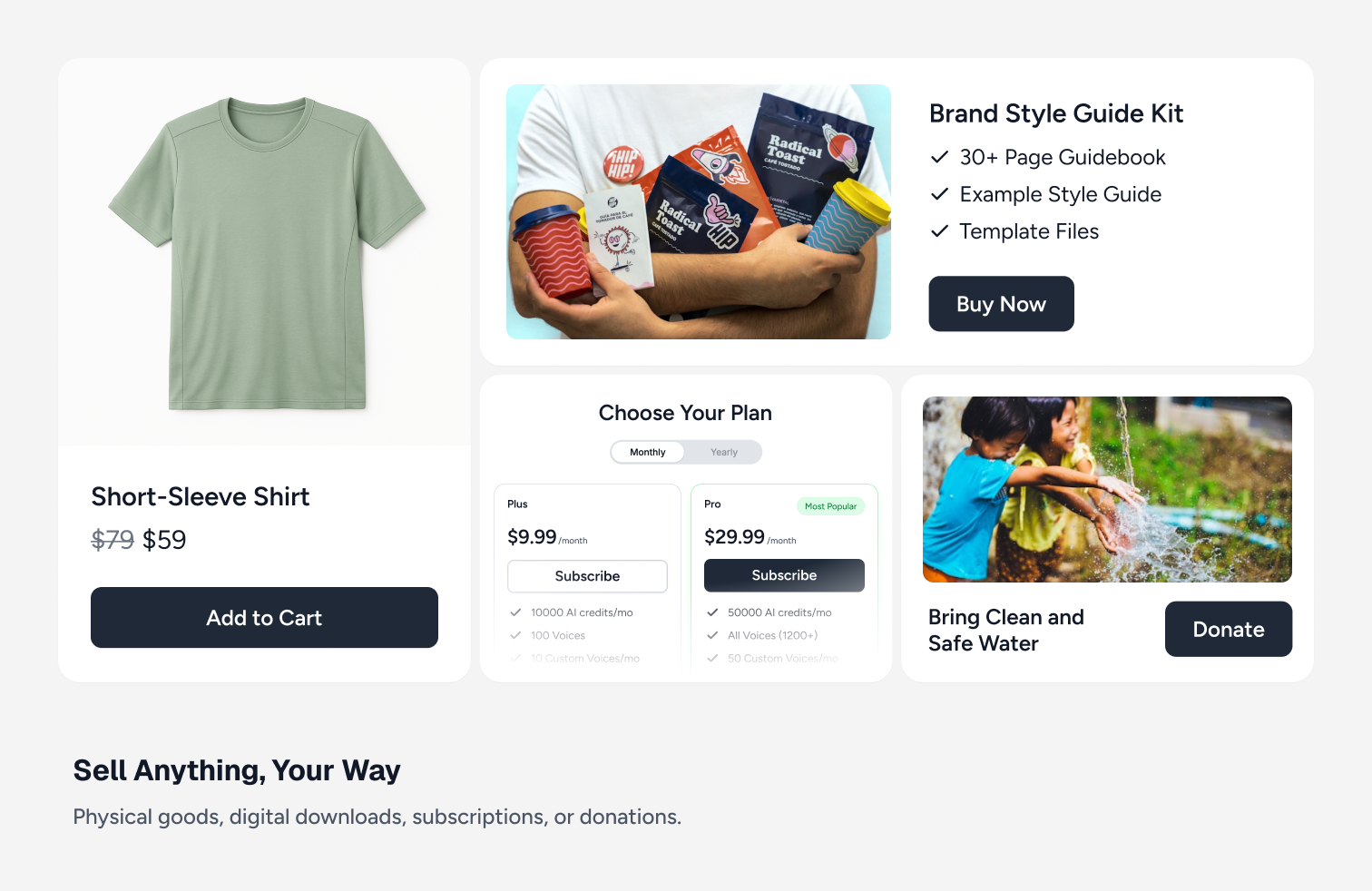
One-time payments, subscriptions with or without free trials, setup fees, payment plans (installments), pay what you want, donations. SureCart covers most ways you may want to be paid, all included on the free plan. -
Most Complete Subscription Payments System:
There is a lot more to recurring billing than rebilling on an interval. SureCart’s subscription engine is second to none, and it goes beyond other ecommerce platforms by offering prorated upgrades and downgrades. If a buyer on a monthly plan wants to move to annual, SureCart prorates the change. -
Built-In Product Reviews
SureCart includes a native product review system so you can collect and display verified customer feedback without installing a separate reviews plugin. You can enable star ratings with written feedback, moderate and approve reviews, and display them directly on product and checkout pages. Reviews are managed inside your SureCart dashboard and work seamlessly with your products and pricing options, helping build trust at the point of purchase without adding extra plugins or complexity. -
Dynamic Pricing
SureCart includes built-in Dynamic Pricing so you can automatically adjust prices at checkout based on real conditions without duplicating products or creating complex coupon rules. You can apply discounts or fees based on cart subtotal, product quantity, customer type, user role, or other checkout conditions, and pricing updates instantly where purchase decisions happen. Dynamic Pricing works seamlessly with one-time payments and subscription products, giving you more flexibility to increase average order value and run smarter promotions without adding extra plugins. -
Order Bumps & Upsell Funnels:
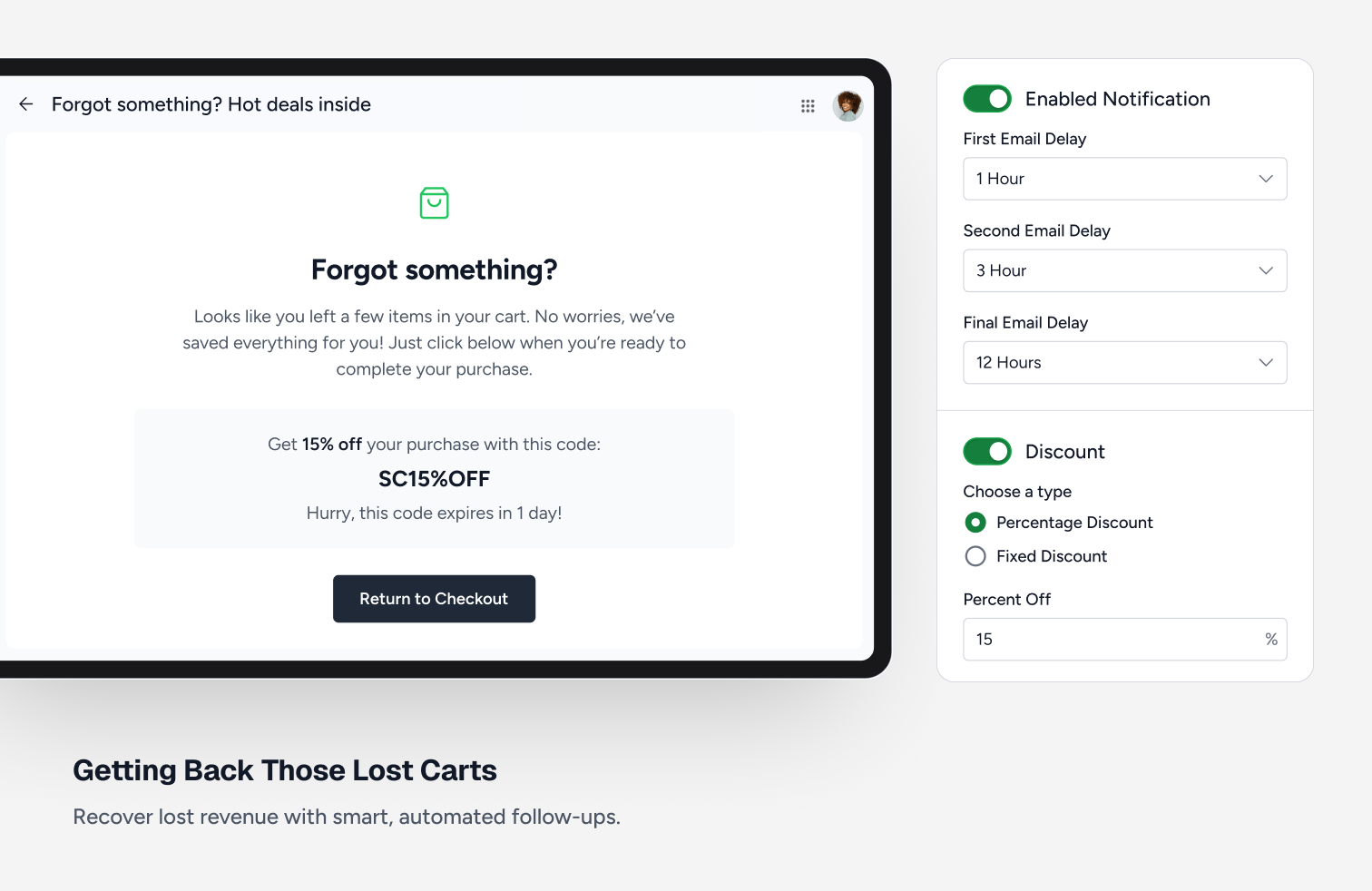
SureCart merchants have more profitable stores due to a full suite of revenue optimization features. Generate more revenue with one-click order bumps, post purchase one-click upsells, and cart abandonment recovery. -
Affiliate Platform:
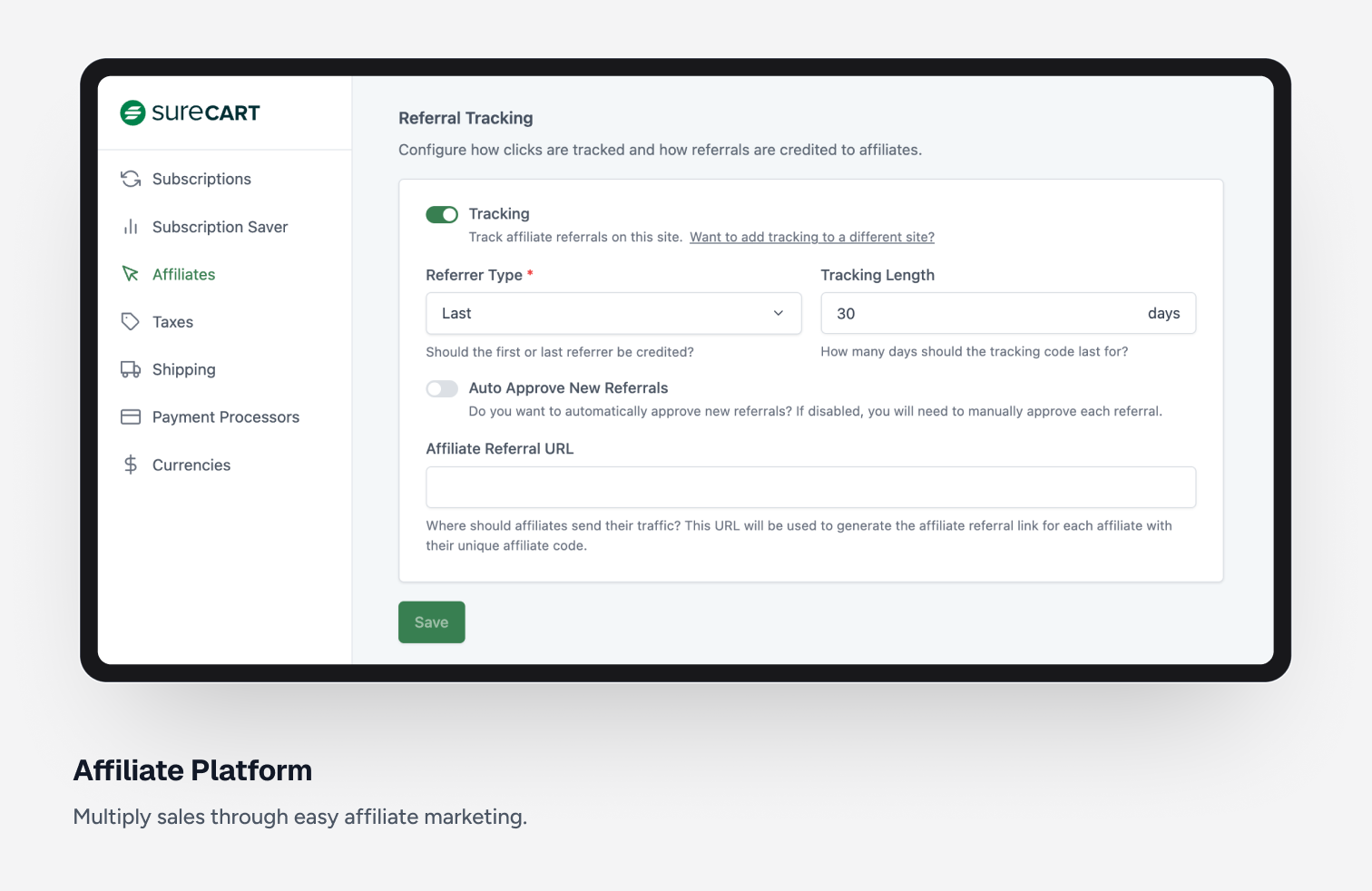
Generate more sales by adding an affiliate program. Easily launch an affiliate program in just a few minutes. You can customize each aspect of your affiliate program, including lifetime commissions, custom affiliate rates, affiliate coupons, and more. -
Self Service Customer Area (Subscription Upgrades / Downgrades):
With our highly customizable customer area, you can have full control on what a customer sees and is able to do. For example, you can let your customers change their personal details, password, access secure digital downloads, update credit cards on file, upgrade a subscription, downgrade a subscription. All with a beautiful and modern user experience. -
Customizable Shopping Experience:
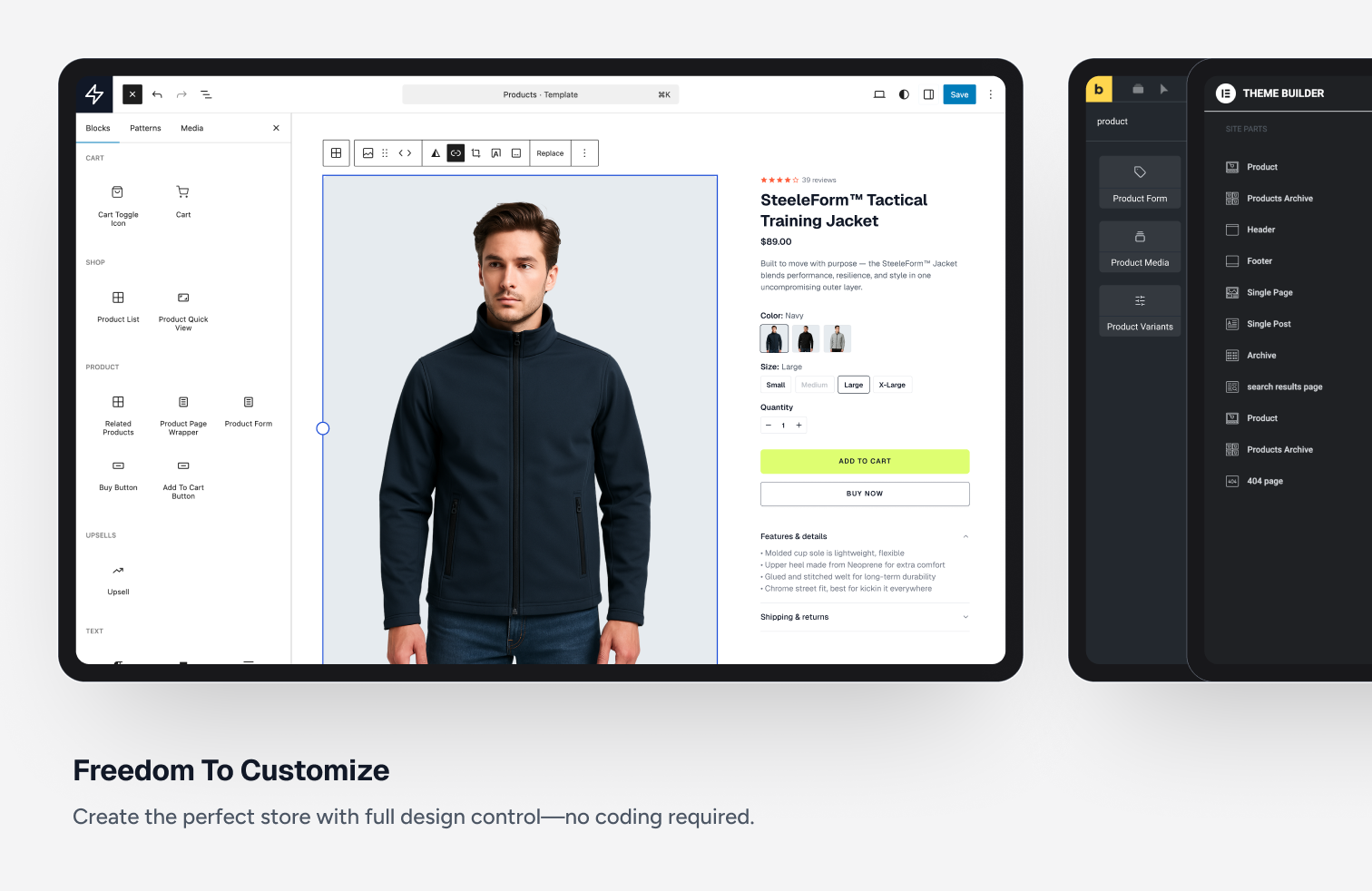
Customize product pages, shop pages, cart, and customer dashboard using an intuitive and powerful drag and drop editor that utilizes the WordPress block editor. -
Flexible Checkout Form Builder:
Create a completely custom checkout form. In fact, create as many as you like. There is no other ecommerce platform with this much customizability. Simply drag and drop fields, price choosers, donation choosers, check boxes, and other parts to create the perfect checkout form. -
Coupon Discounts:
Incentivizing buyers with a coupon discount is a great way to increase sales. You can easily create unlimited coupons as well as automatically add coupons with a URL parameter. -
Secure digital file delivery:
Selling digital downloads? This could be software, printables, ebooks, you name it and SureCart can deliver it securely to your buyers. -
Slide-out Cart:
If you want to sell your products or services using a traditional cart allowing buyers to add items then checkout, you will love SureCart’s beautiful and lightning fast slide-out cart. -
Complete EU Compliance:
If you are an EU-based merchant, you know there are very strict requirements regarding VAT, how you display the prices inclusive of VAT, what information is on invoices, how invoices need to be numbered, etc. SureCart has you covered. -
Integrate & Automate:
The most important part of an ecommerce platform is how it integrates with other plugins and external platforms. SureCart offers integrations with many WordPress plugins, so you can use SureCart for all of your ecommerce. -
Seamless Scaling:
With other ecommerce plugins, if you get an influx of buyers for that big sale or promotion, unless you have high-powered and high cost hosting, your website will be slow or worse, it will crash. Since SureCart is platform based, when you get an influx of new buyers, you have nothing to worry about because we take care of the scaling for you. -
Real-time VAT & Sales Tax Calculations:
Other ecommerce platforms let you integrate with expensive tax calculation services, usually costing $50 per month and up. Not with SureCart, we are fully integrated with TaxJar, and we pay for the calculations, so you don’t have to. And the setup is a breeze.
SureCart Integrations
Recommended
- OttoKit
- SureDash
- SureMembers
- Astra
- Starter Templates
Analytics
- Google Analytics
- Facebook Pixel
- Analytics WP
- Conversion Bridge
- Independent Analytics
- Kadence Insights
Automation
- OttoKit
- Bit Flows
- Zapier
- WPFusion
- Bit Integrations
- Flowmattic
- Integrately
- Omnisend
- Pabbly Connect
- Thrive Automator
- viaSocket
Booking & Events
- LatePoint
- Pie Calendar
Community / Network
- SureDash
- BuddyBoss
- GamiPress
- Omnisend
Courses & Online Learning
- SureDash
- LearnDash
- LifterLMS
- Masteriyo
- TutorLMS
Data Management
- WP Ultimate CSV Importer
Design & Theme
- Astra
- Bricks Builder
- Starter Templates
- Block Editor (Gutenberg)
- Kadence Cloud
- Meta Box
- Advanced Custom Fields
- JetEngine
- Elementor
- Spectra Website Builder
- Divi Builder
- Beaver Builder
- Thrive Architect
- Oxygen Builder
Themes
SureCart works with any theme, including:
- Tema Astra
- Avada
- Blocksy
- Divi Theme
- Flatsome
- GeneratePress
- Tema Kadence
- Neve
- OceanWP
- Spectra One Theme
Membership
- SureMembers
- MemberPress
Other Integrations
- Presto Player
- AffiliateWP
OttoKit Integrations
SureCart also integrates with OttoKit, which is like Zapier for WordPress. OttoKit integrates with over 500 apps and services. These will require you to add the OttoKit plugin to your website to integrate with:
- ActiveCampaign
- ConvertKit
- FluentCRM
- Hojas de cálculo de Google
- GoHighLevel
- Klaviyo
- MailChimp
- MailGun
- Restrict Content Pro
- SendinBlue
- Slack
- The Events Calendar
- Twilio
- Webhooks
- Zoom
- See the full list
Join The SureCart Facebook Group
Join our Facebook group community: Learn the tricks and techniques that other SureCart users are using to grow their business. Also, get exciting insider information on upcoming feature releases.
Want to contribute to the plugin?
You may now contribute to the plugin on Github: SureCart WordPress Plugin on Github
Capturas de pantalla
Bloques
Este plugin proporciona 170 bloques.
- Order Bump Title Display the order bump product title.
- Selected Price Scratch Amount Displays the currently selected price scratch amount.
- Star Rating Display the product average rating stars.
- Next Display the product pagination next.
- Sticky purchase Display the sticky purchase.
- Input Display the product quantity input
- Line item scratch amount Display the product line item scratch amount.
- Checkbox Display the filter checkbox.
- Filter (Dropdown) Display the product filter.
- Numbers Display the product pagination numbers.
- Image Display the product image.
- Line item variant Display the product line item variant, or the included items when the product is a bundle.
- Sort (Radio Group) Display the Product List Sort Radio Group.
- Order Bump Pagination Pagination controls for order bumps.
- Previous Display the product pagination previous.
- Sidebar Display the product list sidebar.
- Price Amount Displays amount of a price.
- Checkbox Display the product review filter checkbox.
- Icon Display an icon from the SureCart icon library.
- Decrease Quantity Display the product quantity input decrease
- Line Item Title Display the product line item title.
- Review Form Submit Button Provide a submit button for the product review form.
- Product Media A container to display the product media
- Selected Price Fees Displays the currently selected price fees.
- Cart Items The cart items
- Cart Toggle Icon The cart menu icon that shows your cart quantity.
- Order Bump Add Button Button to add the order bump to cart.
- Order Bump Next Navigate to the next page of order bumps.
- Product Note Allow customers to add a note to the product
- Label Display the product list filter tags label
- Review Title Displays the title of a product review.
- Applied Filters Display the applied filters.
- Applied Filters Display the product review applied filters.
- Template Display the sort radio group template.
- Cart Display SureCart slide out cart
- Product Review Form Display the product review form.
- Cart Subtotal Display the cart subtotal
- Selected Price Amount Displays the currently selected price or variant amount.
- Next Display the product review pagination next.
- Quick Add Button Display the product quick add to cart button.
- Label Display the product review list filter tags label
- Selected Variant Display Displays the currently selected variant of a product.
- Reviews Count Displays the total reviews count for the product.
- Order Bumps Display recommended order bumps in the cart.
- Tag Display the product review filter tag.
- Template Displays products list.
- Template Display the review filter checkboxes.
- Review Form Rating Provide a star rating input for product reviews.
- Product Title Display the product title.
- Tag Display the filter tag.
- Average Rating Displays the average product rating value.
- Cart Items The slide-out cart items
- Sale Badge Display a badge if the product is currently on sale
- Control Display the product quantity control
- Sidebar Toggle Button Display the product list sidebar toggle.
- Cart Bump Line Item Display the cart bump line item
- Cart Submit Button The cart submit button
- Product List Display a list of products.
- Cart Header Display a cart header
- Product Buy Button Display the product buy button.
- Review Breakdown Displays a breakdown of product reviews by star rating.
- Pagination Display the product pagination.
- Template Display the filter checkboxes.
- Review Content Displays the content of a product review.
- Review Content Display the product reviews content
- Line item interval Display the product line item interval.
- Close Cart Button Display the close cart button.
- Review Form Close Button Display the product review form close button.
- Product Template Container Display the Product Template Container.
- Radio Display the sort radio.
- Price Interval Displays the price interval.
- Sort (Dropdown) Display the product sort.
- Product Review Summary Display the product review summary.
- Floating Cart Icon The cart icon that shows your cart quantity.
- Price Displays the price of a product with a choice of options.
- Line item price name Display the product line item price name.
- Order Bump Description Display the order bump description.
- Product Quick Add Display the product quick add button.
- Filter Checkboxes Display the product list filter checkboxes.
- Template Display the filter tags.
- Product Selected Variant Image Shows the image for the currently selected product variant.
- Line item note Display the product line item note.
- Product Description Display the product description.
- Filter Checkboxes Display the product review list filter checkboxes.
- Cart Message Display a custom message in the cart
- Order Bump Amount Display the order bump price.
- Price Trial Displays trial of a price.
- Cart Submit Button The cart submit button
- Line item fees Display the product line item fees.
- Price Name Displays the name of a price.
- Review Date Displays the date of a product review.
- Price Scratch Amount Displays scratch amount of a price.
- Review Rating Stars Displays the rating given by the reviewer for a product review using stars.
- Tag A product collection tag for a product.
- Reviewer Name Displays the name of the reviewer for a product review.
- Price Display the static product price.
- Template Display the filter tags.
- Product Quantity Display the product quantity selector
- Pagination Display the product review pagination.
- Scratch Price Display the product scratch price.
- Numbers Display the product review pagination numbers.
- Product Form Display product form.
- Line Item Image Display the product line item image.
- Pill Displays a product variant choice as a pill.
- Label Display the product review list filter checkboxes label.
- Selected Price Custom Amount Displays the currently selected price custom amount.
- Variants Selector Display product variants as pills selector.
- Template Displays product review template
- Line item quantity Display the product line item quantity.
- Price Selector Displays possible choices for product prices.
- Cart Subtotal Display the cart subtotal
- Sidebar Toggle Button Display the product review list sidebar toggle.
- Cart Coupon Display a coupon form in the cart
- Line item details Collapsible container for the line item's extra details (variant, bundle items, note) shown under a cart line item.
- Order Bump Scratch Amount Display the order bump original price (strikethrough).
- Line item status Display the product line item status.
- Related Products Display a list of products related to the current product.
- Line item amount Display the product line item amount.
- Write a Review Button A button to open the product review form.
- Line item remove Display the product line item remove.
- Order Bump Previous Navigate to the previous page of order bumps.
- Collection Tags Displays collection selectors for a product.
- Selected Price Trial Displays the currently selected price trial.
- Label Display the product list filter checkboxes label.
- Product Review List Display a list of product reviews.
- Line item trial Display the product line item trial.
- Currency Switcher Display a currency switcher dropdown.
- Clear All Display the product list filter tags clear all link.
- Review Form Title Provide a title input field for product reviews.
- Review Verified Badge Displays a verified badge for a product review.
- Cart Items Count Display the number of items in the cart.
- Content Display the product list content.
- Label Display the product list sort radio group label
- Selected Price Interval Displays the currently selected price interval.
- Cart Subtotal Amount Display the cart subtotal amount
- No reviews Contains the block elements used to render content when no reviews are found.
- Order Bump Image Display the order bump product image.
- Previous Display the product review pagination previous.
- Buy Buttons Displays product buy and add to cart buttons
- Order Bump Discount Badge Display the order bump discount badge.
- Clear All Display the product review list filter tags clear all link.
- Content Display the product reviews.
- Increase Quantity Display the product quantity input increase
- Order Bump CTA Display the order bump call to action text.
- No products Contains the block elements used to render content when no products are found.
- Review Form Content Provide a content textarea field for product reviews.
- Close Display the product quick add close button.
- Cart Subtotal Scratch Amount Display the cart subtotal scratch amount (original price before discount).
- Sidebar Display the product review list sidebar with filters.
- Search Display the product search.
- Price Setup Fee Displays the setup fee of a price.
- Order Bump Template Template for rendering each order bump item.
- Customer Dashboard Button Display a button to link the user to their customer dashboard.
- Text Field Displays a form text input field. This is saved with the order as additional metadata.
- Cart Menu Icon The cart menu icon that shows your cart quantity.
- Coupon Display a coupon form.
- Logout Button Display a logout button.
- Divider Displays a divider.
- Buy Button Display a button to immediately redirect to the checkout page with the product in the cart.
- Cart Coupon Display a coupon form in the cart.
- Add To Cart Button Display a button to add a specific price to the cart.
- Product Cart Button Add a buy now or add to cart button.
- Session Info Display information for a specific session.
- Customer Dashboard Page Displays the users customer dashboard tab.
- Customer Dashboard Displays the users customer dashboard.
- Tabbed Customer Dashboard Displays the users customer dashboard.
- Button Display a checkout form button.
- Confirmation Template for the review confirmation content. Shown when editing the confirmation.
- Form Template for the review form content. Shown when editing the form.
- Form Displays a form.
Instalación
- Upload the SureCart folder to the /wp-content/plugins/ directory
- Activate the SureCart plugin through the ‘Plugins’ menu in WordPress
FAQ
-
Why do I need a SureCart.com account?
-
There are 2 parts to SureCart, the platform and the plugin. In order for the plugin to function, it needs to be linked to your account on the platform.
-
What payment processors can I use?
-
SureCart currently supports payment processing via Stripe, PayPal, Mollie, Razorpay, and Paystack with support for 135+ currencies, 45+ countries, and dozens of payment methods including cards, wallets, bank debits, and more. You can also offer Apple Pay and Google Pay express checkout.
-
Does SureCart support subscriptions and recurring payments?
-
Yes. You can sell subscriptions with daily, weekly, monthly, yearly, or custom billing intervals, free or paid trials, setup fees, and installment plans. Failed payments are retried automatically, and customers can upgrade, downgrade, or update their payment method from their customer dashboard. Subscriptions can also be paused and resumed.
-
Can I sell digital downloads and software license keys?
-
Yes. SureCart delivers digital downloads securely to your buyers, and its built-in licensing system lets you sell WordPress plugins, themes, and other software with license keys.
-
Can I sell physical products and charge for shipping?
-
Yes. SureCart includes product variations, inventory tracking, shipping rates, order fulfillment, and returns, so you can run a traditional online store.
-
Does SureCart include a shopping cart?
-
Yes. SureCart includes a shop page, product pages, and a fast slide-out shopping cart. You can also skip the cart and send buyers straight to checkout with buy buttons and direct checkout links.
-
Can I accept donations?
-
Yes. You can add donation amounts or a “name your own price” option to any checkout form, and sell merchandise or tickets in the same checkout.
-
Does SureCart recover abandoned carts?
-
Yes. Abandoned cart recovery is built in. SureCart automatically emails buyers who leave checkout before paying, so you can win back lost sales.
-
Can I build a membership site with SureCart?
-
SureCart handles the payments and subscriptions, and integrates with membership and course plugins such as SureMembers, MemberPress, LearnDash, and LifterLMS to grant and revoke access automatically.
-
Will SureCart slow down my website?
-
Because of SureCart’s innovative approach to performance, all the tasks that would normally slow down your website are offloaded to our platform ensuring your website load speeds fly!
-
Is SureCart fully translatable?
-
Yes, all the strings in SureCart can be translated. You can help translate SureCart into your language on translate.wordpress.org.
-
Will SureCart work with my theme?
-
SureCart will work with all WordPress themes. With there being over 10k WordPress themes available, there may be cases where you have to set a button style, or change some spacing. We have ensured out of the box perfection with the most widely used themes. If you run into any challenges, please be sure to reach out to us.
-
Where can I request new SureCart features?
-
The best way is to request features via our dedicated website. You can upvote feature requests that have already been made.
-
What are the ecommerce fees?
-
SureCart offers multiple payment processors and each charges different fees that can vary depending on their pricing. In the Launch plan, you can connect to your payment processor, and they will charge you processing fees and there will be a transaction fee of 2.9%. This fee goes toward support for our free users. Paid plans have no transaction fee. This is explained in our doc understanding fees, which has a full breakdown of how this works.
-
¿Dónde puedo encontrar la documentación completa?
-
We have an extensive knowledgebase here https://surecart.com/docs/
-
Where can I ask for help with my online store?
-
You can submit a support ticket via the support forum at anytime. You can also seek help via our support desk.
-
How do I migrate from WooCommerce?
-
SureCart can import your products, customers, and active Stripe subscriptions. We have documentation on it here https://surecart.com/docs/migrate-to-surecart/
-
Can I setup an affiliate program?
-
SureCart comes with a full-featured affiliate platform built in. There is no need to buy and integrate a 3rd party tool, simply turn on the native affiliate platform.
-
¿Puedo proporcionarles a mis clientes facturas descargables en PDF?
-
SureCart comes with a customer area on your website where your customers can see all their orders and download PDF invoices and receipts that you can customize for them.
-
Does SureCart require WooCommerce?
-
SureCart is a standalone ecommerce, payments & subscription plugin and does not require other payment or ecommerce plugins, such as WooCommerce or Easy Digital Downloads, to work.
-
Can I customize the checkout form?
-
Yes, the checkout form can be customized using our visual builder. You can change the order of the form fields, remove fields that aren’t required and also add extra fields to the form like Inputs, Checkboxes, Radio buttons, and more. You can even add conditional containers.
-
Is SureCart accessible?
-
Accessibility is a huge priority for the entire team building SureCart. As you know, accessibility is an ongoing improvement task. Our development and QA teams are trained in accessibility best practices and build/test each new feature for accessibility. If you come across any edge issues, we want to know about it and will prioritize its resolution. Please contact us via our website.
Reseñas


Colaboradores & Desarrolladores
“SureCart – Ecommerce Made Easy For Selling Physical Products, Digital Downloads, Subscriptions, Donations, & Payments” es software de código abierto. Las siguientes personas han contribuido a este plugin.
Colaboradores


“SureCart – Ecommerce Made Easy For Selling Physical Products, Digital Downloads, Subscriptions, Donations, & Payments” ha sido traducido en 3 idiomas. Gracias a los traductores por sus contribuciones.
¿Interesado en el desarrollo?
Revisa el código, echa un vistazo al repositorio SVN, o suscríbete al registro de desarrollo por RSS .
Historial de cambios
4.9.3 – October 5th, 2026
- Fix: In the customer dashboard, switching plans within an upgrade group did not show the group’s draft (members-only) products to customers who own a product in that group.
4.9.2 – October 2nd, 2026
- Improvement: Product structured data now includes the offer URL, item condition, SKU, and sale (strikethrough) pricing, so more product pages qualify for Google rich results.
- Fix: Product structured data no longer lists subscription, pay-what-you-want, or free prices as offers. It now uses the price the product page preselects.
- Fix: Currency codes in product structured data are now uppercase, as Google expects.
- Fix: The SureCart Dashboard and Learn pages appeared blank when the classic view was enabled.
- Fix: Draft products in the checkout form editor were wrongly shown as “This product has been archived.”
4.9.1 – September 30th, 2026
- New: Connect SureCart to ChatGPT with a Custom GPT and manage your store by chatting with it.
- New: Import and Export options on admin list pages, grouped under one menu. Exports now run right inside your dashboard.
- Improvement: Google and Facebook conversion tracking now counts accepted post-purchase upsells.
- Improvement: Search engines no longer crawl the endless filter and sort variations of your shop page, which keeps your SEO clean.
- Improvement: Block labels such as button and field text now appear in your site’s language instead of always in English.
- Fix: Dates picked in the admin (coupons, invoices, trials, subscriptions, affiliates, payouts, fees) now follow your site’s timezone instead of your computer’s.
- Fix: A subscription scheduled to pause was shown as “cancelling” to both you and your customer.
- Fix: You can now choose a specific variant of a physical product when adding it to a checkout form.
- Fix: When picking a price for a Name Your Own Price product in the checkout form editor, every price looked the same, and product search did not work.
- Fix: Saving changes to a subscription in the admin failed with an error.
- Fix: Broken spacing on SureCart admin pages when Astra’s Design Library is active.
4.9.0 – September 23rd, 2026
- New: Bulk shipping labels — pick multiple orders under Orders Shipping Labels, compare rates, and buy labels in one go.
- New: “Start With a Complete Site” onboarding option to preview and import a ready-made SureCart starter template.
- New: Checkout, orders, invoices, and subscriptions show each tax rate on its own line when a region stacks taxes (e.g. Canadian GST + PST).
- New: Tax overrides can carry a custom Tax Label (e.g. “GST + PST”) shown at checkout and on receipts.
- New: “Limit Location Capture To” setting asks only buyers in the countries you pick for their location.
- New: First-party integrations with WP Rocket, Perfmatters, and SiteGround Optimizer — SureCart registers the cache and delay-JS exclusions they need.
- Improvement: Affiliate click tracking now runs through your own site, so ad blockers no longer drop clicks.
- Improvement: Customer-facing “invoice” wording is now “receipt” where the downloaded document is a receipt.
- Improvement: Tax ID placeholder now names the expected type for the selected zone (e.g. “Enter EU VAT”).
- Improvement: Dynamic pricing rules now warn when a Geo Address Country rule targets a country location capture will not collect.
- Fix: Instant Checkout
/buy/pages treated as the blog index, giving SEO plugins the wrong canonical, robots, and duplicate Open Graph tags. - Fix: Product review pagination disabled state, and unfilled rating stars rendering incorrectly.
- Fix: Payout batch creation was left on the legacy admin screen — it now opens in the modern admin, from an “Add Payout Batch” button on the Payouts list.
- Fix: Shippo labels ignoring the selected “Label file type” when buying a label unless Re-quote was clicked first.
- Fix: Hardened batch permission checks so users can only read batches and batch operations they are allowed to see.
4.8.0 – September 15th, 2026
- New: Added the modern DataViews list experience to the rest of the SureCart admin pages.
- New: Fully client-side, SPA-like navigation across the SureCart admin.
- New: Product integrations list now has an edit action and a richer view.
- Improvement: Print the JS translation catalog once per page instead of once per block handle (~150 copies down to 1), fixing a blank block editor on WP 7.1 (Chromium).
- Fix: Checkout only requires a phone number for physical products when shipping actually needs one, instead of always.
- Fix: Collection sync now adopts an existing unlinked term instead of failing when a collection term creation collides with it.
- Fix:
sc_product_mediashortcode rendering a placeholder instead of the WP media library gallery when passing an id. - Fix: Price input fields ignoring the site locale and only accepting a dot as the decimal separator.
- Fix: PayPal’s Credit Card option losing its button or reverting to the regular PayPal button after a checkout field change like email or address.
- Fix: Product page migration wrapping WooCommerce’s
single-productblock template, corrupting product pages on hybrid WooCommerce/SureCart sites.
4.7.3 – September 9th, 2026
- Improvement: Faster block registration using a build-time metadata manifest.
- Fix: Shop page and Quick View load time on stores with many product variants, cutting it from 20-30s to a few seconds.
- Fix: SureCart disabling LiteSpeed Cache’s page caching site-wide.
- Fix: Address autocomplete reversing the street name and house number order for countries that write them in that order.
- Fix: Cancelling or editing a subscription that no longer exists now shows a “Not found” message on the customer dashboard instead of a fatal error.
- Fix: Hardened product integrations against user-role privilege escalation (props to TurboNexic of PatchStack).
- Fix: Hardened subscription, order, and license activation permission checks.
- Fix: PayPal button reloading on every checkout field change.
4.7.2 – September 3rd, 2026
- Fix: Product image unclickable in the Shop page product list when the image sits inside a Cover block.
4.7.1 – September 2nd, 2026
- New: Variant Pills and Buy Buttons blocks can now be added inside a Product List, so shoppers can pick a variant and add to cart without leaving the list.
- New: “Product List with Variants” block pattern, built with the new Variant Pills and Buy Buttons support.
- New: Native “Duplicate” row action for checkout forms, cloning a form as a new draft.
- New: Order fulfillment timeline now shows the package a purchased shipping label was rated against (carrier package, saved template, or custom size).
- Fix: Upsell Funnel and Order Bump price picker omitting valid prices on products with more than ~20 prices.
- Fix: Product page migration silently stripping
<style>tags and CSS backslash escapes from customized product templates on every plugin update. - Fix: Shipping provider status now shows the actual reason (not connected, disabled, or wrong mode) instead of a generic “disconnected or disabled” message.
- Fix: Checkout location-based pricing not recalculating until the shopper interacted with the form after geo coordinates resolved.
- Fix: Long product notes breaking the order line item layout on both the storefront and admin order screens.
- Fix: Checkout address focus ring clipped on country and street line selects.
4.7.0 – August 25th, 2026
- New: Ship orders from the fulfillment drawer — get live Shippo rates, buy a label, and track the package.
- New: Warehouse management under Settings Shipping for managing ship-from addresses.
- New: “Live carrier rates” shipping rate type quotes real-time carrier rates at checkout from your connected Shippo account, with separate test/live mode support.
- New: Customers see shipment tracking and status on their dashboard order page as soon as a label is purchased.
- Improvement: Address autocomplete now uses Google’s Places Autocomplete API instead of Text Search, returning street addresses instead of businesses and billing each search as a single session.
- Fix: UK address autocomplete now picks the correct city and building/street line for addresses without a street number.
- Fix: Hardened account creation at checkout confirmation to prevent an unauthenticated request from creating a WordPress user account (props to Jakub Herman).
Full changelog can be found here – SureCart changelog