

Descripción
The “Table Block by Tableberg” plugin for WordPress simplifies creating and managing tables within the block editor. It features intuitive sub-blocks, allowing users to add and customize tables easily.
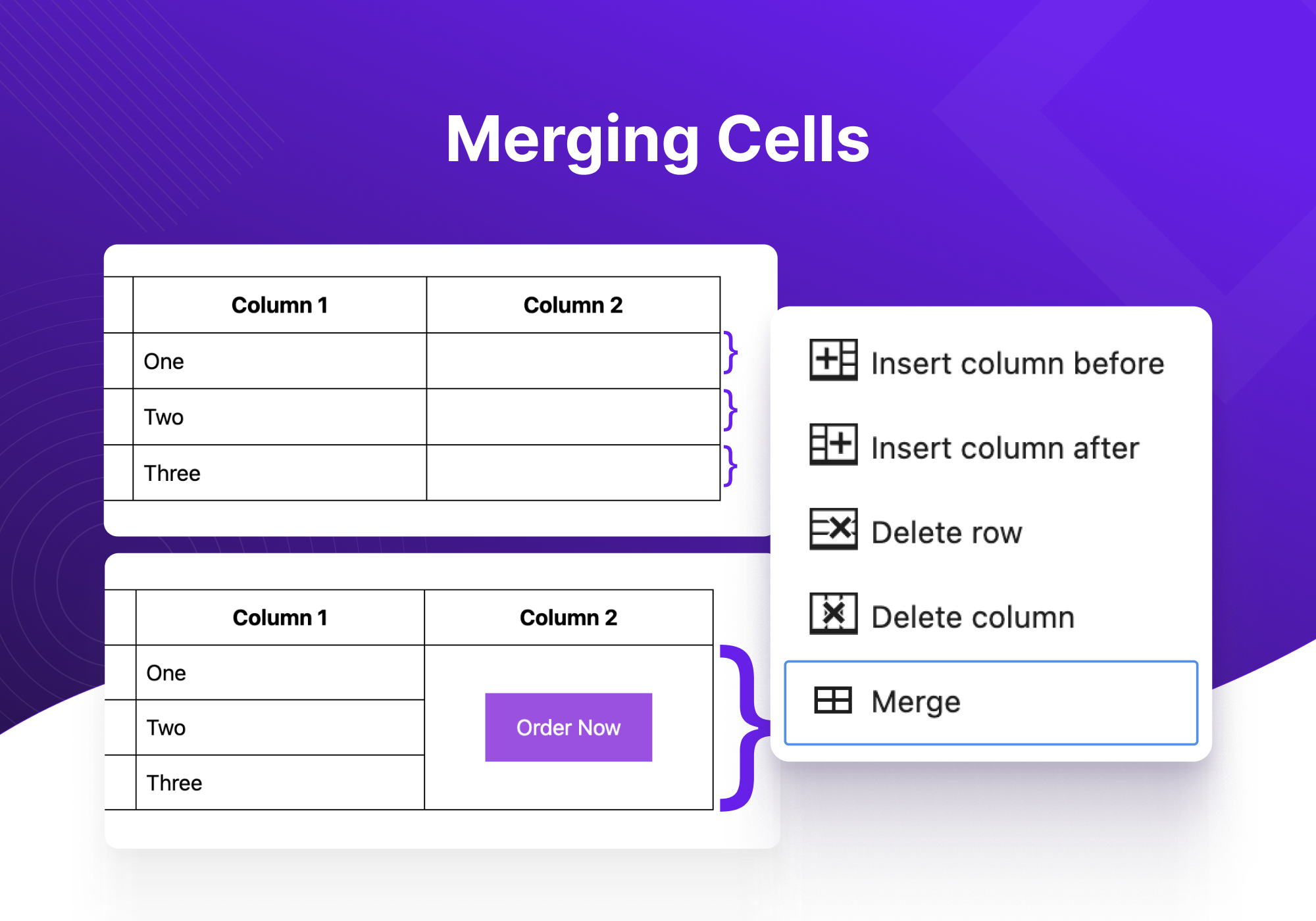
From pricing tables to product tables, you can build any type of tables using Tableberg. The plugin is designed for both novices and experienced users. It offers advanced functionalities like responsive controls, alignment adjustments, and cell merging, ensuring that tables look great on all devices without the need for coding skills.
Viene con los siguientes subbloques fáciles de usar:
- Párrafo: permite introducir texto simple dentro de una celda de tabla.
- Lista: facilita la adición de listas organizadas para aumentar la claridad.
- Botón: activa la inserción de botones clicables para llamadas a la acción.
- Imagen: es compatible con la adición de imágenes directamente en las celdas de la tabla.
- Puntuación por estrellas (Pro): Proporciona una opción para incluir puntuaciones de estrellas interactivas.
- Lista estilizada (Pro): ofrece listas con opciones de estilo adicionales.
- Ícono (Pro): permite integrar íconos para representar visualmente conceptos o acciones.
- Lazo (Pro): agrega lazos decorativos para resaltar información especial.
- HTML personalizado (Pro): permite el uso de HTML para personalizaciones complejas.
Estas son las principales características del plugin Tableberg:
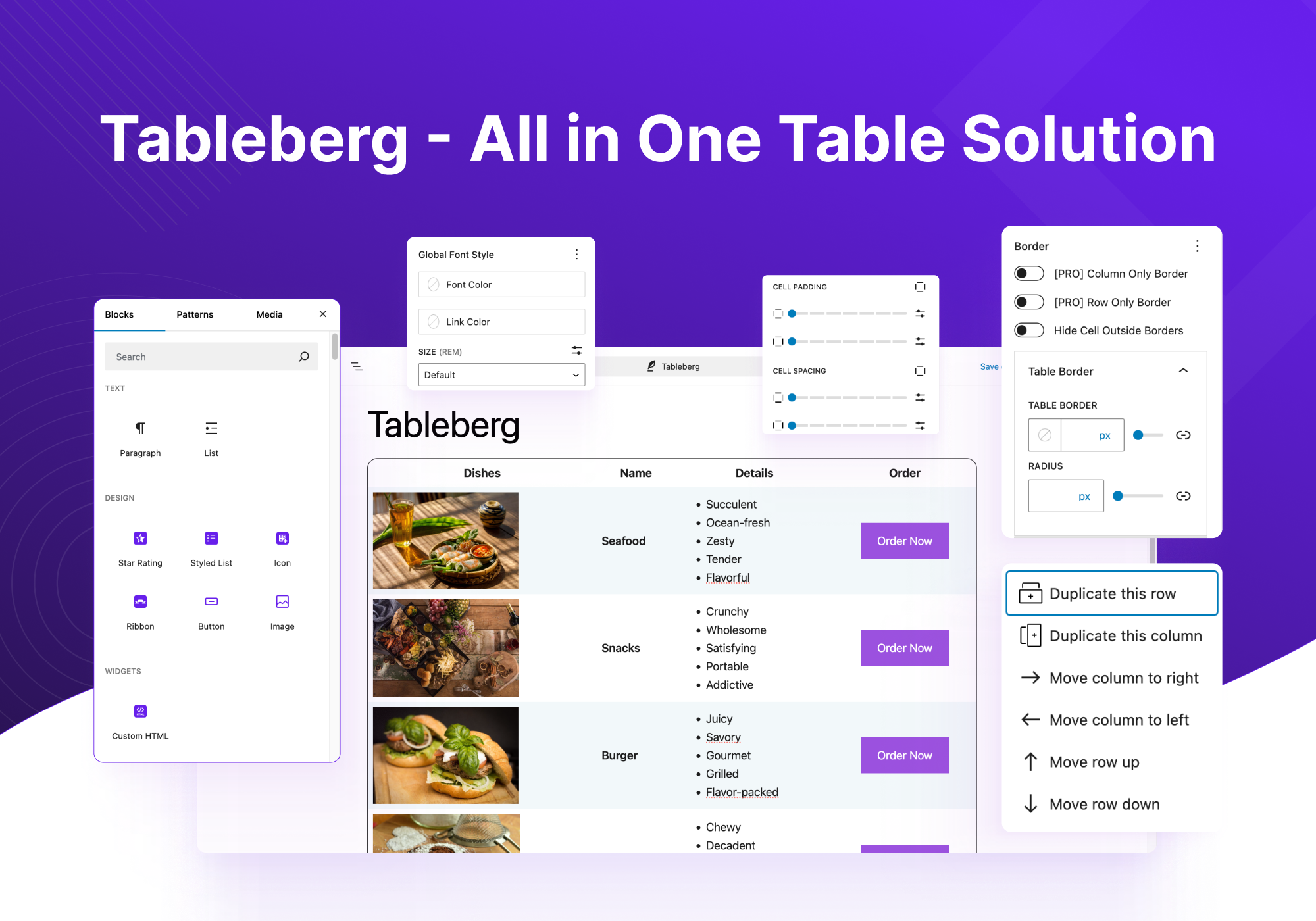
- Ajustes de cabecera: opciones para desactivar la cabecera, designar la fila superior como cabecera o insertar una nueva cabecera.
- Ajustes del pie de página: similares a los ajustes de cabecera, con opciones para el pie de página que incluyen desactivar, designar o insertar.
- Anchura y alineación de la tabla: ajusta la anchura total de la tabla y su alineación en la página.
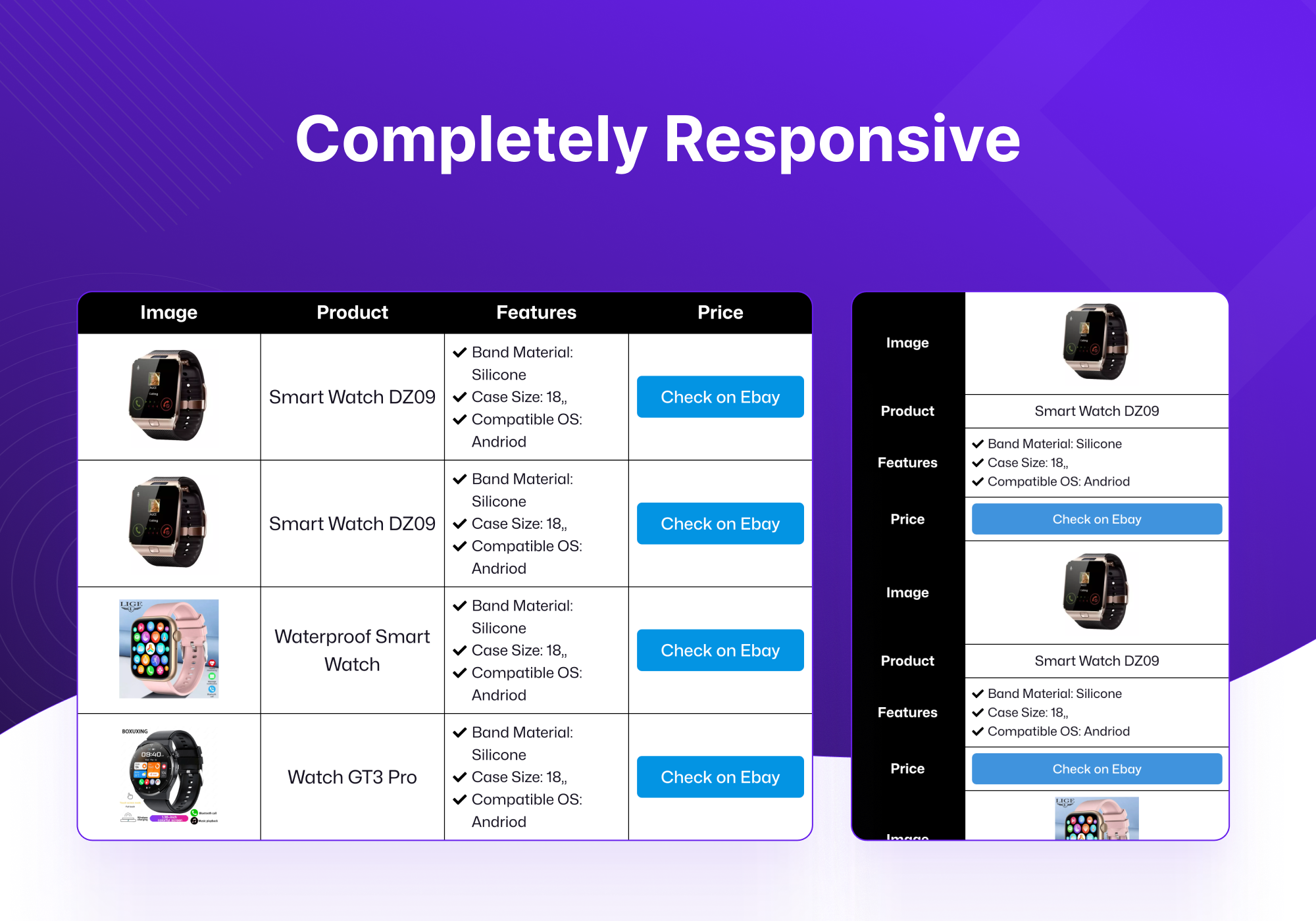
- Ajustes adaptativos: garantiza que la tabla se adapte a las pantallas de los distintos dispositivos (computador de sobremesa, tableta, móvil) para una visualización óptima.
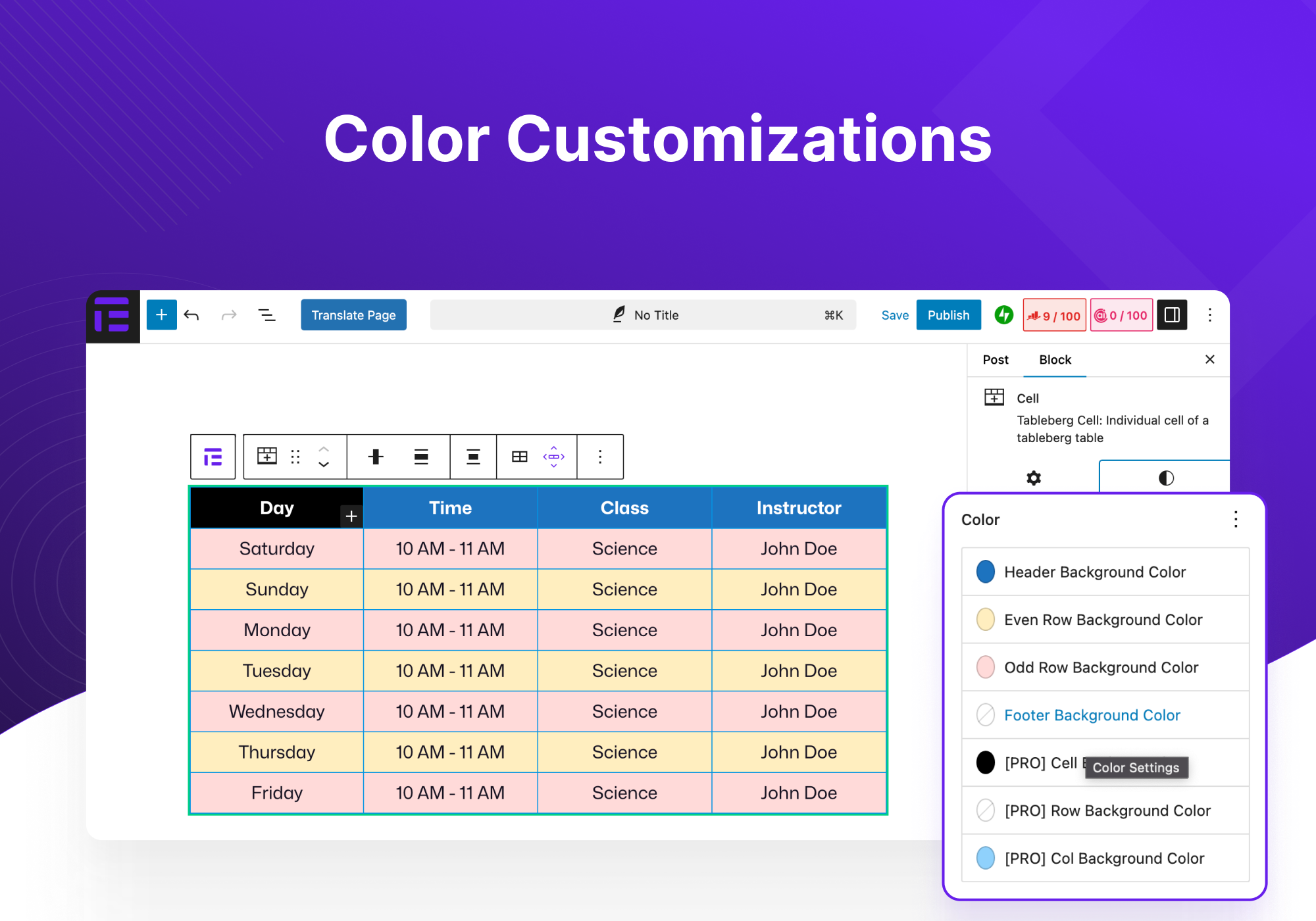
- Personalizaciones de color: cambia los colores de la cabecera, el pie de página y las filas pares e impares para mejorar la jerarquía visual.
- Relleno y espaciado de celdas: personaliza el espacio dentro de las celdas y entre ellas para mejorar la legibilidad.
- Opciones de borde: establece el tamaño del borde de la tabla, el color y decide si incluir bordes interiores con la personalización.
- Estilo de fuente global: controla el color de la fuente, el color del enlace y el tamaño de la fuente en toda la tabla.
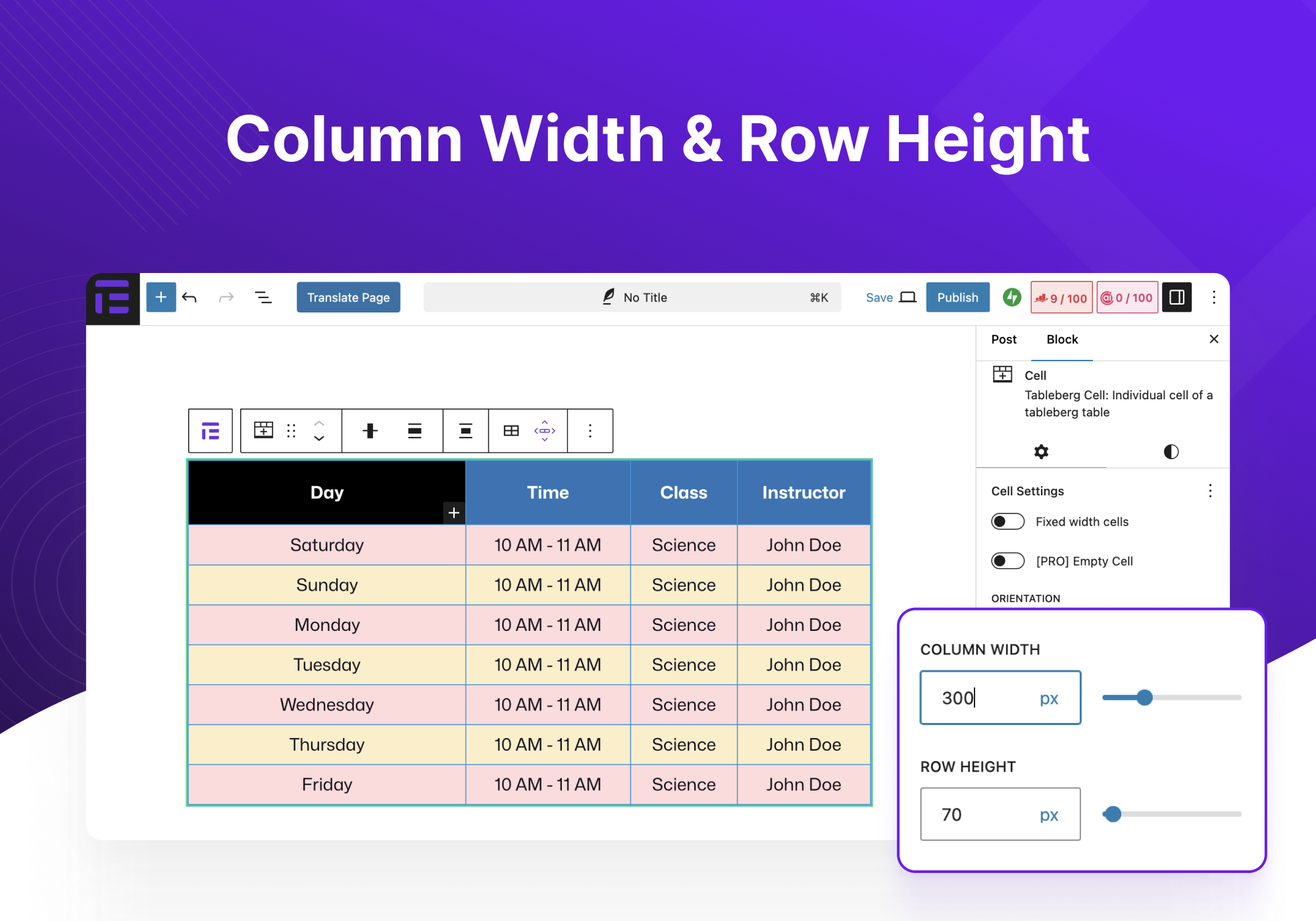
- Anchura de columna y alto de fila: ajusta el tamaño de las columnas y filas para adaptarlas al contenido o a tus preferencias estéticas.
- Personalizaciones para cada bloque: ajustes detallados para cada tipo de bloque insertado en la tabla.
Veamos ahora algunos casos de uso del plugin Tableberg:
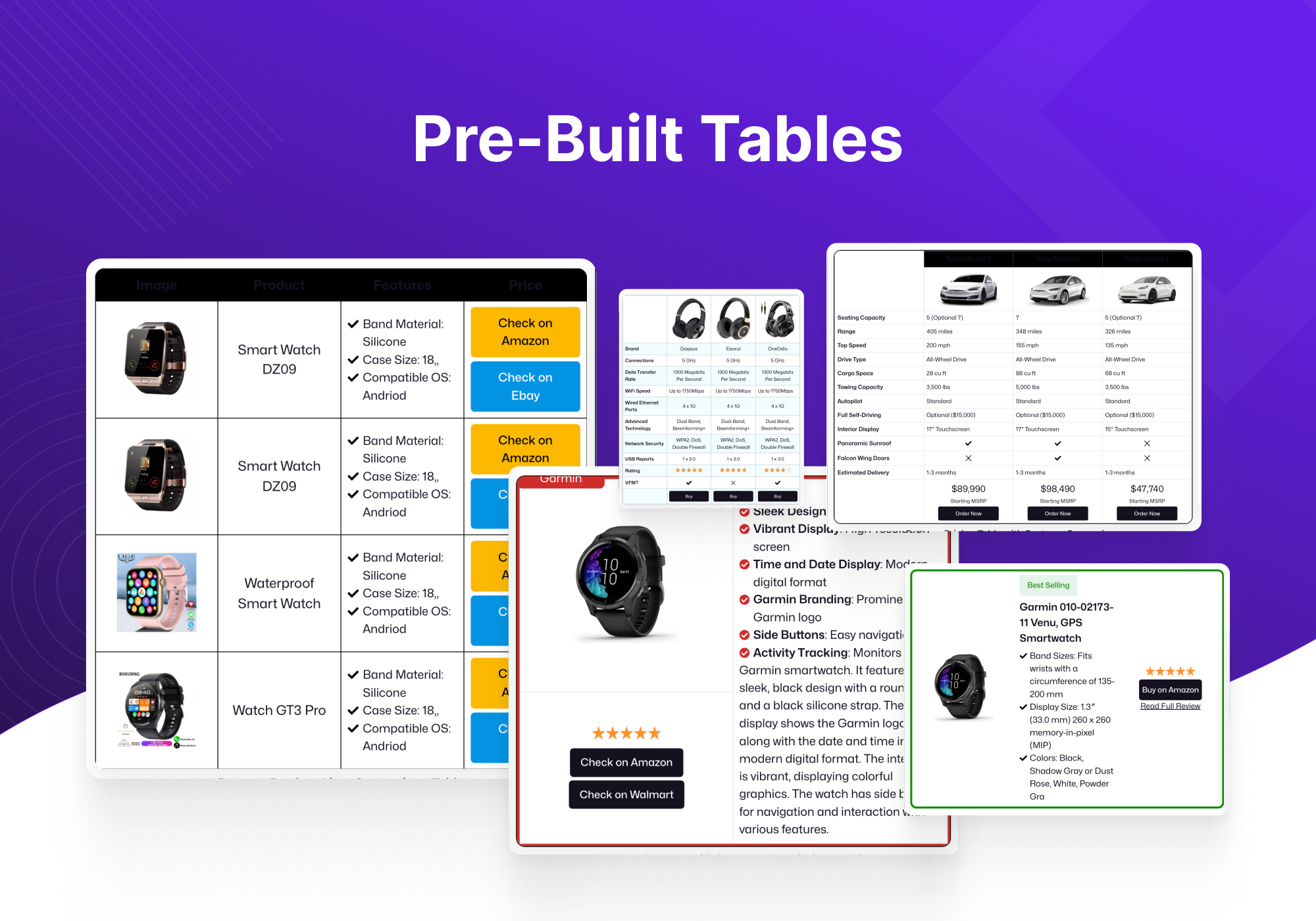
- Tablas de precios: ideales para mostrar diferentes niveles de precios con comparaciones claras de características y costes.
- Tablas comparativas: compara productos, servicios u opciones para facilitar la toma de decisiones.
- Tablas de productos de Amazon: muestra los productos de Amazon de forma eficaz, mejorando los esfuerzos de marketing de afiliación.
- Tabla de pros y contras: enumera claramente las ventajas y desventajas de cualquier artículo, ayudando a los lectores a tomar decisiones informadas.
- Tabla de miembros del equipo: muestra información sobre los miembros del equipo, como perfiles, biografías e información de contacto, de forma organizada.
- Tablas de programación: perfectas para diseñar programaciones de eventos, horarios de clases o citas.
- Tablas de menús de restaurantes: enumera los elementos del menú junto con las descripciones y los precios en un formato atractivo y fácil de leer.
- Más: la flexibilidad del plugin es compatible con una amplia gama de otras aplicaciones adaptadas a necesidades específicas.
Source Code
The full, human-readable source code ships with the plugin next to the compiled files. To build it, run npm install, then npm run build for the block editor and npm run build:admin for the settings dashboard.
Si tienes alguna sugerencia o has tenido algún problema, ponte en contacto con nosotros aquí. También puedes seguir a Tableberg en Twitter.
Capturas de pantalla
Bloques
Este plugin proporciona 2 bloques.
- Tableberg Table Block By Tableberg – Advanced Table Block for Block Editor
- Toggle for Tableberg Create a tabbed interface where each tab contains tables with full functionality.
Instalación
- Sube el archivo zip del plugin a través de la página de plugins de WordPress haciendo clic en “Agregar nuevo” y seleccionando el archivo zip de tu computador local.
- Activa los plugins a través del menú “Plugins” de WordPress.
Reseñas


Colaboradores & Desarrolladores
“Tableberg – Simple Gutenberg Table Block” es software de código abierto. Las siguientes personas han contribuido a este plugin.
Colaboradores


“Tableberg – Simple Gutenberg Table Block” ha sido traducido en 4 idiomas. Gracias a los traductores por sus contribuciones.
Traduce “Tableberg – Simple Gutenberg Table Block” a tu idioma.
¿Interesado en el desarrollo?
Revisa el código, echa un vistazo al repositorio SVN, o suscríbete al registro de desarrollo por RSS .
Historial de cambios
1.2.0
- NEW: The table’s typography moved to the Styles tab as a full Typography panel: font, size, appearance, line height, letter case, letter spacing and decoration
- NEW: Fill and Outline styles for the Button element, like the core Buttons block
- NEW: Copy Styles and Paste Styles for the Button element
- NEW: Wide and full table width, straight from the toolbar alongside the alignments
- NEW: Show First Column in Every Stack Row is now in the free version
- PRO: NEW: Row Text Color, which everything in the row inherits
- PRO: NEW: Ribbon text and background colours, in the Styles tab with the other colours
- PRO: NEW: Row and column border radius, next to their border controls
- PRO: NEW: Move a column left or right from the Edit Table menu; rows move with the editor’s own movers
- FIX: Links in a table keep the site’s own link colour until one is picked for them
- FIX: Stacked cells keep the gap between columns in responsive stack mode
- FIX: The search box icon no longer overlaps the text beside it
- PRO: FIX: The Icon element’s alignment now applies in the editor
- PRO: FIX: A new Styled List starts with its check icon in the editor, the way it already rendered on the site
- PRO: FIX: The star rating’s review text alignment works now, with the text under the stars as on the site
- IMPROVE: Every colour and border picker offers the theme, default and custom palettes
- IMPROVE: A new table takes its font size from the theme and its cell border colour from the text colour, matching the core Table block
1.1.5
- FIX: Large images no longer stretch table columns out of shape in the editor
- FIX: The Equal width columns option now appears for newly created tables
1.1.4
- NEW: Added a Block Spacing control for individual cells
- NEW: Added Copy and Paste Styles actions to the Text block
- PRO: NEW: Added Row Only and Column Only table border modes
- FIX: Table border radius now preserves clean rounded outer corners
- FIX: Header, footer, even and odd row background colors remain visible in responsive previews
- FIX: Pro-only attributes remain preserved without enabling Pro features when Pro is inactive
- FIX: Cell plus inserter now opens the Gutenberg block inserter instead of directly adding a Text block
- PRO: FIX: Row-only and column-only modes no longer add an unintended outside border
- FIX: Prevented rounded tables from duplicating cell borders on the outer wrapper
- PRO: FIX: Sticky First Column now remains anchored while scrolling horizontally
- IMPROVE: Pro elements now use standard Gutenberg block registration for more reliable editor integration
- IMPROVE: Strengthened CSS generation and renderer attribute handling
1.1.3
- FIX: Even/Odd/Header/Footer row background colors apply again without Pro active
- FIX: An Image element with “Enlarge on click” enabled no longer crashes the page
- FIX: Activating Pro no longer shows a duplicated deactivation dialog or gets stuck
- IMPROVE: Updated the bundled Freemius licensing SDK
1.1.2
- PRO: NEW: Empty Cell — hide a cell’s content on the live site while keeping it visible in the editor for you to edit
- PRO: NEW: Border controls for rows, columns and individual cells, in the Styles tab
- PRO: NEW: Background color controls for rows and columns
- PRO: FIX: A row’s own background color no longer gets overridden by the table’s default color
- PRO: FIX: Column border now outlines the column as a whole, instead of also adding a border between cells inside it
- FIX: Removed PHP notices and deprecation warnings shown on newer PHP versions (8.2+)
- IMPROVE: Internal code improvements between the free and Pro plugins for better performance and maintainability
1.1.1
- FIX: In the List element, Enter adds a new item and Tab / Shift+Tab indent and outdent it; nested items now show as a real nested list
- FIX: Column Width and Row Height are available again, on the sidebar of the selected cell
1.1.0
- PRO: NEW: Sticky First Column — keep the first column visible while scrolling horizontally
- IMPROVE: Rebuilt the table on real Gutenberg blocks — rows, cells and elements now use native selection, List View, drag to reorder, undo/redo and copy/paste
- IMPROVE: Existing tables are converted automatically the first time they are opened; older tables keep rendering unchanged on the frontend
- IMPROVE: Press Enter for a new text element and type “/” to insert any element inside a cell, just like paragraphs
- IMPROVE: Splitting a merged cell now returns each element to its original cell
- IMPROVE: Locked Pro controls are now fully non-interactive with a clearer unlock overlay
- PRO: IMPROVE: Ribbon settings are now in a single panel on the cell block
- PRO: IMPROVE: Duplicate Row and Duplicate Column moved into the cell toolbar
- PRO: IMPROVE: Per-cell Background Color and Vertical Alignment moved to the cell sidebar
- PRO: FIX: Enabling sorting no longer breaks the block
- PRO: FIX: Search, sorting and pagination now initialize correctly on the frontend
- PRO: FIX: Pagination is visible and usable again while editing
- FIX: Cross-row cell selection for merging with Ctrl/Cmd+click works again
- FIX: Header, footer, even and odd row background colors apply again
- FIX: Element font options, common elements alignment and cell spacing apply again
- FIX: Image border and radius apply in the editor
- FIX: Copying an element pastes as a real block anywhere in the editor
1.0.5
- NEW: Added margin and padding controls for Text block
- NEW: Added copy and paste style actions for table block
- NEW: Added an “Enlarge on click” (lightbox) option for the Image block
- NEW: Added an Icon Top Spacing control for Styled List items to fine-tune icon alignment
- IMPROVE: Made the Table’s block inserter available when table cells or blocks are selected
- IMPROVE: Reduced spacing between list items
- IMPROVE: Added a default black background and white text color for Button block
- FIX: Fixed text alignment when text wraps to a second line
- FIX: Fixed table border radius not applying
- FIX: Fixed styled list icon and text not aligning properly on the frontend, especially with smaller icons
- FIX: Fixed faux block toolbar selection for table cells and elements
- FIX: Fixed clicking on the table icon from toolbar will now select the whole table block
- PRO: FIX: Fixed styled list element controls and editor integration
1.0.4
- NEW: Margin and padding controls for the whole table block
- IMPROVE: Build a multi-cell selection for merging by holding Ctrl/Cmd/Shift while clicking cells
- IMPROVE: Hardened content rendering by removing direct innerHTML usage
- FIX: Table not showing on the frontend after converting from the core Table block
- FIX: Pasting text into table cells
- FIX: Edit toolbar detaching from the table when block padding is set
- FIX: Missing hover labels on the row and column edit toolbar buttons
- PRO: FIX: Styled list element not rendering on the frontend
1.0.3
- FIX: Spacing control appearance
1.0.2
- FIX: Custom toolbar getting hidden behind other elements.
- FIX: Custom toolbar getting hidden on click.
- FIX: Newly created tables become empty after reload.
- FIX: Custom column width not working.
- FIX: Custom font size picker not working for multi element font size picker
- FIX: Decrease font sizes on older tables
- PRO: FIX: Inserting styled list element crashes block
1.0.1
- NEW: Add custom class names for table and cells
- FIX: Fix PHP warnings
- FIX: Toggle block was registered too early
- FIX: Migrated tables’ font sizes were too large
1.0.0
- NEW: Introduced a new architecture for better performance and expanded feature support.
- PRO: NEW: Added new datatable feature: pagination.
- PRO: IMPROVE: Updated existing datatable features: search and sorting.
- PRO: NEW: Added dynamic data source.
- PRO: IMPROVE: Updated multi-cell selection and styling for multi-selected cells.
- IMPROVE: Moved cell controls for adding/removing rows and columns, and duplicating rows/columns, into a separate toolbar.
0.6.13
- Update freemius sdk
0.6.12
- FIX: XSS issue in button block
0.6.11
- FIX: Handle the case where Gutenberg edit-site is not available
0.6.10
- FIX: Check user authority before ajax calls
0.6.9
- NEW: Added pattern library
0.6.8
- FIX: Border separation not working for some themes
0.6.7
- FIX: Scroll option in responsive mode not working
- FIX: PHP warning: Undefined array key “tableAlignment”
0.6.6
- NEW: PRO: Create table with AI
- NEW: Control to change alignment of all children of all cells
- NEW: More controls to customize table caption
- FIX: Table center align not working properly
- FIX: XSS vulnerabilities
0.6.5
- FIX: Include required files in the zip
- FIX: Make all strings translatable
- FIX: Rename functions to avoid conflicts
- FIX: Sanitize outputs by escaping as needed
- FIX: Enable freemius wordpress.org compliance mode
- FIX: Change review link to show all ratings
0.6.4
- FIX: Update plugin name
0.6.3
- PRO: NEW: Woocommerce products table
- PRO: NEW: Search highlights matching text
- PRO: FIX: Search is now case insensitive
- NEW: Add table caption support
- FIX: Cell vertical alignment now also aligns inner blocks
0.6.2
- PRO: NEW: Add individual cell border control
- FIX: First column’s fixed width now persists on reload
- FIX: Added a missing class which would throw an error in some cases
0.6.1
- FIX: An XSS issue in button block
- FIX: Version control fatal error (sometimes occurred if plugin repository mirrors are used)
0.6.0
- FIX: Column stacking in responsive mode.
- FIX: An issue where tables made with some older versions won’t work.
- FIX: Performance issues in the patterns/prebuilt tables viewer.
- FIX: Table sometimes disappears in editor; especially during changing preview device.
- FIX: Fixed size column widths won’t persist after reload in editor.
0.5.9
- PRO: NEW: Toggle block
- FIX: Table disappearing when changing preview device, reloading posts etc.
0.5.8
- FIX: Custom HTML not displayed properly on frontend
- FIX: Color picker now shows theme colors
- IMPROVE: Decreased loading time of prebuilt table gallery
0.5.7
- PRO: NEW: Added search placeholder edit option
- PRO: NEW: Localized search placeholder
- Pro: New: Added block previews to all the blocks
- NEW: Added block previews to blocks and upsells
- FIX: Review asking section changed
- NEW: Added specific documentation link for each block
- NEW: Added more icons to icon block
- FIX: icon blocks select icon section scroll
- FIX: changed default Item spacing
0.5.6
- PRO: NEW: Added search option
- PRO: NEW: Added sorting option
- PRO: FIX: Column background problem
- NEW: Added disable theme style option
- FIX: Create paragraph block when creating cell
- FIX: Adding header/footer caused empty cells
0.5.5
- PRO: NEW: Empty Cell option
- PRO: NEW: Added orientation option in cell
- FIX: Set default image width 150px
- FIX: Button hover color in the editor
- IMPROVE: Added checked & close circle outline icons
- PRO: IMPROVE: Added option for enabling/disabling star rating review text
- FIX: Responsiveness in the frontend
- PRO: FIX: Split styled list on enter key
- PRO: FIX: Remove default background color when sticky row/col is enabled
0.5.4
- FIX: Odd Even row incorrect style
- FIX: Fixed width table in frontend
- FIX: Inner Border Radius problem
- FIX: Table Border Radius problem
0.5.3
- FIX: A notice being shown about block registration if pro is not active.
- FIX: Table border having problem when cell radius is set
- FIX: Cell spacing in wrong axes
- FIX: Even odd color getting swapped in frontend
- FIX: Button text styling not getting rendered
- PRO: FIX: Use iframe to display custom html
- PRO: FIX: Make row/col only border work with no outside border
- NEW: Table border radius control
- NEW: Item spacing inside cells
- NEW: Tableberg patterns
- PRO: NEW: Added badge ribbon
- PRO: NEW: Sort rows & columns by drag & drop
- PRO: NEW: Individual Row/Col background
- PRO: NEW: Individual Row/Col border with radius
- IMPROVE: Control cell outside border
- IMPROVE: Deactivate pro version when free version is deactivated
- IMPROVE: Show Tableberg when searched for Row/Column in editor
- PRO: IMPROVE: Added center position in badge ribbon
- PRO: IMPROVE: Added rotation option in badge ribbon
0.5.2
- NEW: Fixed width columns
- PRO: NEW: Row-only/Column-only border option
- PRO: NEW: Sticky row/column
- PRO: NEW: Duplicate row and column
- PRO: NEW: Individual cell background
- PRO: IMPROVE: Change default star rating color
- PRO: IMPROVE: Add font size changer for styled list item
- FIX: Escape all strings that come from attributes
- FIX: Issue with default border in frontend
- FIX: Button font size in frontend
0.5.1
- NEW: Added table alignment option for full screen
- FIX: Tableberg breaks dashboard in lower PHP versions
- FIX: Cell padding not working on frontend
- IMPROVE: Reduce css variables
0.5.0
- NEW: Add device type switching in responsive mode
- PRO: NEW: New pro blocks: custom html, styled list, star rating, icon, ribbon
- IMPROVE: Show table block controls in cell block (toolbar and sidebar)
- IMPROVE: Split js bundles and reduce bundle sizes
- IMPROVE: Exclude empty paragraphs when cells are merged
- IMPROVE: Change toolbar button labels to differentiate
- IMPROVE: Show block toolbar when creating table
- FIX: An issue with even odd row color
- FIX: An issue with cell background color in responsive mode
- FIX: An issue where tableberg will not load on a fresh wordpress install
- FIX: Move blocks to the proper cells on undo of cell merge
- FIX: An issue where splitting rows on last column would break
- FIX: Resetting values now work properly
0.4.1
- NEW: Add padding controls to button block
- IMPROVE: Change table border in responsive mode
- IMPROVE: Add a button to responsive controls to convert top row to header
- FIX: A problem with unsplitting at the end of a row
0.4.0
- NEW: Add support for responsive table
- NEW: Alignment control for cell child blocks
- NEW: Add support for converting core table to tableberg
- IMPROVE: (Image block) Preserve aspect ratio while resizing
- IMPROVE: Display block appender when cell children are selected
- IMPROVE: Shift+click multi selection update (behaves like MS Excel)
- FIX: Wrong css placeholder in cell child blocks (e.g. list)
- FIX: (Button block) Incorrect hover colors in editor
- FIX: (Image block) Aspect ratio not preserved when resizing via handles
- FIX: (Image block) Center alignment not working
- FIX: (Image block) Images float when multiple consequent images
- FIX: (Image block) URL not set in editmode
- FIX: (Paragraph block) First and last margin issue
0.3.3
- NEW: Split merged cells
- IMPROVE: Change table header and footer controls
- IMPROVE: Paragraph block placeholder text shortened
- FIX: Use th tags in header and footer
0.3.2
- FIX: Default value of column and row in blank table creator dialog
- FIX: Row color problem
0.3.1
- HOTFIX: Fixed the issue where plugin could not be activated.
0.3.0
- NEW: Add cell spacing functionality.
- IMPROVE: Row block removed. Cell blocks are added directly to tableberg table block.
- IMPROVE: Multiple cells can be merged now.
- FIX: Adding non-cell blocks to table block breaks the layout.
0.2.1
- FIX: (Button Block) Fixed PHP errors on frontend.
0.2.0
- NEW: Added plugin page with instructions, documentation, and support.
- NEW: Added table block preview.
- NEW: (Table Block) Added custom block logo.
- NEW: (Table Block) Added block transform: transform core block into tableberg block.
- NEW: (Table Block) Added table alignment control to toolbar.
- NEW: (Table Block) Added global font style controls: Text Color, Link Color, Font Size.
- NEW: (Button Block) Added gradient support.
- IMPROVE: Decreased initial spacing
- IMPROVE: Changed block name from “Tableberg Image” to “Image”.
- FIX: (Table Block) Fixed an issue with table footer toggle.
- FIX: (Table Block) Show block toolbar when add table placeholder dialog is shown.
- FIX: (Table Block) Fixed an issue with adding a new row.
- FIX: (Table Block) Fixed an issue with undoing adding a row.
- FIX: (Table Block) Fixed an issue with undoing adding a column.
- FIX: (Button Block) Fixed an issue with color.