
Descripción
WhatAvatar is a powerful, customizable avatar editor for WordPress that lets your users create their own unique identity without uploading personal photos.
Replace traditional avatar uploads with a creative avatar builder that puts customization in your users hands while giving you full control over the available options and unlocking system.
Protect user privacy, prevent inappropriate image uploads and offer a fun avatar editor tailored for online communities, e-learning platforms (LMS), membership sites and child-safe environments.
👉 Live Demo 👈
🚀 Why WhatAvatar?
Say goodbye to moderation headaches and generic avatars. WhatAvatar brings users creative freedom over their digital identity while gives site owners absolute control over design and security.
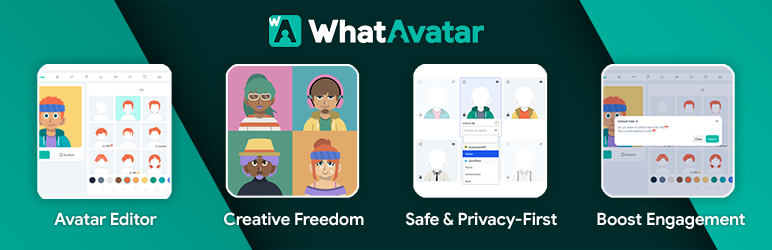
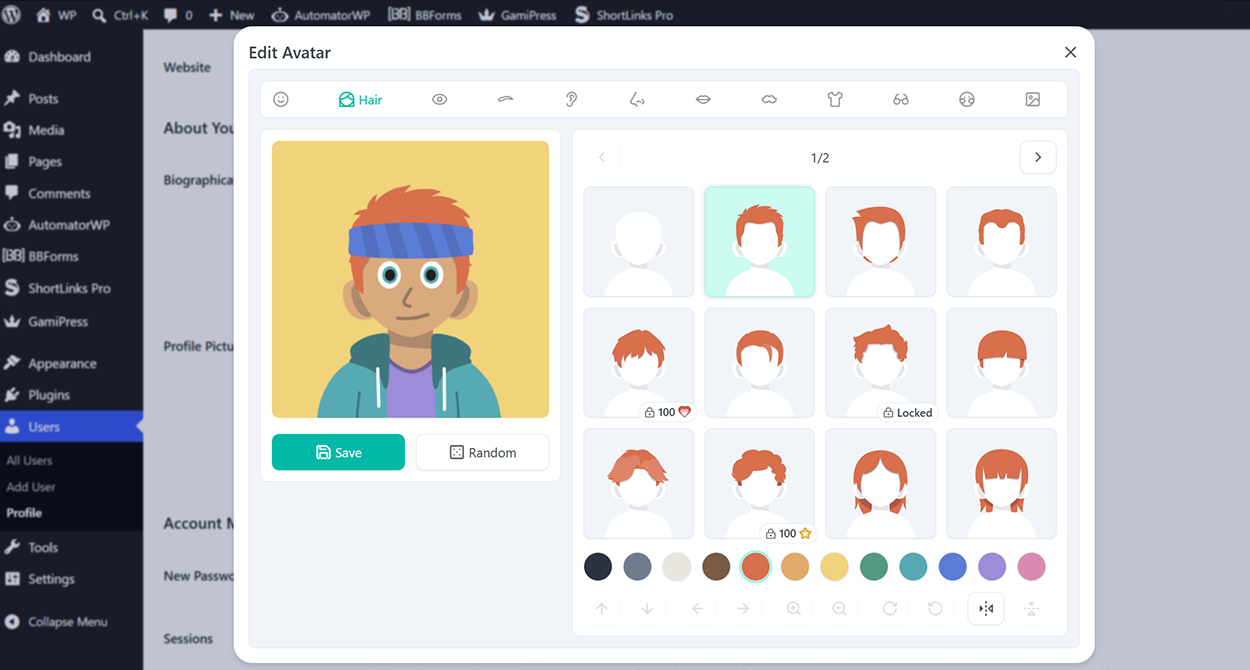
- 🎨 Creative Freedom: Let users mix and match hairs, outfits, accessories and colors using a modern avatar editor.
- 🛡️ Safe & Privacy-First: Protect your site from explicit, copyrighted, or inappropriate image uploads. Perfect for minors, schools (LMS) and communities.
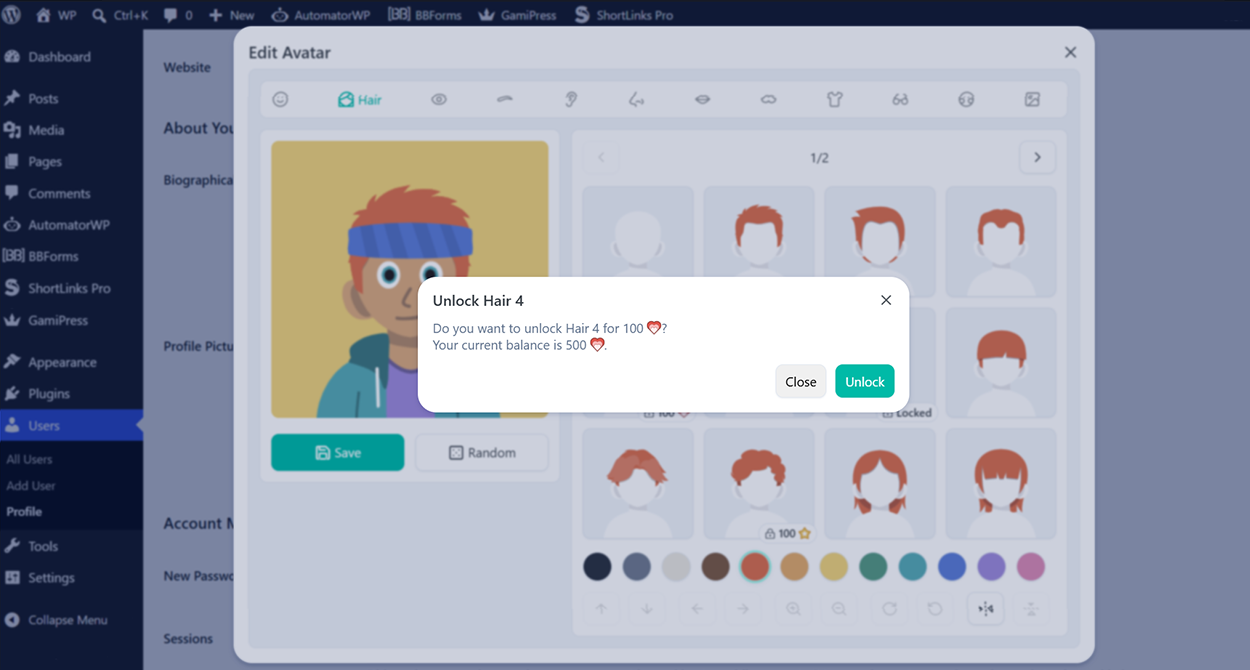
- 🏆 Boost Engagement: Lock avatar parts behind points, course completions, or store purchases to keep interest high and boost user participation.
- 🔌 Seamless Integrations: Integrates into the profile editing areas and replaces avatar uploads across top plugins with a few clicks.
🔥 Features
🎛️ Fully Customizable Avatar Builder
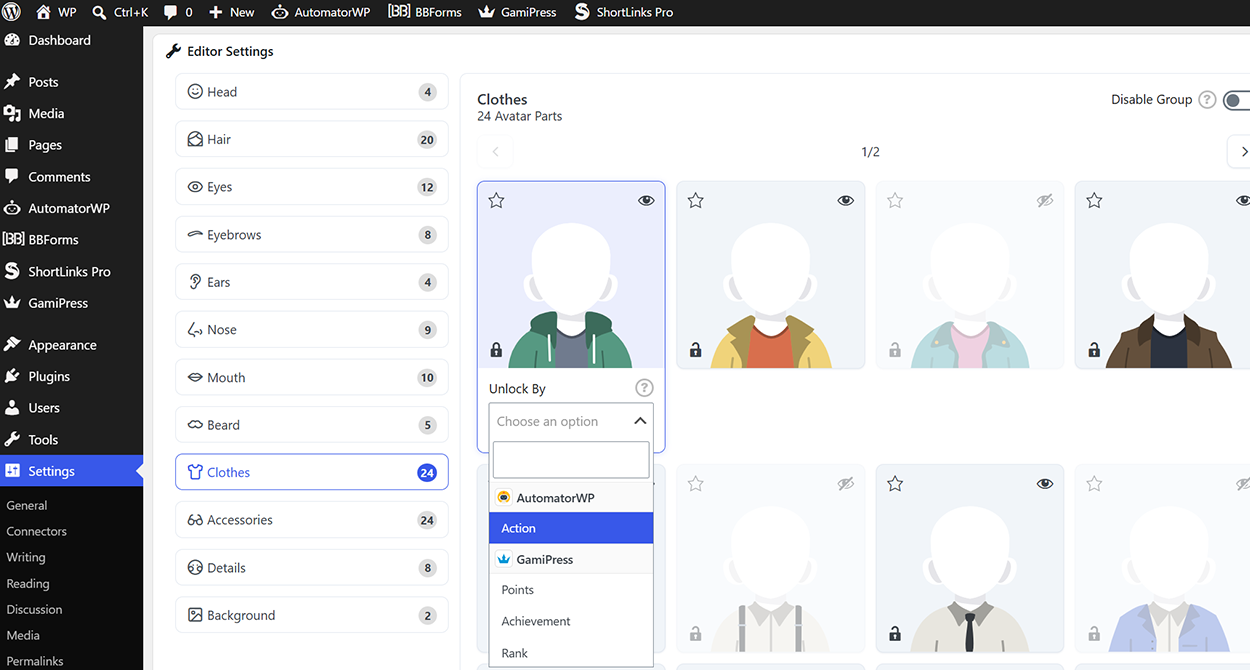
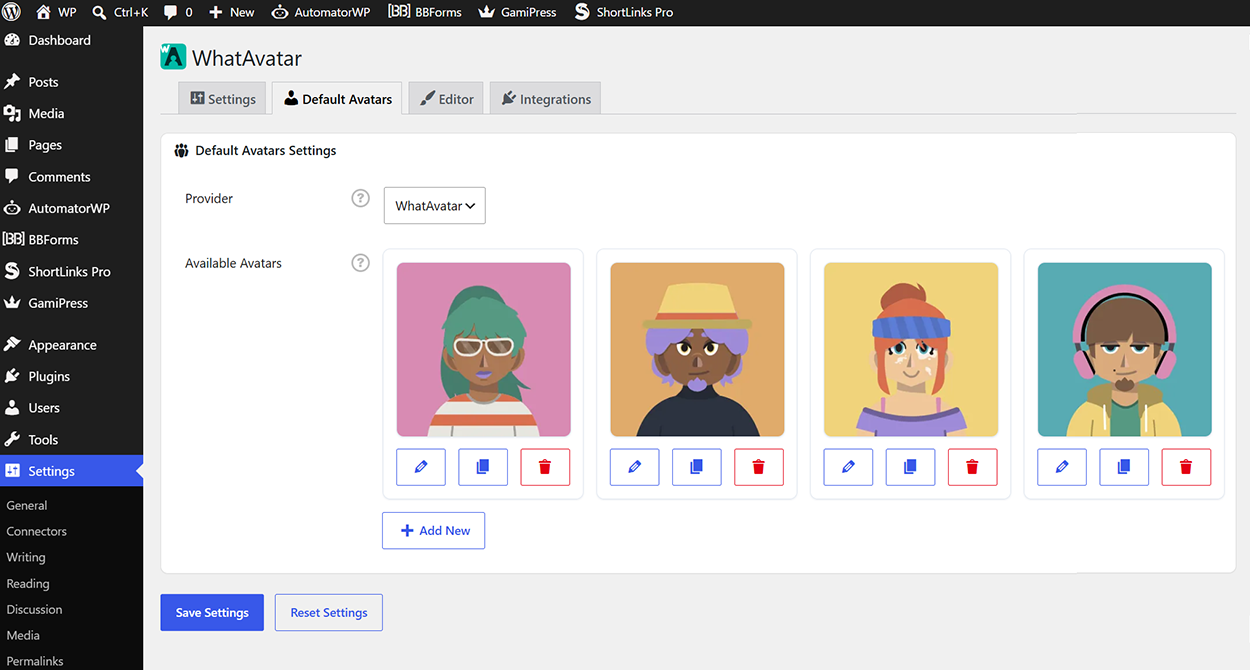
Customize available parts, disable unwanted parts (e.g., disable certain eyes, noses or beards) and configure the default avatars for users without one.
🎮 Gamified Unlocks with GamiPress
Turn avatars into status symbols! Restrict specific clothing, or rare accessories behind GamiPress points, achievements and ranks. Give your members a reason to keep coming back and earning.
⚡ Automate Avatar Unlocks with AutomatorWP
Unlock avatar items using AutomatorWP automations and connect avatar unlocks to over 300+ plugins and external services.
- WooCommerce: Unlock exclusive outfits when a user purchases a product.
- TutorLMS: Award special hat when a user completes a course.
- BBForms: Grant unique items when a user fills a form.
⚙️ Integrations
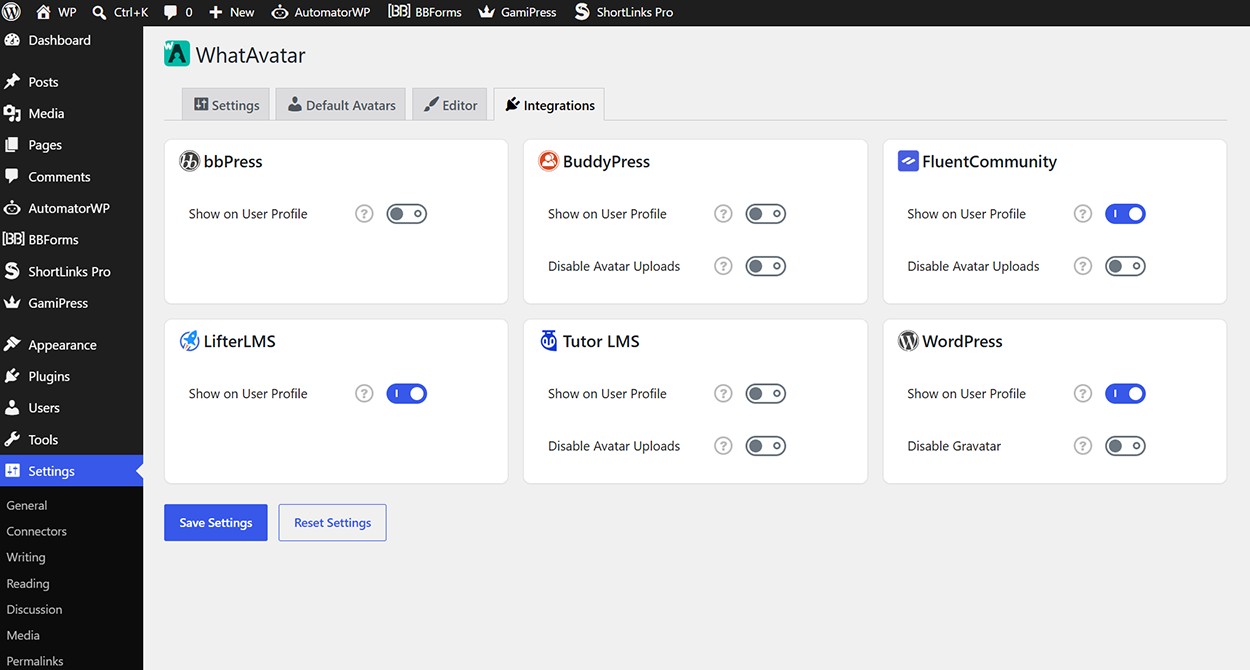
WhatAvatar integrates flawlessly into the profile editing areas of your favorite plugins. You can also disable image uploads and replacing them with the WhatAvatar editor. The supported plugins are:
🫂 Community integrations
- Asgaros Forums
- bbPress
- BuddyPress
- BuddyBoss
- FluentCommunity
- PeepSO
- PublishPress Authors
- User Frontend
- UsersWP
- wpForo
- WP User Manager
🎓 LMS integrations
- LearnDash
- LearnPress
- LifterLMS
- MasterStudy LMS
- Sensei LMS
- TutorLMS
- WP Courseware
🛒 eCommerce & membership integrations
- Easy Digital Downloads
- MemberPress
- Paid Memberships Pro
- Ultimate Member
- User Registration & Membership
- WooCommerce
⭐ Premium version available
Take the avatar customization experience to the next level with WhatAvatar PRO, designed for growing networks, creators, and enterprise learning portals.
- 👑 Premium Avatar Parts: Bring your users the most exclusive, cutting-edge designs.
- 📦 Themed Part Bundles: Access seasonal and thematic avatar parts (Christmas, Jobs, …).
- 🌈 Custom Color Palettes: Customize the color palettes to bring diversity self-expression.
- 🎨 Advanced Color Picker: Add a color picker to allow members to fine-tune exact color.
- 🌙 Dark Mode & Custom UI Themes: Match the avatar editor seamlessly with your site’s aesthetic, including dark mode and color scheme customization.
- 📥 High-Res Avatar Downloads: Allow users to export their avatars for external profile pictures or social media sharing.
- 🛠️ Enhanced Editor Tooling: Customize which controls are visible inside the editor.
♥️ More plugins from the WhatAvatar team
🕹️ GamiPress – Gamification plugin to reward users with points, achievements, badges & ranks.
🤖 AutomatorWP – Automator plugin that connects +300 plugins, platforms and sites together.
🔗 ShortLinks Pro – Link management plugin for shortened URLs & branded affiliate links.
📋 BBForms – Code form plugin designed to help you build multipurpose forms in seconds!
Capturas de pantalla

Bloques
Este plugin proporciona 1 bloque.
- WhatAvatar
Instalación
From WordPress backend
- Navigate to Plugins -> Add new.
- Click the button “Upload Plugin” next to “Add plugins” title.
- Upload the downloaded zip file and activate it.
Direct upload
- Upload the downloaded zip file into your
wp-content/plugins/folder. - Unzip the uploaded zip file.
- Navigate to Plugins menu on your WordPress admin area.
- Activate this plugin.
FAQ
-
What is WhatAvatar?
-
WhatAvatar is a flexible avatar plugin that brings a powerful, customizable avatar editor to WordPress profile pages, allowing users to create and personalize their own digital identity.
It can also replace Gravatar and profile picture uploads with custom-created avatars, helping protect user privacy and prevent inappropriate images from being uploaded and displayed across your website.
-
Can WhatAvatar disable Gravatar?
-
Yes, you can disable it from your admin dashboard by navigating to Settings > WhatAvatar > Integrations > WordPress > Disable Gravatar.
Additionally, WhatAvatar lets you configure default avatars for users who haven’t created their own yet.
-
Can WhatAvatar disable image uploads from other plugins?
-
Yes, you can disable it from your admin dashboard by navigating to Settings > WhatAvatar > Integrations > and you will find options for each plugin.
-
Can users unlock additional avatar parts?
-
Yes. You can offer different ways for users to unlock avatar parts thanks to GamiPress & AutomatorWP, creating more opportunities for engagement and progression.
-
Can I customize the available avatar parts?
-
Yes. You can manage the avatar parts available to your users, giving you full control over the customization options.
In your admin dashboard, navigate to Settings > WhatAvatar > Editor to configure them.
-
Can I set default avatars for new users?
-
Yes. You can fully configure default avatars for new members or guest users who haven’t yet customized their avatar.
In your admin dashboard, navigate to Settings > WhatAvatar > Default Avatars to configure them.
-
Can I display the avatar editor?
-
Yes, you can use the WhatAvatar Block or the ´[whatavatar]´ shortcode to display the user’s avatar along with the avatar editor.
-
Can I display the user avatar?
-
Yes, simply use the WhatAvatar Block & ´[whatavatar]´ Shortcode and disable the “avatar editor” options.
To display only the avatar using the shortcode, use: ´[whatavatar editor=”no”]´
-
Is WhatAvatar safe for websites with minors or educational platforms?
-
Yes, absolutely. Because users build their identity using pre-approved graphical elements rather than uploading external images, WhatAvatar protects your users privacy, prevents exposure to inappropriate content, and ensures full compliance in school, LMS, and youth community environments.
-
Will WhatAvatar slow down my site?
-
No. WhatAvatar is engineered with performance in mind.
Its assets and scripts are extremely lightweight and are only loaded on pages where the avatar editor is actively embedded or rendered.
-
Is WhatAvatar compatible with any WordPress theme?
-
Yes. WhatAvatar is designed to work with any standard-compliant WordPress theme.
Additionally, it has been rigorously tested and optimized across a wide range of popular WordPress themes.
-
Which plugins have built-in integration with WhatAvatar?
-
The following plugins use the default WordPress profile editing screen, so no additional configuration is required. The plugins are:
- LearnDash
- Asgaros Forums
Reseñas


Colaboradores & Desarrolladores
“WhatAvatar – Custom Avatar Builder for WordPress” es software de código abierto. Las siguientes personas han contribuido a este plugin.
Colaboradores


“WhatAvatar – Custom Avatar Builder for WordPress” ha sido traducido en 3 idiomas. Gracias a los traductores por sus contribuciones.
Traduce “WhatAvatar – Custom Avatar Builder for WordPress” a tu idioma.
¿Interesado en el desarrollo?
Revisa el código, echa un vistazo al repositorio SVN, o suscríbete al registro de desarrollo por RSS .
Historial de cambios
1.0.7
- Improvements
- PeepSO: Improved avatar management when using both profile photo uploads and WhatAvatar.
- CSS improvements when displaying the avatar editor inline.
1.0.6
- New Features
- New integration: PublishPress Authors
- New integration: UsersWP
1.0.5
- New Features
- New integration: User Frontend
- New integration: WP User Manager
- Bug Fixes
- PeepSO: Fixed avatar preview.
- Improvements
- Improve the styling of admin settings for mobile screens.
1.0.4
- Bug Fixes
- PeepSO: Fixed current user avatar display.
- Developer Notes
- Performed migration of blocks to API version 3.
1.0.3
- New Features
- New integration: WP Courseware
- New integration: MemberPress
- New integration: Paid Memberships Pro
- New integration: MasterStudy LMS
1.0.2
- New Features
- New integration: WooCommerce
- New integration: Easy Digital Downloads
- Improvements
- Editor style improvements on mobile screens.
1.0.1
- New Features
- New integration: LearnPress
- New integration: Sensei LMS
- New integration: wpForo
- New integration: User Registration & Membership
1.0.0
- Initial Release.