
Descripción
WP EasyCart es un potente plugin GRATUITO de tienda de comercio electrónico y carrito de la compra para WordPress que se instala en webs nuevas o existentes.
¡Consigue una tienda rápida de comercio electrónico en WordPress con un carrito de la compra en cuestión de minutos! Vende productos al por menor, suscripciones, productos digitales descargables, tarjetas de regalo, donaciones, servicios ¡y mucho más!
EasyCart es un carrito completo de Stripe, Square y PayPal en uno. Utiliza los pagos de Stripe para vender productos de suscripción y facturación periódica, así como para ofrecer Apple Pay, Google Pay y Microsoft Pay.
Vende tus productos en los Medios Sociales con nuestra extensión premium para Facebook e Instagram. WP EasyCart facilita la venta en Facebook e Instagram con tu carrito de WordPress.
WP EasyCart ofrece más de 30 soluciones de pago que cumplen con la SCA (Stripe, Square y PayPal Express), así como opciones que cumplen con la RGPD. Un carrito de comercio electrónico internacional no es problema para EasyCart.
ediciones del carrito de la compra para el comercio electrónico
WP EasyCart viene en 3 ediciones diferentes de carrito de la compra para cubrir todas las necesidades de las tiendas online.
Versión GRATUITA de comercio electrónico – Productos ilimitados, pedidos ilimitados y vende con PayPal Express, Square y Stripe.
Versión profesional de comercio electrónico – Sin cuotas, más de 30 pasarelas de pago adicionales, calculadoras de envío en vivo, cupones, promociones, edición de pedidos, pagos con billetera digital (Apple Pay y Google Pay), productos de suscripción, ¡y más!
Versión Premium de comercio electrónico – ¡Todo lo que hay en la versión profesional más aplicaciones para escritorio, tableta, iPhone y Android, además de más de 10 extensiones premium! Facebook e Instragram, ShipStation, Stamps.com, Quickbooks para escritorio y otras.
enlaces populares
- WP EasyCart website
- What’s in the Professional Edition?
- What’s in the Premium Edition?
- Online eCommerce Demos and Themes
- Need Online Support?
- Compare eCommerce Editions
- Compare Competition Shopping Carts
tienda de comercio electrónico para cada tema
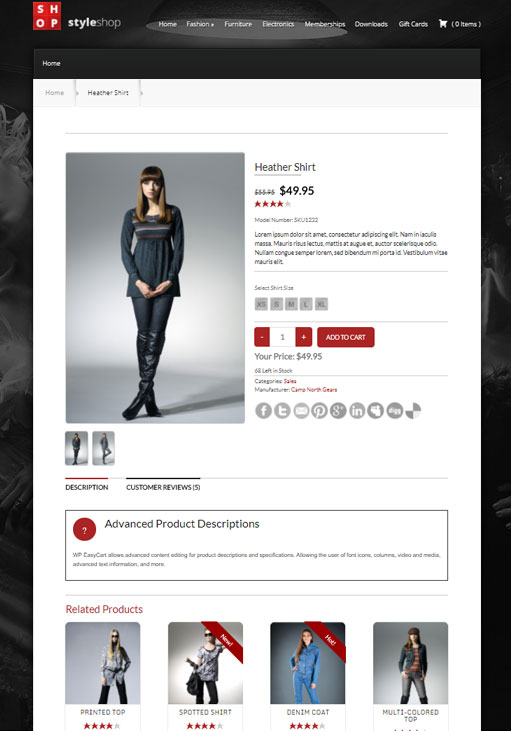
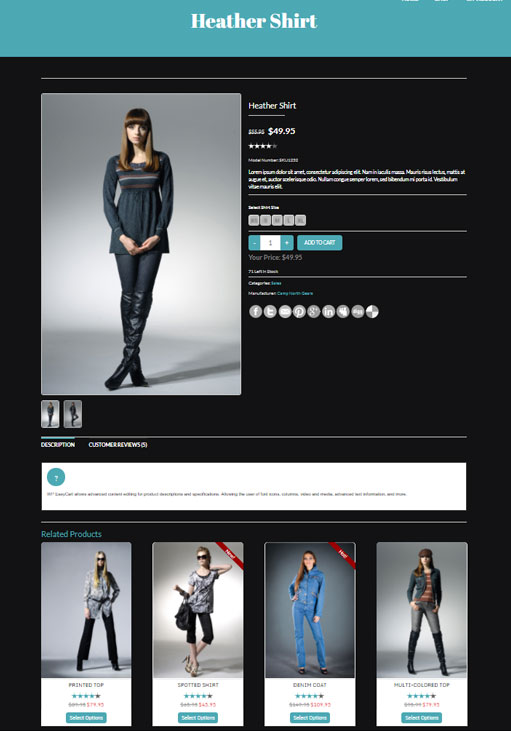
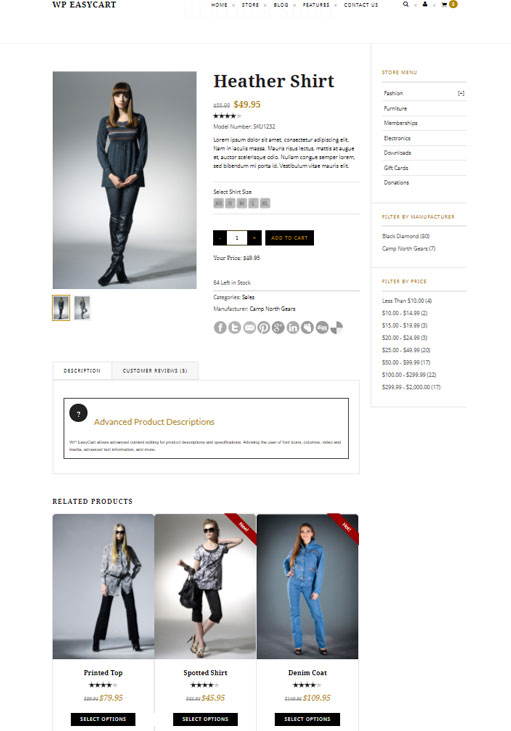
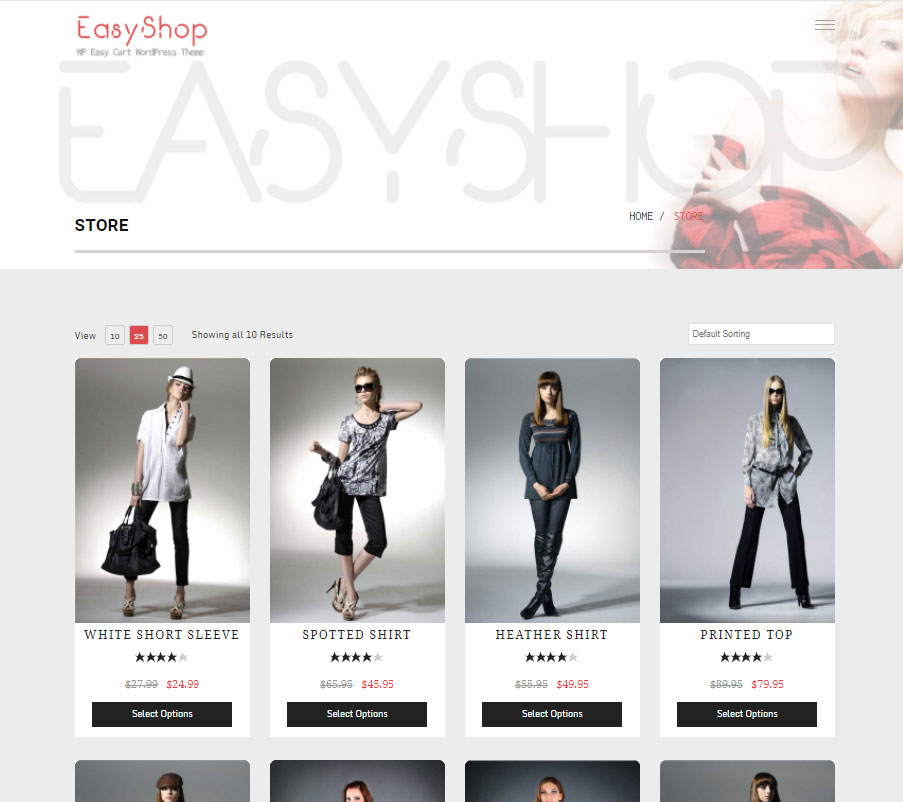
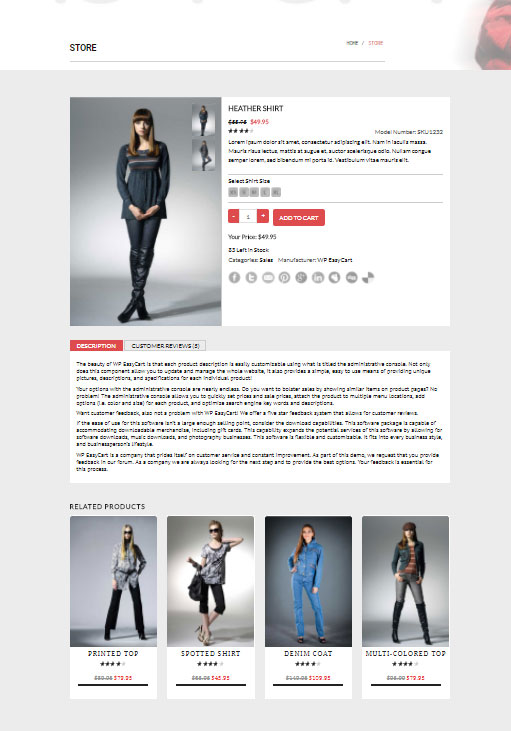
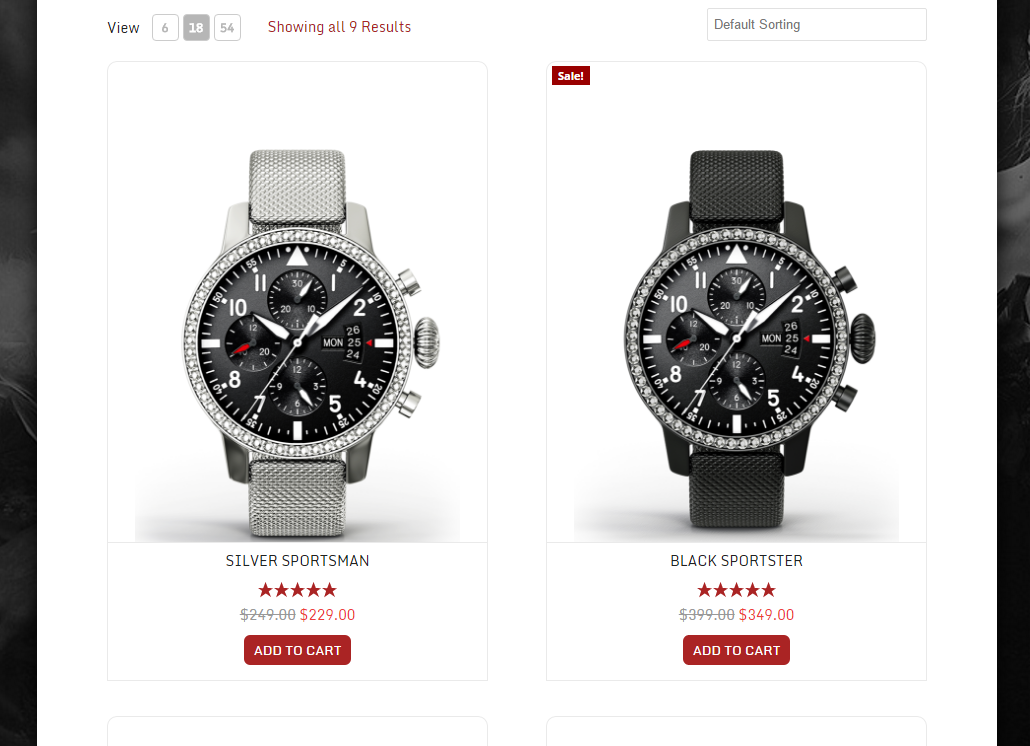
El plugin del carrito de la compra de WordPress creará automáticamente 3 nuevas páginas en WordPress para la tienda, el carrito y la cuenta. Personalízalo con todas nuestras características básicas de diseño, utiliza las características multidivisa y multiidioma, incluso agrega uno de nuestros doce widgets a una barra lateral para ayudarte a empezar a vender tus productos.
WP EasyCart es un carrito completo de Stripe, Square y PayPal en un solo sistema. El carrito de la compra te permite utilizar los pagos de Stripe, Square y PayPal en un solo carrito.
Pasa a ser GRATIS o pasa a ser PRO/Premium
WP EasyCart es un plugin de comercio electrónico GRATUITO que te permite vender un número ilimitado de productos, gestionar pedidos, crear envíos básicos e impuestos, y cobrar pagos utilizando PayPal Express, Square o Stripe ¡dentro de tu carrito!
Actualiza al carrito de la compra Profesional o Premium y desbloquea la edición de pedidos, suscripciones, pagos periódicos, contenido de membresía, Apple Pay, Google Pay, Microsoft Pay, más de 30 procesadores de pago adicionales, cupones, promociones y otras características increíbles.
Con el carrito de la edición Premium, consigues todas las grandes características de la versión Profesional, además de acceder a más de 10 extensiones.
* Feed de Facebook e Instagram
* ShipStation
* Quickbooks para computadores de sobremesa
* Stamps.com
* Importador de Groupon
* Y muchos más…
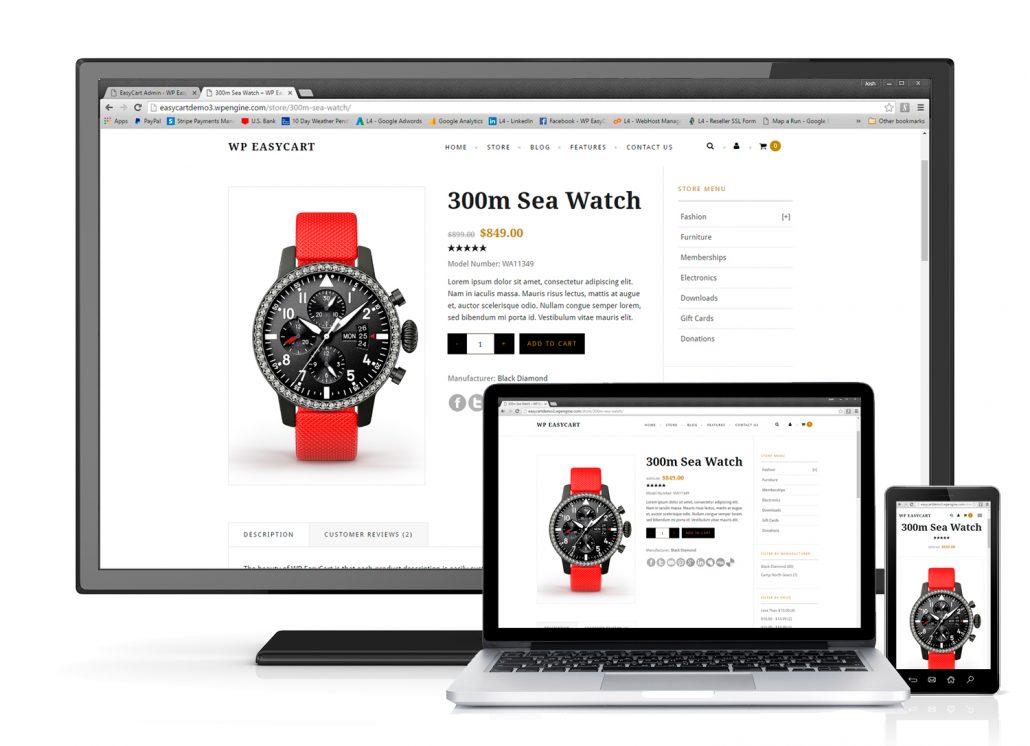
Los usuarios de la edición Premium también pueden utilizar nuestras aplicaciones externas para computadores PC/Mac, tabletas iPad/Android y móviles iPhone/Android. No solo puedes vender con el comercio electrónico móvil, sino que puedes gestionar tu tienda en dispositivos móviles.
Comparar todas las ediciones del carrito de la compra: Comparar ediciones del carrito de la compra
Opciones de pago
La edición GRATUITA del carrito de la compra de WP EasyCart viene con PayPal Express, Square y Stripe para recoger el pago de casi cualquier país del mundo de forma segura y rápida.
Las ediciones Professional & Premium vienen con más de 30 procesadores de pago en vivo tales como Square, Stripe, Authorize.net, FirstData, Payment Express, PayPal Pro, Intuit, y muchos otros.
Los usuarios de Professional & Premium pueden utilizar el amplio sistema de pago de Stripe, que ofrece suscripciones, pagos con carteras digitales, Apple Pay, Google Pay, Microsoft Pay y algunas de las mejores herramientas de protección contra el fraude del sector.
Desbloquea TODAS las pasarelas de pago que ofrecemos en cualquiera de estas ediciones populares. Ver una lista completa de todas las pasarelas de pago de la edición gratuita y de pago: Ver todas las pasarelas de pago aquí
Envíos & Impuestos
La edición GRATUITA del carrito de la compra de WP EasyCart viene con una amplia tabla de tarifas de envío por precio, peso, cantidad y sistemas basados en porcentajes. Configura impuestos estándar basados en estados/provincias y países.
Las ediciones del carrito Profesional & Premium incluyen todas nuestras integraciones de envío vivas con USPS, UPS, FedEx, DHL, Canada Post y Australia Post. En cuanto a los impuestos, puedes utilizar la API de TaxCloud para obtener tarifas de impuestos precisas ciudad por ciudad.
Comparar todas las ediciones del carrito de la compra: Comparar ediciones del carrito de la compra
Gestión de pedidos
WP EasyCart’s FREE shopping cart edition lets you manage orders from within WordPress. Print sales receipts & packing slips, add shipping notes, email customers, and view order information in one easy location.
Las ediciones del carrito de la compra Profesional & Premium te permiten editar artículos de línea, agregar nuevos artículos de línea y editar todos los datos de los pedidos de los clientes para obtener una solución empresarial completa.
Comparar todas las ediciones del carrito de la compra: Comparar ediciones del carrito de la compra
Marketing
Todos los plugins de comercio electrónico de EasyCart vienen con edición SEO para cada producto, menú y categoría que crees para ayudar a vender tus productos. El intercambio social también permite a tus visitantes enlazar inmediatamente a los productos que vendes.
Con las ediciones Professional & Premium, desbloqueas todas las opciones de marketing de comercio electrónico disponibles en EasyCart; incluyendo cupones, promociones, tarjetas regalo y sistemas de carrito abandonado.
Conecta tu tienda con Facebook e Instagram con nuestra extensión Premium. Gestiona la información del feed y envía automáticamente las últimas existencias y la información de los productos a Facebook e Instagram por hora, diariamente o semanalmente.
Comparar todas las ediciones del carrito de la compra: Comparar ediciones del carrito de la compra
¿Cómo empezar con el plugin de comercio electrónico?
Solo tienes que instalar el plugin del carrito de la compra de WordPress, activarlo y recorrer los ajustes para conseguir que tu carrito funcione. Configura tu carrito para utilizar PayPal Express, Square o Stripe para conseguir una forma rápida y sencilla de poner en marcha tu plataforma de comercio electrónico y vender tus artículos rápidamente.
Desbloquea tu carrito de la compra de WordPress cuando estés preparado con características más potentes visitando WP EasyCart.
Comparar todas las ediciones del carrito de la compra: Comparar ediciones del carrito de la compra
Tenemos un completo centro de soporte de comercio electrónico en WP EasyCart, que incluye un manual de usuario online, tutoriales en video y foros de la comunidad.
Mira nuestro video de instalación
Nuestra popular serie de videos del carrito de la compra para el comercio electrónico:
- Video 1: Installing WP EasyCart
- Video 2: Install 14 day PRO trial!
- Video 3: Crear tu primer producto
- Video 4: Creating a Product Option
- Video 5: Creating Product Categories
- Video 6: Basic Design Customization
- Video 7: Setting up Payment Gateway
- Video 8: Setting up Taxes
- Video 9: Setting up Shipping
- Video 10: Testing and Launching your Site
Puedes encontrar más videos en nuestro Biblioteca de videos!
Capturas de pantalla



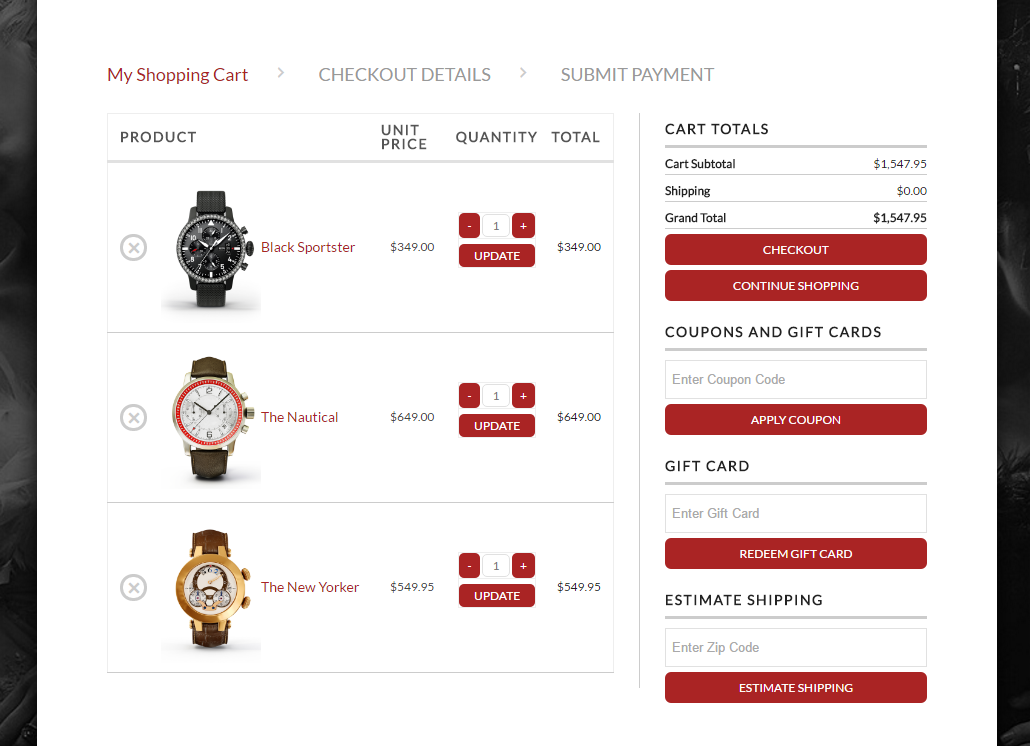
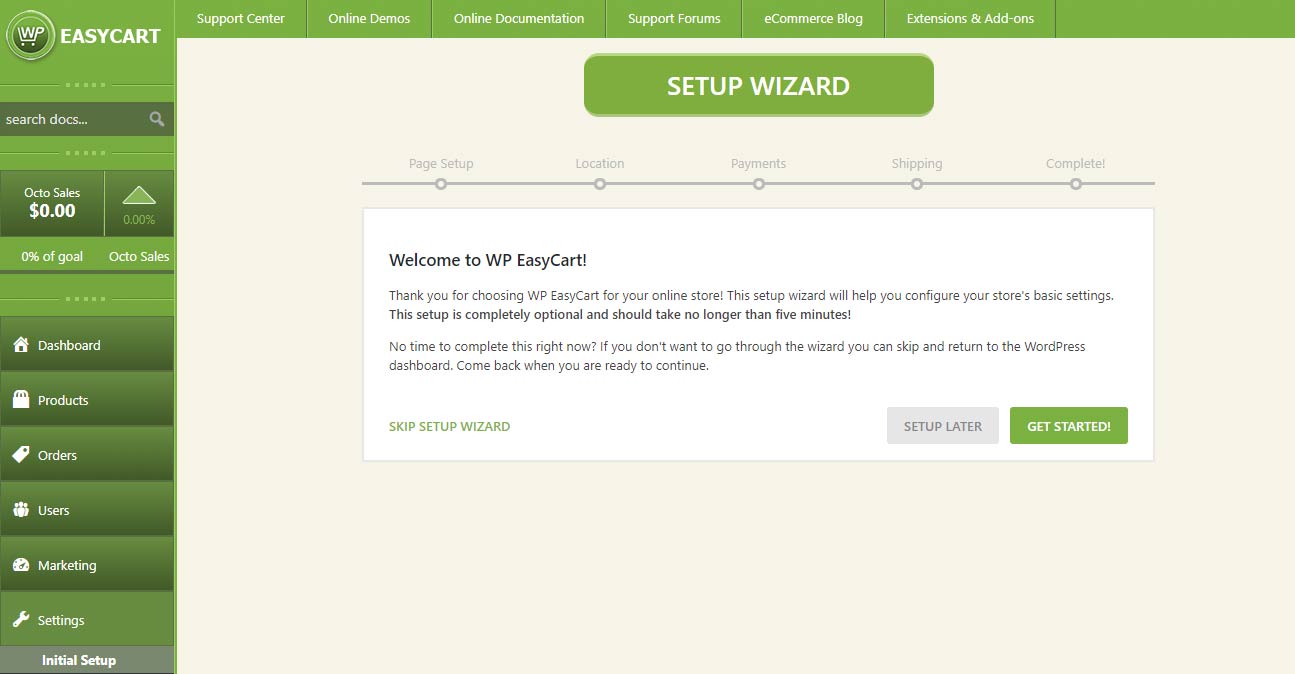
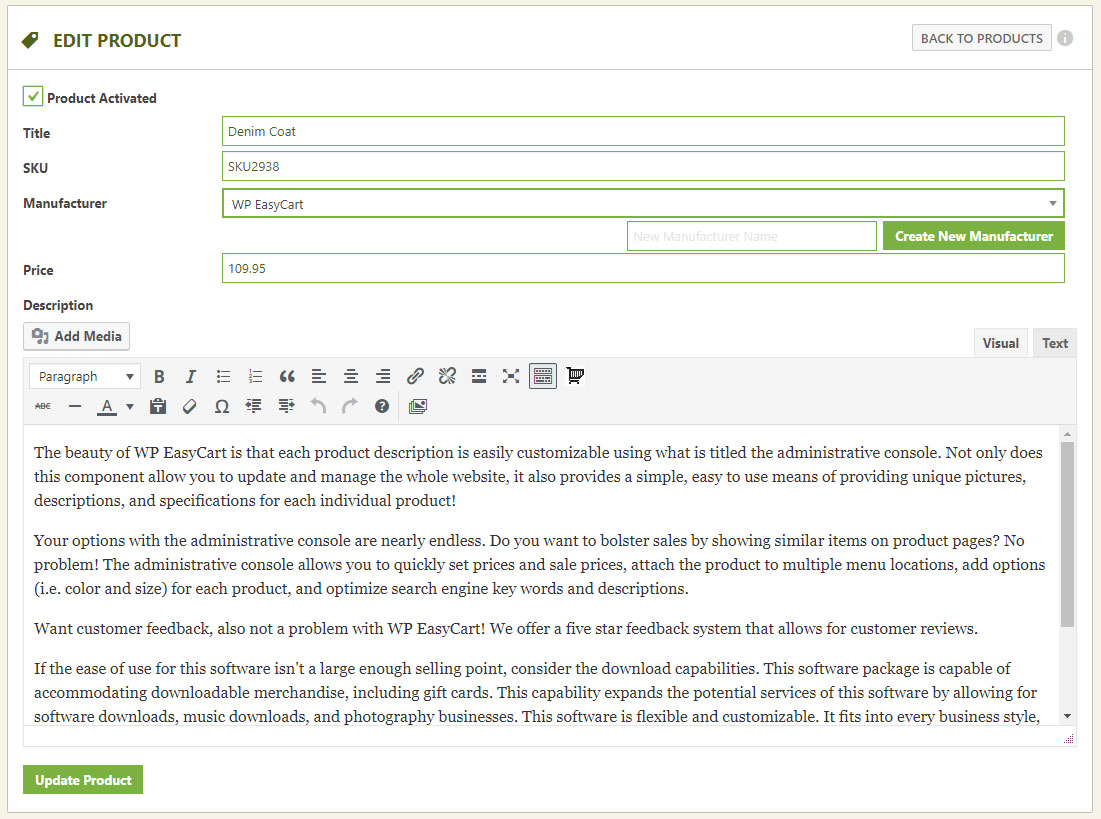
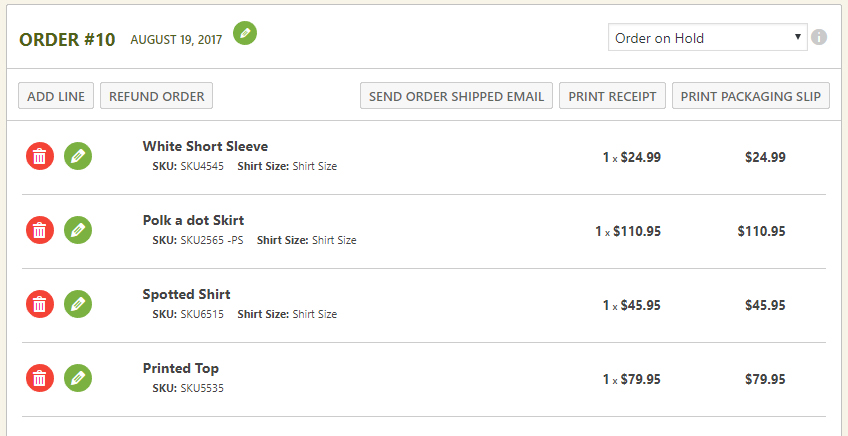
Bloques
Este plugin proporciona 1 bloque.
- WP EasyCart
Instalación
¡Instala un completo plugin de carrito de compra y comercio electrónico para WordPress en menos de 5 minutos! Saca el máximo partido del carrito de Stripe, de Square y de PayPal para WordPress ¡en unos pocos sencillos pasos!
Instala y activa el plugin del carrito de la compra de WordPress. Solo tienes que iniciar sesión en tu administrador de WordPress, visitar plugins -> agregar nuevo y buscar ‘EasyCart’.
Una vez que lo hayas instalado y activado, te recomendamos que sigas nuestro sencillo asistente de 5 pasos para configurar las páginas iniciales, el pago, los impuestos y el envío. Solo te llevará 1 minuto y siempre podrás cambiar estos ajustes a través de la página de ajustes de WP EasyCart.
¡Empieza a agregar los productos de tu tienda utilizando el menú de productos!
Mira nuestro video de instalación
Videos populares de instalación de carritos de la compra para el comercio electrónico
- Video 1: Installing WP EasyCart
- Video 2: Install 14 day PRO trial!
- Video 3: Crear tu primer producto
- Video 4: Creating a Product Option
- Video 5: Creating Product Categories
- Video 6: Basic Design Customization
- Video 7: Setting up Payment Gateway
- Video 8: Setting up Taxes
- Video 9: Setting up Shipping
- Video 10: Testing and Launching your Site
Puedes encontrar más videos en nuestro Biblioteca de videos!
Documentación de instalación
A los usuarios les encantará nuestra completa documentación online y los recursos gratuitos, que incluyen documentación de ayuda online, una completa biblioteca de videotutoriales y un foro comunitario y una base de conocimientos. A los usuarios Premium y Profesionales les encantará el soporte extra que adquieren con la licencia y el soporte técnico individualizado con nuestro equipo técnico de 5 estrellas. ¡SOLO TIENES QUE LEER NUESTRAS RESEÑAS!
Documentación online: Documentación de WP EasyCart Tutoriales de video online: Tutoriales en video de WP EasyCart Foros online: Foros de WP EasyCart ¿Necesitas soporte técnico? Comparar precios profesionales y premium
FAQ
-
¿Dónde puedo conseguir documentación o demostraciones del carrito de la compra?
-
Ofrecemos una completa web de servicio con documentación online, tutoriales en video, foros de soporte comunitario, así como sitios de demostración con nuestras distintas plantillas en WP EasyCart .
-
¿Puedo utilizar vuestro software de comercio electrónico para mostrar, pero no para vender productos?
-
¡Por supuesto! Si no necesitas vender nada, pero quieres aprovechar nuestro software para mostrar productos, ¡solo tienes que hacerlo! Solo tienes que poner la tienda en modo catálogo y se elimina la posibilidad de agregar al carrito los productos.
-
¿Puedo vender mis productos en Facebook e Instagram?
-
¡Sí! Con nuestra edición Premium, puedes utilizar nuestro feed de Facebook e Instagram para publicar tus productos en un catálogo de Facebook. Esto te permite configurar un catálogo de productos en Facebook, crear atractivos anuncios en carrusel en las redes sociales, ¡y mucho más!
-
La versión GRATUITA está disponible en WordPress y te ofrece características limitadas, como la posibilidad de tener un carrito de PayPal, un carrito de Square, un carrito de Stripe, pagos manuales, productos ilimitados, variaciones de productos, gestión de pedidos y mucho más. Características como los cupones, las tarifas de envío en vivo, promociones, la edición de pedidos, más de 30 pasarelas, compañías de envío en vivo y muchas más no están incluidas en la versión GRATUITA. Actualizar a Profesional o Premium desbloqueará TODAS las características del núcleo y te proporcionará actualizaciones y soporte durante un año. Actualizar a Premium te conseguirá todo lo que hay en el carrito Profesional, además de acceso a nuestras más de 10 extensiones y aplicaciones para iPad, Android y escritorio.
-
Facebook e Instagram te permiten vender a través de las redes sociales. Quickbooks ofrece una sincronización automatizada con tu versión de Quickbooks de escritorio. ShipStation ofrece sincronización de pedidos para gestionar fácilmente los envíos, las etiquetas y el seguimiento por correo electrónico. Stamps.com permite comprar y pagar el franqueo. Groupon, pestañas adicionales, correo electrónico de Mandrill, logística óptima, tarifas de WP para afiliados y Bluecheck ofrecen una variedad de extensiones de integración con terceros que consigues como parte de nuestra edición Premium. Visita nuestra web para conocer todas las ventajas de la edición Premium, incluyendo nuestras aplicaciones móviles y sistemas de avisos push.
-
¿Cómo funciona una licencia de comercio electrónico con tu software?
-
El plugin GRATUITO es la versión completa del software para WordPress del carrito de compra para comercio electrónico; sin embargo, el software PRO y administrativo que se descarga de nuestra web es un software que necesita licencia. El software PRO agregará todas las características principales y la versión Premium te permitirá acceder a nuestro software administrativo, aplicaciones y extensiones. Puedes seguir utilizando el plugin GRATUITO para WordPress, pero debes comprar una licencia para utilizar nuestro software PRO o administrativo.
Cada licencia es válida para la URL de una sola web o una instalación de WordPress. Puedes transferir una licencia de un entorno de desarrollo a un entorno de producción en cualquier momento; es tu licencia una vez que has comprado.
La licencia te da características como cupones, promociones, calculadoras de tarifas de envío en vivo y mucho más. Además, recibirás soporte de nuestro personal de forma personalizada y no a través de nuestros sistemas de soporte comunitario abierto. Para obtener más información sobre la licencia, puedes consultar nuestra web. -
¿Tengo que pagar mensualmente?
-
No, no hay que pagar cuotas mensuales con EasyCart. WP EasyCart te permite utilizar el plugin en una web de WordPress durante 12 meses con actualizaciones y soporte. La edición gratuita tiene un 2% de cuotas EasyCart por transacción. La edición profesional/premium tiene 0% de cuotas EasyCart por transacción. *Siempre se aplican las cuotas normales de procesamiento de pagos.
-
¿Funcionará en mi tema?
-
¡Sí! EasyCart funciona en 3 páginas de WordPress, que se crean automáticamente en la instalación. Nuestro instalador te guía a través de los pasos rápidamente y si tienes problemas con el tema, tu programador de temas o nuestro personal puede ayudarte.
-
¿Qué pasarelas de pago de comercio electrónico tienes?
-
Ofrecemos más de 30 pasarelas diferentes. Las más populares son Square, SquareUp, PayPal Standard, PayPal Pro, PayPal Payflow, Authorize.net, Stripe.com, FirstData, eWay, Payment Express, Sagepay, 2Checkout, Dwolla, Nets Nexaxept, Payfort, Realex, Redsys, Skrill, beanstream, braintree, Chronopay, Virtual merchant, Geomerchant, intuit, MIGS, Moneris Canada, Moneris US, NMI, Payline, Paypoint, Secure Pay, WorldPay y otras. Comprueba nuestra documentación para ver una lista completa y actualizada.
-
Where do I report security bugs found in this plugin?
-
Please report security bugs found in the source code of the WP EasyCart plugin through the Patchstack Vulnerability Disclosure Program. The Patchstack team will assist you with verification, CVE assignment, and notify the developers of this plugin.
Reseñas


Colaboradores & Desarrolladores
“Shopping Cart & eCommerce Store” es software de código abierto. Las siguientes personas han contribuido a este plugin.
Colaboradores

“Shopping Cart & eCommerce Store” ha sido traducido en 3 idiomas. Gracias a los traductores por sus contribuciones.
Traduce “Shopping Cart & eCommerce Store” a tu idioma.
¿Interesado en el desarrollo?
Revisa el código, echa un vistazo al repositorio SVN, o suscríbete al registro de desarrollo por RSS .
Historial de cambios
6.0.0
- New Feature – Settings redesigned: a Settings home with search across every setting, pages organized into sections with a jump list and clearer wording throughout.
- New Feature – Flex-Fees: a percentage fee can now be calculated on the order total (subtotal + shipping + tax – discounts) instead of the subtotal only, so a card-processing fee such as 2.9% covers the whole charged amount.
- New Feature – Customer file uploads (file upload option) can now be downloaded by staff from the admin order email and the order details screen through a secure link that requires a logged-in administrator or order manager.
- New Feature – Per Page Options: one page size can be starred as the default; the storefront starts shoppers on it.
- New Feature – Customer file upload links in the admin order email can optionally work without signing in, using an expiring private link (Settings › Email › Order emails), with a one-click option to revoke all links already sent.
- New Feature – Text and text area options can now force UPPERCASE, lowercase or Title Case, limit input to letters, letters and spaces, numbers, or letters and numbers, and show placeholder text; rules apply while typing and again when the item is added to the cart.
- New Feature – Email deliverability: send a test email from the Deliverability panel; the result is shown on screen and recorded in the email log.
- New Feature – PDF invoice or receipt to customer and admin order emails (Settings > Email > PDF receipts), with your business details, a file name pattern and A4 or Letter paper, to help meet EU invoicing requirements. Includes an “Email me a sample PDF” button.
- New Feature – Manage offers, coupons and promotions that apply to the product, with status, uses, orders and revenue from the product details.
- New Feature – Stock history on Inventory & Shipping, with the change, reason, resulting quantity and who made it; managed from the product details.
- New Feature – Edit the Yoast SEO title, meta description, focus keyphrase, canonical URL and search visibility from the SEO tab when Yoast SEO is active, directly from the product details.
- New Feature – Price filter in the store sidebar: turn on Settings > Products > Store sidebar > Price filter (or “Enable Sidebar Price Filter” on the Elementor Store element) to list your price ranges with product counts.
- New Feature – File upload options can now limit which file types shoppers may upload (images, documents, design files such as PSD/AI/EPS, archives), with the accepted types shown next to the upload field.
- New Feature – Download the order’s PDF receipt from the order actions menu when PDF receipts are enabled.
- New Feature – Product Details: Quick filters on the Offers tab (All, Live, Targets, Used) with counts.
- New Feature – Product Details: Orders using an offer list with search, offer and date filters, and paging.
- New Feature – Inventory: “Send now” in the Alerts box sends the low stock digest immediately as a test, without changing the schedule.
- New Feature – Settings > Email can now send you each subscription email (trial started, trial ending, renewal coming up, subscription ended, payment failed) as a test, built from a real subscription when you have one.
- New Feature – Settings > Email now shows the retry queue: what is waiting, how many attempts it has had, when the next attempt is, with “Send queue now” and per-email retry, plus a “Simulate a failed send” test that never touches customer mail.
- New Feature – Inquiry forms can now require the shopper to be signed in to a store account.
- New Feature – Refused inquiries are recorded under Settings > Log entries with the reason, a masked email address and no stored IP address.
- New Feature – Authorize.net now allows you to upgrade to the Accept.js version, which offers PCI compliance.
- Improvement – Inventory: import and export rebuilt. The export now carries Product ID and Variant ID, so variants that share a SKU can be updated; the import panel previews every row before applying in the background, logs each change to stock history, and explains rows it cannot match.
- Improvement – Add product panel: pricing, media, inventory & shipping and options are cards in the current admin design; option sets are chosen with search and shown as chips with a variant count.
- Improvement – Orders with nothing to ship (downloads, gift cards, subscriptions and services, or products with shipping disabled) removes the fulfill features.
- Improvement – Order details: the Fulfillment card was redesigned. The status strip no longer wraps a boxed Shipping Info panel with duplicate Edit links; shipping method, carrier and tracking number show as one summary with a single Edit, and new orders get a clear “No shipping details yet” prompt with an Add shipping details button.
- Improvement – Product editor: the Pricing & Tax tab now shows the product’s current price (and crossed-out Previous Price), updating as you type, with an Edit price button that jumps to the Price field on the General tab.
- Improvement – Countries & Regions: the country list now covers the full ISO 3166-1 set (250 countries) and default regions were added for Mexico, Spain, Germany, New Zealand and Ireland, with Brazil and India completed. Applies to new installs and to “Restore default countries & regions” only; existing stores are never changed.
- Improvement – Countries & Regions: saving a country or adding a region updates the list in place; the drawer closes on save.
- Improvement – Settings menu: “Countries” and “States/Territories” merged into one “Countries & Regions” link; old States bookmarks still open the combined screen.
- Improvement – Store details › Currency: a live price preview, one-click separator and decimal-place choices, currency code suggestions with a one-click “usual format” for common currencies, and exchange rates edited as a list instead of a comma-separated string.
- Improvement – Settings › Shipping rates: switch the shipping method right from the rates page, and the rate tables stay readable and editable on small screens.
- Improvement – Order statuses editor redesigned: compact color, name and paid controls in a grid, built-in and custom statuses grouped.
- Improvement – New stores that use Square or WooCommerce now see an “Import your products” item in the launch checklist, linking to the cart importer; Settings search also finds sections such as Cart importer.
- Improvement – Shipping zones collapse large place lists with expand/collapse controls.
- Improvement – Manage Downloads explains folder and permission problems and adds Create folder, Replace file, Choose existing file, Switch to Amazon S3 and Repair actions.
- Improvement – Email deliverability: step-by-step “How to fix” help for SPF, DKIM, DMARC and sender address checks, with ready-to-copy DNS records and where to add them; a new “Improve delivery in 3 steps” guide when no mail plugin is installed; a mail plugin that takes over WordPress mail is now shown as a passed check with a link to its test screen; the health card explains its state in one sentence.
- Improvement – Abandoned Carts shows the next automatic run, the last run result, WP-Cron warnings and a Run now button; reminder emails include one-click List-Unsubscribe headers and test emails no longer touch real customers’ carts.
- Improvement – Stock quantities changed in the product editor are now recorded in inventory history.
- Improvement – Customer file uploads: when an order’s file is not on the server, the order screen shows “File not received” instead of a Download link, the admin order email says “file not received”, and the download link opens a clear page with Open order and Email the customer buttons for staff instead of a bare error.
- Improvement – Canada taxes: for Quebec addresses the provincial tax is shown as QST instead of PST in the cart, checkout, wallets (Apple Pay / Google Pay), emails, receipts, packing slips and admin order totals. GST, PST, QST and HST names are now editable in the language editor (Cart › Cart Totals), with French defaults TPS, TVP, TVQ and TVH. The Canada tax settings explain that Quebec’s QST rate goes in the PST column.
- Improvement – Logs: “View order” is only offered on entries linked to an order.
- Improvement – Live shipping: cart updates only request quotes from carriers that are set up (Australia Post, FedEx, etc. without credentials are skipped), make no carrier requests until the shopper has entered a destination, and reuse the saved quote for up to 30 minutes when the cart, destination and carrier settings have not changed.
- Improvement – Live shipping: Canada Post, FedEx, UPS and USPS are now quoted at the same time instead of one after another, so a cart update waits for the slowest carrier rather than all of them added together.
- Improvement – Live shipping: every carrier request now has a 5 second connection and 10 second overall time limit (Canada Post and USPS had none), and a carrier that cannot be reached, rejects the account or has a server error is skipped for 5 minutes so the cart doesn’t wait on the same failure with every change. Saving that carrier’s settings, reconnecting UPS or a passing connection test lifts the pause, and each pause is recorded in the logs.
- Improvement – The saved live rate quotes table is indexed by cart and cleaned daily (quotes for carts that no longer exist, or older than 18 days).
- Improvement – Every store email now shares one modern design: 600px layout that stacks on phones, store logo and accent color, address cards, clear item table and totals, and a footer.
- Improvement – Addresses in emails now follow each country’s format (postcode before the city in most of Europe, on its own line in the UK) and no longer leave blank lines when a company, second line, state or postcode is missing.
- Improvement – Printable gift card redesigned: the amount and code stand out, the product image no longer fills the page, and it prints cleanly.
- Improvement – User details: saved addresses with no details are labelled “Blank address” with a short explanation instead of “(empty address)”.
- Improvement – Inventory: Bulk Update “Adjust quantity by” now asks you to choose a reason instead of defaulting to “Stock received”.
- Improvement – Redesigned the customer subscription details page with a status badge, product image, price and billing dates, card on file, purchased options, billing history and grouped actions.
- Improvement – Customer file uploads now check the file’s real contents against the option’s allowed types, and always refuse scripts, web pages, SVG and names that hide a script extension.
- Improvement – Product inquiry forms are now protected by an invisible honeypot field and a minimum time-to-submit check, so scripted spam is refused before it reaches your inbox.
- Improvement – Inquiries are rate limited per visitor, per email address and per product, with merchant-set hourly limits under Settings > Products > Inquiry form protection.
- Improvement – Inquiry messages are now checked for length, excessive links and a merchant-editable list of blocked words and domains, and forged or mismatched form fields are rejected.
- Improvement – Hardened the inquiry submit handler: the form nonce is checked before any field is read, and every posted field is sanitized once.
- Bug Fix – Settings > Admin > Quick add panel: the four toggles had no effect on the Add product panel since the settings redesign.
- Bug Fix – Order details: an order with nothing to ship showed as unfulfilled on the order screen while the list showed “No shipping”.
- Bug Fix – Log entries search now matches each word across the response and source, finds order numbers and transaction ids reliably, returns to page 1 on a new search, and keeps special characters when paging and exporting.
- Bug Fix – Subscription checkout saved an option’s download settings as a file name, creating download records that could not be downloaded; option override files on subscriptions are now read correctly too.
- Bug Fix – Store Status “Fix data folders” created folders with broken permissions and could not create nested folders.
- Bug Fix – Unsubscribing from cart reminders now asks the shopper to confirm (so email link scanners cannot unsubscribe anyone), supports one-click unsubscribe from Gmail and Yahoo, stops all future reminders to that address and marks the carts Unsubscribed in the admin.
- Bug Fix – Color swatches now show as colored chips on the storefront (product page, add-to-cart shortcode, Elementor add-to-cart, color widget) instead of broken images.
- Bug Fix – Customer file uploads (file upload option): a file the store cannot accept (file type, size, or an upload that failed) no longer adds the item to the cart with a missing file. Shoppers see why straight away (“This file type cannot be uploaded. Accepted file types: JPG, PNG, …” or the size limit, editable in the language editor), the file picker only offers accepted types, and the server rejects it too. Failed uploads are recorded in the store log when logging is on.
- Bug Fix – Text and text area options now enforce their minimum length: shoppers see “Please enter at least N characters.” (editable in the language editor) instead of adding a shorter value to the cart, and the server rejects it too.
- Bug Fix – Elementor Cart Icon widget: removed a duplicate “alignment” control that triggered a “doing it wrong” notice (it never applied), and the icon hover color now takes effect.
- Bug Fix – Authorize.net: decline reasons were not shown to shoppers, and the legacy URL option stopped charges from going through.
- Bug Fix – Offers: legacy coupons and promotions could disappear from the admin when the conversion check failed (for example on databases with mixed collations), and a failed conversion could switch a legacy coupon off without creating its offer. The Legacy tab now always lists every legacy item, shows why a conversion did not finish, keeps converted items with a link to their offer, and can restore the legacy version with its original dates.
- Bug Fix – DB Compatibility Upgrades.
- Bug Fix – Stripe: when a saved Stripe customer no longer exists on the connected account (account reconnected or test/live switch), checkout now re-creates the customer and continues instead of showing an error.
- Bug Fix – Stripe subscriptions: recurring payment and failed payment webhooks now work with newer Stripe API versions, failed payments are marked correctly, and subscription status is kept in sync with Stripe (including reactivation after a card update).
- Bug Fix – Canada taxes: Quebec QST is calculated on the price before GST (GST 5% and QST 9.975% on the same amount), as Revenu Québec has required since 2013, in the cart, subscriptions, and the Square and Stripe tax rates. A store that needs the old compounded calculation can add the filter wp_easycart_quebec_compound_qst returning true.
- Bug Fix – Canada taxes: New Brunswick and Newfoundland tax settings were applied to each other’s addresses; Newfoundland addresses using NL are now recognized too.
- Bug Fix – Fixed a fatal error on the Dwolla checkout return page.
- Bug Fix – Admin lists no longer error when a page size of 0 is requested.
- Bug Fix – Removing an item from the cart ran the cart update listeners (live shipping, tax, payment intent) twice, making deletes roughly twice as slow as quantity changes.
- Bug Fix – UPS live rates: a shipping estimate with only a postcode sent an empty state and address lines, which UPS rejected, and every rejected request was sent a second time unchanged. Empty address parts are no longer sent, and only an expired login is retried (after refreshing it); other UPS errors are logged with their code and message.0
- Bug Fix – USPS live rates: a login token rejected before its expiry is now replaced and the request sent again, instead of returning no rates until the token expired. Single-rate USPS lookups passed their arguments in the wrong order.
- Bug Fix – Logs: carrier rate errors (FedEx, UPS, USPS, Australia Post, DHL) were recorded as OK and successful Canada Post quotes as errors; each now carries the right status, and failed quotes include the HTTP status and carrier message.
- Bug Fix – Australia Post domestic live rates sent the store and customer postcodes reversed.
- Bug Fix – FedEx: the residential address check called the address lookup with the wrong arguments.
- Bug Fix – Shipped email: billing and shipping addresses could break into misaligned columns (for example Canadian addresses in Gmail or Apple Mail), and gift card / download links pointed to the wrong order.
- Bug Fix – Printable gift card showed each label twice (“To: to: name”).
- Bug Fix – Order receipt email showed the Tax row when easy Canada tax was on and no tax was charged, and could leave out the billing address.
- Bug Fix – Tax row now shows in refund emails when Easy Canada Tax is on, and the invoice’s “print online” gift card link points to the right gift card.
- Bug Fix – Gift cards resent from an order had an empty redeem link.
- Bug Fix – Product inquiry emails showed a literal html characters in the message and could leave out basic option names.
- Bug Fix – Abandoned cart emails no longer switch product images from https to http, and back in stock emails no longer show double-escaped product titles or a missing product image.
- Bug Fix – Refunds: order fees such as a card-processing fee are now refundable – percentage fees are prorated to the amount refunded, fixed fees are all-or-nothing, and the refund modal shows the items/shipping/fees/tax breakdown.
- Bug Fix – Refunds: refunded tax is calculated from the taxed base, so stores that charge tax on shipping no longer over- or under-refund tax on partial refunds.
- Bug Fix – Subscription details in the customer account no longer offer “Change payment method” or “Change my plan” once a subscription is canceled, ended or otherwise not active, and the store now refuses those changes server-side.
- Bug Fix – Subscription details now show the variants, modifiers and sign-up fee chosen at purchase, in the account page and in the admin subscription screen.
- Bug Fix – Subscription past payments now show on the account subscription details page.
- Bug Fix – Subscription next and last bill dates no longer cause a fatal error on PHP 8 when stored as a date string.
- Bug Fix – Changing a subscription plan from the account page no longer sends a quantity of 0 when quantity changes are turned off.
- Bug Fix – Payment settings: CashFree UAE Dirham, PayPal Payflow Danish Krone and SecurePay JPY now save and display the currency shown.
- Bug Fix – Low stock and out of stock admin emails now send for products that track stock by option combination, including two-level variants such as Color and Size.
- Bug Fix – Product page: a default option item now sets the price, stock count, option item image and the hidden option field on load, so add to cart no longer reports a missing option, and a default swatch on a single option no longer loses its highlight when the page loads.
- Bug Fix – A failed Google reCAPTCHA on the inquiry form ended the request silently; the shopper now sees a message explaining what happened.
- Bug Fix – The admin copy of a product inquiry was sent with an empty subject line.
- Bug Fix – Page lock (Restrict Access meta box): the product ids stored on a post are now bound as prepared integers before the purchase check runs, the six wpeasycart_restrict_* keys are protected meta so they cannot be written through the Custom Fields box, XML-RPC or the REST API, and the meta box save requires its own nonce and the right to edit that post.
- Bug Fix – Customer file uploads (file upload option) can no longer be downloaded by guessing their address.
- Bug Fix – Paid digital download files can no longer be downloaded by direct address without buying them.
- Bug Fix – Built-in order statuses (1-19) can no longer be deleted or have their paid setting changed by a direct admin request; previously only the settings screen prevented it.
5.9.4
- New Feature – Updated admin design, modernized shell.
- New Feature – Inventory management screen upgraded.
- New Feature – Coupons and Promotions converted into Offers. Offers allows for far more complex means to manage your discounts storewide.
- New Feature – Cart Links added to marketing to allow you to share complex add to cart links to your marketing system.
- New Feature – Product details panel upgraded.
- New Feature – Order list and order details upgraded.
- New Feature – User list and user details upgraded.
- Security – Additional security fixes.
5.9.3
- Security – Hardened product ordering save handlers.
5.9.2
- Bug Fix – Duplication of product and product images bug fixed.
- Bug Fix – PayPal phone number and given name issues fixed.
- Bug Fix – USPS International shipping bug fixed.
- Bug Fix – Complex filter bug fixed.
- Improvement – Upgraded login and forgot password process to a more modern approach.
- Security patches.
5.9.1
- New Feature – Beta Release: New product details admin panel design can be enabled in the additional options section. Upon further review, this new version will be released as the main display.
- Bug Fix – Multiple add to carts using short url, prevent duplicate product adds, instead increase quantity.
- Bug Fix – Square checkout company name fix.
- Bug Fix – Download reports and tax documents fix.
- Bug Fix – Static shipping method sort improvement and fix.
- Bug Fix – Stripe locale information fixed to align between EasyCart and Stripe locale codes.
5.9.0
- New Feature – Admin user details now includes more details about the customer including past orders, order notes, downloads, subscriptions, and more.
- Improvement – SquareUp synced products now display why they are locked as enabled or disabled to prevent confusion.
- Bug Fix – PayPal Venmo fix.
- Bug Fix – Product details manufacturer missing fixed.
- Bug Fix – Public and private post status fixed in a few cases where it was missing.
- Bug Fix – SquareUp product sync upgraded to fix cases for public vs private posts.
- Bug Fix – Method based shipping with ship each item separately enabled caused incorrect sort order.
5.8.16
- Bug Fix – Permalinks checking adjusted to prevent issues.
- Bug Fix – International USPS shipping bug fixed.
- Bug Fix – Inventory bug fix for SquareUp sync.
- Bug Fix – Speed upgrade for product list query.
- Bug Fix – Escaping issue in some cart cases fixed.
- Bug Fix – Order list issue with local timezone being incorrectly displayed (specifically for yesterday or within a week of the order).
5.8.15
- New Feature – Upgraded admin tool for the product list.
- New Feature – New options for the Elementor Search widget.
- New Feature – New options for the Elementor Store Widget.
- New Feature – Square import feature to sync only new products.
- New Feature – Reset default countries / states feature added.
- New Feature – Added Last Year as an option in the reports.
- Bug Fix – Database upgrade issue in last version was not working properly.
- Bug Fix – Coupon issue resolved
- Bug Fix – Upgrade for live shipping to select correct lowest value.
- Bug Fix – Sort order fix for volume pricing and b2b pricing in the admin.
- Bug Fix – Canada tax fix for Quebec.
5.8.14
- Bug Fix – Small fix to shortcodes.
5.8.13
- New Feature – Option to show line item discounts for coupons in the cart, order details, and print receipt.
- New Feature – System passing line item discounts through to the order (future orders only).
- New Feature – Option to show coupon code message on receipt and order details instead of coupon code.
- New Feature – Coupon code message stored to the order (future orders only).
- Bug Fix – USPS V3 fix for some rates not returning.
- Bug Fix – Modifier issue when adding to cart fixed.
- Bug Fix – CSV product export fixed for those that have data errors in their modifiers system.
5.8.12
- New Feature – USPS V3 now available, toggle it on in your shipping settings.
- New Feature – If you are connected to Stripe sandbox and live site, you may enable an EasyCart user as a test user. Test users can checkout through the sandbox for testing while your store is live.
- Improvement – UPS now using updated oAuth API version, which means almost no disconnects moving forward.
- Improvement – Cart session does not start until something is added to the cart to prevent caching issues.
- Improvement – AJAX calls now specifically state top not cache in hopes some server setups do not cache the responses.
- Improvement – The order stores a converted cart ID, which can be used in tracking conversions more easily for third party integrations.
5.8.11
- New Feature – Choose coupons to apply to the first order only.
- New Feature – Enable and connect direct Google Tags integration.
- New Feature – Allow a specific user to enter a different billing from shipping address to override global option.
- New Feature – You may now dupicate an order from the admin.
- New Feature – New Elementor element for cart icon display (typically used in custom menus).
- New Feature – New shortcode for cart icon display: [ec_cart_icon]
- Bug Fix – Advanced swatches, checkboxes, and radio selects (with price changes) display fixed for Elementor product templates.
- Bug Fix – Square coupon fix to prevent order insert errors to Square display.
- Bug Fix – Canada Tax for Quebec calculation fixed.
- Bug Fix – Added US military APO states.
- Bug Fix – BOGO coupon calculation for order display.
5.8.10
- Bug Fix – 5.8.10: Same issue for email receipts fixed where the new signature feature was added in 5.8.8.
- Bug Fix – 5.8.9: Some versions of php had an email receipt error and has been resolved.
- New Feature – Automated email signature can be added in text format and/or image upload format.
- New Feature – Enable automated refund email upon refund submitted.
- New Feature – Send a refund issued email from the admin.
- Improvement – Estimate shipping expanded to automatically detect Canadian provinces/territories from the postal code. Useful for live shipping rates.
- Bug Fix – Subscriptions of zero price caused an error.
- Bug Fix – If you have a one-time fee for subscriptions, next bill total was showing incorrectly.
5.8.7
- Bug Fix – Stripe error for specific combination of features.
- Bug Fix – Object cache issue on updating state or country shipping options fixed.
- Bug Fix – Subscription purchase, account creation, plus recaptcha enabled, and cart disabled fixed.
- Bug Fix – Subscription purchase, account creation, duplicate email error was not properly reloading the recaptcha (if enabled).
5.8.6
- Bug Fix – Redsys api updated to remove deprecated PHP function.
- New Feature – Filter added to allow Stripe automatic action handling to be disabled.
5.8.5
- New Feature – Elementor store widget now allows to show products by dynamic ID to help with category and manufacturer templates.
- New Feature – Stripe subscriptions now allow an upcoming payment alert. Payment alerts are determined in your Stripe account and Stripe webhook.
- Improvement – Feature to trim the gateway log adjusted to prevent memory overflow.
- Improvement – Subscription details page upgraded.
- Improvement – Rating system on front-end requires a click to select your rating, instead of hover.
- Bug Fix – Gift card totals were not applying to Canadian taxes.
- Bug Fix – Order details, order receipt print, and order packing slip (if date enabled) now convert the date to match the WordPress timezone. This should align with order list values.
5.8.4
- Patch from 5.8.3 – Error in creating users from the admin fixed.
- Patch from 5.8.2 – Error in the main store js quick fix.
- Improvement – Order list keeps the name visible.
- Improvement – Order list combined first and last name into a customer name column.
- Improvement – Order list, order date updated to show Today, Yesterday, Tuesday, and so on (if within last week).
- Improvement – Order list, order date that is in the same year removed year from the display for better readability.
- New Feature – Order list, customer name can be clicked to view customer details and quick copy for email and phone.
- Bug Fix – Square importer added checks for missing data coming from Square for syncs.
- Bug Fix – If the admin links to a user that was deleted, it displays the appropriate error message.
- Bug Fix – Improved testing for remote server to use only when required to connect to PayPal or Stripe.
- Bug Fix – PHPMailer file removed and replaced with WordPress version.
5.8.1
- Update – Works with WordPress 6.8!
5.7.15
- Bug Fix – Intuit updated their refresh token …